Apkawa/dsh-plugins--packages-dsh-model-settings ↗★ 0
@apkawa/dsh-model-settings
Auto-capture llama.cpp context window from /props into dsh model settings
安装
$
npx -p @deepseek-ai/dsh dsh plugin --profile web add github:Apkawa/dsh-plugins#026cfc7215975e8c40b1a98b68f3dc9f80ad8322&path:packages/dsh-model-settings说明文档
阅读完整 README ↗@apkawa/dsh-model-settings
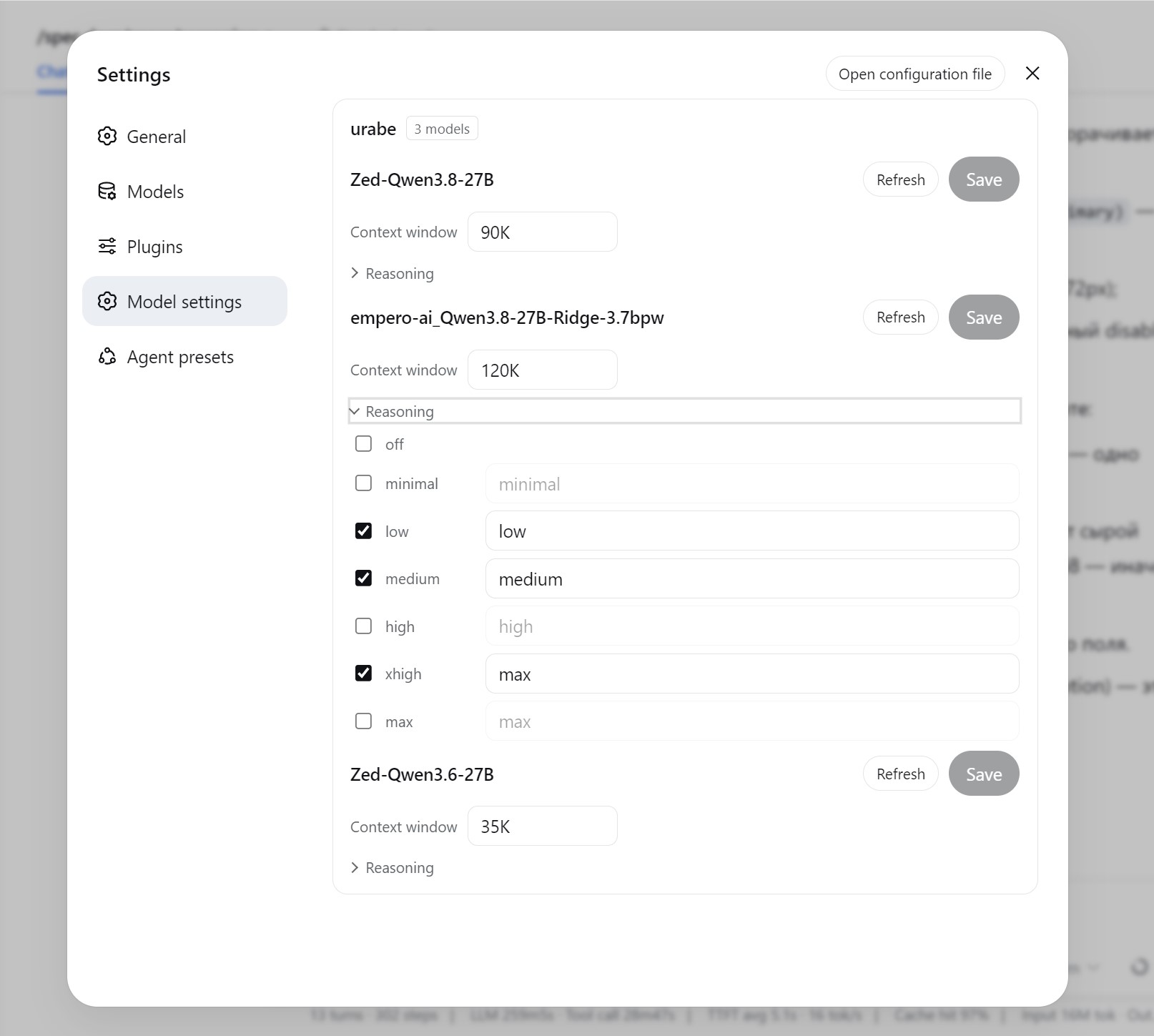
Per-model reasoning effort and context window management for llama.cpp models in dsh's settings.
Screenshot
Features
- Model settings section — a top-level settings page with a per-model accordion:
- the seven thinking levels (
off,minimal,low,medium,high,xhigh,max) as checkboxes with wire values; - a context-window field with a Refresh button that force-writes the size from the
provider's live
/v1/modelslisting (rounded down to the thousand); - one Save commits both parts together.
- the seven thinking levels (
- Clearing: unchecking every stored level activates Save and, on save, clears the model's
reasoning mapping (dsh's canonical
reasoningEfforts: false); emptying the context-window field of a sized model drops the key so the model inherits again. - Context-window autofill (host side): fills every unsized model's
contextWindowfrom the provider's INI preset (ctx-size, elsefit-ctx), rounded down to the thousand.
How it works
- Watcher on
settings/updated(host side, filtered to thellm-pi-aisection): for each candidate route one GET/v1/models, parse INI presets, fill every model that has no nonzerocontextWindowyet. - Self-cycle guard: a route whose models are all already sized is skipped entirely, so our own write never schedules another round.
- The section's rows and saves go over the plugin-owned
/model-settingsRPC channel (host handler on the same settings seam); failures surface as human-readable lines in the UI.
Install
dsh plugin --profile web add github:apkawa/dsh-plugins#path:/packages/dsh-model-settings
Debugging
Logs are quiet by default. Run dsh with DEBUG=1 to see the plugin's trace output
(fetchModels, autofill rounds); error lines are always printed regardless of the flag.
Development
See AGENTS.md for principles + pitfalls, and docs/ai/key-moments.md for architectural reference.