Bing-Bryan/dsh-unread-dot ↗★ 0
dsh-unread-dot
DSH web plugin: macOS Dock unread red dot (dot = running, number = results) + bubble chime when the app is hidden/minimized — built on the Badging API
安装
$
npx -p @deepseek-ai/dsh dsh plugin --profile web add github:Bing-Bryan/dsh-unread-dot说明文档
阅读完整 README ↗dsh-unread-dot
DeepSeek Harness(DSH)插件:最小化/切走时,在 macOS Dock 图标上显示未读红点,并在会话完成/需要你处理时播放水泡提示音。回到应用自动清除。



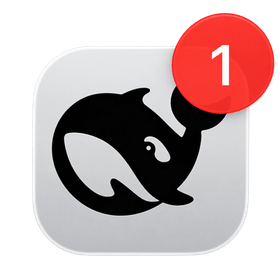
基于 Chrome Badging API(navigator.setAppBadge / navigator.clearAppBadge)实现——不依赖任何 macOS 系统设置,不需要通知权限,没有横幅打扰。
⚠️ 使用前提:请先在 Chrome 中打开 DSH Web,通过浏览器菜单 「更多 → Cast, save and share → 安装应用 / Install…」 把它封装成一个独立的 macOS 应用(PWA)——
setAppBadge只对已安装的 Web App 生效。
效果
| 场景 | Dock 图标 | 声音 |
|---|---|---|
| 会话正在运行(你不在时) | 🔴 红点(无数字)= 还在干活 | 静音 |
| 会话跑完(你不在时) | 🔴 红色数字 +1 = 结果在等你 | 🔊 水泡音 |
| 会话需要你处理 | 🔴 红色数字 +1 | 🔊 水泡音(每段离开期一次) |
| 回到应用 | 自动清除 | — |
为什么用 Badging API
本插件完全构建在 Badging API 之上,用它的三种状态编码「是否/何种新信息」:
navigator.setAppBadge(3)   // 红色数字角标:3 个未读结果
navigator.setAppBadge()    // 无数字红点:有会话正在运行
navigator.clearAppBadge()  // 清除:回到应用,已读
- 无权限、无横幅、无系统设置:角标是系统级常驻标记,网页直接调用即可
- 点 vs 数字:数字 = 未读结果计数,纯点 = 运行中(这是 Badging API 能表达的最清晰差异)
- 兼容性:需将 DSH Web 安装为 PWA(Chrome「安装网页应用」),Chrome 81+ 支持该 API;Chrome 152+ 起角标/通知会正确归属到 Web App 自身
安装
-
安装插件包到你的 DSH profile(以
web为例):dsh plugin --profile web add github:Bing-Bryan/dsh-unread-dot -
在 profile 的
package.json的dsh.profile.bundles中追加:"dsh": { "profile": { "bundles": [ "...", "dsh-unread-dot" ] } } -
重启 ,设置 → 即可配置。