@linxin666/dsh-chime
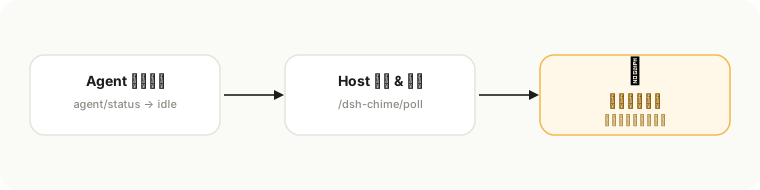
Task-completion notification chime for the dsh web GUI: plays a sound when a root agent turn finishes, even while the tab is in the background. Persistent host+client plugin with 10 preset sounds, custom sound import, volume control and a Settings > Plugins panel.
安装
$
npx -p @deepseek-ai/dsh dsh plugin --profile web add github:HtO404/dsh-chime说明文档
阅读完整 README ↗dsh-chime 🔔
任务跑完的那一刻,它替你喊一嗓子。
dsh-chime 是 DeepSeek Harness(DSH)Web GUI 的任务完成提示音插件:根 agent 回合结束就响一声——页面挂在后台标签页也照常响。你不需要盯着任务列表,它会在对的那一秒提醒你。





你发了一个 20 分钟的任务,然后切走去看视频了。 20 分钟后你回来:任务早就跑完了——而你永远不知道,它是什么时候跑完的。
—— dsh-chime,就是来补上这一秒的。
为什么需要它
跑 agent 的人,都经历过同一种焦虑:
- 挂后台:任务在跑,人去看视频、去做饭了——什么时候完?不知道。
- 切标签页:页面在后台,错过完成的瞬间,就得再傻等下一轮。
- 多任务并行:几个任务一起跑,哪个先完、哪个卡住,全靠肉眼盯。
dsh-chime 的做法很简单:根 agent 回合结束的那一刻,浏览器响一声。子任务的中间完成不响,只在你真正等的那次结束时报信——不吵,不糊弄。
特性
- 后台也能听到 —— Web Audio 合成播放,标签页挂后台照常响
- 10 个精选预设音效 —— 欢快铃声 / 双声蜂鸣 / 消息弹出 / 确认音 / 数字短音 / 快速叮咚 / 气泡通知 / 清亮提示音 / 吉他通知 / 游戏成功
- 自定义导入 —— 支持 wav / mp3 / ogg 等格式,换自己的声音
- 音量自由 —— 0~100% 滑杆,松手即试听
- 一处设置,处处生效 —— 控制面板在「设置 → 插件」,音量 / 所选声音 / 静音持久保存
- 重启自动拉起 —— 静态 host + client 插件,随 DSH 自启,不依赖会话、不用手动运行
30 秒上手
# 方式一:本地安装(推荐先试用)
dsh plugin --profile web add link:C:\path\to\dsh-chime

# 方式二:npm 安装(发布后)
dsh plugin --profile web add @linxin666/dsh-chime
也可以手动安装:把 dsh-chime 放进 web profile 的 node_modules/@linxin666/ 下,在 追加下面两行,然后重启 DSH: