@dsh-external/dsh-whale-galgame
A multi-character Galgame interface and optional desktop companion for DeepSeek Harness Web.
安装
$
npx -p @deepseek-ai/dsh dsh plugin --profile web add github:JAdpp/dsh-whale-galgame说明文档
阅读完整 README ↗dsh-whale-galgame



为 DeepSeek Harness Web 打造的多角色 Galgame 对话界面与可选桌宠:角色来源、实际对话模型、背景和立绘都可以独立切换。
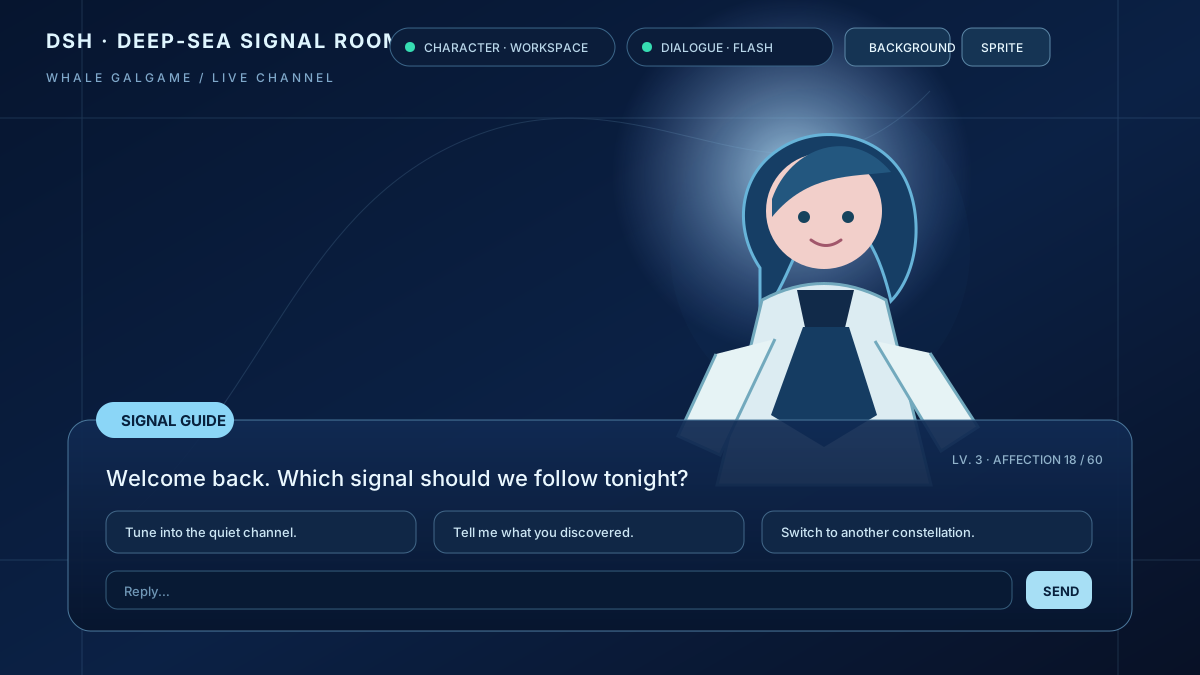
本仓库是非官方社区插件。公开版本使用隐私安全的中性占位素材,不包含维护者的游戏存档、对话历史、私人 CG、上传图片或本地素材库。
主要功能
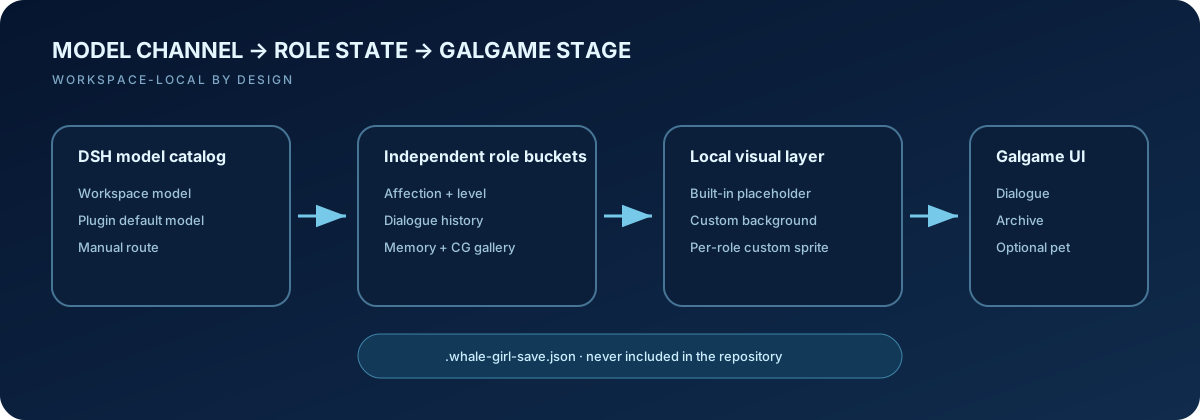
- 多模型娘:DeepSeek、Claude、GPT、Gemini、Kimi、Grok 六个独立角色桶;好感度、等级、记忆、聊天历史和 CG 图鉴互不串联。
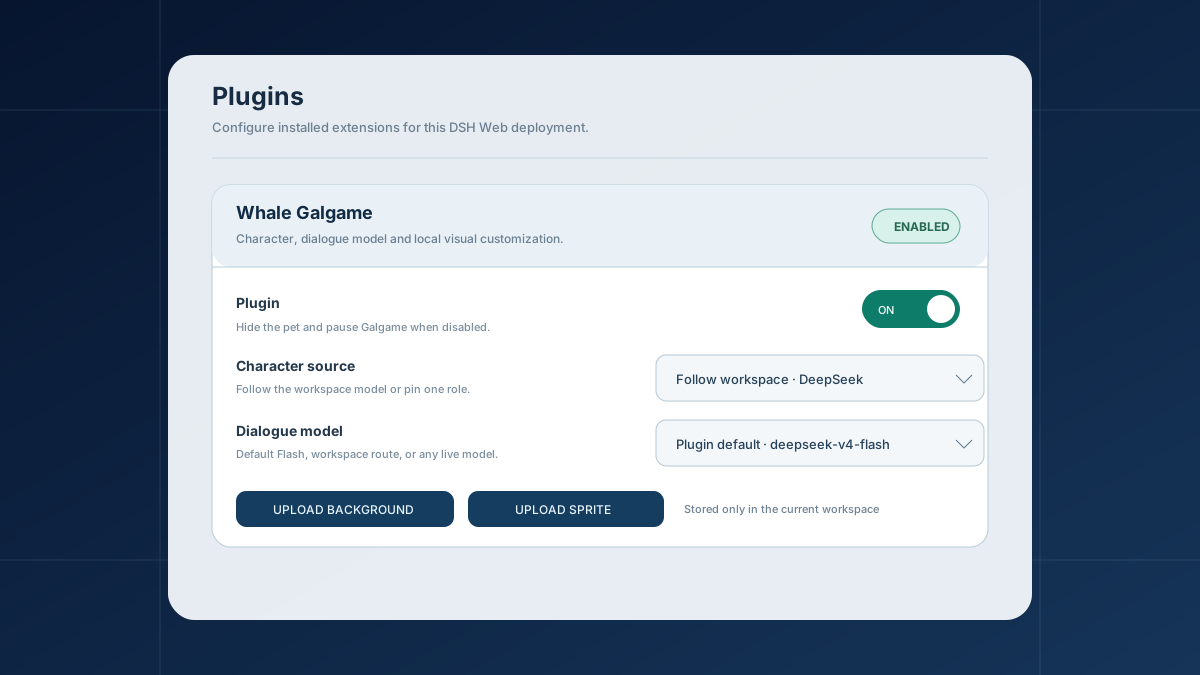
- 角色与模型解耦:角色默认跟随工作区模型,也可手动固定;Galgame 对话可使用插件默认 Flash、跟随工作区或选择 DSH 当前可用的任意模型。
- 自定义视觉:在右上角直接上传 Galgame 背景;每位角色还能独立上传、替换或恢复自己的立绘。
- Galgame 系统:三类随机回复选项、好感度与升级、对话历史、CG 图鉴以及可选的升级纪念 CG。
- 可选桌宠:开启后点击桌宠优先跳转原生 Galgame 标签;与其他悬浮插件冲突时可随时关闭。
- DSH 设置集成:在“设置 → 插件 → 插件配置”中统一启停插件、选择角色和对话模型。
快速安装
前置条件
- 已安装 DeepSeek Harness,并能在终端运行
dsh。 - 使用 DSH Web profile。
从 GitHub 安装
dsh plugin --profile web add github:JAdpp/dsh-whale-galgame#main
安装后重启 Web profile。打开任意会话,标签栏应出现 galgame。
dsh --profile web
如果你从 Harness 源码运行,请按照自己的安装方式把 dsh 替换成对应的 pnpm dsh 命令。
更新与卸载
dsh plugin --profile web update @dsh-external/dsh-whale-galgame
dsh plugin --profile web remove @dsh-external/dsh-whale-galgame
更新或卸载后同样需要重启 Web profile。
使用与配置
顶栏快捷控制
- 点击 角色来源:跟随工作区,或固定为某位模型娘。