JuneLearn/dsh-image-tools ↗★ 1
dsh-image-tools
Multi-provider image generation and editing tools for DeepSeek Harness
安装
npx -p @deepseek-ai/dsh dsh plugin --profile web add github:JuneLearn/dsh-image-tools说明文档
阅读完整 README ↗Usage
1. Configure an image service
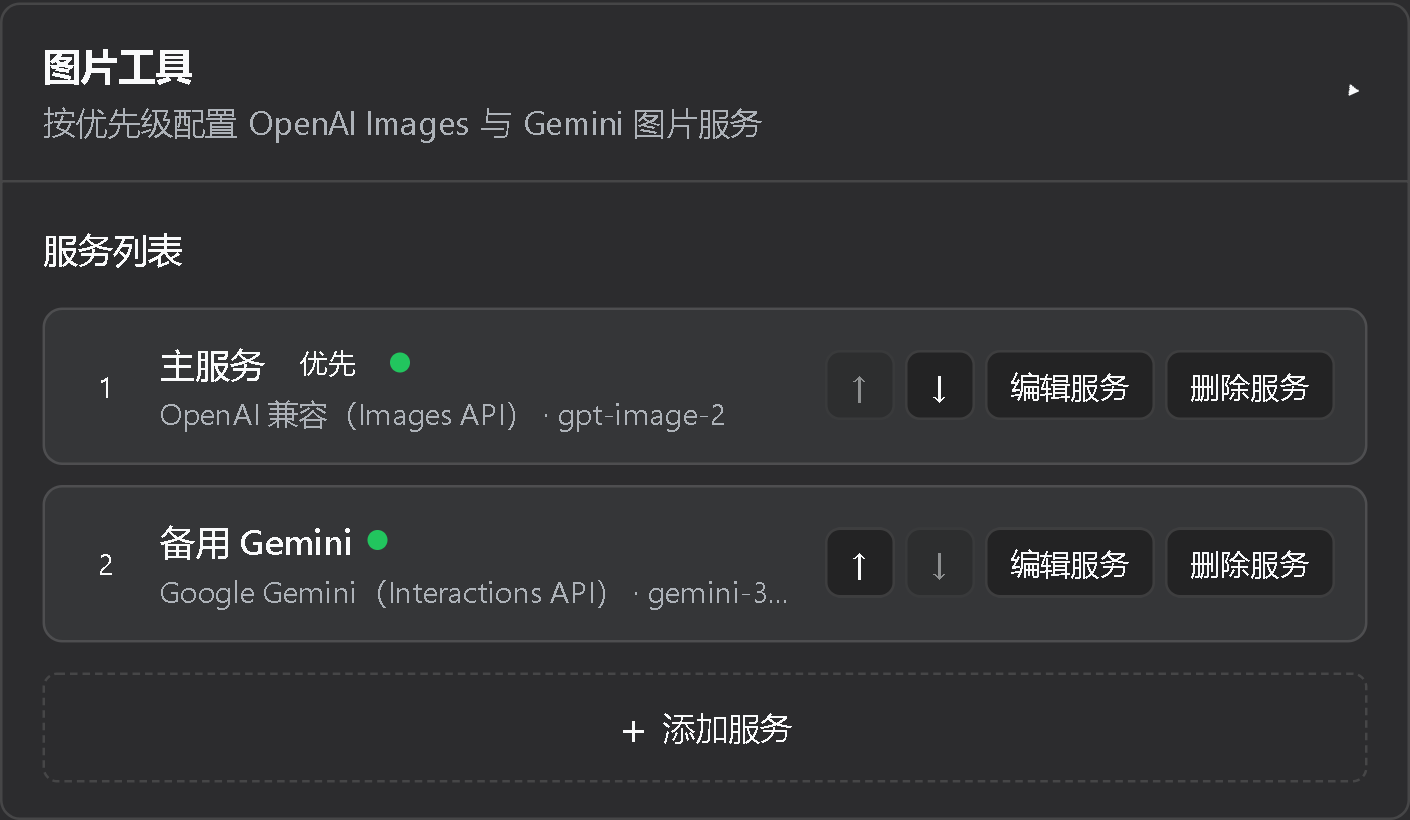
- Open Settings > Plugins > Configurable plugins > Image Tools.
- Click Add service and select OpenAI, OpenAI Compatible, or Google Gemini in the dedicated editor.
- Enter the service name, endpoint, API key, and model, then save.
- Optionally test the saved URL, key, and model. Connection tests do not generate an image.
API keys are stored through DSH credentials and are never returned by the normal settings state. Services are ordered from highest to lowest priority.
2. Generate images
Once configured, there is no need to mention a tool, model, or parameter. Just describe what you want in the conversation:
Create a cute moe-style image of a blue whale maid.
DSH automatically calls image-generate and tries the configured services in order. You can also
describe the quantity, composition, and quality naturally:
Create two high-quality 16:9 cinematic concept images of a futuristic city.
View available tool parameters
prompt: required image prompt;profile: optional service ID; omitting it enables ordered failover;count: 1 to 8, default 1;size:auto,square,portrait,landscape, an OpenAIWIDTHxHEIGHT, or a Gemini resolution tier;aspect_ratio:autoor a supportedW:Hratio;resolution: Geminiauto,0.5K,1K,2K, or4K;quality,output_format,compression, andbackground: available when supported by the model.
Prefer aspect_ratio alone for composition ratios. If a model sends redundant same-orientation
arguments such as portrait plus 3:4, the explicit ratio wins; a real orientation conflict is
still rejected.
3. Edit images
After generating an image, continue naturally in the same conversation:
Change the background of the previous image to an underwater castle, but keep the character unchanged.
DSH automatically references the previous result and calls image-edit. You can also upload a local
image from the current session working directory as a reference.
View image editing parameters
refs: required array of local paths orasset:image-*values;mask: optional alpha PNG matching the first reference dimensions when the model supports masks.
Remote reference URLs and paths outside the current session working directory are rejected.
4. Manage service order
The settings list shows each service's name, type, model, key state, and row actions. Use the up and down controls to change failover priority. Adding or editing opens a dedicated detail view. An OpenAI-compatible relay without a model-list endpoint is reported as reachable but unverifiable.