Laplace-bit/dsh-smooth-stream ↗★ 0
dsh-smooth-stream
Smooth streaming reveal and conversation follow for the DeepSeek Harness Web UI
安装
$
npx -p @deepseek-ai/dsh dsh plugin --profile web add github:Laplace-bit/dsh-smooth-stream说明文档
阅读完整 README ↗dsh-smooth-stream
English | 中文
DeepSeek Harness 的 Web 流式回复插件。社区项目,不是官方发行的一部分。
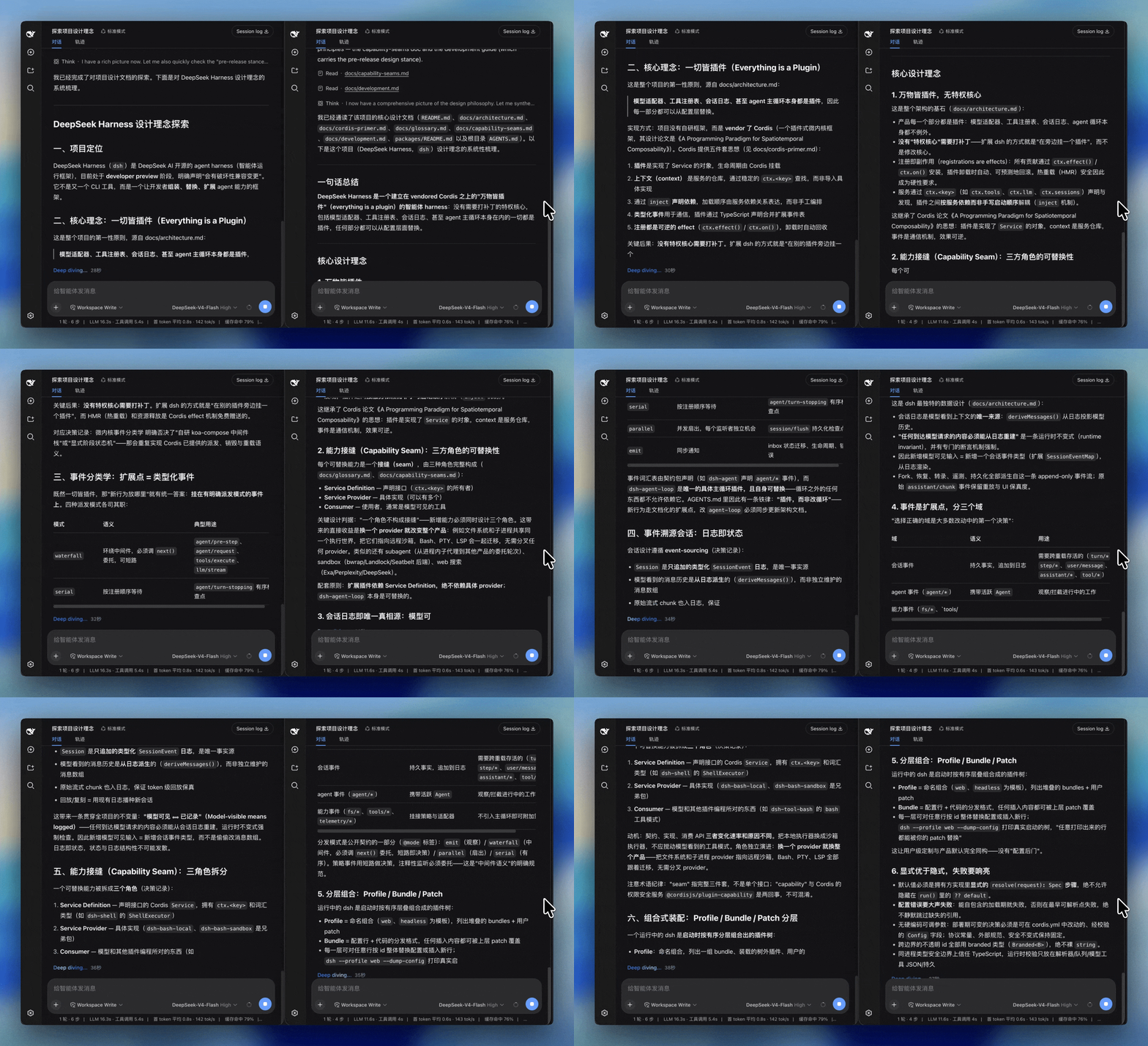
效果
左:默认 Web UI。右:dsh-smooth-stream。
它做什么
- 揭示跟着模型走。 助手文本按到达速率出现。突发不会整段倒出来,慢流也不会停住再猛地补上。
- 一直是 Markdown。 代码、强调等在流式过程中就按格式渲染,没有先出纯文本再换成排版的交接。
- 换行是滑进来的。 新的一行或正在变高的工具卡片会滑入视野,而不是把整段记录往上顶一格。
- 滚动条归你。 往上翻看前文时 overlay 会松手。只有回到底部才会继续跟随——点「回到底部」也算。
- 思考仍是内置那一行。 推理用原来的 disclosure。它是当前流式尾部时展开,思考一结束就收起;箭头仍可手动开关。
- 整轮一起动。 运行中的工具卡片、模型重试、workflow run 共用同一套跟随,所以滑的是整轮回复,不只是助手正文。
- 该停的时候会停。
prefers-reduced-motion会直接给出全文,也不接管跟随。帧率低于 30 fps 且回复在屏外时,揭示会暂停,画面恢复后再补上。
安装
在 DeepSeek Harness 源码仓库里:
pnpm dsh plugin --profile web add github:Laplace-bit/dsh-smooth-stream
如果 PATH 上已经有 dsh:
dsh plugin --profile web add github:Laplace-bit/dsh-smooth-stream
第一次 add 失败是正常的。git 安装需要跑这个包的 prepare 脚本,pnpm ≥10 在你授权之前会拦截。打开 ~/.dsh/profiles/web/pnpm-workspace.yaml,把 pnpm 打印的那段加进去。当前 pnpm 打印的是:
onlyBuiltDependencies:
  - dsh-smooth-stream
然后重新执行同一条 add。
启动界面:
pnpm dsh web
Host 日志里应出现 [dsh-smooth-stream] plugin loaded!。
卸载:pnpm dsh plugin --profile web remove dsh-smooth-stream(或 dsh plugin --profile web remove dsh-smooth-stream)。
配置
组合包默认 preset: balanced。要换节拍,在 profile 的 cordis.patch.yml 里改:
preset | 手感 |
|---|---|
realtime | 更贴模型到达 |
balanced | 默认 |