dsh-manage-hub
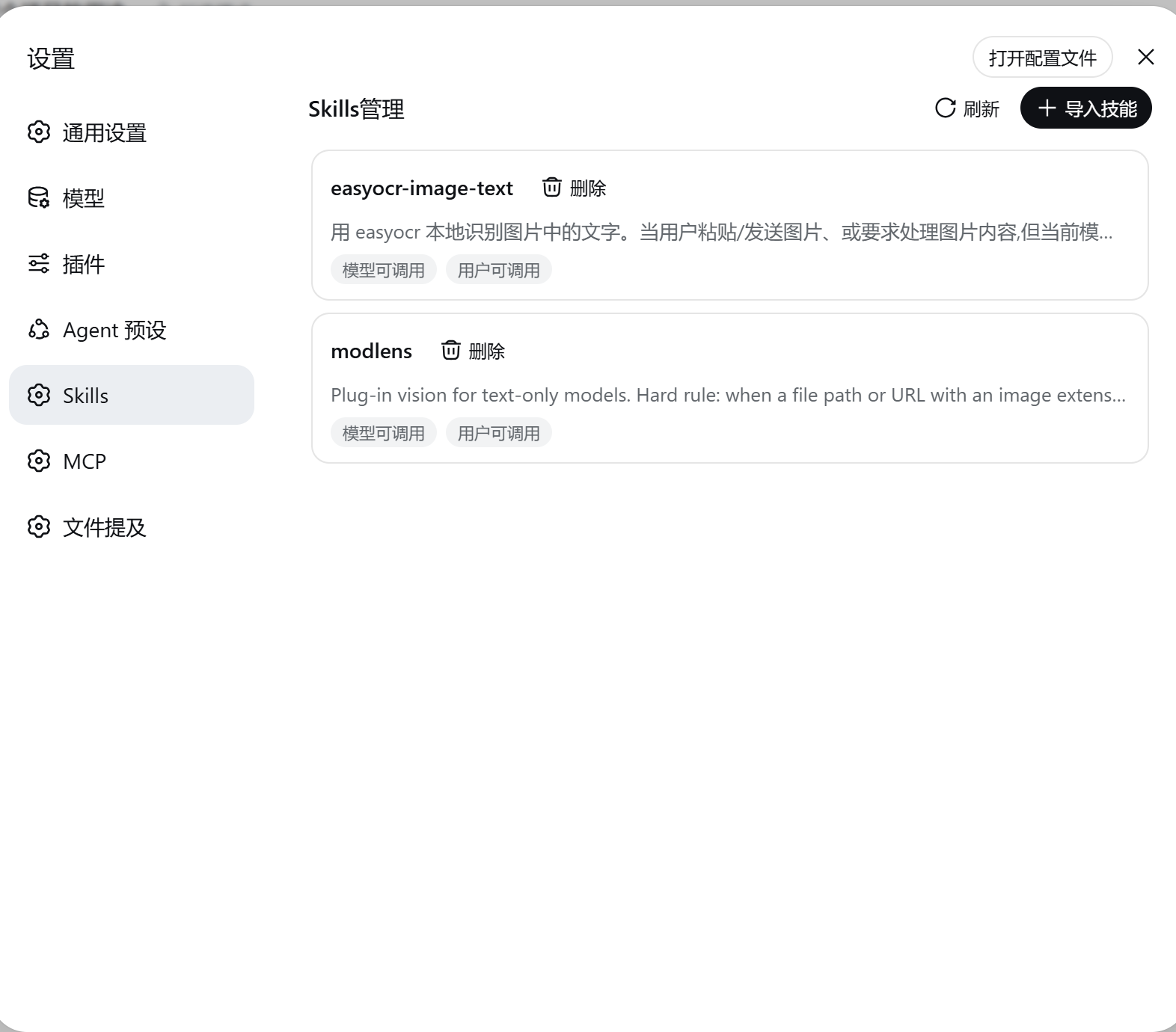
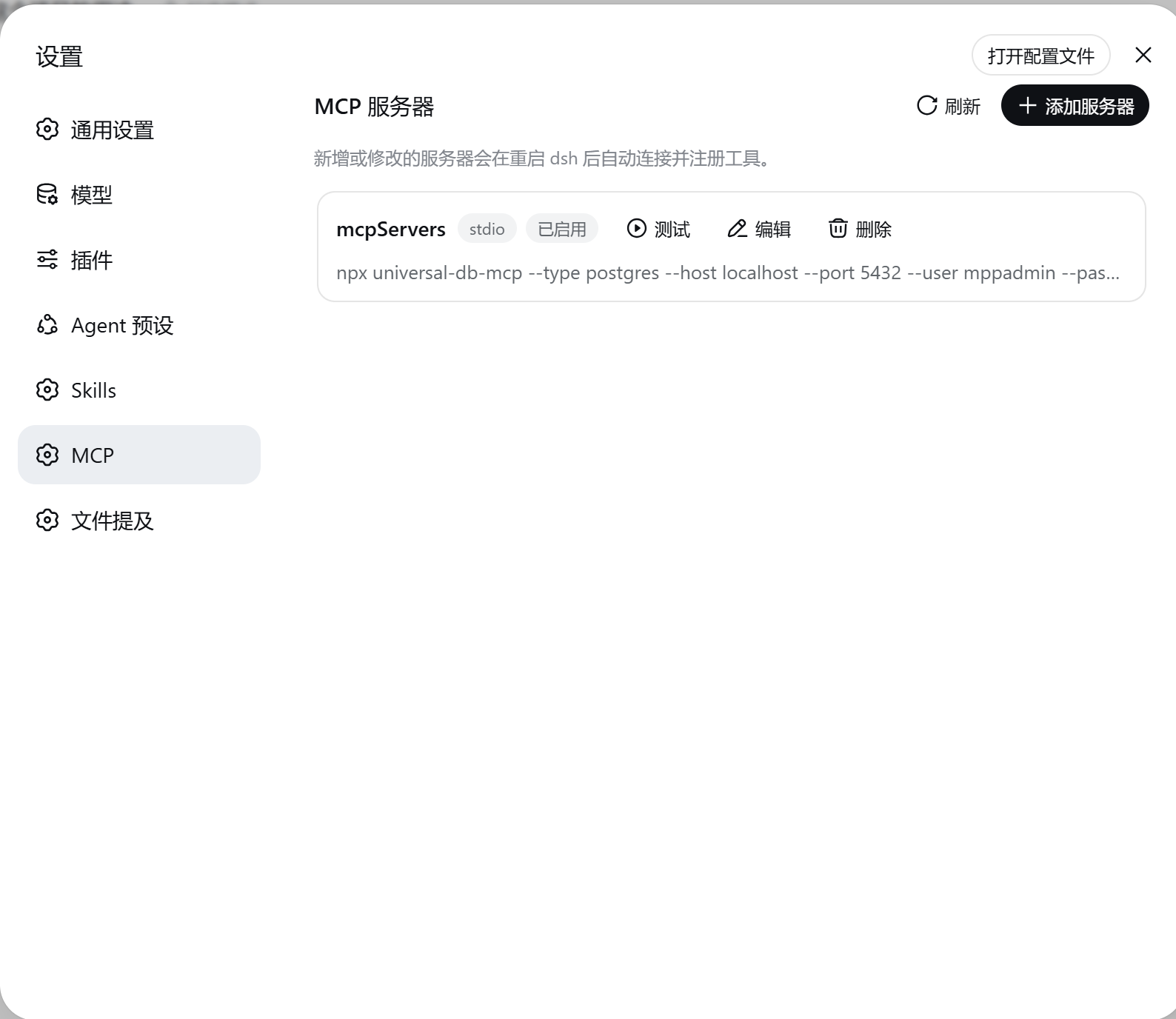
DSH 网页端管理插件,在设置面板中新增 Skills 管理(浏览/导入/开关本地技能)与 MCP 服务器配置管理页面。
AI 分析
核心用途是可视化管理本地技能与 MCP 服务。适合需要便捷增删 MCP 配置、测试连接,以及开关个人技能库的 DSH 用户。
安装
$
npx -p @deepseek-ai/dsh dsh plugin --profile web add github:Lrxc/dsh-manage-hub说明文档
阅读完整 README ↗dsh-manage-hub
一个 DeepSeek Harness 插件,在网页设置面板中新增两个管理页面:
- Skills — 浏览、导入、删除、开关用户自有技能(存放于
$DSH_HOME/skills)。 - MCP — 管理 MCP 服务器配置(stdio / Streamable HTTP),支持增删改与连接测试。启用的服务器写入当前 profile 的
cordis.patch.yml,重启后自动连接,工具注册为mcp____。
截图
Skills 页面
MCP 页面
安装
要求:已安装带 web profile 的 dsh,且 PATH 中有 pnpm。
从 npm 安装:
dsh plugin --profile web add dsh-manage-hub
从 GitHub 安装:
dsh plugin --profile web add https://github.com/Lrxc/dsh-manage-hub.git
或从本地目录:
git clone https://github.com/Lrxc/dsh-manage-hub.git
dsh plugin --profile web add file:./dsh-manage-hub
重启:
dsh --profile web
卸载
dsh plugin --profile web remove dsh-manage-hub
如不再需要,删除 profile cordis.patch.yml 中生成的 mcp-* 行及 $DSH_HOME/mcp-servers.yaml。
开发
发布到npm
# 1. 补 package.json 元数据 + 新增 LICENSE 文件
# 2. 确认包名可用
npm view dsh-manage-hub version
# 3. 检查 tarball(务必含 cordis.patch.yml)
npm pack --dry-run
# 4. 发布(稳定版,不要 prerelease)
npm publish
# 5. 安装并重启
dsh plugin --profile web add dsh-manage-hub
dsh web
License
MIT