PAKIKNOWLEDGE/dsh-client-ui-skin-claude ↗★ 0
@dsh-external/dsh-client-ui-skin-claude
Claude-style dark skin for the dsh web GUI — charcoal panels, warm clay accent, rounded composer
安装
$
npx -p @deepseek-ai/dsh dsh plugin --profile web add github:PAKIKNOWLEDGE/dsh-client-ui-skin-claude说明文档
阅读完整 README ↗dsh-client-ui-skin-claude
English | 中文
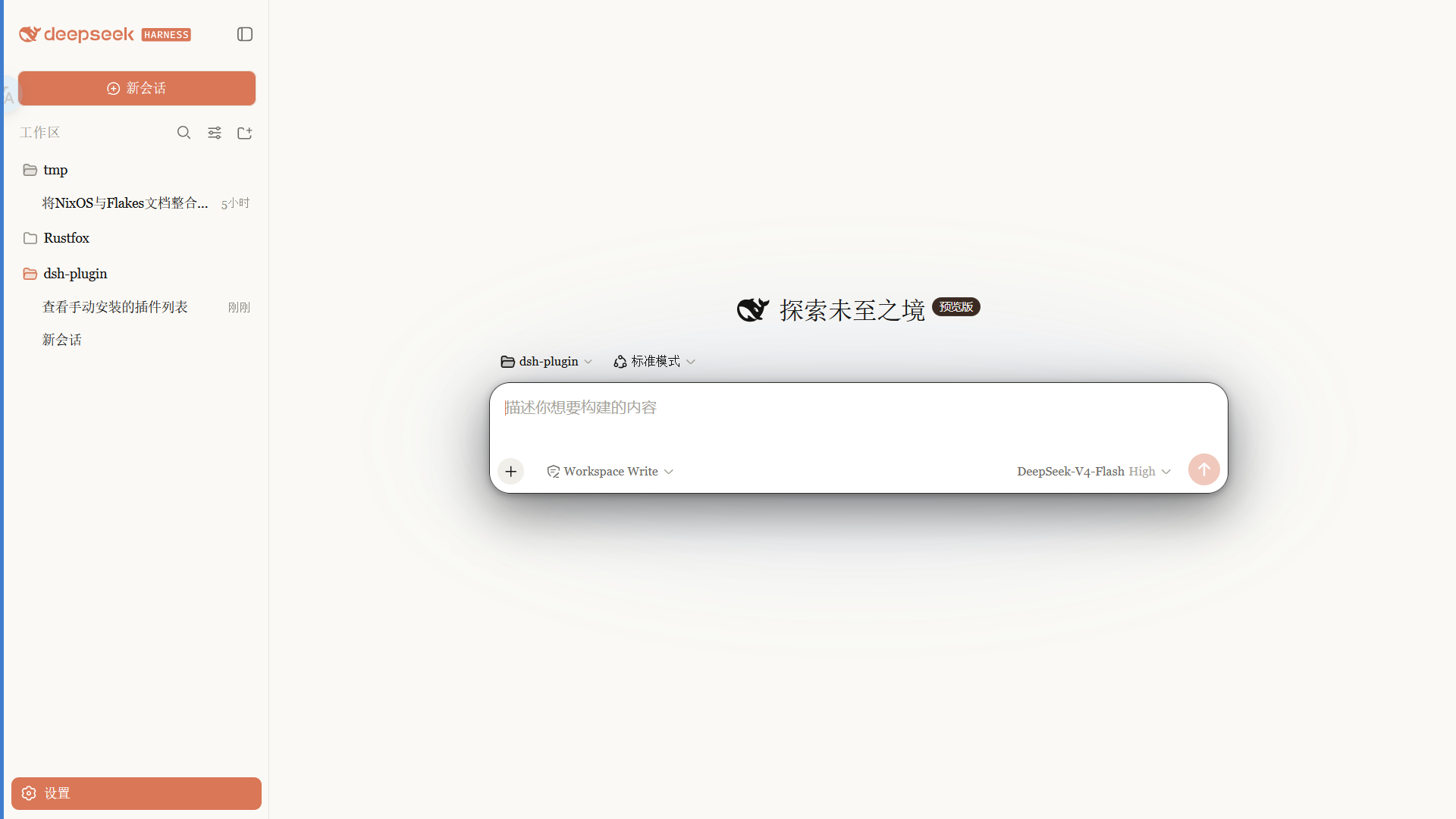
Claude 风格的 DSH Web 界面皮肤:暖黑画布、陶橙点缀、衬线 UI,跟随原生亮/暗主题。
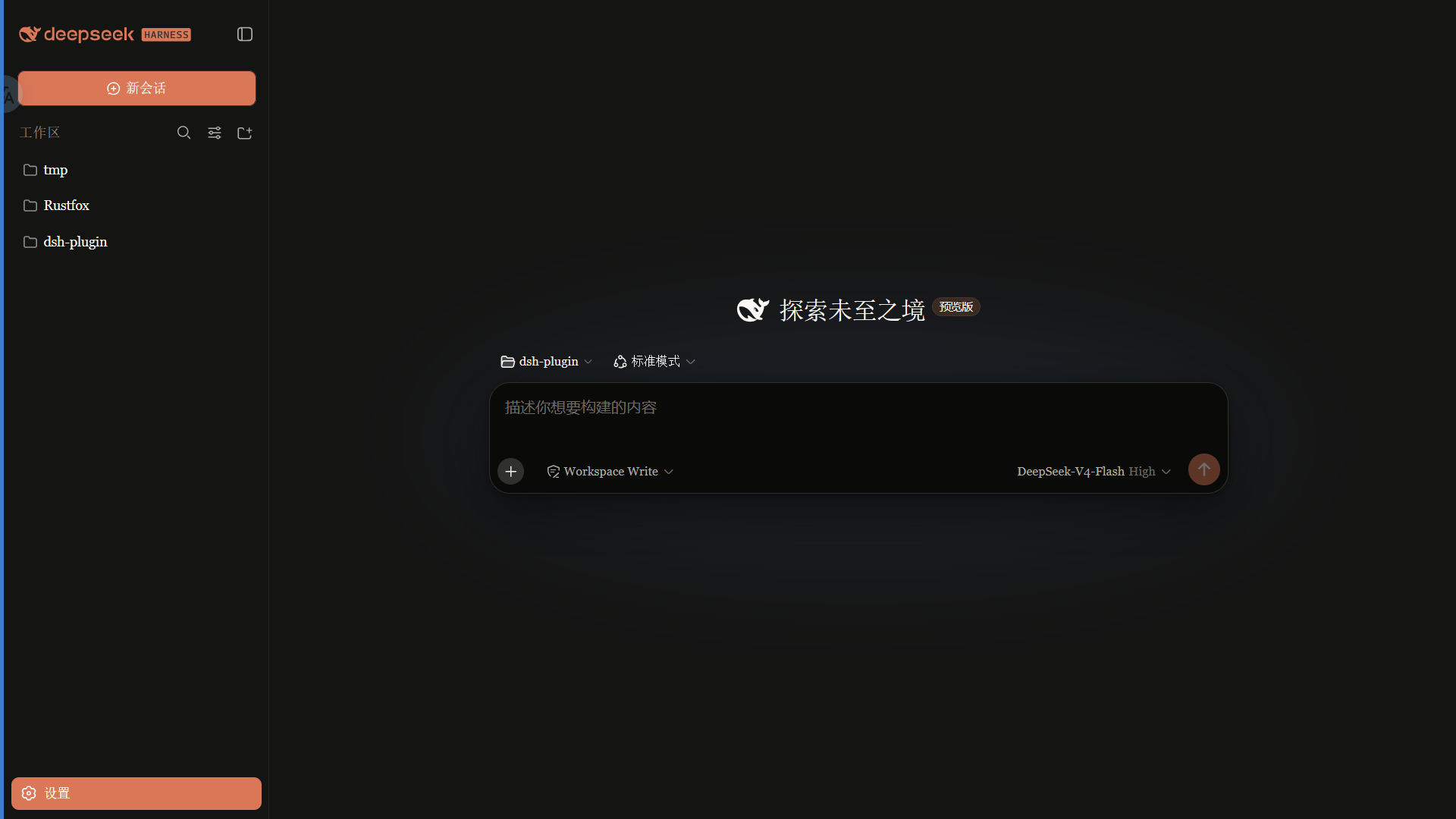 ·
· 
特性
- 暖黑(#141413)画布 + Anthropic 陶橙(#d97757)点缀
- 衬线界面字体(Georgia),代码用等宽栈
- 细滚动条、陶橙选中 / 焦点、胶囊徽章
- 亮 / 暗双主题,跟随系统切换
安装
dsh plugin --profile web add github:PAKIKNOWLEDGE/dsh-client-ui-skin-claude
装完重启 dsh web,刷新页面。
切换
同一时刻只启用一个皮肤。编辑 ~/.dsh/cordis.patch.yml:
# dsh-skin managed 段之外
- insert:
    - id: ui-skin-claude
      name: '@dsh-external/dsh-client-ui-skin-claude'
(并把当前启用皮肤的 disabled: true 加上。)配置 watcher 几秒内热加载,刷新页面生效。
卸载
- 删除
~/.dsh/cordis.patch.yml里的ui-skin-claudeinsert 行 dsh plugin --profile web remove @dsh-external/dsh-client-ui-skin-claude- 重启
dsh web
许可
MIT