Player-YN/dsh-agent-driver-writehere ↗★ 0
dsh-agent-driver-writehere
Hierarchical long-form writing for DeepSeek Harness — WriteHERE as an agent driver, not extra ReAct tools.
安装
npx -p @deepseek-ai/dsh dsh plugin --profile web add github:Player-YN/dsh-agent-driver-writehere说明文档
阅读完整 README ↗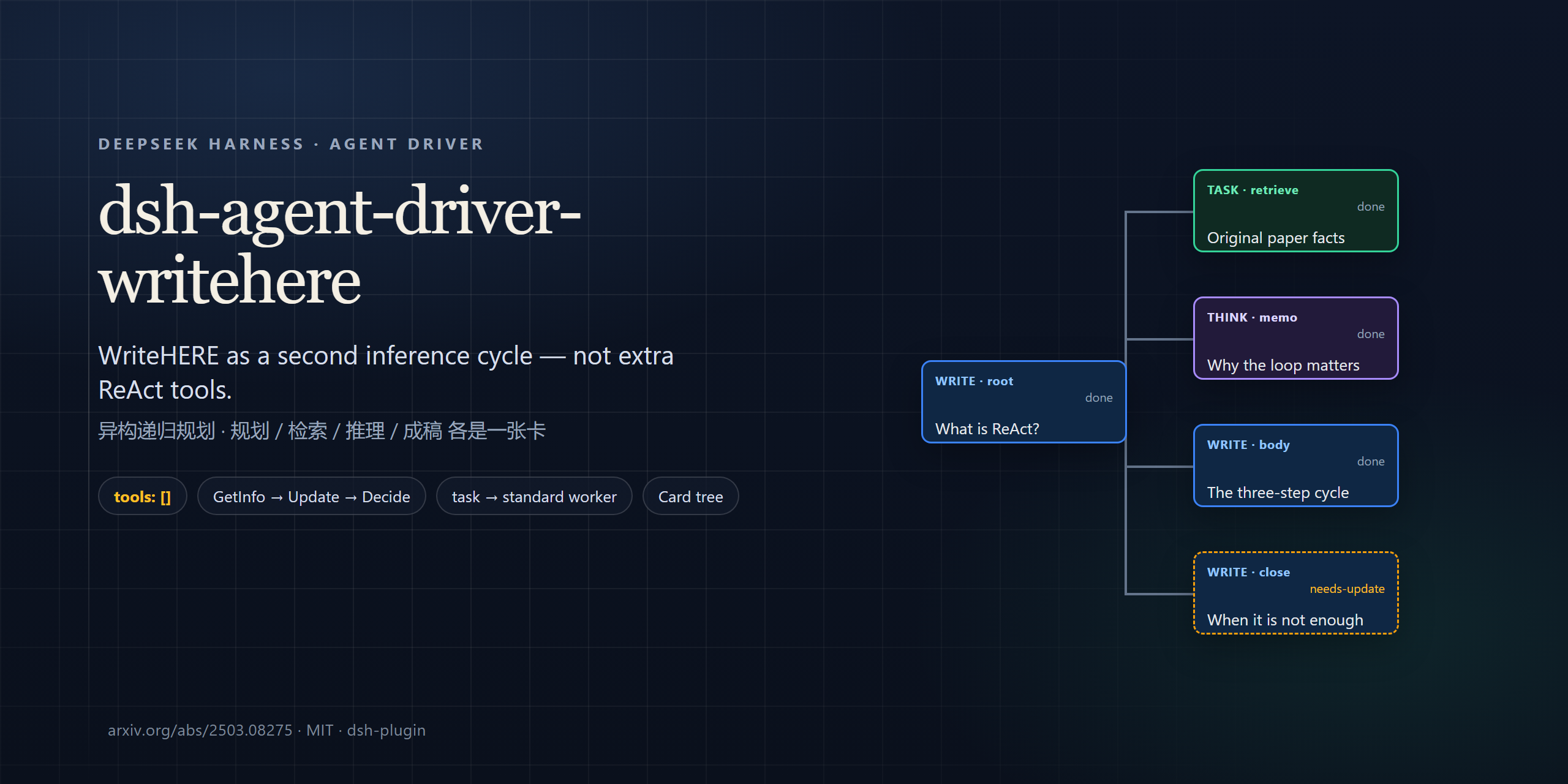
dsh-agent-driver-writehere
English · 中文








A DeepSeek Harness agent driver that runs the WriteHERE long-form loop as a second inference cycle — not as extra ReAct tools.
GetInfo → Update → Decide → typed execute · tools: [] · task cards start a standard worker
What it is · Install · Quick start · How a tick works · What it is not · Requirements · Credits
What it is
Long-form agents on a stock ReAct loop tend to flatten. The model outlines, then dumps; or it keeps calling tools until the transcript is the article. Mid-draft revision, “this paragraph still needs a fact,” and typed work (retrieve vs. reason vs. compose) have no first-class place to live.
WriteHERE treats writing as heterogeneous recursive planning: refine a node, then either execute it or split it into typed children. This package ports that loop onto DSH as a host-owned scheduler.
| Stock ReAct session | This driver | |
|---|---|---|
| Constructor | ReactLoopAgent | WriteHereAgent |
| Editor tools | Native function calling | tools: [] |
| Plan / retrieve / write | One growing transcript | Typed cards: write / think / task |
| Retrieval | Same session, more tool calls | Continuable standard worker |
| Draft | Whatever the model typed | Leaf write nodes append article.md |
| Web UI | Chat only | Optional Card tree sidebar |
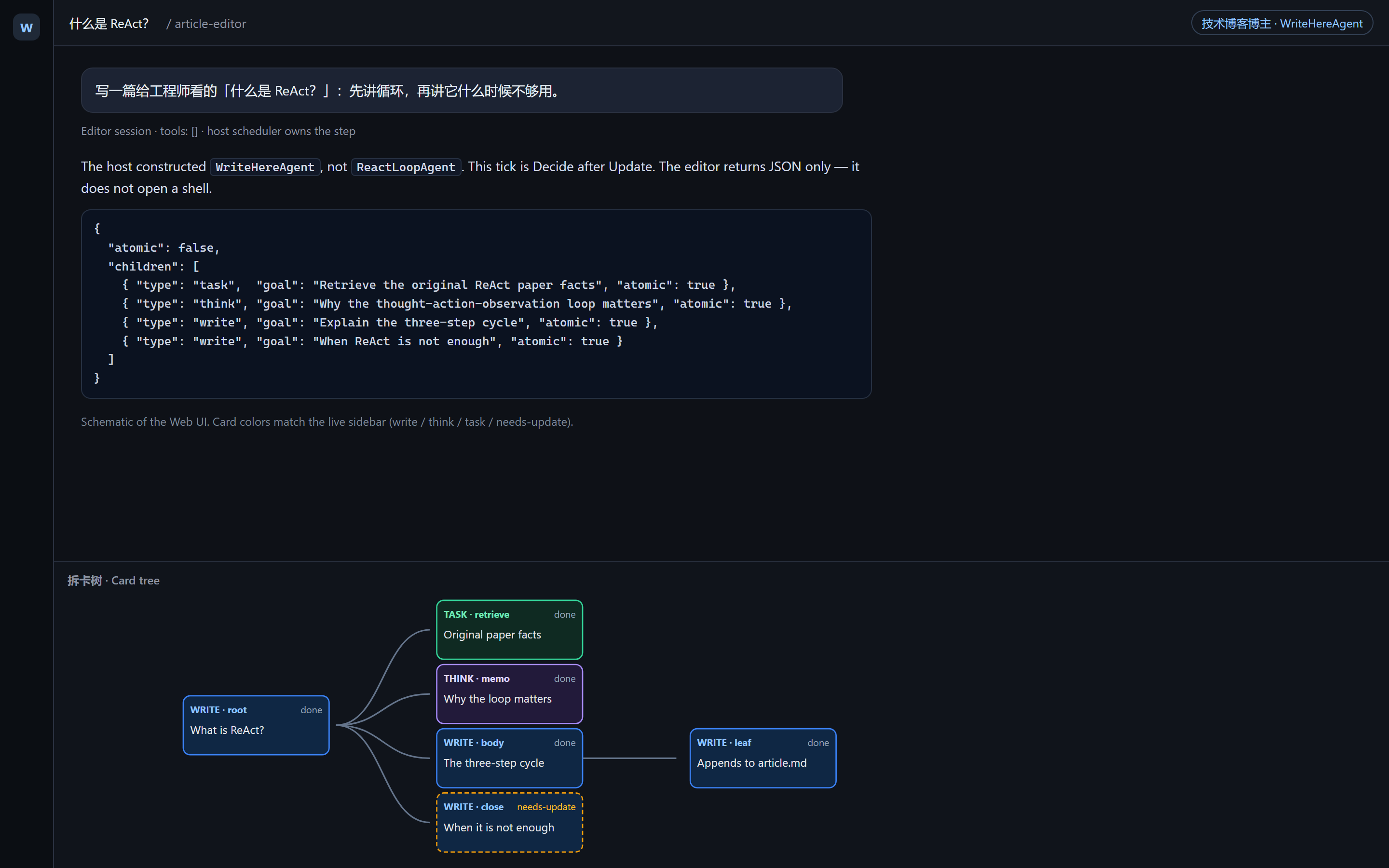
Schematic of the Web UI. Card colors match the live sidebar (write / think / task / needs-update). Not a live capture of a private session.
That is why this is an agent driver (AgentLoop.prepare can choose this constructor), not a bag of article_* tools on the default loop.
Install
Official install:
dsh plugin --profile web add github:Player-YN/dsh-agent-driver-writehere
Pin a commit so main cannot move under you:
dsh plugin --profile web add github:Player-YN/dsh-agent-driver-writehere#
Copy the shipped preset into the home presets directory (the wrappers below do this for you):
# default DSH_HOME is ~/.dsh
cp -R "$DSH_HOME/profiles/web/node_modules/dsh-agent-driver-writehere/presets/article-editor" \
      "$DSH_HOME/.agent-presets/article-editor"
Restart the profile, then confirm the layer:
dsh --profile web --dump-config # look for "# == dsh-agent-driver-writehere"
An npm name would be dsh plugin --profile web add dsh-agent-driver-writehere. That package is not on the npm registry yet.
Optional remote wrappers
install-remote.sh and install-remote.ps1 only call the official dsh plugin add and then copy the preset. They are not a second loader. Pin a commit, and only pipe a script you have read.
# macOS / Linux
WRITEHERE_PLUGIN=github:Player-YN/dsh-agent-driver-writehere \
  curl -fsSL https://raw.githubusercontent.com/Player-YN/dsh-agent-driver-writehere/main/install-remote.sh | sh
# Windows
$env:WRITEHERE_PLUGIN = 'github:Player-YN/dsh-agent-driver-writehere'
irm https://raw.githubusercontent.com/Player-YN/dsh-agent-driver-writehere/main/install-remote.ps1 | iex
Local checkout
.\install.ps1
# optional: .\install.ps1 -Profile web -Harness /path/to/deepseek-harness
dsh plugin --profile web add .
# then copy presets/article-editor → $DSH_HOME/.agent-presets/article-editor
install.ps1 copies the preset and then runs the official dsh plugin add on this directory.
If a profile already composes this driver from another layer, do not add the bundle a second time. Registration of the same driver id is exclusive.
Quick start
Web is the intended path.
- Start the profile:
dsh --profile web(ordsh web). - New session → preset article-editor (技术博客博主).
- Send a topic, not a shell command.
- Open the sidebar Card tree. Nodes grow as the scheduler splits and executes.
- Leaf
writenodes append toarticle.md.tasknodes hand work to astandardworker and wait for the report.
The editor never opens a terminal. If you need a command, a repo read, or an external API, that is a task card’s job.
Headless, if the host forwards --preset onto session.header.agentPreset:
dsh --profile headless --preset article-editor "Why write-back is required"
A task card parks that process. Use Web when you need the worker to return.
How a tick works
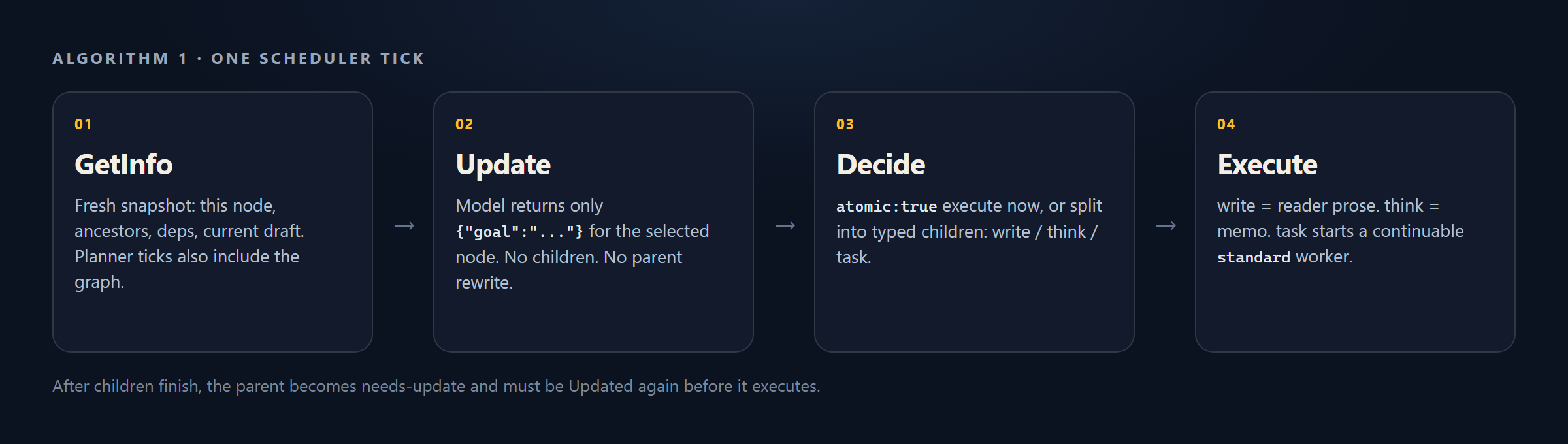
- The user topic becomes the root (a follow-up that is not a new topic continues the same tree).
- The host constructs WriteHereAgent, not
ReactLoopAgent. - GetInfo — selected node, ancestors, dependencies, current draft; planner ticks also include the structural graph.
- Update — the model returns only
{"goal":"..."}for this node. - Decide —
{"atomic":true}to execute now, or{"atomic":false,"children":[…]}to split. - Execute —
writeis reader prose;thinkis a memo;taskcallsstartContinuablewithpreset: 'standard'.
A later tick may find the node in needs-update after children finished. Update runs again before execute.
What the model may return
| Tick | Allowed reply |
|---|---|
| Update | {"goal":"..."} — this node only; no children; do not rewrite a parent |
| Decide | {"atomic":true} or {"atomic":false,"children":[{"type":"task"|"think"|"write","goal":"...","atomic":true}]} |
| Write execute | Reader-facing paragraphs. Not JSON. Not a writer briefing. |
| Think execute | A reasoning memo, not manuscript |
Rules the scheduler enforces:
- A
writeparent that splits must include at least onewritechild. thinkandtaskstay atomic unless that child setsatomic: false.- Optional
lengthis a composition budget forwritechildren only. - Do not glue prose onto the decision JSON.
What it does
- Hierarchical article tree:
write(reader prose),think(reasoning memo),task(retrieval or experiment — the paper’s search) - Paper-style Update of the selected node before decide or execute
needs-updatewhen dependencies just completed- Incremental workspace draft from leaf writes
- Optional Web sidebar Card tree (
ui-article-tree) - Shipped preset
article-editor(display name: 技术博客博主)
What it is not
Skip this package if you want any of the following:
- A coding or ops agent. The editor has no tools; workers are ordinary
standardsessions. - A file-for-file clone of principia-ai/WriteHERE. This is a new TypeScript implementation of the algorithm.
- Extra ReAct functions (
article_decompose,article_write, …) bolted onto the default loop. - A headless one-shot that finishes retrieval in a single process. A
taskcard parks; the worker does not complete inside that samedshinvocation. Web is the full interactive entry. - Drop-in WriteHERE on a stock
AgentLoopthat always constructsReactLoopAgent. See Requirements.
Requirements
- DeepSeek Harness with the
dshCLI - A host where
AgentLoop.prepareresolvesctx.agentDriversand constructs that class. Without the lookup, this bundle can load and the session still constructsReactLoopAgent. The expected hook is inpatches/agent-loop-prepare.snippet.ts. - A live model provider (the key your profile already uses)
dsh plugin --profile add forwards to pnpm inside $DSH_HOME/profiles/. That is the official plugin path; see Package and install a plugin.
If a new article-editor session still behaves like a tool-using coder, the host is missing that prepare hook. Loading the bundle is not enough.
How it works
This repository is a DSH bundle: package.json declares "dsh": { "bundle": { "patch": "./cordis.patch.yml" } }. Installing it appends a configuration layer that inserts three plugins:
agent-drivers— host-plane constructor registry (ctx.agentDrivers)writehere— registersWriteHereAgentand binds presetarticle-editorui-article-tree— Web sidebar; a no-op on headless
register and bindPreset run on the host context before any session is created. They cannot live in the preset: the preset mounts after new Agent.
Each model call gets a fresh GetInfo envelope (…). Methodology skills and short column memory sit outside that JSON. Update and decide use a JSON response format; think, write, and compose are prose-only. completeText keeps only the latest GetInfo on the model-visible surface.
Compared with the paper and Python runtime
Algorithm and node types follow WriteHERE §5 / Algorithm 1 and principia-ai/WriteHERE.
| Paper / Python | This package | |
|---|---|---|
| Editor side | Writing tools in the Python engine | tools: []; host scheduler |
| Retrieval type name | search | task |
| GetInfo | Shared planner context | Fresh snapshot per Update, decide, and execute |
| Retrieval / experiments | Python lab process | DSH standard sessions via startContinuable |
| Code | Reference Python | New TypeScript implementation |
Repository
docs/                      README banner, Card tree schematic, tick diagram
packages/agent-drivers     ctx.agentDrivers registry
packages/article-tree      tree, GetInfo, draft helpers
packages/writehere         WriteHereAgent and Algorithm 1 scheduler
packages/ui-article-tree   Web Card tree sidebar
presets/article-editor     persona and skills (no tools)
cordis.patch.yml           layer applied by `dsh plugin add`
See CONTRIBUTING.md if you are changing the loop. Keep the editor free of model-facing tools.
Credits
- Ruibin Xiong, Yimeng Chen, Dmitrii Khizbullin, Mingchen Zhuge, and Jürgen Schmidhuber. Beyond Outlining: Heterogeneous Recursive Planning for Adaptive Long-form Writing with Language Models. 2025. https://arxiv.org/abs/2503.08275
- Reference implementation: https://github.com/principia-ai/WriteHERE
- Plugin and Agent contracts: DeepSeek Harness
Attribution notes: NOTICE. Machine-readable citation: CITATION.cff.
@misc{xiong2025heterogeneousrecursiveplanning,
  title={Beyond Outlining: Heterogeneous Recursive Planning for Adaptive Long-form Writing with Language Models},
  author={Ruibin Xiong and Yimeng Chen and Dmitrii Khizbullin and Mingchen Zhuge and J{\"u}rgen Schmidhuber},
  year={2025},
  eprint={2503.08275},
  archivePrefix={arXiv},
  primaryClass={cs.AI},
  url={https://arxiv.org/abs/2503.08275}
}
License
MIT. The algorithm is the paper authors’. This TypeScript port is a new implementation.
Discoverability
DeepSeek Harness lists community plugins under the dsh-plugin topic. This repository is tagged:
dsh-plugin · dsh · deepseek-harness · writehere · agent-driver · long-form-writing · cordis
That topic is how awesome-dsh-plugin and marketplace indexes find new plugins. Being listed is not a security review — readers should read this README and the source before installing.