RealHacker/dsh-theme-colorizer ↗★ 0
dsh-theme-colorizer
DSH plugin: adds customizable color themes to the DeepSeek Web UI, selectable in the Settings page
安装
此插件尚未提供可验证的 bundle,或兼容性检查未通过。请先阅读仓库说明。 阅读完整 README ↗
说明文档
阅读完整 README ↗dsh-theme-colorizer
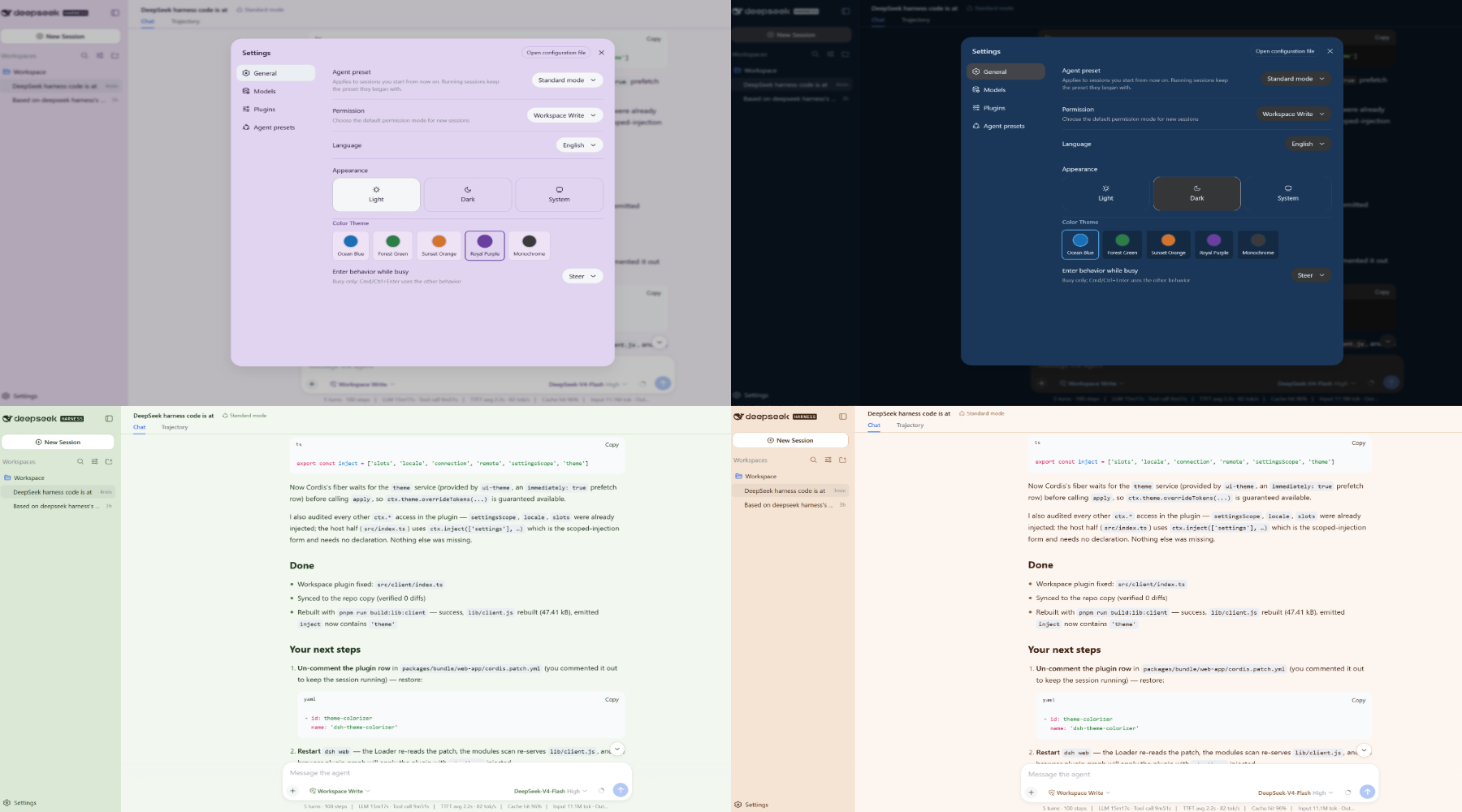
A DeepSeek Harness (DSH) plugin that adds customizable color themes to the DeepSeek Web UI. The user selects a color theme on the Settings page, and the chosen theme's --dsw-alias-* CSS token overrides are applied on top of the active light/dark base palette.
Features
- 5 color themes: Ocean Blue, Forest Green, Sunset Orange, Royal Purple, Monochrome
- Settings page integration: a "Color Theme" row appears in the General section of the Settings panel
- Persisted preference: the user's choice is stored in the DSH user-settings document and survives restarts
- Composes with the built-in Appearance row: the color theme is independent of the light/dark/system preference — both layers compose through the theme service's override stacking
How it works
The DSH plugin loading model
A DSH plugin is a Cordis plugin module. It exports an apply(ctx) function that the Cordis loader calls with a context (ctx). Every registration the plugin makes — settings namespaces, theme overrides, slot registrations — is an effect on that context, so unloading the plugin automatically tears down its contributions.
This plugin has two halves because it contributes to both the Host (Node.js server) and the Client (browser) sides of the DSH web application:
Host side (src/index.ts)
The Host half runs in the Node.js process. It registers a settings namespace (theme-colorizer) with the DSH settings service. This namespace stores the user's selected color theme id in the user-settings document (e.g., settings.yml). The registration is an effect on the plugin's fiber, so disposing the plugin removes the namespace.
When loaded: at server startup, when the Loader reads cordis.yml and mounts this plugin entry. The Host half injects ['settings'], so it waits until the settings service exists before running.
Client side (src/client/index.ts)
The Client half runs in the browser. It:
-
Binds the settings scope — connects to the Host's
theme-colorizernamespace through thectx.settingsScopetransport. It reads the stored color theme id and subscribes to changes.