XingPeng-Pixel/dsh-commandcode-usage ↗★ 0
dsh-commandcode-usage-monitor
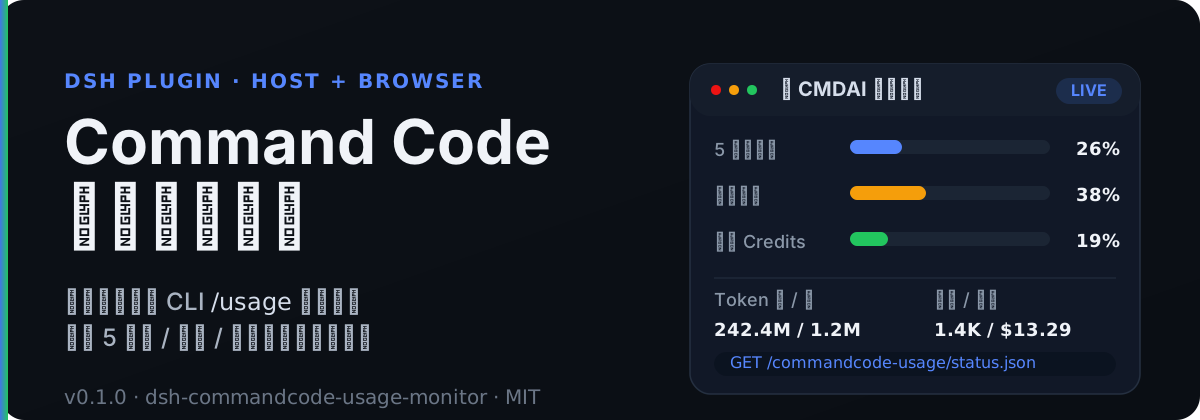
DSH 插件:Command Code 实时用量监测(Host 后端 + Browser 挂件/设置页)。抓取 /alpha/* 用量/额度窗口,暴露 HTTP JSON 查询接口与每轮消耗统计。
安装
$
npx -p @deepseek-ai/dsh dsh plugin --profile web add github:XingPeng-Pixel/dsh-commandcode-usage说明文档
阅读完整 README ↗dsh-commandcode-usage-monitor
中文 | English
DSH(DeepSeek Harness)插件:Command Code 实时用量监测系统。
本插件运行在 DSH Host 侧,通过调用官方 CLI /usage 同源的 Command Code 账号接口(/alpha/*),实时抓取:
- 5 小时 / 每周滚动窗口用量与重置时间(个人 Usage 余量)
- 月额度 / 已购 / 赠送 Credits
- 累计请求数、花费、Token
- 套餐信息
- 每轮对话消耗(基于 session 事件中的真实 usage)
并暴露为 DSH Web 同源 HTTP JSON 查询接口,供前端挂件、设置页与聊天节点消费。
🚀 快速开始
方法一:通过 npm 安装(推荐)
插件已发布到 npm,可直接用 DSH 官方插件命令一键安装:
dsh plugin --profile web add dsh-commandcode-usage-monitor
方法二:克隆项目本地开发编译
# 4. 使用 DSH 官方插件命令添加本地源码

### 配置 API Key

通过环境变量(默认引用名 `COMMANDCODE_API_KEY`):

```bash
export COMMANDCODE_API_KEY=user_xxx
也可以在 DSH 设置页的 CMDAI 监控 页面填写;浏览器侧只调用 Host 凭据路由,不会接触明文 Key。
⚙️ 配置
插件配置由 Schemastery schema 定义在 src/config.ts。
| 配置项 | 类型 | 默认值 | 说明 |
|---|---|---|---|
apiKeyEnv | string | COMMANDCODE_API_KEY | 凭据引用名(环境变量 / credentials ref) |
apiKey | string | 空 | 组合配置字面量 API Key(优先) |
apiBase | string | https://api.commandcode.ai | Command Code API 地址 |
pollIntervalMs | number | 60000 | 轮询间隔(ms) |
errorBackoffMs | number | 15000 | 失败后退避间隔(ms) |
requestTimeoutMs | number | 15000 | 单请求超时(ms) |
accountConcurrency | number | 1 | 每轮多账户并发抓取数(保守默认 1) |
accounts | array | [] | 额外账户列表 |
activeAccount | string | 空 | 固定活动账户 slot id(预留,尚未参与运行时选择) |
enableSessionCost | boolean | true | 是否启用每轮消耗聚合 |
enableRoutes | boolean | true | 是否注册 webServer JSON 路由 |
storagePath | string | 空 | 可选状态持久化路径(尚未实现,预留) |
多账户示例
config:
  accounts:
    - label: Account A
      apiKeyEnv: COMMANDCODE_API_KEY
    - label: Account B
      apiKeyEnv: COMMANDCODE_API_KEY_2
API Key 解析顺序
config.apiKey(组合配置字面量)ctx.credentials服务(若 profile 提供)- 启动环境变量(
apiKeyEnv指定的名字) - 官方 CLI 登录文件
~/.commandcode/auth.json
实现见 src/credentials.ts。完整配置说明见 配置文档。