@gwsbhqt/dsh-insight
Read-only insight panel for a DeepSeek Harness profile: where every plugin, service, tool and model came from, which config layer inserted or disabled it, and what is running right now.
安装
$
npx -p @deepseek-ai/dsh dsh plugin --profile web add github:gwsbhqt/dsh-insight说明文档
阅读完整 README ↗按配置 · By config — which layer wins
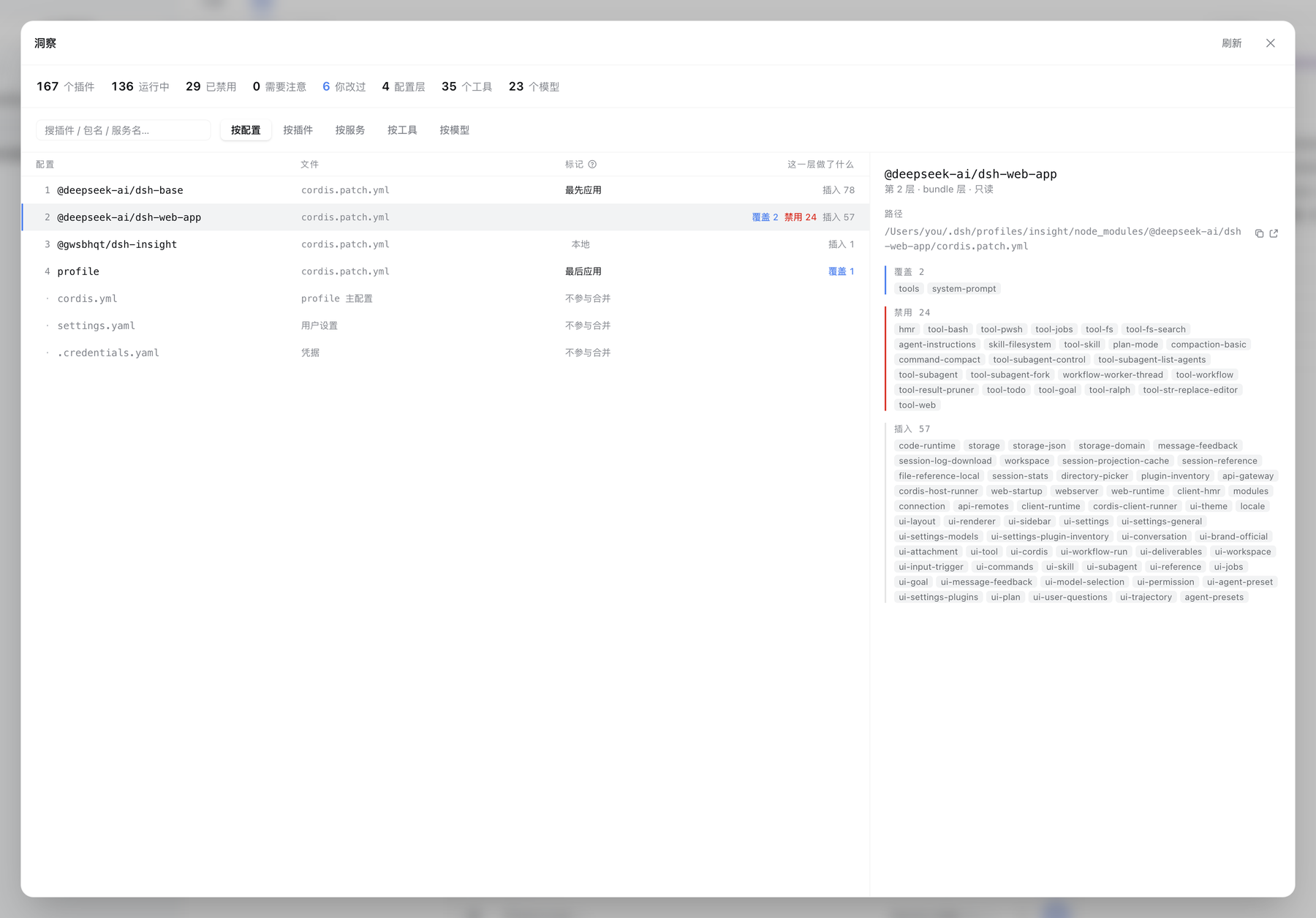
Every config layer in application order, with what it did to the tree — inserted 78, overrode 2, disabled 24. The first and last layers are marked, because a number alone never says which direction wins. Config files that take no part in the merge (the profile's cordis.yml, settings.yaml, .credentials.yaml) are listed in the same table, marked as such — you usually want them for their paths.
Pick a layer and the right pane names every entry it touched, each one a link into the plugin axis.