dsh-live2d
DSH web plugin: show a Live2D character at the bottom corner of the DeepSeek Harness web page, with a load progress bar and a settings section that controls the whole widget behavior (model URL, size, position, scale, opacity, drag, volume, …) through the official settings channel (powered by l2d). / DSH Web 插件:在 DeepSeek Harness 网页右下角展示 Live2D 角色(加载进度条 + 设置界面可配全部挂件行为,走官方 settings 通道,基于 l2d 库)
安装
$
npx -p @deepseek-ai/dsh dsh plugin --profile web add github:hacxy/dsh-live2d说明文档
阅读完整 README ↗使用
打开 DSH Web → 左下角侧边栏 → 设置 → Live2D。
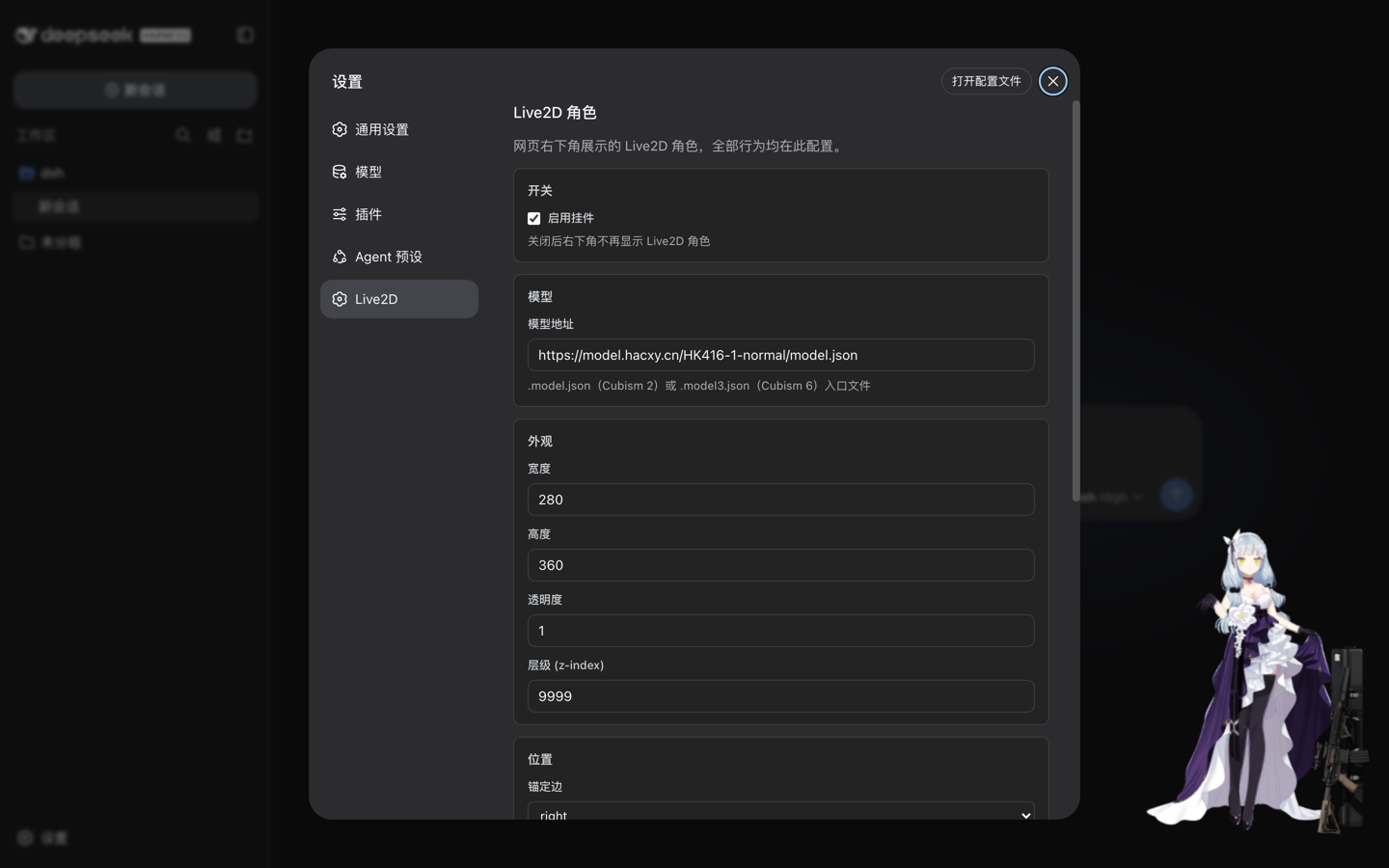
| 分组 | 支持配置 |
|---|---|
| 开关 | 总开关 enabled(关闭后不显示角色) |
| 模型 | 模型地址 modelUrl |
| 外观 | 宽度、高度、透明度、层级 |
| 位置 | 锚定边(右下/左下)、水平/底部间距 |
| 渲染 | 模型缩放、动作音量、日志级别 |
| 交互 | 可拖拽 |
几点说明:
- 保存即生效:改完点「保存」,尺寸/位置类改动原地应用,模型地址等改动会自动重载模型,无需重启。
- 恢复默认:一键清除你的自定义,回到部署默认值。
- 实时同步:其他标签页或外部对配置文件的修改,会自动热更到所有已打开页面。
配置(进阶)
插件采用 DSH 官方 settings 通道,「三层解析,后层优先」:
- schema 默认(内置)
- base 层:部署者的组合配置(
cordis.patch.yml的live2d行) - user 层:
~/.dsh/settings.yaml的dsh-live2d段——由设置面板写入,优先级最高