huahai0202/dsh-plugin-manager ↗★ 0
dsh-plugin-manager
Manage user-installed DeepSeek Harness plugins from the DSH Web settings page
安装
$
npx -p @deepseek-ai/dsh dsh plugin --profile web add github:huahai0202/dsh-plugin-manager说明文档
阅读完整 README ↗DSH Plugin Manager
在 DeepSeek Harness (DSH) Web 设置中管理当前 profile 安装的插件。
dsh-plugin-manager 提供独立的「插件管理」页面,可以查看插件来源与版本、手动检查更新、更新单个或全部插件,以及删除不再需要的插件。
界面
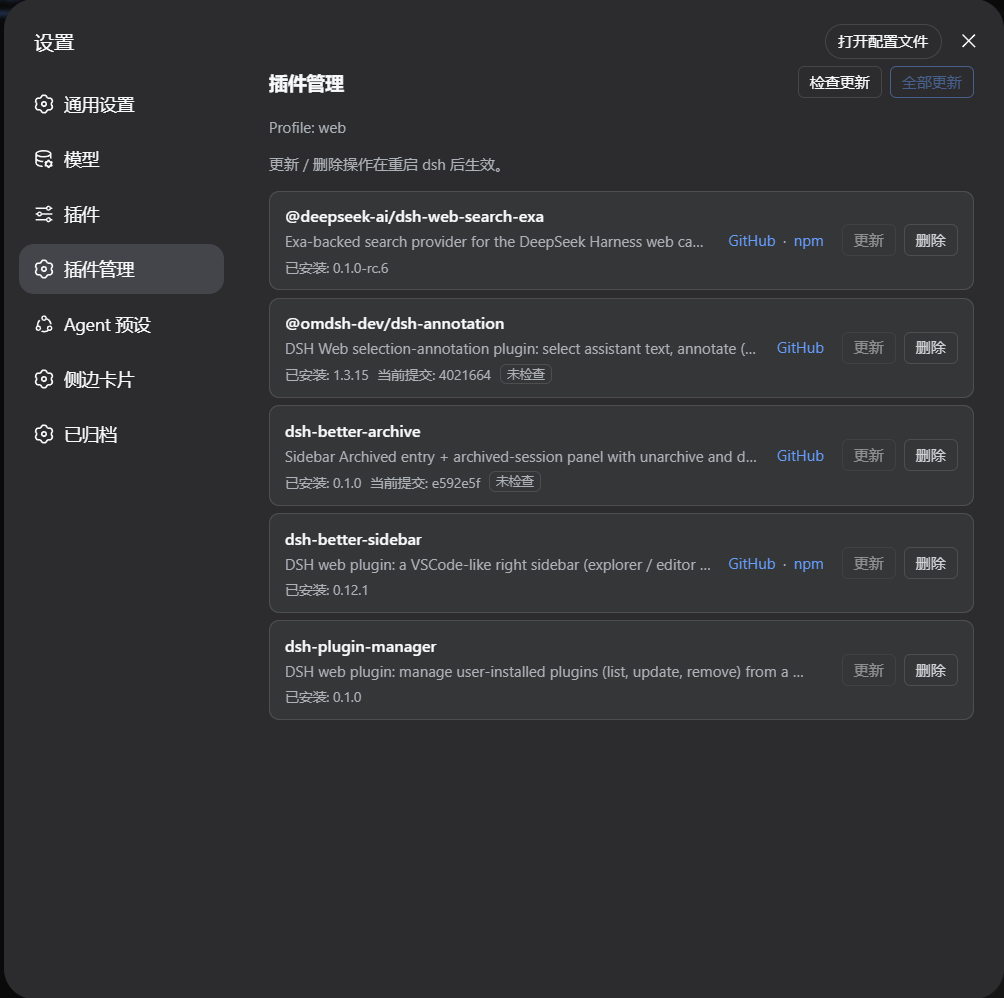
功能
- 列出当前 DSH profile 的直接依赖及已安装版本。
- 进入页面时只读取本地状态;点击「检查更新」后才访问 npm 或 GitHub。
- GitHub 分支源会比较
pnpm-lock.yaml中的当前 commit 与远端 commit。 - 仅在确认存在新版本或新 commit 时启用更新按钮。
- 支持更新单个插件、更新全部可更新插件,以及删除插件。
- 更新和删除后按 DSH 的插件机制同步
dsh.profile.bundles。 - 页面文案跟随 DSH 的语言设置,支持中文和英文。
安装
需要 Node.js 22.19+ 和 pnpm。
dsh plugin --profile web add github:huahai0202/dsh-plugin-manager
安装完成后重启 dsh web,然后在「设置 → 插件管理」中使用。
使用说明
- 「检查更新」是唯一会主动访问远端的检查操作。
- GitHub 固定 commit 或 tag 会显示为固定引用,不会提示分支更新。
link:、file:等本地依赖只展示,不执行远端更新。- pnpm 没有产生实际版本或 commit 变化时,页面会显示「已经是最新,无需更新」。
- 更新或删除完成后需要重启
dsh web,运行中的插件代码才会重新加载。
本地开发
dsh plugin --profile web add link:
本地修改后重启 dsh web。提交前可运行:
node --check lib/index.js
node --check lib/client.js
npm pack --dry-run
开发接口
所有接口均使用 POST:
| 路由 | 请求体 | 用途 |
|---|---|---|
/plugin-manager/api/list | { "refresh": false } | 读取本地插件状态 |
/plugin-manager/api/list | { "refresh": true } | 读取状态并检查 npm / GitHub 更新 |
/plugin-manager/api/update | { "name": "package-name" } | 更新单个插件 |
/plugin-manager/api/updateAll | {} | 更新全部插件 |
/plugin-manager/api/remove | { "name": "package-name" } |