kedoupi/xiaotaozi-dsh--plugins-providers ↗★ 1
dsh-providers
Settings → Models: sign in to official subscriptions and pick which vendor models appear in chat
安装
npx -p @deepseek-ai/dsh dsh plugin --profile web add github:kedoupi/xiaotaozi-dsh#27564cbe6c5f08b7d77e783b6e1540bab0a80f94&path:plugins/providers说明文档
阅读完整 README ↗English · 中文
dsh-providers
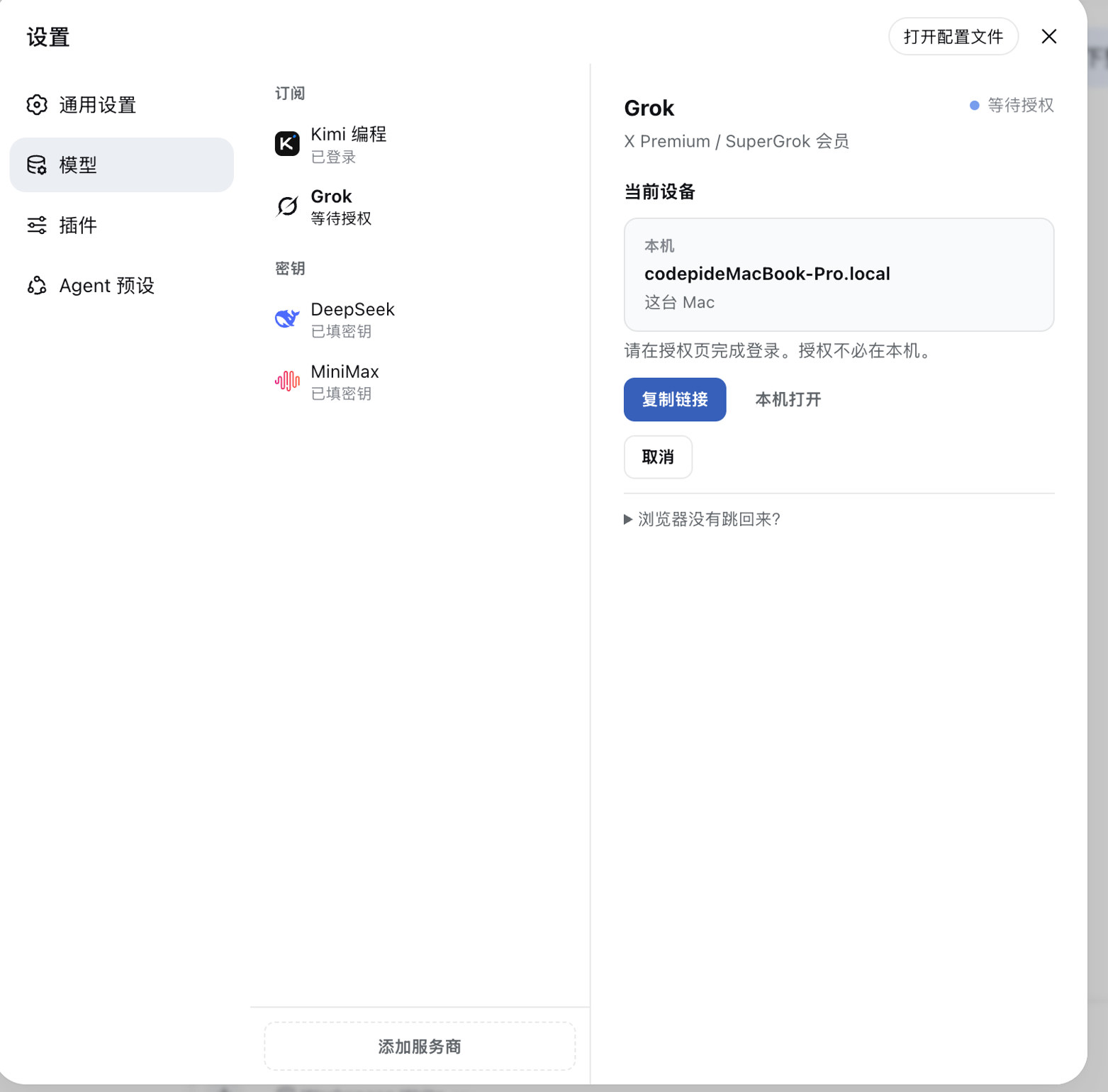
Settings → Models: official memberships and API keys on one page.
Codex · Claude · Grok · Qwen · Kimi · custom OpenAI-compatible endpoints
English · 中文 · xiaotaozi-dsh · PRODUCT.md



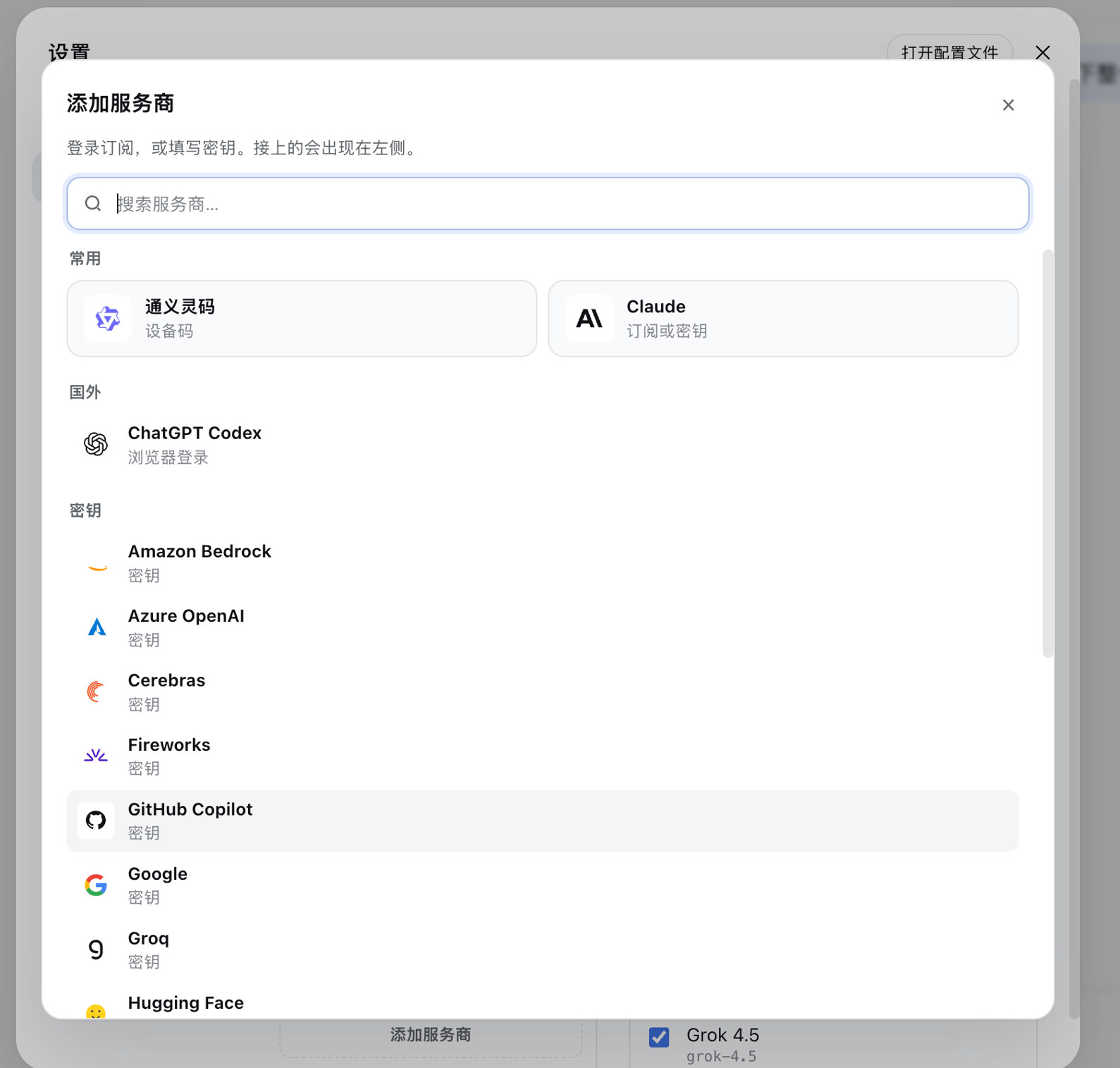
A DeepSeek Harness plugin. The sidebar lists connected vendors; the right pane signs in or stores a key, then you check which models appear in the conversation picker. Unconnected vendors live behind Add provider. The host Models page is unused on purpose.
Part of the xiaotaozi-dsh monorepo. User-facing copy in the Web UI is Chinese. Auth flows take after dsh-plugin-subscriptions (MIT). Do not dsh plugin add the repository root.
Features
- Membership and keys on one page. OAuth / device code for official products; API keys for the rest; custom OpenAI-compatible endpoints.
- Chat only lists what you checked. Selection applies immediately.
- Authorization can finish on another device. The page shows this computer, the link, and the device code.
image_generate. After ChatGPT or Grok is signed in, the model can generate pictures. ChatGPT usesgpt-image-2; Grok usesgrok-imagine-image-2.0. Theproviderargument picks the preferred backend (gptby default); the other is used when that one is signed out. Images are saved under$DSH_HOME/plugins/providers/images/and shown inline. Claude, Qwen Code, and Kimi Code subscriptions have no image-generation API, so they are not wired.video_generate. After Grok is signed in, the model can generate a 1–15s clip withgrok-imagine-video-1.5. MP4s are saved under$DSH_HOME/plugins/providers/videos/and play inline. Optionalimage_urlis image-to-video. ChatGPT, Claude, Qwen Code, and Kimi Code have no video-generation API on these logins.
Install
dsh plugin --profile web add github:kedoupi/xiaotaozi-dsh#path:plugins/providers
dsh web
Then open Settings → Models. After source changes: rebuild this package and restart dsh.
Screenshots
Subscriptions
| Product | Sign-in |
|---|---|
| ChatGPT Codex | OAuth (Plus / Pro) |
| Claude | OAuth (Pro / Max) |
| Grok | OAuth (X Premium) |
| Qwen Code | Device code |
| Kimi Code | Device code (official Kimi Code) |
| Zhipu GLM, Doubao, MiniMax, iFlytek Spark, Hunyuan | Listed under Add provider; official membership login is not wired yet |
API keys and custom endpoints
Built-in API vendors use the host credential store. Saved keys are shown as a mask, never as plaintext.
A key that arrives from the launch environment is read-only here. The page explains that; it will not replace or unset it. Change it where you start dsh.
Custom vendors are OpenAI-compatible endpoints (name, base URL, key). Models are loaded from the endpoint, not typed in by hand.
Data
Membership tokens: $DSH_HOME/plugins/providers/auth.json (mode 0600). Files left under plugins/passport/ from the old package name are copied on first load. Generated images: $DSH_HOME/plugins/providers/images/. Generated videos: $DSH_HOME/plugins/providers/videos/.
API keys go through the host credentials seam ($DSH_HOME/.credentials.yaml), unless the process environment already supplies that reference.
Develop
From the monorepo root:
pnpm --filter dsh-providers test
pnpm --filter dsh-providers build
node scripts/link-plugin.mjs --profile web providers
pnpm dev
That links into the repo .dsh-home (port 3081), not the daily ~/.dsh.
Documentation
| Doc | Read it when |
|---|---|
| PRODUCT.md | Product notes |
| Workflow | Create, install, simplify, commit |
| Conventions | Package identity and two homes |
| dsh-plugins | The rest of the monorepo |