dsh-at-file
Codex-style @file mentions for the DeepSeek Harness web GUI: type @ in the composer to search workspace files and attach them to the prompt
安装
$
npx -p @deepseek-ai/dsh dsh plugin --profile web add github:omdsh-dev/dsh-at-file说明文档
阅读完整 README ↗dsh-at-file
DeepSeek Harness Web GUI 的 Codex 风格 @ 文件提及插件。在输入框输入 @,边输入边智能搜索工作区文件(和目录),回车附加,发送时把引用内容交给模型。
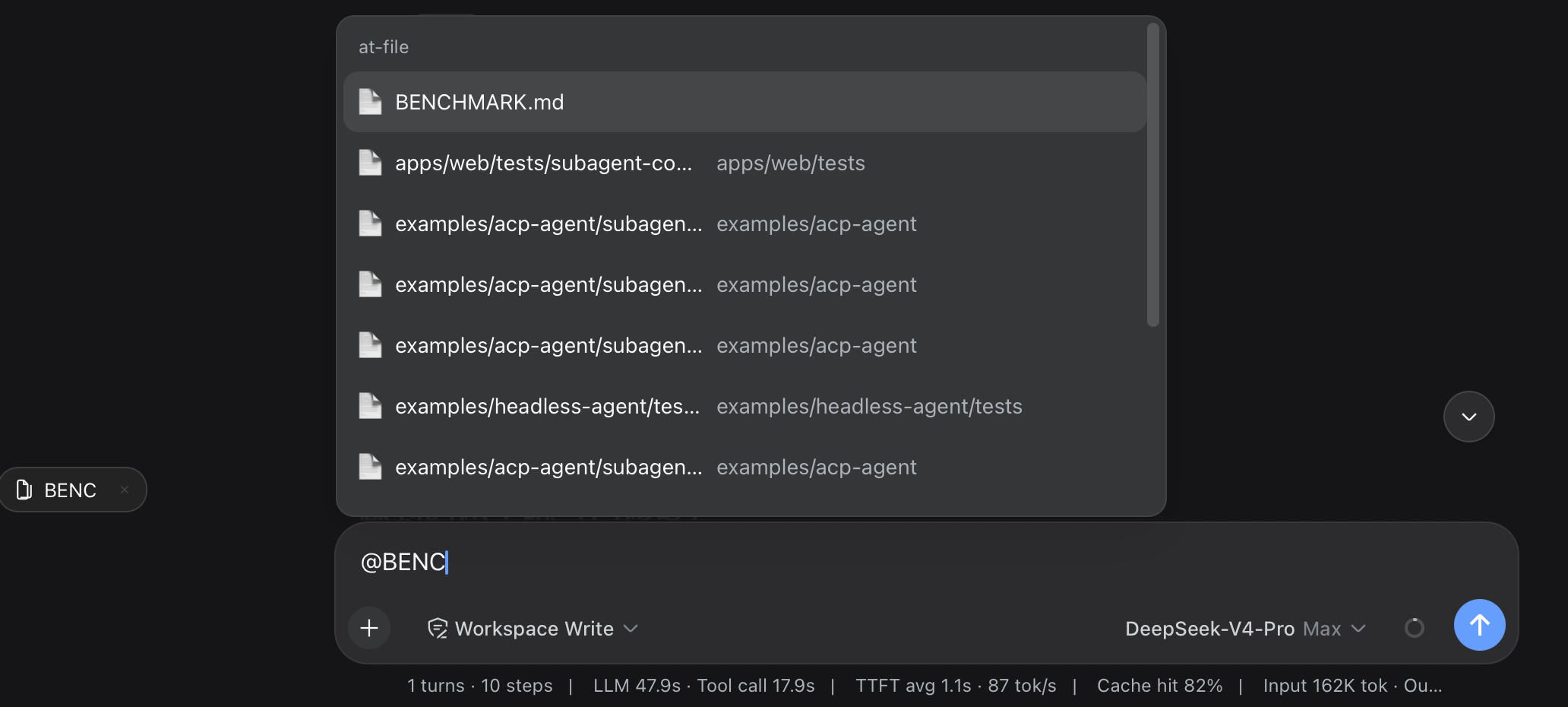
输入框:   修复 README  @README.  ← 光标处浮出文件选择器
            ┌────────────────────────────┐
            │ 📄 README.md               │
            │ 📁 docs/                   │
            └────────────────────────────┘
草稿:     修复 README @README.md    ← 可读的纯文本 token
附加条:   📄 README.md  ×           ← 输入框上方可点击的文件链接
模型:     …内容…   ← 发送时注入
草稿里是纯文本 @路径 token(无芯片、不溢出);Host 在每个 agent 的 pre-step 边界把它展开成文件内容。附加目录会递归展开其下所有文件(有界)。
安装
dsh plugin --profile web add https://github.com/omdsh-dev/dsh-at-file/archive/refs/heads/main.tar.gz
随后重启 web 服务以加载 host 半部分与新的 client bundle。插件依赖标准 web bundle 组合(ui-input-trigger 的 @ 管线、api-gateway client Remote、会话插槽),默认的 dsh web profile 均已包含。
启用开关在 设置 → File mentions(at-file settings 命名空间,由 harness 的一行 allowlist 暴露)。
配置
Host 侧可调参数在 cordis.yml 的插件行上:
- id: dsh-at-file
  name: dsh-at-file
  config:
    maxIndexedFiles: 5000      # 每个工作区索引条目数上限(到达即停止遍历并如实报告截断)
    maxFileBytes: 262144       # 单个附加文件字节上限;超限文件拒绝附加,绝不截断
    ignoreDirs: ['.git', 'node_modules']   # 遍历时跳过的目录名
对模型的影响
| 方面 | 效果 |
|---|---|
| Token 开销 | 每个附加文件把完整内容(不超过 maxFileBytes)加入请求;目录则逐个加入其下文件。 |
| 工具调用 | 无 —— 内容已在提示词中,模型无需再调用工具读取。 |
| 消息格式 | 文件序列化为 ">\n\n,目录为 …;以来源 at-file-mention 的用户消息注入。 |
| 边界 | 超过 maxFileBytes、二进制文件、或越出工作区的路径被跳过(提及保持普通文本)。 |
权限边界
- 选择器只提供会话工作区内的条目(默认跳过
.git/node_modules)。Host 把@路径token 解析到会话 cwd 下,绝不跟随..越出工作区。内容展开在 Host 的agent/pre-step边界进行,仅扫描source.kind === 'user'的消息。 - 点击打开文件走 harness 自带的
host.openPath(本就限制在 loopback)。
开发
pnpm install            # 链接同级 dsh 仓库用于构建与测试
pnpm run check          # typecheck + 测试 + 构建
pnpm run test           # vitest(host 文件系统/mention/运行时,client 源/附加条/设置区/装配)
pnpm run build          # esbuild 构建 host/client/invariant 三份 bundle + tsc 声明文件