An opencode-inspired terminal UI (TUI) for DeepSeek Harness, shipped as a dsh profile app plugin. It boots a chat client inside the dsh process: it creates/resumes agents through ctx.agents, renders the durable session/event stream (user messages, streaming assistant tokens, tool cards, todo lists), routes human input back via agent.followup(), and answers approval/request prompts inline.
The UI follows a DeepSeek blue-white dark design language (brand blue #4D6BFE accents on a blue-tinted canvas, with a blue→white gradient on the DeepSeek Harness title): a responsive session rail, markdown transcript and tool activity, a bordered multiline composer with slash-command suggestions, and a telemetry footer for session tokens, average time to first token (TTFT), decode throughput, and KV-cache hit rate. Thinking and running tools (read/write/...) show flowing spinner animations, and the status row carries a flowing wave while the agent is working.
Node.js >= 22, an installed @deepseek-ai/dsh CLI, and an interactive terminal (Windows Terminal / ConPTY, iTerm2, GNOME Terminal, ...).
pnpm on PATH for the one-time plugin install (dsh plugin forwards to pnpm).
A configured model route: the profile reuses $DSH_HOME/settings.yaml (llm-pi-ai providers or llm-deepseek) and $DSH_HOME/.credentials.yaml — the same setup the Web GUI uses.
Quick start
# 1. One-time setup: create the tui profile and install this plugin into it.
dsh plugin --profile tui add deepseek-harness-tui

# 2. Launch.
dsh --profile tui
The first command initializes $DSH_HOME/profiles/tui with @deepseek-ai/dsh-base, installs this package with pnpm, and appends it to the profile's because the package declares . Nothing else needs editing.
deepseek-harness-tui · DSH Hub
dsh.profile.bundles
dsh.bundle
Verify the layer without booting:
dsh --profile tui --dump-config
The dump shows the deepseek-harness-tui bundle layer after @deepseek-ai/dsh-base.
Launch
dsh --profile tui
The canonical launch is the dsh launcher itself:
dsh --profile tui                       # open the title screen; first message creates a session
dsh --profile tui --resume   # resume a persisted session
dsh --profile tui --model      # default model for new sessions
dsh --profile tui --provider     # default provider route
dsh --profile tui --no-sidebar          # start without the sidebar
dsh --profile tui --help                # the TUI's own flags
The stock dsh launcher only hardcodes web as a bare subcommand alias, so the profile flag is the intended shape for custom surfaces. If you want the exact string dsh tui, add a one-line shell alias (for example doskey tui=dsh --profile tui $* in CMD).
dsh-tui convenience launcher
The package also ships a dsh-tui bin. It is equivalent to dsh --profile tui, but it verifies that the tui profile actually has the plugin installed and prints the one-time setup command when it does not:
dsh-tui                 # boot the tui profile
dsh-tui --profile mytui # boot a profile with a different name
dsh-tui --help          # launcher help
The launcher prefers an installed dsh on PATH and falls back to npx --yes @deepseek-ai/dsh. Install the bin globally with npm install -g deepseek-harness-tui (or run it from a local checkout with node bin/dsh-tui.js). Environment overrides:
Variable
Effect
DSH_TUI_PROFILE
Default profile name when --profile is not given.
DSH_TUI_SKIP_CHECK
Set to 1 to skip the profile preflight (advanced installs).
Usage
Flag
Effect
--resume
Resume a persisted session by id.
--model
Default model id for new sessions.
`--provider
`
Default provider route for new sessions.
--sidebar / --no-sidebar
Show (default) or hide the session sidebar.
--help
Print the TUI's own flag help.
Keybindings
Key
Action
Enter
send message
Ctrl+Enter / Shift+Enter / Alt+Enter
insert a newline
Ctrl+C
clear a non-empty prompt, cancel a running turn, or press twice while idle to exit
Ctrl+P
open the settings menu
Ctrl+E
toggle the reasoning-effort slider below the input box
Ctrl+N
new session
Ctrl+D
delete the focused session in Settings → Manage sessions
Ctrl+L
clear the transcript view
Up / Down
input history
PgUp / PgDn
scroll the transcript
Esc
close the effort slider / close help / cancel an approval prompt
This package ships plain JavaScript, so a git install needs no build step. pnpm ≥ 10 may still require allowlisting the git dependency's package key under allowBuilds in the profile's pnpm-workspace.yaml if a build step is ever added.
What the install does
dsh plugin initializes $DSH_HOME/profiles/tui on first use (@deepseek-ai/dsh-base plus an empty user patch layer).
pnpm installs deepseek-harness-tui into the profile's node_modules.
dsh appends deepseek-harness-tui to dsh.profile.bundles because the package declares dsh.bundle.patch; the bundle patch inserts the tui-startup and tui-app rows.
dsh --profile tui composes @deepseek-ai/dsh-base + deepseek-harness-tui and boots the UI.
The settings menu projects the same Host settings namespaces used by the WebUI and persists changes through ctx.settings to $DSH_HOME/settings.yaml. It covers Busy Enter behavior, default agent and permission presets, default provider/model/reasoning effort, and session management. The default agent preset is chosen from the roster the profile mounts (agent-presets): the shipped presets plus any you authored under $DSH_HOME/.agent-presets; TUI sessions keep composing process-wide from the base, so the stored default only applies where a session is created from a preset. WebUI-only options (ui-theme Appearance and locale Language) are intentionally not shown because they have no effect inside the TUI. Provider credentials, API endpoints, and provider definitions are intentionally not editable in the TUI; use the settings document or WebUI for those changes.
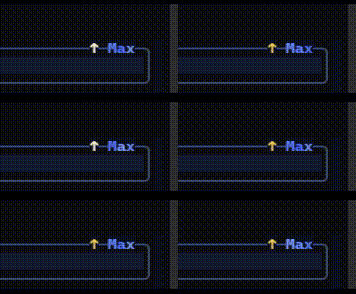
Reasoning effort. The effective effort value stays visible on the composer's top-right border, diagonally opposite the provider · model label. Press Ctrl+E to open a slider below the input box; ←/→ move it and persist the choice, Esc or Ctrl+E closes it. The slider is driven by the current model's actual selectable levels reported by the provider adapter (ctx.llm.resolveModelInfo), so a boolean-thinking model shows exactly its two ends, a full-range model shows every level it advertises, and a partial model (for example DeepSeek's Off/High/Max) shows only those — never a blanket none → max scale. At the strongest available level, the track gradient and bright sweep move left to right, the empty track shimmers, and the top-right effort text receives a flowing gradient with a pulsing text arrow. The Settings → Reasoning effort entry stays available as a list menu over the same levels. The chosen effort is applied to the session's requests through the agent/request waterfall and stored in agent-default-model.reasoningEffort.
Plugin model
This package is a DeepSeek Harness Cordis plugin, not a standalone agent runtime. The optional dsh-tui binary only launches dsh --profile tui; DSH continues to own model routing, agent execution, tools, approvals, commands, durable sessions, and credentials. The plugin owns terminal input and presentation.
How it works
The plugin is a Cordis function plugin loaded by the tui profile. lib/startup.js parses the app's flags and provides the tuiStartup service; lib/index.js owns the UI loop.
lib/term.js is a zero-dependency terminal engine: raw mode, alternate screen, a diffing cell buffer, and a key decoder (truecolor ANSI, CJK-aware widths). It parks the (hidden) terminal cursor at the input caret so the OS IME anchors its composition window inside the composer, and it understands both SGR and legacy X10 mouse encodings so wheel/click bytes can never leak into the input text.
lib/ui.js is the responsive view model + renderer (DeepSeek blue-white theme, session rail, transcript, multiline composer, command suggestions, and telemetry footer). Rendered transcript lines are cached per block, only the visible window is materialised each frame, streaming paints are coalesced, and the live block is re-rendered on a short throttle — so render cost stays bounded and output speed does not degrade as the history grows. thinking content is shown inside a gray-emphasised box that stays collapsed while streaming, collapses by default once finished, and toggles on click; thinking and running tools animate with flowing spinners.
lib/metrics.js folds durable step/chunk/message events into session token, average TTFT, decode throughput, and disjoint-token cache-hit metrics.
lib/interrupt.js owns the clear/cancel/double-exit state machine used by stdin and SIGINT.
lib/markdown.js renders model output (headings, lists, quotes, code, inline spans) to styled lines.
Agents are created/resumed through ctx.agents, the transcript is rebuilt from session.surface on resume and fed live by session/event (including assistant/chunk streaming), model defaults come from ctx.agentDefaultModel, and approvals answer the approval/request waterfall inline.
The full end-to-end path (profile boot → session → live LLM streaming → commands → clean exit) was verified through a pseudo-terminal (node-pty + ConPTY) on Windows.
For a zero-install development bootstrap that avoids pnpm, create the profile once and point its cordis.patch.yml at this checkout with absolute module paths:
dsh --profile tui --dump-config # initializes the base profile once
Then add to $DSH_HOME/profiles/tui/cordis.patch.yml:
The plugin's dsh imports resolve through the shared $DSH_HOME/profiles/node_modules fallback that dsh maintains, so no pnpm install into the plugin directory is required.
Known limitations
IME composition and bracketed-paste image attachments are not exposed by the zero-dependency terminal engine yet.
Saved sessions are managed from Settings → Manage sessions; the shared sessionQuery service is required for the list.
dsh tui as a bare subcommand needs a shell alias — the stock launcher hardcodes only web and plugin subcommands.
Editing the plugin source does not hot-reload (the profile's HMR root is the profile dir, not the plugin dir); restart the profile to pick up changes.
--resume and Settings → Manage sessions require the shared sessionQuery service (mounted by dsh-base).