saitamahang/dsh-skill-importer ↗★ 0
dsh-skill-importer
Web UI plugin for DeepSeek Harness: import skills from local Markdown files or URLs into the skill roots the harness discovers automatically
安装
npx -p @deepseek-ai/dsh dsh plugin --profile web add github:saitamahang/dsh-skill-importer说明文档
阅读完整 README ↗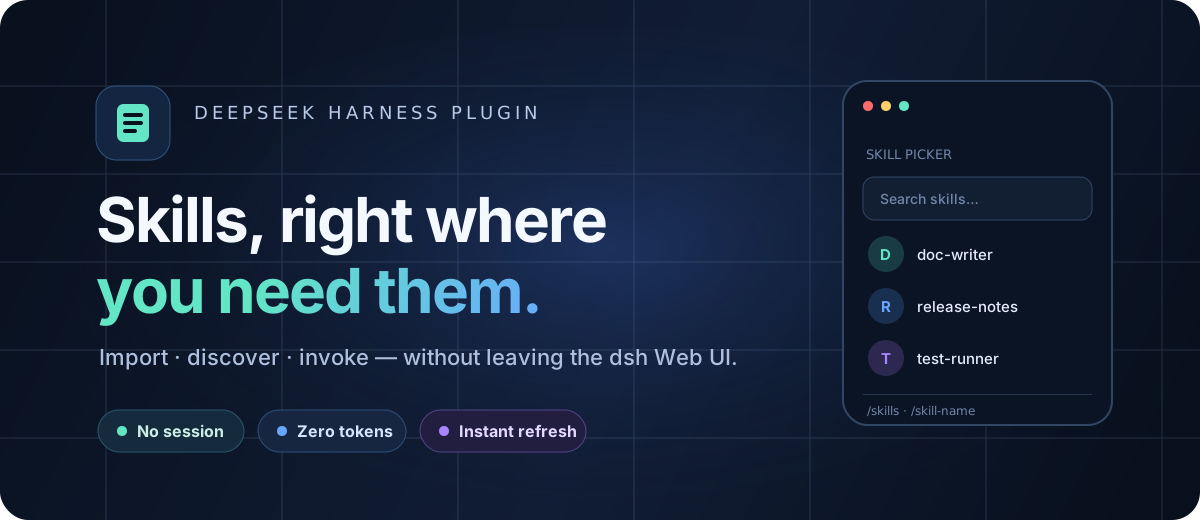
Bring skill management into the DeepSeek Harness Web UI.
Import, discover, and invoke skills without a session, model tokens, or approval round-trips.




English · 简体中文 · Install · How it works · Development
Your skill library, one click away
dsh-skill-importer is a lightweight plugin for DeepSeek Harness (dsh). It turns skills into a first-class part of the Web UI: bring in Markdown from disk or a URL, see every installed copy, and insert a skill into the composer without breaking your flow.
| Import | Organize | Invoke |
|---|---|---|
Upload SKILL.md, paste a URL, or migrate a complete skills directory from Claude Code, Codex, and similar agents. | Browse skills grouped across project and global roots. Remove any copy individually. | Use the composer picker, run /skills, or type /skill-name directly. |
Built for a fast loop
- No agent or session — the host writes skill files directly.
- Zero model tokens — imports never enter a model context.
- Instant discovery — the harness watcher hot-refreshes skills after they land.
- Workspace-aware — project skills always target the active registered workspace.
- Bilingual UI — English and Chinese copy follows the harness locale.
- Safe by design — fixed skill roots, 256 KB limit, and same-origin POST checks.
Batch migration with a real preflight
The third import entry accepts a local skills root such as ~/.claude/skills, ~/.codex/skills, or another .agents/skills directory. It scans before it writes, validates every SKILL.md, preserves each skill's scripts, references, assets, and other resources, and reports invalid entries without touching the destination.
Destination name conflicts are skipped by default. Choose Replace per skill, review the add/replace/skip summary, then confirm. Each accepted skill is copied through a same-root staging directory; replacements keep a temporary backup and roll back if the swap fails. A preflight is single-use, expires after ten minutes, and verifies source-content fingerprints again at commit time.
Three natural ways to use a skill
- Composer picker — open the pill beside the access-mode selector, search by name, and choose.
/skillscommand — use a familiar command palette, modeled after/model.- Direct invocation — type
/skill-nameand keep moving.
All three fill the composer with the same highlighted /name gesture; sending injects the skill instructions through dsh's native flow.
Installation
1. Add the plugin to the Web profile
dsh plugin --profile web add dsh-skill-importer
2. Enable it in the profile
Add the following entry to $DSH_HOME/profiles/web/cordis.patch.yml:
- id: skill-importer
  name: dsh-skill-importer
3. Restart dsh Web
Open Settings → Skills. Import a Markdown file or URL, or choose Batch import to migrate another agent's complete skills directory. Choose a target and the imported skills will appear as soon as the filesystem watcher discovers them.
Requires DeepSeek Harness
>= 0.1.0-rc.6vianpx @deepseek-ai/dsh web.
How it works
The dsh client-to-host RPC is a fixed allowlist with no file-write channel. This plugin uses the official ctx.webServer.register extension point exposed by dsh-host-webserver and registers same-origin /skill-importer/* routes on the harness server.
Markdown file or URL
        │  same-origin fetch
        ▼
/skill-importer/import
        │  host filesystem write
        ▼
//SKILL.md
        │  watcher event
        ▼
skills/change → hot refresh
POST routes verify the Origin header and only accept loopback sources (127.0.0.1 or localhost). Writes are restricted to these standard roots:
| Scope | Directory |
|---|---|
| Project | .agents/skills |
| Global | ~/.dsh/skills |
Development
npm install
npm run build
| Area | Source |
|---|---|
| Host plugin and route registration | src/index.ts |
| Filesystem, URL import, and HTTP logic | src/server.ts |
| Shared wire types | src/types.ts |
Browser plugin and /skills command | src/client/index.ts |
| Composer picker | src/client/SkillsPicker.tsx |
| Settings experience | src/client/SkillImporterSection.tsx |
Available routes: GET /skill-importer/health · GET /skill-importer/list · POST /skill-importer/import · POST /skill-importer/import-url · POST /skill-importer/delete · POST /skill-importer/batch/scan · POST /skill-importer/batch/commit
Local checkout
npm install
npm run build
dsh plugin --profile web add /path/to/dsh-skill-importer
Add the profile entry shown above, then restart dsh Web.
Notes
- A single imported file may be up to 256 KB.
- Batch import accepts up to 200 skills per scan; each skill may contain up to 2,000 files and 10 MB of resources. Symbolic links are refused.
- URL import preserves
.mdsources; HTML pages use lightweight text extraction, so direct Markdown URLs work best. - The installed list polls briefly after import (every 2 seconds for up to 20 seconds). Refresh syncs external changes immediately.
License
Released under the MIT License.