@binle1988/dsh-gamify-edu
A modern, gamified educational platform built with React, TypeScript, and Vite
AI Analysis
核心用途是将传统学习转化为游戏化体验,并提供 DSH 网页端插件。适合希望在 DSH 网页配置文件中集成游戏化教育平台的用户。必要条件包括 Node.js >= 18 及 React 18.3.1。
Install
This plugin has no verified bundle, or compatibility checks failed. Read the repository notes first. Read the full README ↗
README
Read the full README ↗


Gamify Education Platform
A modern, gamified educational platform built with React, TypeScript, and Vite. This project transforms traditional learning into an engaging, game-like experience.
DeepSeek Harness Client Plugin
This repository also publishes the browser-side dsh plugin @binle1988/dsh-gamify-edu. Install it into a dsh web profile and add the package to the profile bundle list; the plugin contributes a Gamify Edu launcher to the empty-session hero. The launcher opens the education surface without requiring a Host API or DeepSeek API key.
dsh plugin --profile web add @binle1988/dsh-gamify-edu
The standalone preview remains available through npm run dev. Plugin artifacts are produced with npm run bundle, while npm run typecheck validates the Client entry boundary.
Screenshots
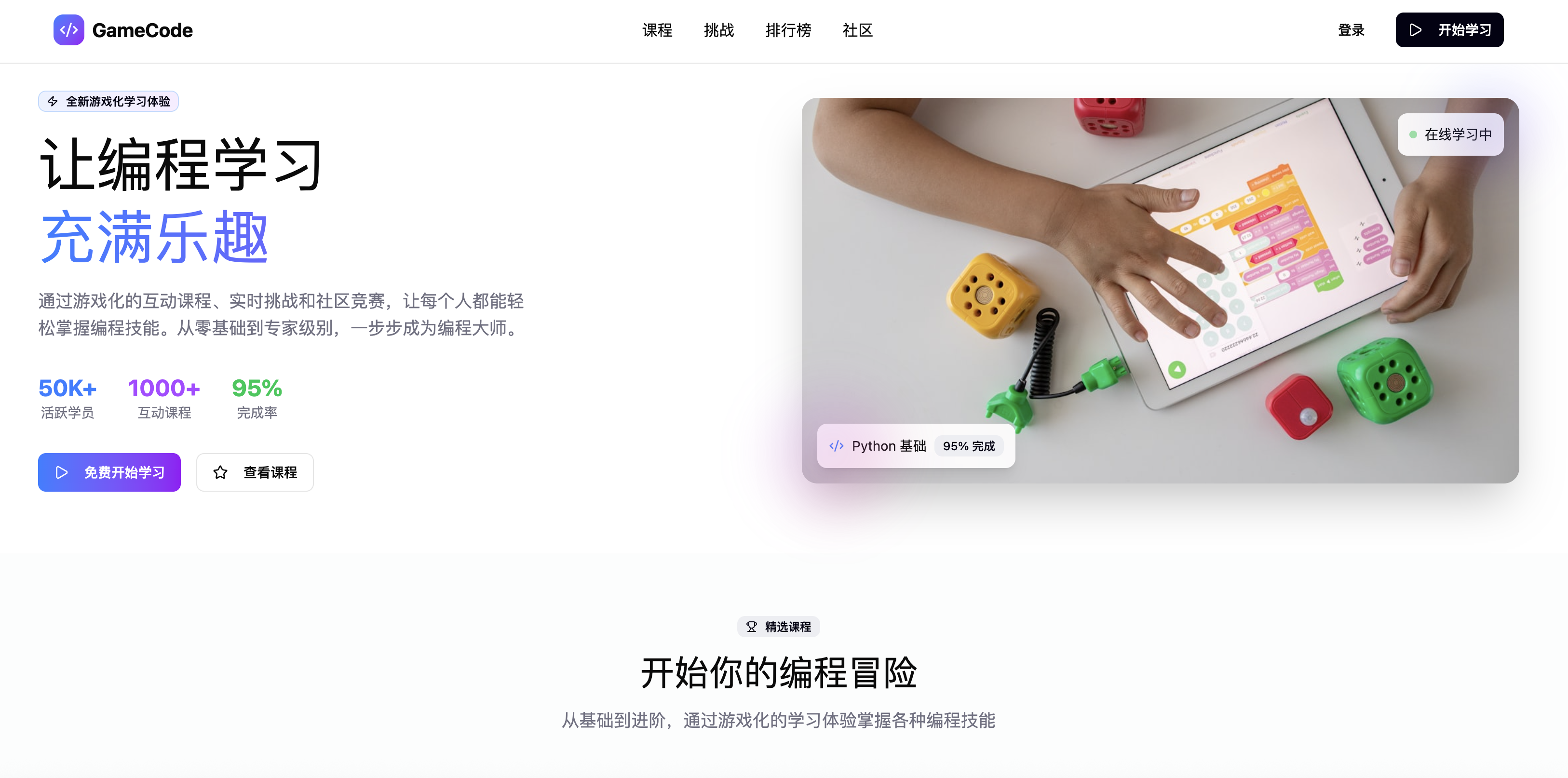
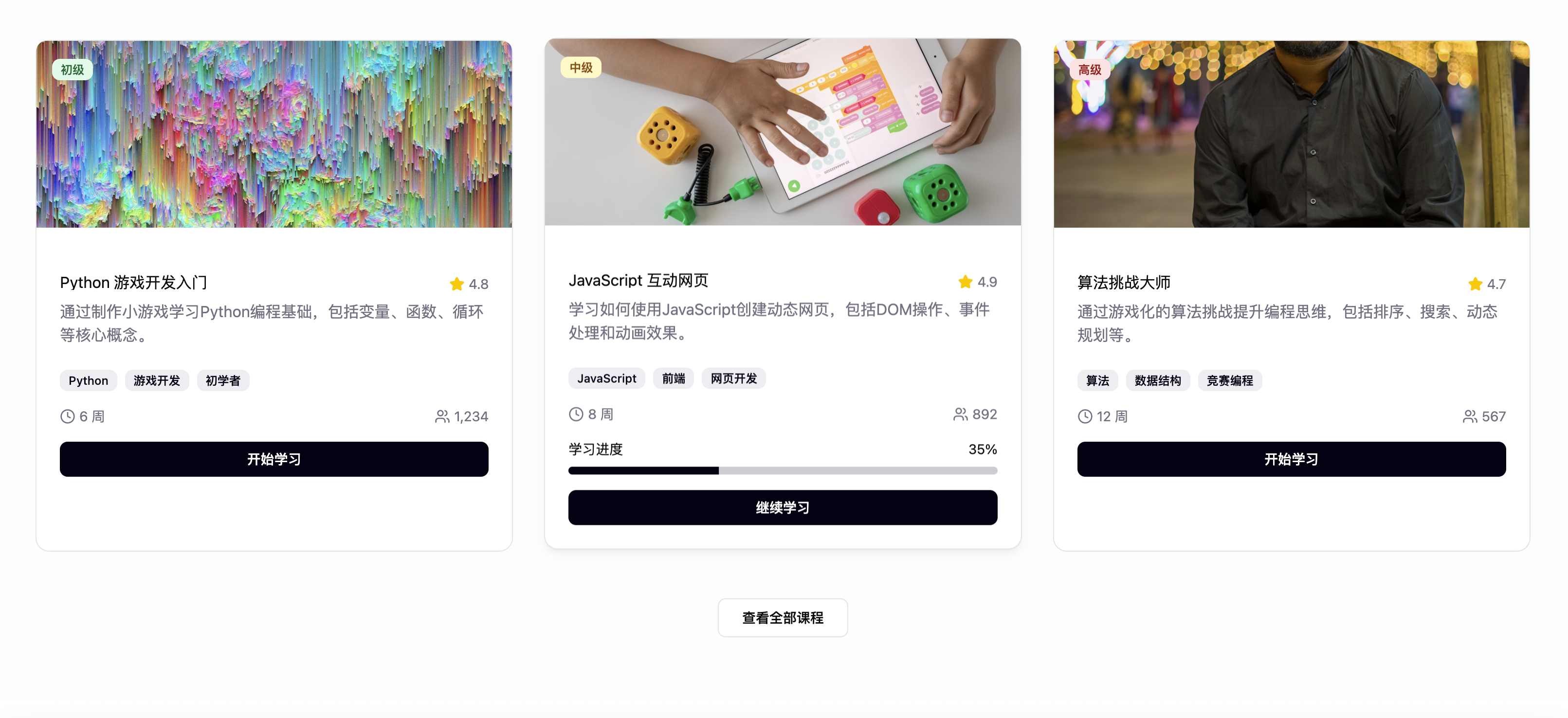
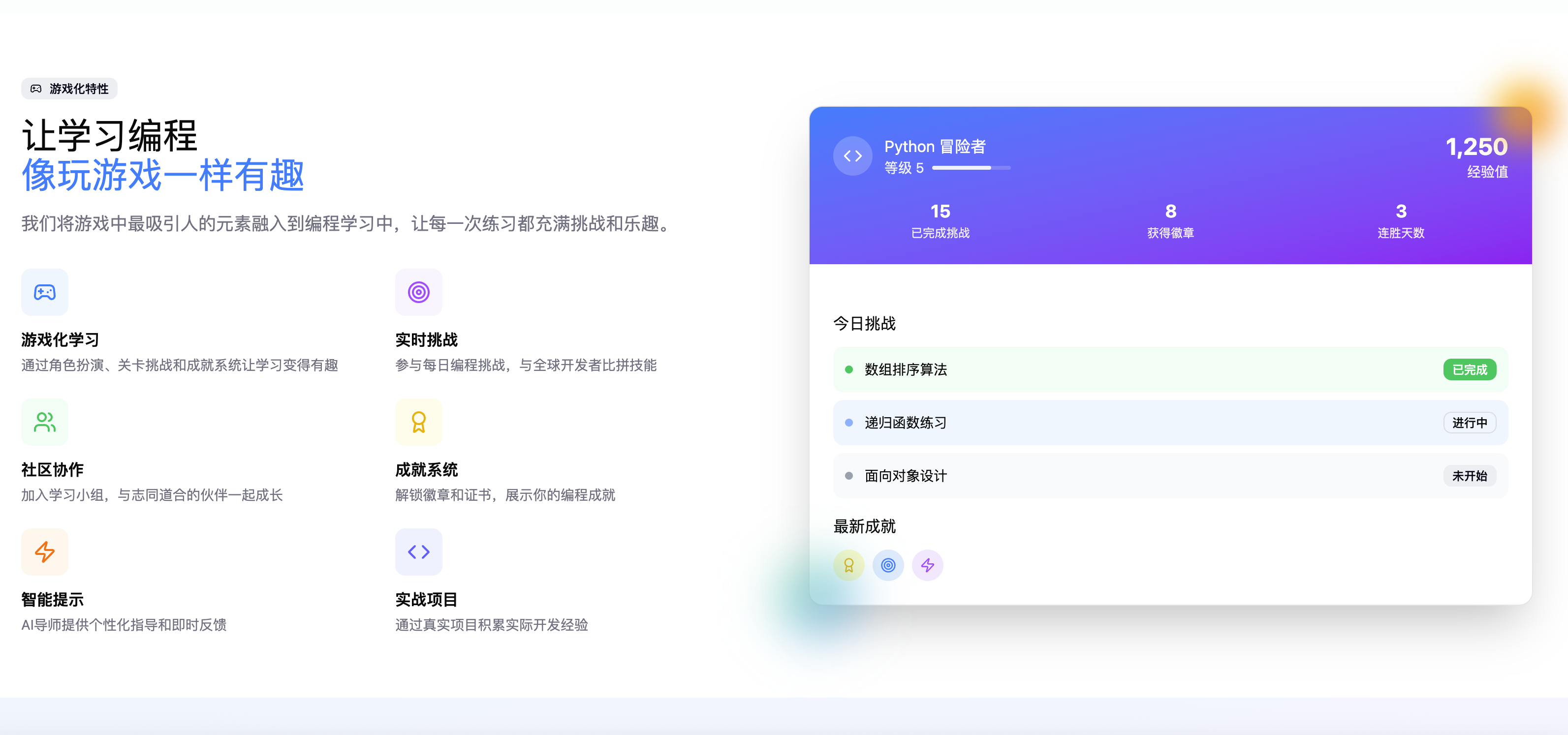
🎮 Features
- Gamified Learning Experience: Interactive courses with game mechanics
- Modern UI/UX: Built with Radix UI components and Tailwind CSS
- Responsive Design: Works seamlessly across all devices
- Dark/Light Theme: Toggle between themes for better user experience
- Progress Tracking: Visual progress indicators and achievements
- Interactive Components: Engaging UI elements and animations
🚀 Tech Stack
- Frontend: React 18, TypeScript, Vite
- Styling: Tailwind CSS, Radix UI
- Icons: Lucide React
- Charts: Recharts
- Animations: CSS animations and transitions
📦 Installation
- Clone the repository:
git clone https://github.com/BinLe1988/gamify-edu.git
cd gamify-edu
- Install dependencies:
npm install
- Start the development server:
npm run dev
- Open your browser and navigate to
http://localhost:3000
🛠️ Available Scripts
npm run dev- Start development servernpm run build- Build for productionnpm run preview- Preview production build locally
📁 Project Structure
gamify-edu/
├── src/
│   ├── components/     # Reusable UI components
│   │   ├── ui/        # Base UI components (buttons, cards, etc.)
│   │   ├── Header.tsx
│   │   ├── Hero.tsx
│   │   ├── FeaturedCourses.tsx
│   │   ├── GameFeatures.tsx
│   │   ├── Stats.tsx
│   │   └── Footer.tsx
│   ├── styles/        # Global styles
│   ├── App.tsx        # Main application component
│   ├── main.tsx       # Application entry point
│   └── index.css      # Global CSS
├── public/            # Static assets
├── package.json
└── README.md
🎨 Design
This project is based on the Figma design: 多游戏化教学网站设计
🤝 Contributing
- Fork the repository
- Create your feature branch (
git checkout -b feature/amazing-feature) - Commit your changes (
git commit -m 'Add some amazing feature') - Push to the branch (
git push origin feature/amazing-feature) - Open a Pull Request
📄 License
This project is licensed under the MIT License - see the LICENSE file for details.
🙏 Acknowledgments
- Design inspiration from the Figma community
- Built with modern React ecosystem tools
- UI components powered by Radix UI