dsh-whale-pet
An unofficial whale-girl desktop pet for the DeepSeek Harness Web UI.
AI Analysis
核心用途是在 DSH 页面右下角添加一个会跟随当前会话状态的动态看板娘。适合想要美化界面、增加趣味互动元素的 Web 端用户。
Install
npx -p @deepseek-ai/dsh dsh plugin --profile web add github:Er1c0v0/dsh-whale-petREADME
Read the full README ↗dsh-whale-pet
An unofficial whale-girl desktop pet for the DeepSeek Harness Web UI.
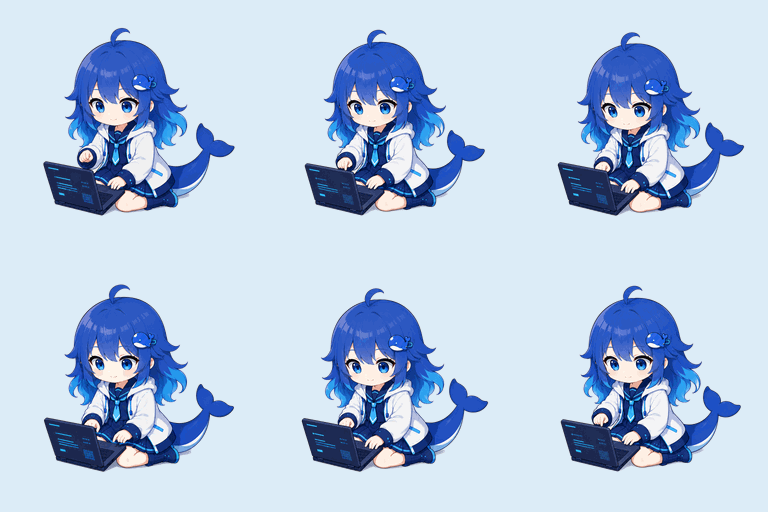
The pet lives in Harness's additive shell.overlay slot, follows the currently selected session, and never patches Harness source files or scrapes UI text. All runtime artwork is packed into the plugin's client.js, so the Web server does not need an extra static-asset route.
Compatibility
| Plugin | DeepSeek Harness | Surface |
|---|---|---|
0.1.x | 0.1.0-rc.6 | Official Web UI |
Harness is currently a developer preview. Versions outside this table are unsupported until they pass this project's integration tests.
Features
- Five deterministic states: idle, working, needs input, ready, and blocked.
- Working animation with a six-step ping-pong sequence; reduced-motion mode freezes the first frame.
- Clickable status panel showing pending-interaction type, current tool, and elapsed work time.
- Dragging, keyboard movement, four sizes, animation toggle, reset, and a recoverable 32px collapsed launcher.
- English and Simplified Chinese UI copy.
- Browser-local preferences only; no analytics, remote calls, or cross-browser synchronization.
Install
The package uses Harness's current profile-bundle format. It does not use the removed .dsh-plugin format.
dsh plugin --profile web add dsh-whale-pet@0.1.0-rc.1
dsh --profile web --dump-config
dsh --profile web
--dump-config should contain one dsh-whale-pet row. In the Web UI, the pet appears at the bottom-right after the client bundle loads.
Install a local build
pnpm install --frozen-lockfile
pnpm check
npm pack
dsh plugin --profile web add ./dsh-whale-pet-0.1.0-rc.1.tgz
Uninstall
dsh plugin --profile web remove dsh-whale-pet
dsh --profile web --dump-config
The plugin stores preferences under localStorage["dsh-whale-pet/preferences/v1"]. Removing the package leaves that browser-local value in place so a later reinstall can restore the layout; clear that key manually if you also want to remove preferences.
State mapping
| Priority | Current Harness session | Pet state |
|---|---|---|
| 1 | No current/open session | Idle |
| 2 | Approval, plan review, or question pending | Needs input |
| 3 | Running | Working |
| 4 | Settled with an explicit agent, prompt, or open error | Blocked |
| 5 | Same session transitions from running to successful stop | Ready for 1600ms |
| 6 | Other settled state | Idle |
Switching sessions resets edge detection, so opening an already completed session does not create a false ready notification.
Development
Requirements: Node 22.19+ or 24+, pnpm 11.19.0, and DeepSeek Harness 0.1.0-rc.6 for integration testing.
pnpm install --frozen-lockfile
pnpm assets:build
pnpm check
pnpm test:visual
npm pack
node scripts/smoke-harness.mjs --package ./dsh-whale-pet-*.tgz
The source PNGs under character/ are immutable inputs. pnpm assets:build verifies their SHA-256 values, removes only edge-connected background pixels, aligns the working frames, and produces ignored WebP build inputs plus tracked documentation previews.
See CONTRIBUTING.md for the complete verification flow.
Licenses
- Source code: MIT
- Original and processed artwork: CC BY 4.0
- Artwork creator, hashes, and modification record: ASSET_ATTRIBUTION.md