MerkurevSergei/dsh-notion-oauth-ui ↗★ 0
dsh-notion-oauth-ui
Connect Notion from the GUI with OAuth 2.0 + PKCE — official Notion MCP, no integration token. 适合需要安全、免配置连接Notion管理页面与数据库的用户。
Install
npx -p @deepseek-ai/dsh dsh plugin --profile web add github:MerkurevSergei/dsh-notion-oauth-uiREADME
Read the full README ↗dsh-notion-oauth-ui
Connect Notion from the DeepSeek Harness GUI with OAuth 2.0 (authorization code + PKCE) — no Integration Token to copy, and no terminal required. Pages, databases and comments are reached through the official Notion MCP server.
Features
- GUI login — a "Notion" page under Settings with a one-click Login (no terminal, no Integration Token).
- OAuth + PKCE — dynamic client registration (RFC 7591), no
client_id/secret to copy. - Silent refresh — access token refreshed automatically; refresh token rotated atomically.
- Tools as
mcp__notion__*— search, read/create pages, databases, comments via the official MCP server. - CLI fallback —
dsh notion loginfor headless / CLI profiles.
Setup
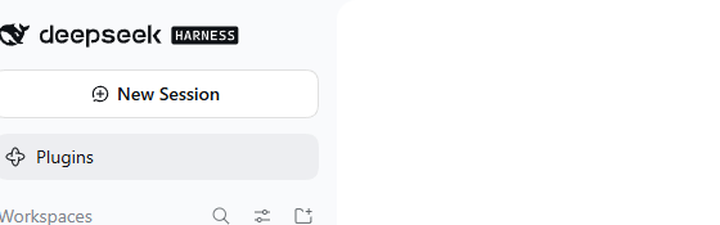
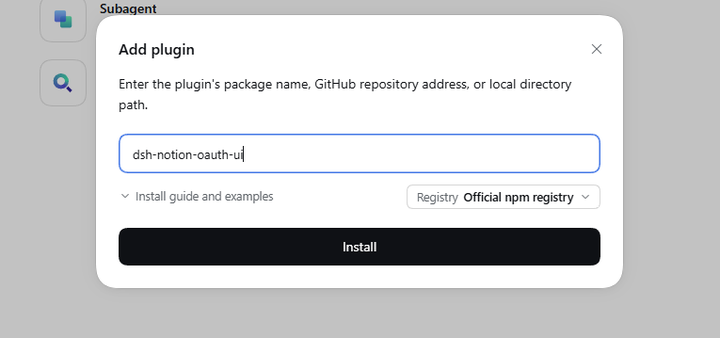
1. Install — open Plugins in the sidebar, then Add plugin, enter dsh-notion-oauth-ui and press Install.
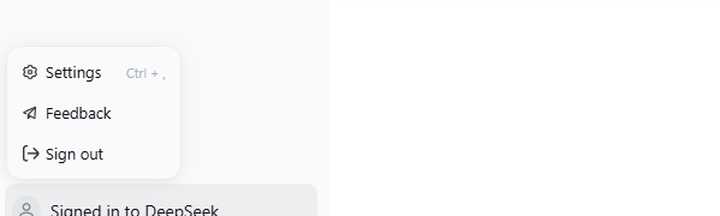
2. Open Settings — the gear at the bottom of the sidebar, or Ctrl + ,.
3. Sign in — open Notion and press Login.
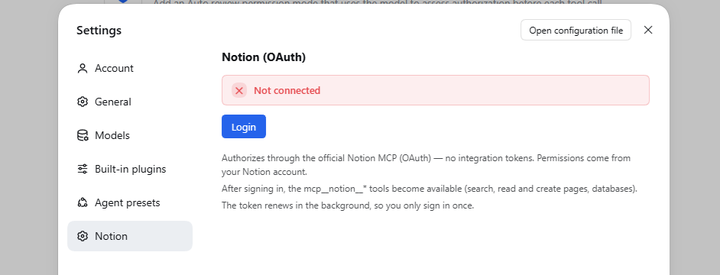
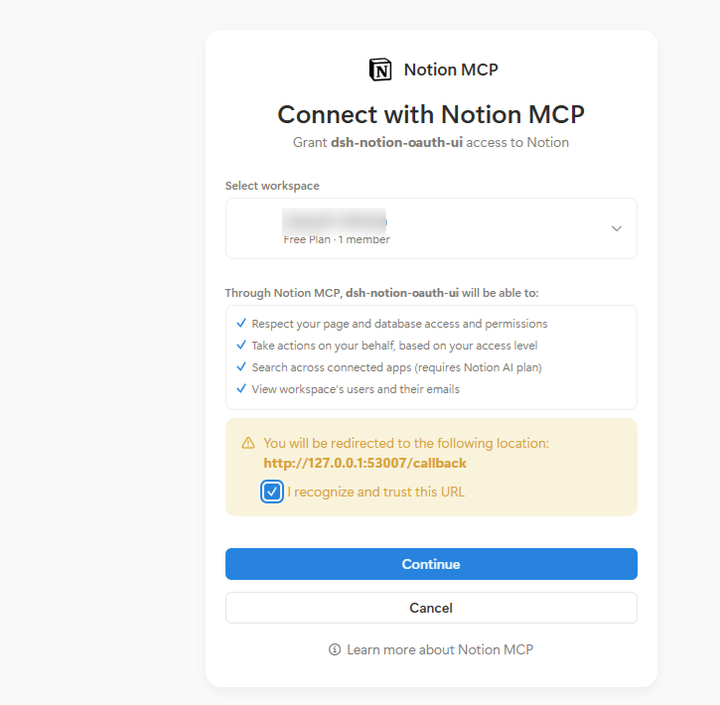
4. Approve — the browser opens the Notion consent page: pick a workspace, tick the I recognize and trust this URL checkbox, then press Continue.
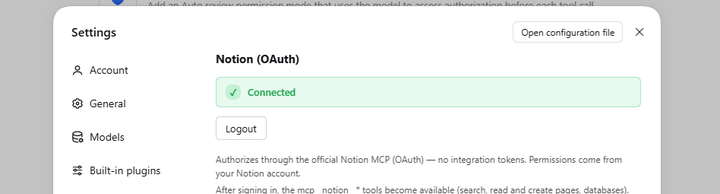
5. Done — the page switches to Connected, and the mcp__notion__* tools become available.
On a headless or CLI-only profile the same flow runs from the terminal:
dsh plugin --profile  add dsh-notion-oauth-ui
dsh notion login
Config
| Key | Default | Meaning |
|---|---|---|
mcpUrl | https://mcp.notion.com/mcp | Notion MCP server URL |
port | 53007 | Local OAuth callback port (127.0.0.1) |
refreshLeadMs | 300000 (5 min) | Refresh the token this far before it expires |
refreshRetryMs | 60000 (1 min) | Retry interval when a refresh attempt fails |
Security
- Loopback-only control routes. The Settings page talks to
/api/dsh-notion-oauth-ui/{status,login,logout}. Each route is pinned to one HTTP method (GET /status,POST /login,POST /logout) and accepts only requests whose remote address andHostare loopback and that are notSec-Fetch-Site: cross-site. When anOriginis present it must be the app itself (dsh-app://app) or the same host. The Desktop shell proxies renderer calls and stripsOrigin/Sec-Fetch-Site, so an absentOriginis normal; the two POST routes therefore additionally requireContent-Type: application/json— not a CORS-simple value, so a cross-site caller first needs a preflight that these routes reject. - OAuth hardening. Authorization code + PKCE (S256), a per-flow
statethe callback server verifies, and a 10-minute deadline on the callback. A malformed or forged callback is answered with 400 and leaves the pending login running, so a stray local request cannot kill a real authorization. - Transport.
mcpUrlmust behttps://— the plugin refuses to load otherwise. Discovery endpoints (authorization, token, registration) are read from whatever themcpUrlresource advertises, so keep it on a trusted origin. - Token at rest. The access/refresh token is stored as a single record in the
DSH credentials service (
NOTION_OAUTH). That store is only as private as your OS user account: tool processes run as the same user, so any plugin with credentials access can read every stored secret (NOTION_OAUTH,DEEPSEEK_API_KEY, …), not just its own. The token is never exposed to the browser half, never returned by an HTTP route, and never written to logs.
Development
pnpm install      # installs dev dependencies and builds lib/ via the prepare hook
pnpm run build    # rebuilds lib/index.js (host) and lib/client.js (browser half)
lib/ is build output and is not committed; pnpm install and pnpm pack
regenerate it through the prepare script.
pnpm run typecheck checks the sources against the DSH host packages
(@deepseek-ai/*). DeepSeek Harness provides those at runtime, and their npm
publication is currently incomplete — some transitive packages are missing from
the registry — so typechecking needs an environment that supplies them. The
build itself has no such dependency.
License
MIT. Reuses code/patterns from dsh-notion-mcp and dsh-notion-connector (both MIT).