@deepseek-ai/dsh-client-ui-aqua
Aqua: a toggleable deep-sea theme layer for the Web surface — token overrides, unified corners, ambient glow, greeting pool, and motion
AI Analysis
核心用途是美化 DSH 的 Web 界面。适合喜欢深海、毛玻璃拟物风格,希望在设置中一键开关主题且不修改 DSH 源码的用户。
Install
This plugin has no verified bundle, or compatibility checks failed. Read the repository notes first. Read the full README ↗
README
Read the full README ↗@deepseek-ai/dsh-client-ui-aqua
English | 中文
Aqua is a deep-sea glassmorphism theme layered over the DeepSeek Harness web UI. The header, sidebar, composer, stats line, and trajectory view all become panes of frosted glass floating over a slowly moving water backdrop, with the occasional fish and bubble drifting past. Dark mode is a blue-black sea; light mode is a cool blue-white. Everything sits behind a single toggle — switch it off and the stock UI comes back exactly, with no source changes to DSH itself. Install it and look under Settings → Plugins.
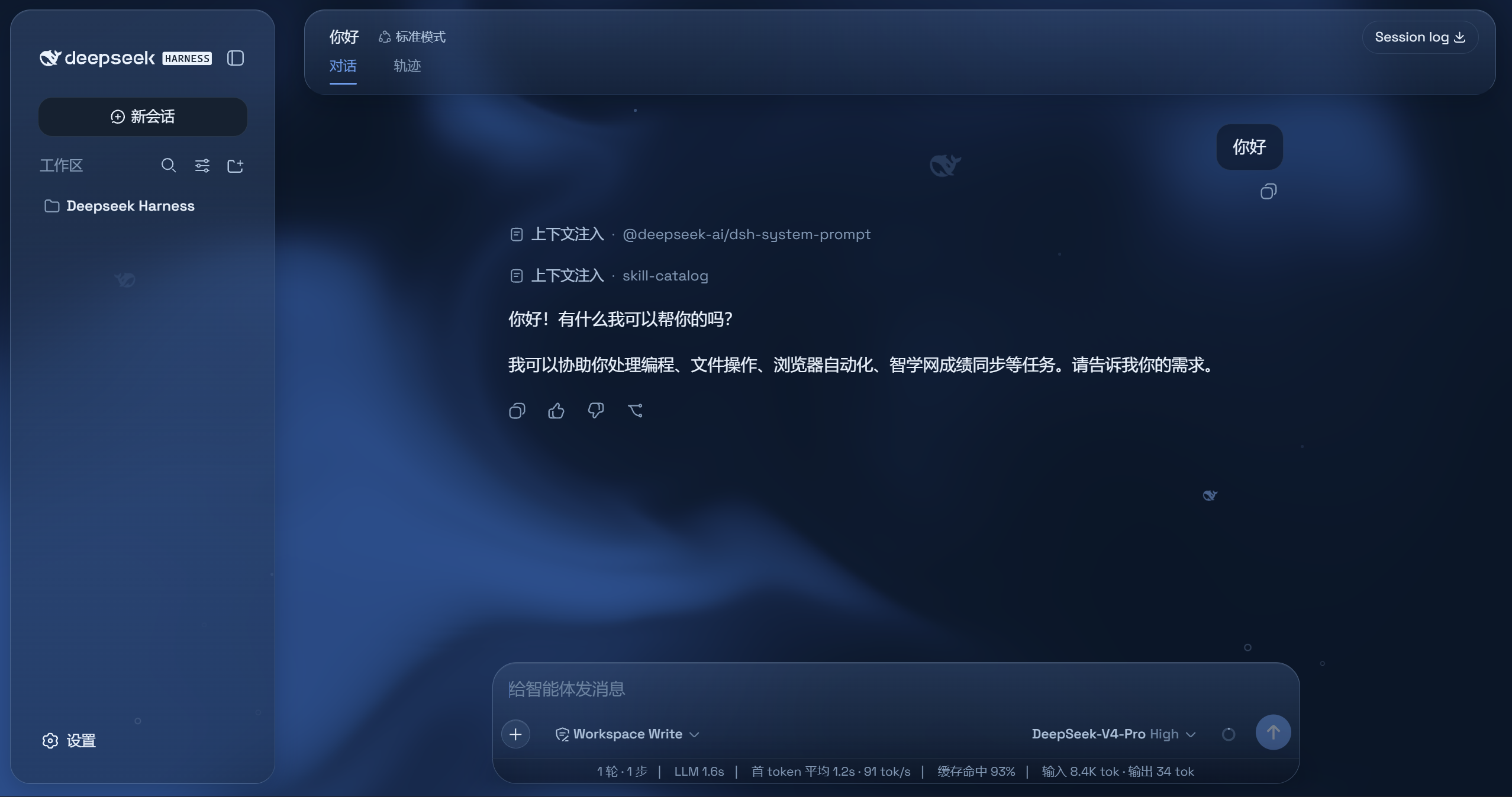
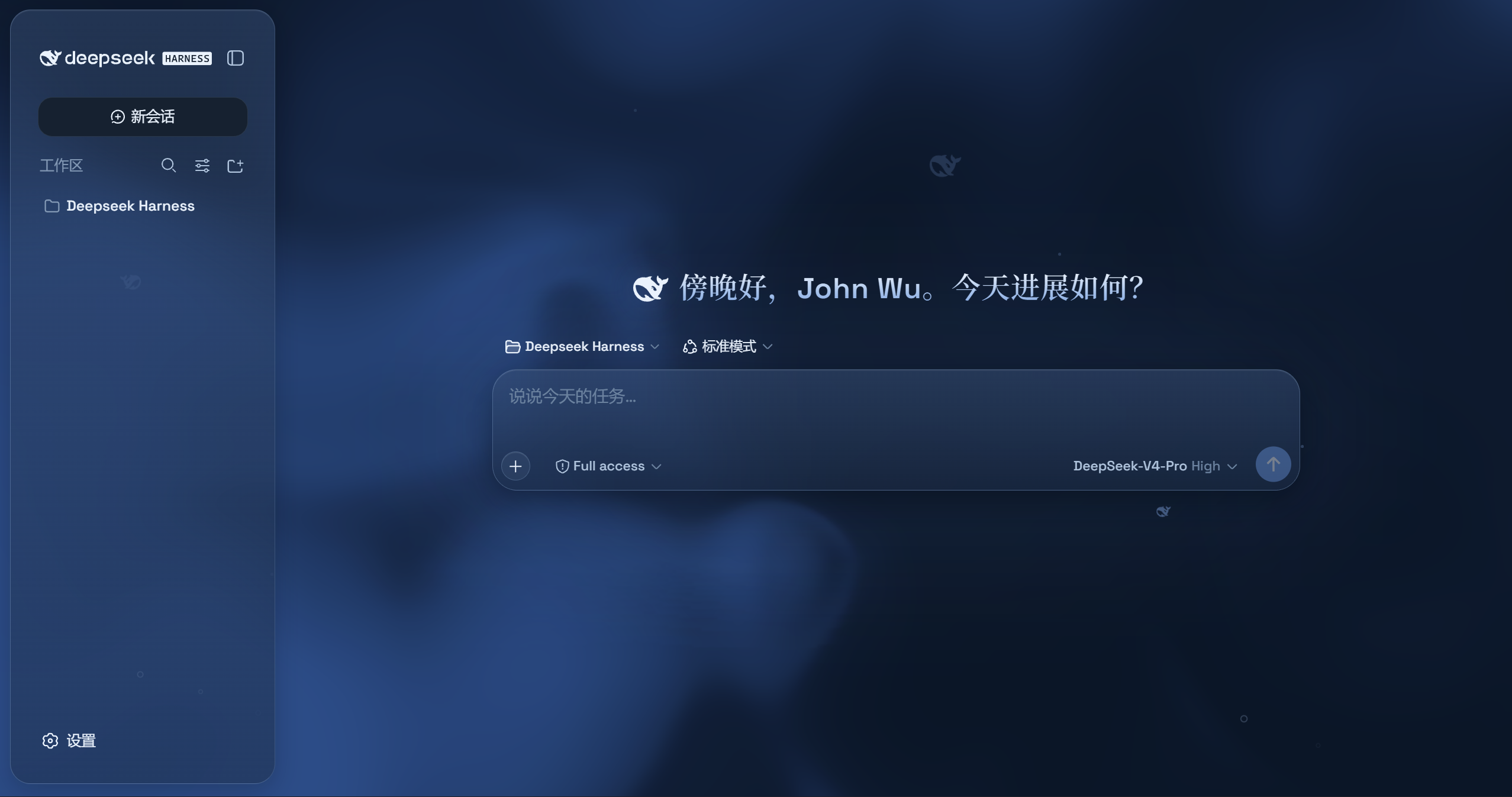
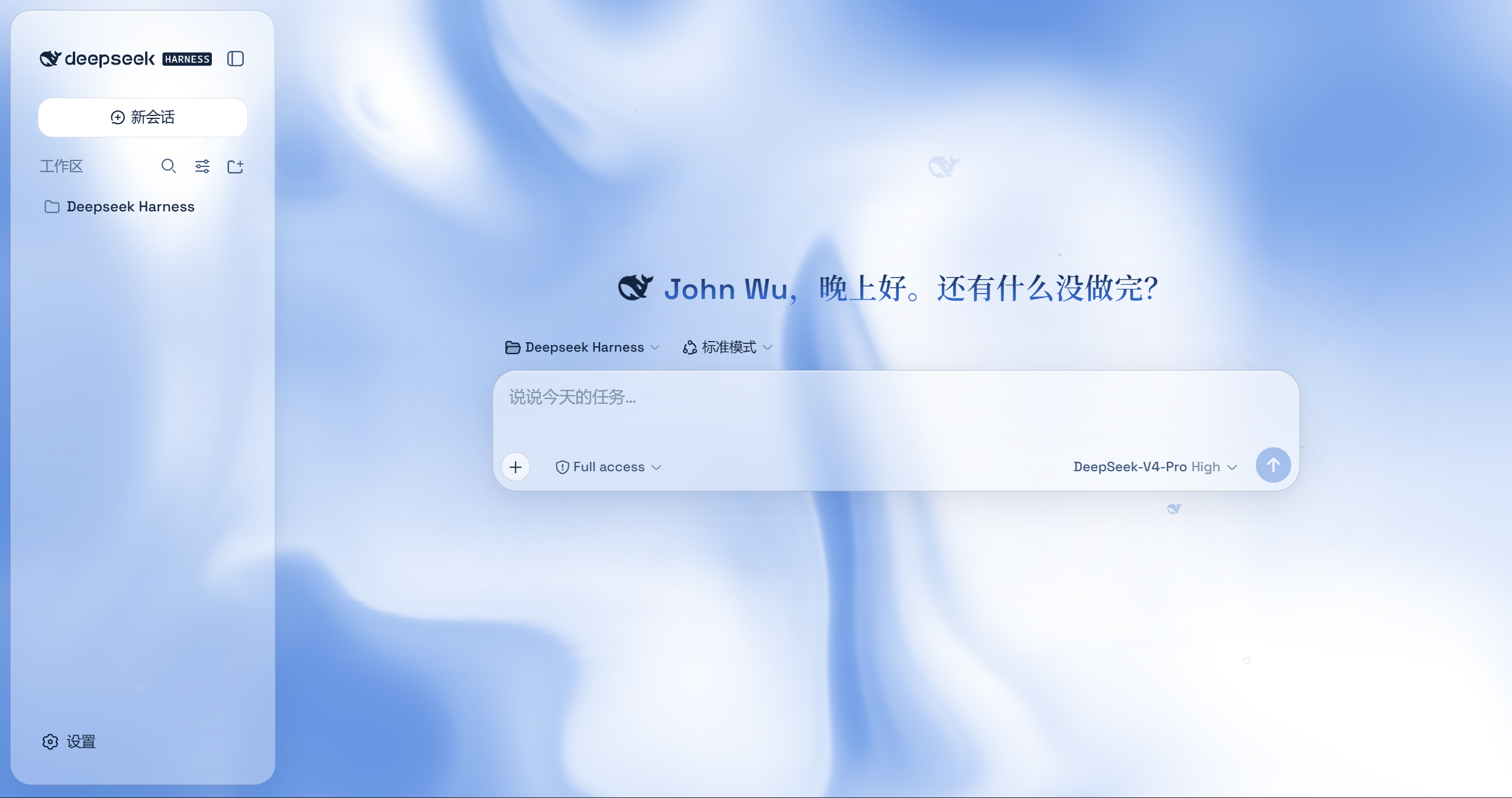
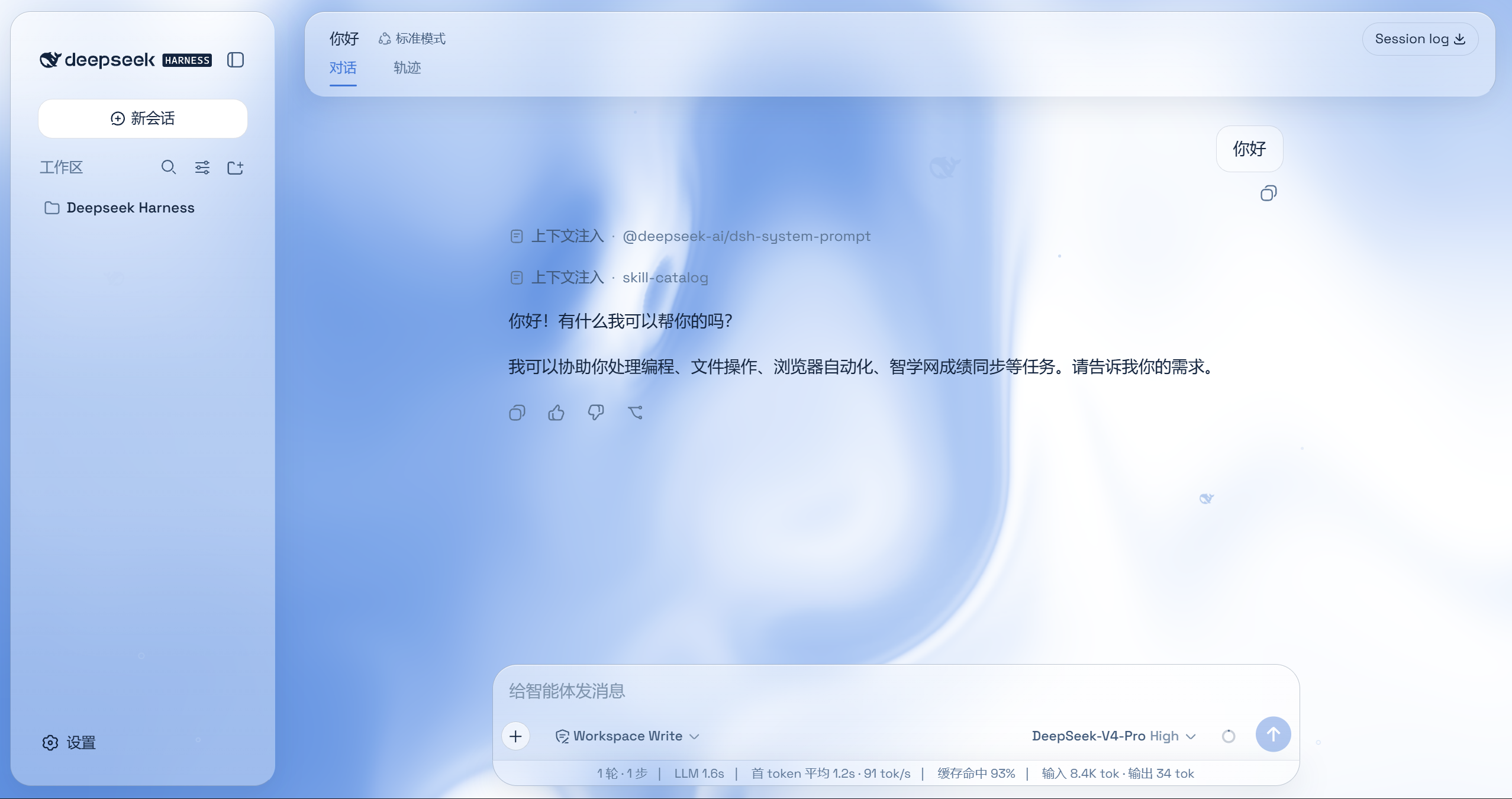
Self-contained
Aqua is a drop-in plugin for stock DSH — it does not require any change to DSH core. Everything the stylesheet targets is either already in the stock UI (data-composer-card, data-conversation-composer-overlay, ARIA roles, lightningcss-preserved class-name substrings) or is stamped at runtime by the plugin's seam-stamper (a MutationObserver that adds the data-dsh-* / data-hero-* hooks to the matching elements as React mounts them). Space Grotesk is embedded in the bundle as a base64 @font-face; Chinese display text intentionally rides the system serif fallback (Songti / STSong / SimSun — Noto Serif SC is a multi-MB unicode-range face that cannot ship in a plugin). The enable flag is browser-local localStorage, so there is no Host settings-namespace dependency either.
Installation
For a stock DSH deployment (the core packages must be published — see Publishing):
-
Install the plugin into the profile that hosts the web client:
npm install @deepseek-ai/dsh-client-ui-aqua@^0.1.0 -
Register it in the web profile's
cordis.patch.yml(next to the otherdsh.clientplugins, e.g. afterui-conversation):plugins: dsh.client: - insert: - id: ui-aqua name: '@deepseek-ai/dsh-client-ui-aqua' -
Reload the web UI. Aqua is on by default; toggle it from Settings → Plugins → Aqua.
The plugin body (the theme layer, the seam stamper, the settings card) lives entirely in the ./client export — the node-half lib/index.js is an empty apply placeholder kept for the host Loader's contract.
Building
This repository ships source and docs only. tsdown.config.ts imports the monorepo preset at ../tsdown.client.ts, so the bundle does not build in place. Build and publish Aqua from the DSH monorepo instead:
pnpm --filter @deepseek-ai/dsh-client-ui-aqua run bundle
pnpm publish --filter @deepseek-ai/dsh-client-ui-aqua
Making this repo standalone-buildable (npm run bundle) is optional and not required for publishing. To do it, copy packages/client/tsdown.client.ts and packages/client/web/src/platform.ts into this repo and point the imports at the local copies.
Publishing
A checklist for shipping a release:
- Version — bump
package.jsonversiontogether with the core DSH packages (the monorepo versions@deepseek-ai/dsh-client-*in lockstep;@deepseek-ai/cordisis4.x). - Peer deps — the
peerDependenciesalready use real semver ranges (^0.1.0-rc.5for the client packages,^4.0.1for cordis,^18.2.0for react); keep them aligned with the released core versions. - Build —
pnpm --filter @deepseek-ai/dsh-client-ui-aqua run bundle(tsdown emitslib/client.jswith the stylesheets + fonts inlined;filesalready whitelists the shipped artifacts). - Publish —
pnpm publish --filter @deepseek-ai/dsh-client-ui-aqua(publishConfig.accessispublic). The core@deepseek-ai/dsh-client-*packages and@deepseek-ai/cordismust be published for the peer ranges to resolve. - Fonts — Space Grotesk is embedded (no step needed). If you later regenerate it, write
fonts.module.csswithout a UTF-8 BOM (lightningcss rejects a BOM in a.module.cssundercssModules).
Model Experience
None. The layer is pure presentation — tokens, stylesheets, DOM attributes, and headline copy. It emits no cordis events, writes no session or settings content, and adds no prompt, context message, or tool schema.
KV Cache effect
None. No store, no durable document, no projection is written; the only persistence is the browser-local localStorage enable flag.
Known Limitations and Deferred Work
- Browser-local preference only — the enable flag lives in
localStorage, so the theme choice is per browser profile and cannot be defaulted or locked from a deployment configuration. - Greeting seam is DOM-level — the hero headline is decorated by a MutationObserver rather than a first-class hero-greeting service; a locale switch while a blank hero is open rewrites the headline to the stock greeting until the next mount.
- Runtime seam stamping — the
data-dsh-*hooks are attached by aMutationObserverinstead of living in DSH core; a stock DSH update that renames the underlying class names (sidebarCol,detailsCol,newSession,headlineText,fishHitbox,add,root) would need theSEAMSselectors inseam-stamper.tsupdated to match. - CJK display font — Noto Serif SC is not embedded (multi-MB); Chinese headlines fall back to the system serif unless the host provides the face.