baggiponte/dsh-session-nav ↗★ 0
dsh-session-nav
Previous/next session navigation for the DeepSeek Harness UI 适合会话较多、需要通过键盘快捷键快速切换上下文的重度用户。
Other repositories with this package name
Install
This plugin has no verified bundle, or compatibility checks failed. Read the repository notes first. Read the full README ↗
README
Read the full README ↗dsh-session-nav
Move between DeepSeek Harness sessions with a keystroke.
DeepSeek Harness ships commands for New, Search, Rename, Fork and Archive session, but nothing for "next/previous session". This plugin adds two ordinary configurable commands that walk the session list.
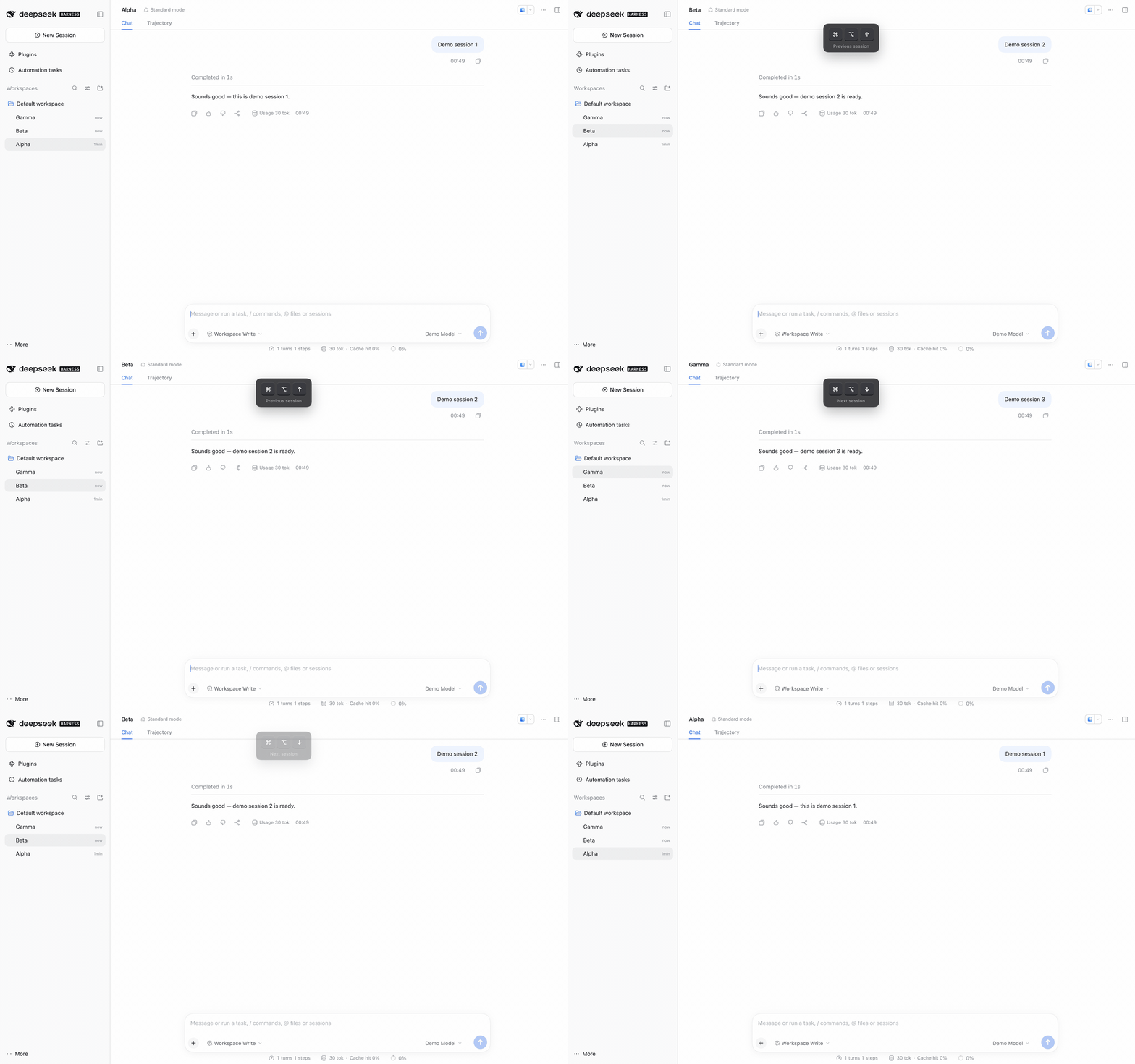
Recorded in a browser tab, where the defaults are ⌘⌥↑ / ⌘⌥↓. In the desktop
app the same commands default to ⌥↑ / ⌥↓.
Features
- Previous session / Next session commands, registered through the
normal shortcut system. They appear in the
⌘/shortcut reference and can be rebound there like any built-in command. - Follows the sidebar's visible order, so it respects workspace grouping and pinned sections. Falls back to most-recently-active order when the sidebar is not rendered (collapsed, or showing search results).
- Wraps at both ends; with two sessions the keys simply toggle.
- Skips archived and subagent sessions.
- Lets the chord through when there is nowhere to go, and stays out of terminals and dialogs.
Default keys
| Platform | Previous | Next |
|---|---|---|
| macOS desktop | ⌥↑ | ⌥↓ |
| Windows desktop | Alt+↑ | Alt+↓ |
| macOS browser tab | ⌘⌥↑ | ⌘⌥↓ |
| Windows browser tab | unbound | unbound |
Plain Option/Alt chords are on the Web reserved list, so macOS browser tabs use
the primary chord instead. Windows browser tabs stay unbound because
Ctrl+Alt+Arrow is claimed by some display drivers; bind any allowed
combination under ⌘/.
Install
Requires DeepSeek Harness with a profile you can add plugins to. The desktop
profile is managed by the Electron app, so use the Desktop-installed dsh
command for it.
-
Add the package to the profile:
dsh plugin --profile desktop add "github:baggiponte/dsh-session-nav"From a local clone, link it instead:
dsh plugin --profile desktop add "link:$PWD" -
Register the plugin row in the profile's
cordis.patch.yml(~/.dsh/profiles/desktop/cordis.patch.yml):- insert: - id: session-nav name: "dsh-session-nav" -
Reload the app page (
⌘R) or restart the app.
For a web profile, substitute --profile web and edit
~/.dsh/profiles/web/cordis.patch.yml.
The package has no build step: lib/client.js is the browser bundle the Client
Module Loader serves, and lib/index.js is the empty Host companion the Loader
needs to compose the row.
Customize
- Keys:
⌘/→ search "session" → click a row and record a new combination. Clearing it keeps the command and leaves it unbound. - Keep native Option+Arrow paragraph navigation in text fields: change
REGIONSinlib/client.jsto["page"]. - Order semantics: see
neighbour()inlib/client.js.
How it works
The bundle is a client-side DSH plugin. It registers two commands through
ctx.shortcuts.register(); when one fires it resolves the target session from
the sidebar rows (data-row-key="session:…", falling back to the session
controller ordered by updatedAt) and opens it with
uiWorkspace.openSession().
No host services, no React, no build tooling.
Development
node --test
The tests load the real bundle through a fake __ModuleLoader__ and exercise
registration, ordering, fallback, wrapping, archived filtering, and the
region/modal guards.
License
MIT