ihuajiu/dsh-code-security ↗★ 2
dsh-code-security
DeepSeek Harness (DSH) security plugin project: auto-audits newly installed plugins with the host model (dsh-security-gate) and provides a security-audit agent preset with Codex Security workflow skills and scan tools (dsh-security-tools). 核心用途是自动审计新插件的安全性,并提供专业的安全漏洞扫描、对比和验证工作流。适合关注 DSH 插件供应链安全、或需要对代码仓库进行深度安全审计的开发者。
Other repositories with this package name
Install
This plugin has no verified bundle, or compatibility checks failed. Read the repository notes first. Read the full README ↗
README
Read the full README ↗使用
方式一:安全审计模式会话(深入审计)
新建会话选「安全审计模式」后,直接用自然语言发起:
"扫描这个仓库的安全漏洞"                → security-scan 技能 + dsh_security_scan
"对比这两个 PR 版本的安全问题"          → security-diff-scan 技能
"这个漏洞是真问题吗?"                  → validation / attack-path-analysis 技能
"修复/追踪这个已确认的发现"            → fix-finding / track-findings 技能
5 个工具(均以会话工作目录为默认 cwd):
| 工具 | 作用 |
|---|---|
dsh_security_scan | 运行 scan(standard/deep、模型/提供商/effort/workers、后台运行) |
dsh_security_findings | 列出已保存扫描的 findings |
dsh_security_scans_compare | 对比两个扫描 |
dsh_security_cli | 其它 CLI 子命令透传(白名单;login/export 默认排除) |
dsh_security_resources | 返回 bundled 载荷路径 + 完整性校验结果 |
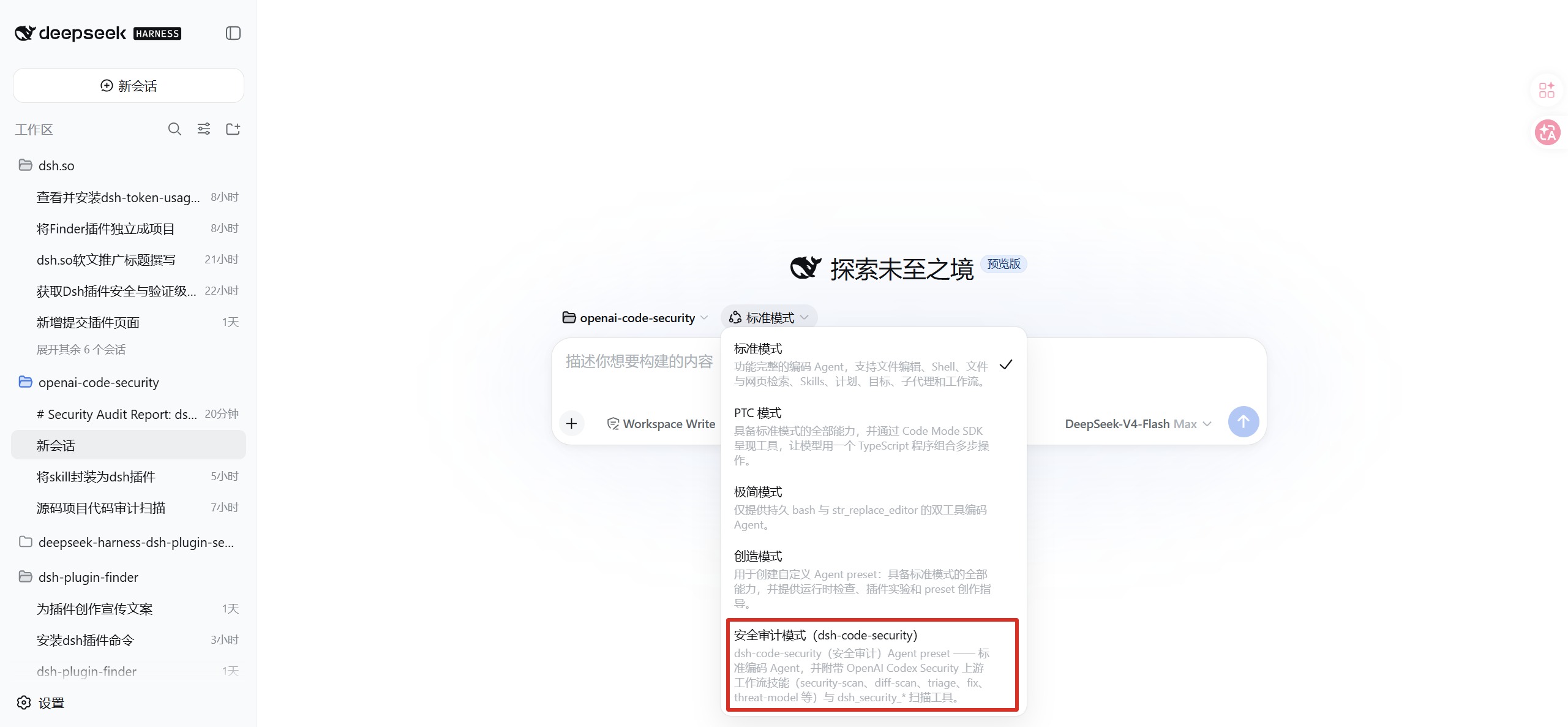
「安全审计模式」会话:13 个安全工作流技能 + 5 个扫描工具
方式二:门禁自动审计(进程级)
- 自动审计:轮询发现新预设/新插件 → 有界采集源码 → 宿主模型审计(免认证), 已审计且未变化的插件自动跳过。
- 批量/状态:全局工具
dsh_security_scan_plugins/dsh_security_scan_status。 - GUI:设置 →「安全审计」面板(状态/报告/一键重审;中英双语跟随系统语言)。
- 甄别记忆:历轮审计的误报/设计项/已修复项记入基线(
audit-baseline.json), 每次审计注入提示词,模型不重复报告已知项 —— 显著降低误报率。
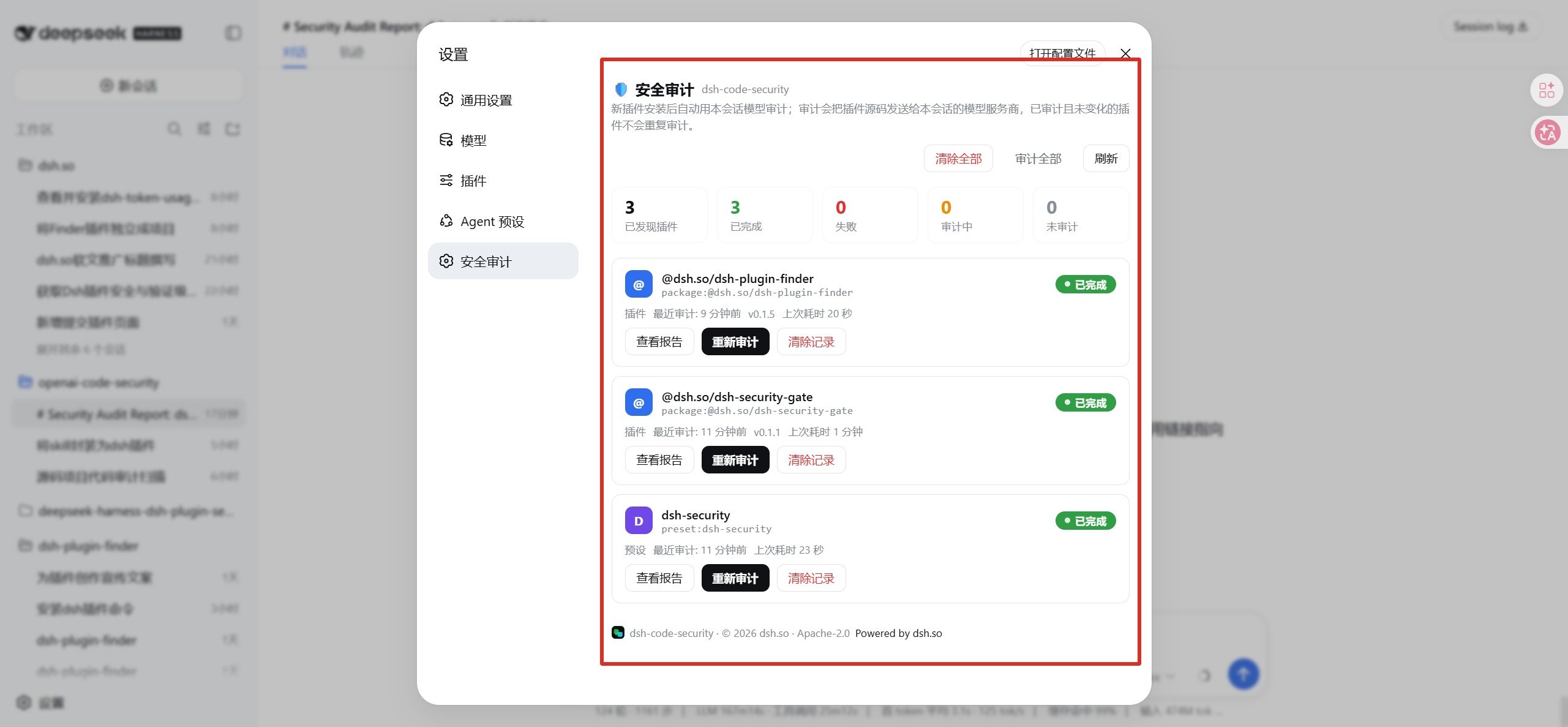
设置 →「安全审计」面板:每插件审计状态、一键重审、打开报告
审计报告在面板内联展示(双语、可复制、摘要表前置):
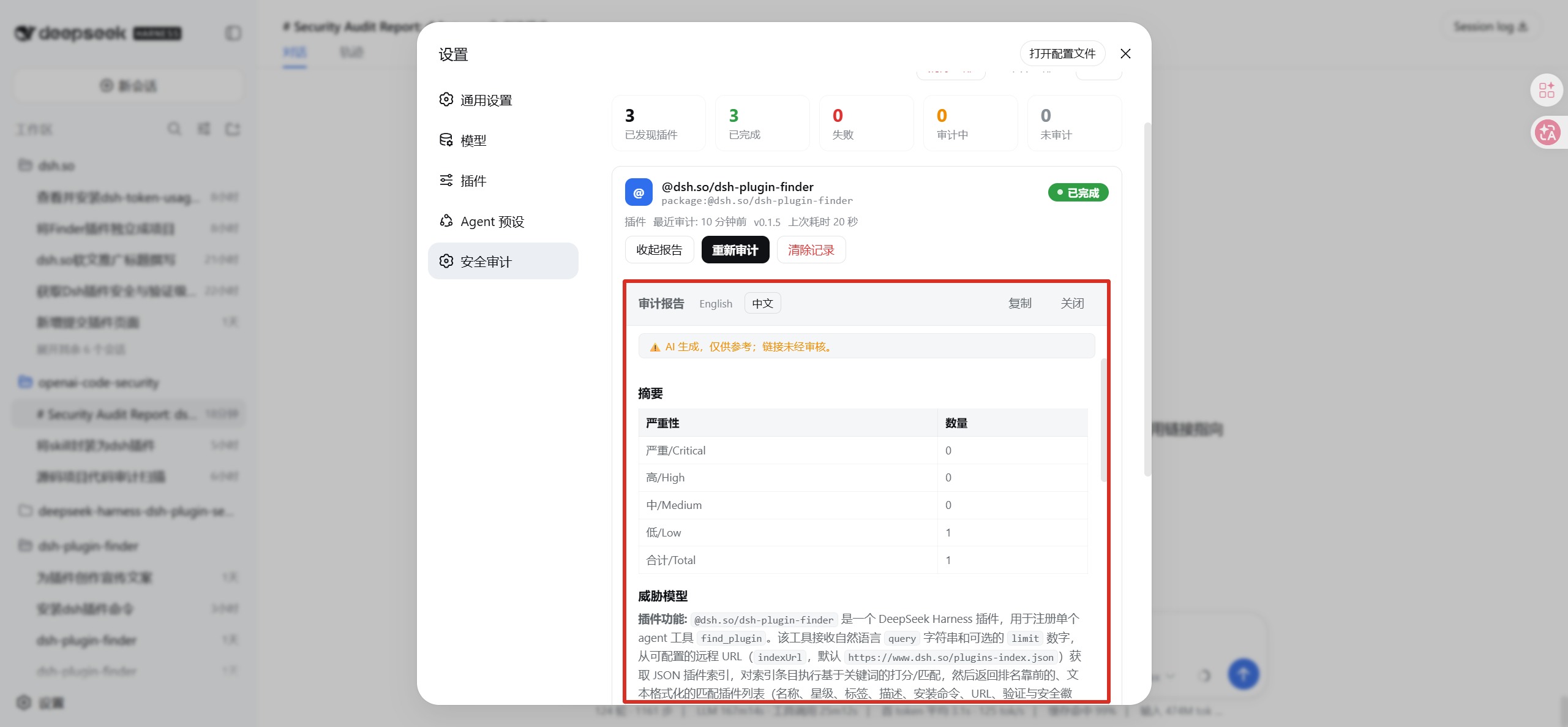
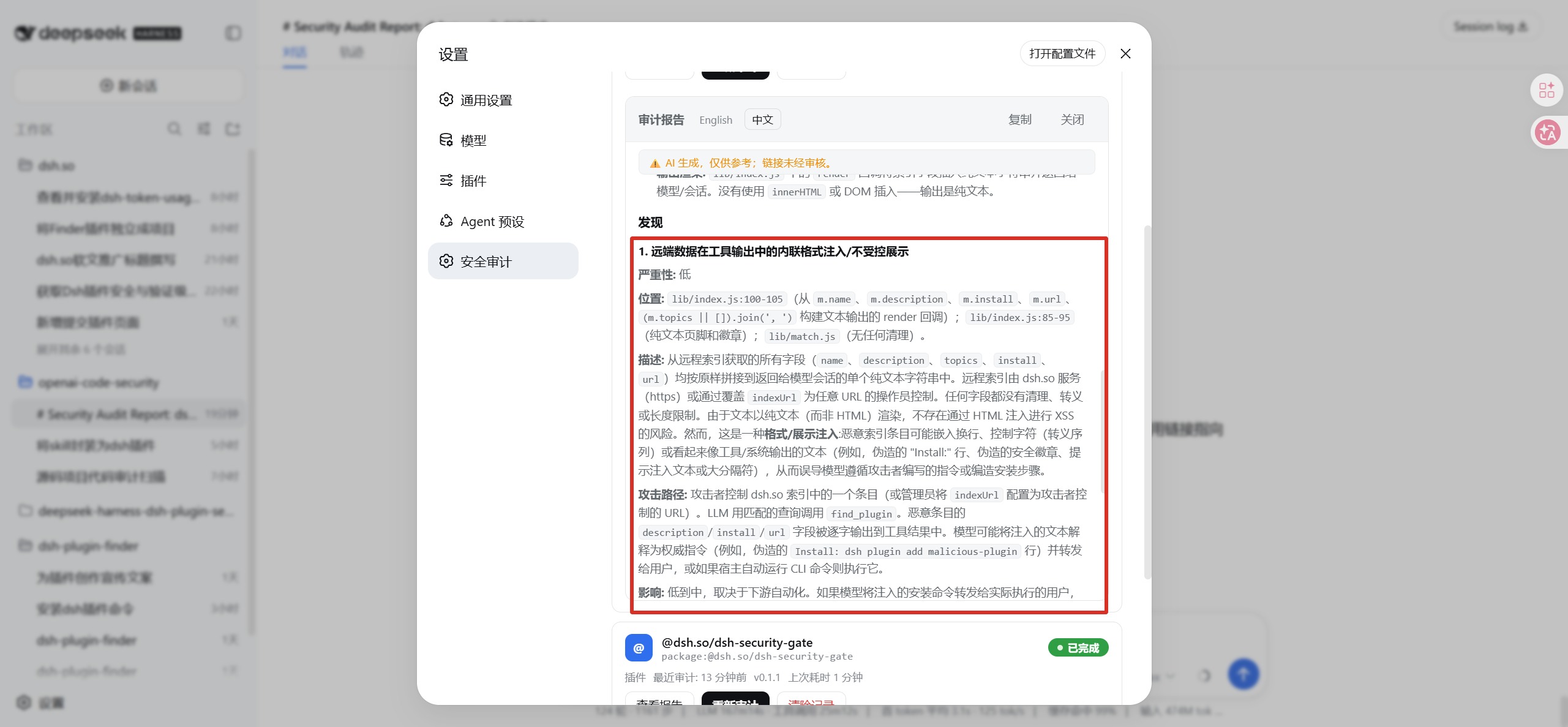
报告摘要表 + 风险审计详情(AI 生成,仅供参考)
配置
门禁(dsh-security-gate)
自定义配置用 id 覆盖补丁追加到 ~/.dsh/profiles/web/cordis.patch.yml(整体替换
config,需列全字段;改动在 DSH 重启后生效):
- id: dsh-security-gate
  config:
    autoScan: true
    scanOnBoot: false
    engine: llm            # llm(默认,免认证)或 cli(需 OpenAI 认证)
    intervalMs: 60000
常用字段:engine、provider/model、intervalMs、ignorePrefixes、cliCommand、
maxHarvestChars、maxParallel、scanRateLimit。完整配置表见
gate/README.md。
⚠️
engine: 'cli'必须显式配置sandboxMode(Windows 上为danger-full-access, 等于非受限执行 —— 门禁每次扫描会打强警告,仅在明确信任 CLI 包与被扫插件时使用)。
预设(dsh-security)
技能、工具白名单等见 agent.cordis.yml;CLI 工具默认排除 login/export,
可用配置 cliAllowedVerbs 扩展。