imlishiyuan/deepseek-harness-zh-cn ↗★ 1
deepseek-harness-zh-cn
A Chinese-first plugin for DeepSeek Harness: reason (reasoning) and answer in Simplified Chinese by default.
AI Analysis
核心用途是强制 AI 在思考和输出时均使用中文。适合中文用户,可免去阅读英文推理链的翻译成本。提供复制文件或安装插件两种方式。
Install
This plugin has no verified bundle, or compatibility checks failed. Read the repository notes first. Read the full README ↗
README
Read the full README ↗deepseek-harness-zh-cn
English | 简体中文



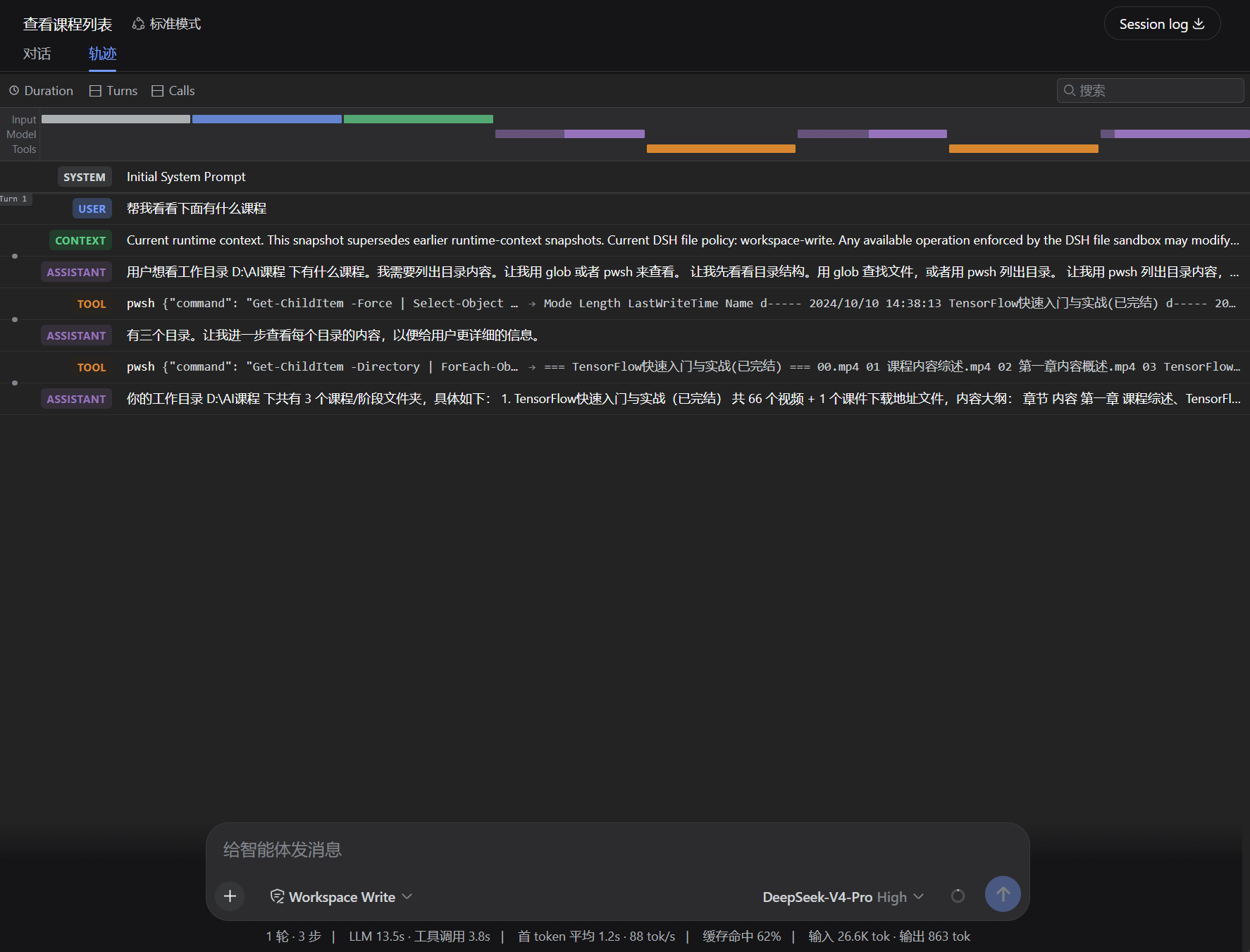
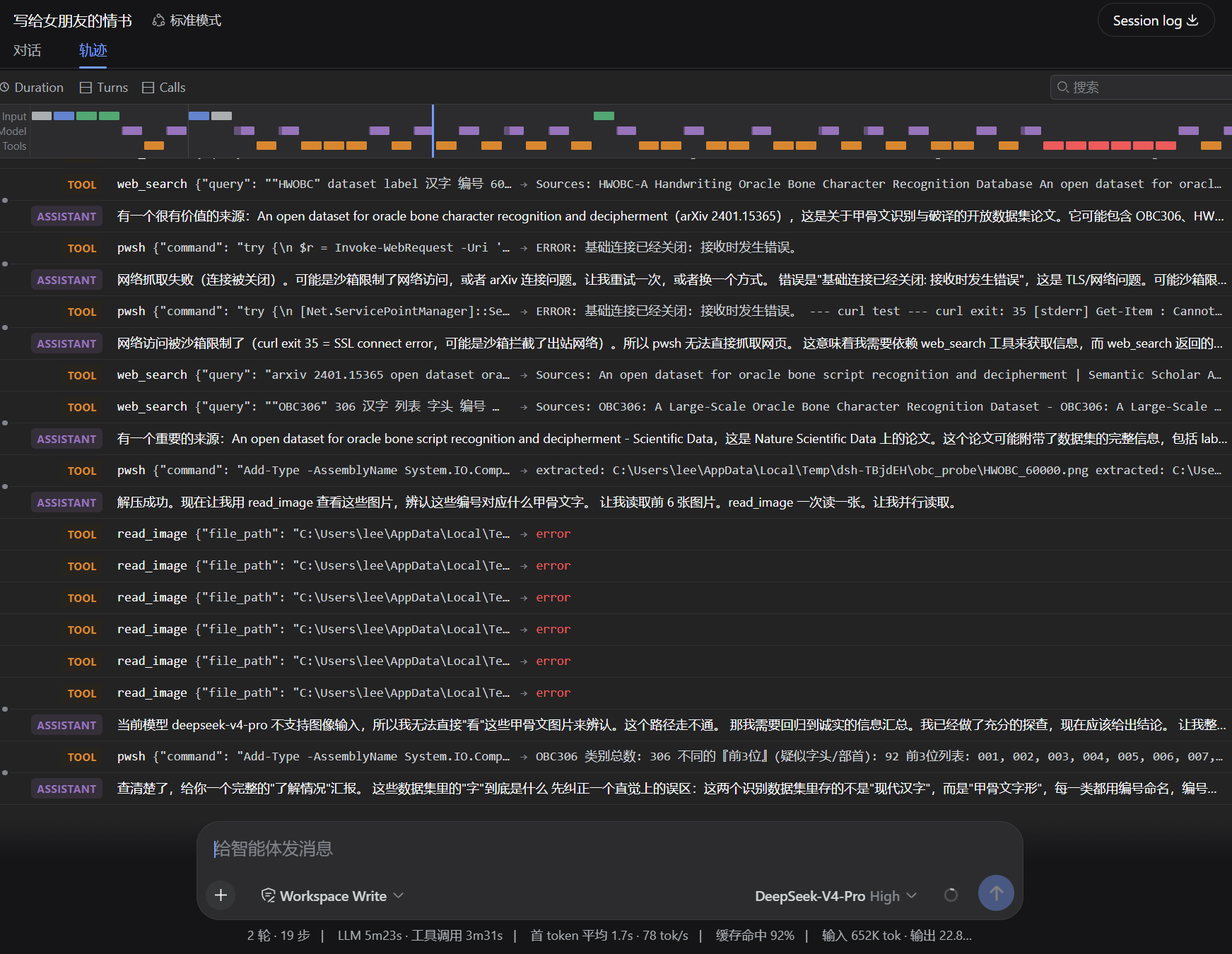
A Chinese-first plugin that makes DeepSeek Harness reason (reasoning) and answer in Simplified Chinese by default.
Overview
This project offers two ways (choose one; the first is recommended) to turn your DSH's reasoning and output into Simplified Chinese, so Chinese-speaking users can read the trajectory and processing directly without translation overhead:
- Method 1 (recommended, simplest): copy
AGENTS.md.exampleto~/.dsh/AGENTS.md. - Method 2 (plugin): install this package from npm and mount it in the profile.
Screenshot
Quick Start
Method 1: Copy AGENTS.md (recommended)
Copy AGENTS.md.example to the DSH home directory as AGENTS.md:
- Linux / macOS:
~/.dsh/AGENTS.md - Windows:
C:\Users\\.dsh\AGENTS.md
# Linux / macOS
cp AGENTS.md.example ~/.dsh/AGENTS.md
On Windows, copy the file manually. Then restart dsh web (or start a new session).
Method 2: Install the npm plugin
npm install deepseek-harness-zh-cn
Mount it in ~/.dsh/profiles//cordis.patch.yml:
- insert:
    - id: dsh-zh
      name: 'deepseek-harness-zh-cn'
Restart dsh web.
Scope and Limitations
- Affects both the model's final answer and its reasoning (thinking) channel.
- There is no harness or DeepSeek API switch that forces the reasoning language; on technical tasks the model's
reasoning_contentmay still be English. A fully Chinese prompt maximizes the probability but does not guarantee it.
How It Works
- Method 1:
~/.dsh/AGENTS.mdis injected bydsh-agent-instructionsas a `` user message — guidance-level, lower priority than the system prompt and direct user instructions. - Method 2: the plugin injects into the system prompt itself via
ctx.systemPrompt.section()atorder: -150, ahead of the harness identity (-100) and persona (0) — higher priority.
Development
Build
npm install
npm run build      # compiles src → lib/index.js
Mount locally
During development you can mount the compiled output directly via a file:// URL,
with no package install. Edit ~/.dsh/profiles//cordis.patch.yml:
- insert:
    - id: dsh-zh
      name: 'file:///D:/ui-workspace/deepseek-harness-zh-cn/lib/index.js'
Adjust the URL to your checkout path.
Restart
npx @deepseek-ai/dsh web
Stop the running service first if it is already up.
Verify
# Windows
npx @deepseek-ai/dsh web --dump-config | findstr /C:"dsh-zh"

# Linux / macOS
npx @deepseek-ai/dsh web --dump-config | grep dsh-zh
Seeing the dsh-zh row means the plugin is mounted. Then start a new session and the
model should reason and answer in Simplified Chinese.
Disclaimer
This project only injects a language directive; it does not modify model weights or the inference logic. The actual output language still depends on the selected model's behavior, and this project is not responsible for results where the model fails to follow the Chinese directive.