left0ver/dsh-intelligent-ui ↗★ 1
@left0ver/dsh-intelligent-ui
DeepSeek Harness plugin: the model answers with an interactive interface 适合希望模型输出图表等交互式UI而非纯文本的Web端用户。
Install
$
npx -p @deepseek-ai/dsh dsh plugin --profile web add github:left0ver/dsh-intelligent-uiREADME
Read the full README ↗dsh-intelligent-ui
A DeepSeek Harness Web plugin: the model answers with an interface you can operate, not just text.



English · 简体中文
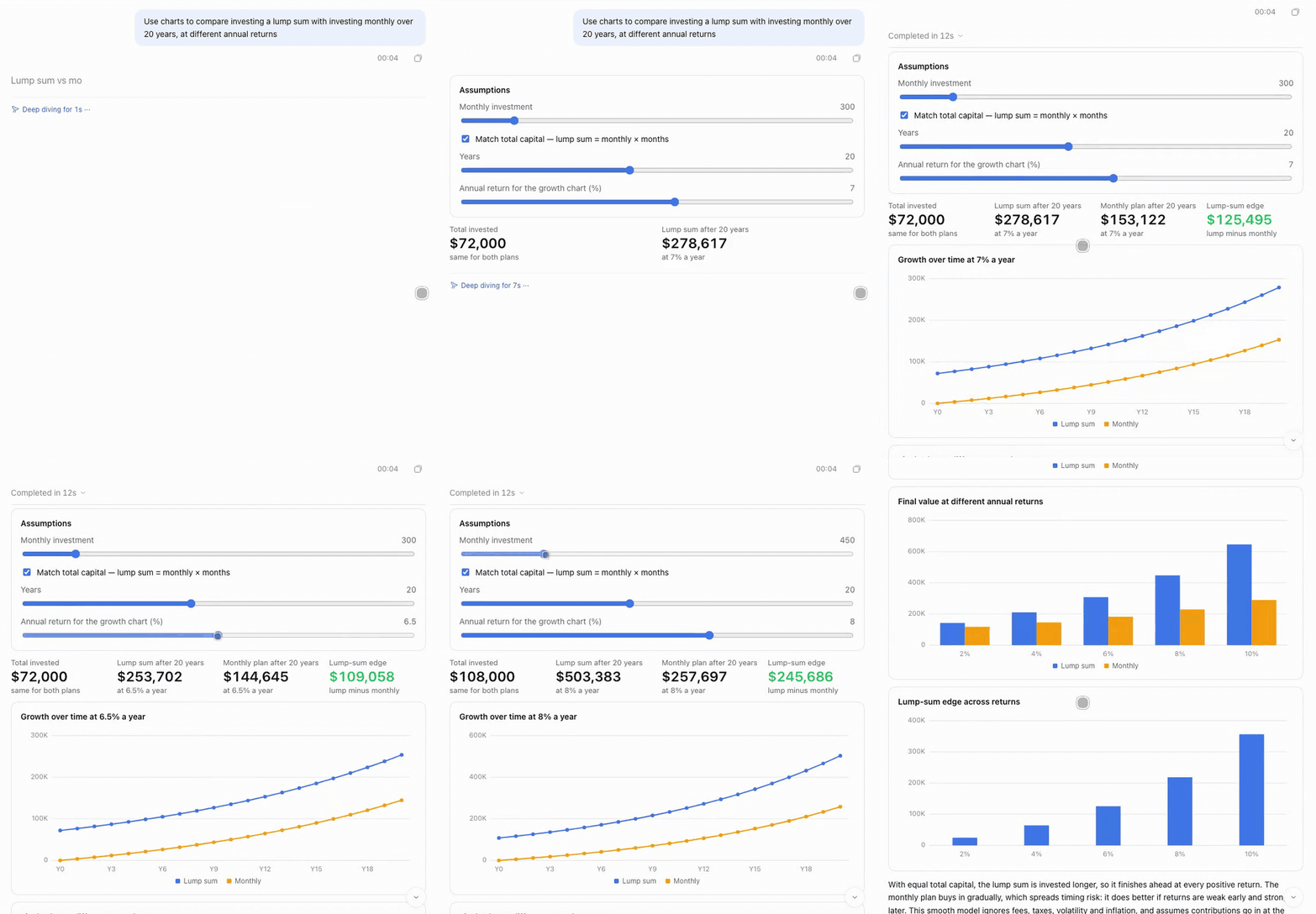
Features
- Appears as it is written: each piece the model writes shows up at once.
- Runs locally: dragging a slider, editing an input or switching a tab recalculates on the spot, with no further request to the model.
- Common controls: sliders, inputs, selects, checkboxes, tabs, buttons, tables, line charts and bar charts.
- Sandboxed: the program the model writes runs in a sandbox, with no network and no access to the page's data.
Quick start
1. Install
dsh plugin --profile web add @left0ver/dsh-intelligent-ui
A freshly published version may be held back by pnpm's minimum release age. If so, add these two lines to ~/.dsh/profiles/web/pnpm-workspace.yaml and install again:
minimumReleaseAgeExclude:
  - '@left0ver/dsh-intelligent-ui'
2. Start
dsh web
3. Ask
Ask the way you normally would; there is no need to mention the plugin. For example:
Use charts to compare investing a lump sum with investing monthly over 20 years, at different annual returns
Update and uninstall
dsh plugin --profile web update @left0ver/dsh-intelligent-ui
dsh plugin --profile web remove @left0ver/dsh-intelligent-ui
Known limitations
- The interface's state is not saved: reloading the page resets it.
- The model cannot see what you do in the interface, so a follow-up question does not know where you left the sliders.
Acknowledgements
Thanks to Disdjj/intelligent-ui-demo for its analysis of how OpenAI implements Intelligent UI, which this plugin builds on.