liyang52520/dsh-web-login ↗★ 0
dsh-web-login
Password gate for the DeepSeek Harness Web GUI: first-run password setup, remember-me sessions, brute-force lockout, audit log, and a management page inside Harness settings. 适合多用户或公网部署环境,提供密码保护、防暴力破解及审计日志。
Install
npx -p @deepseek-ai/dsh dsh plugin --profile web add github:liyang52520/dsh-web-loginREADME
Read the full README ↗Usage
First-run setup
dsh prints a one-time setup token at startup:
dsh web-login: setup-token: 7rJfiimRBtBZbZZqbEY3_O6VBO3Te-bA
Where to find it depends on the deployment: journalctl -u dsh under systemd, the terminal for a foreground run, docker logs in a container.
Visit the site, enter the token and set a password.
Management UI
Once signed in, the gate is managed from Settings → 登录门禁 (Login Gate) inside Harness. A Chinese label is expected at present; see Interface language.
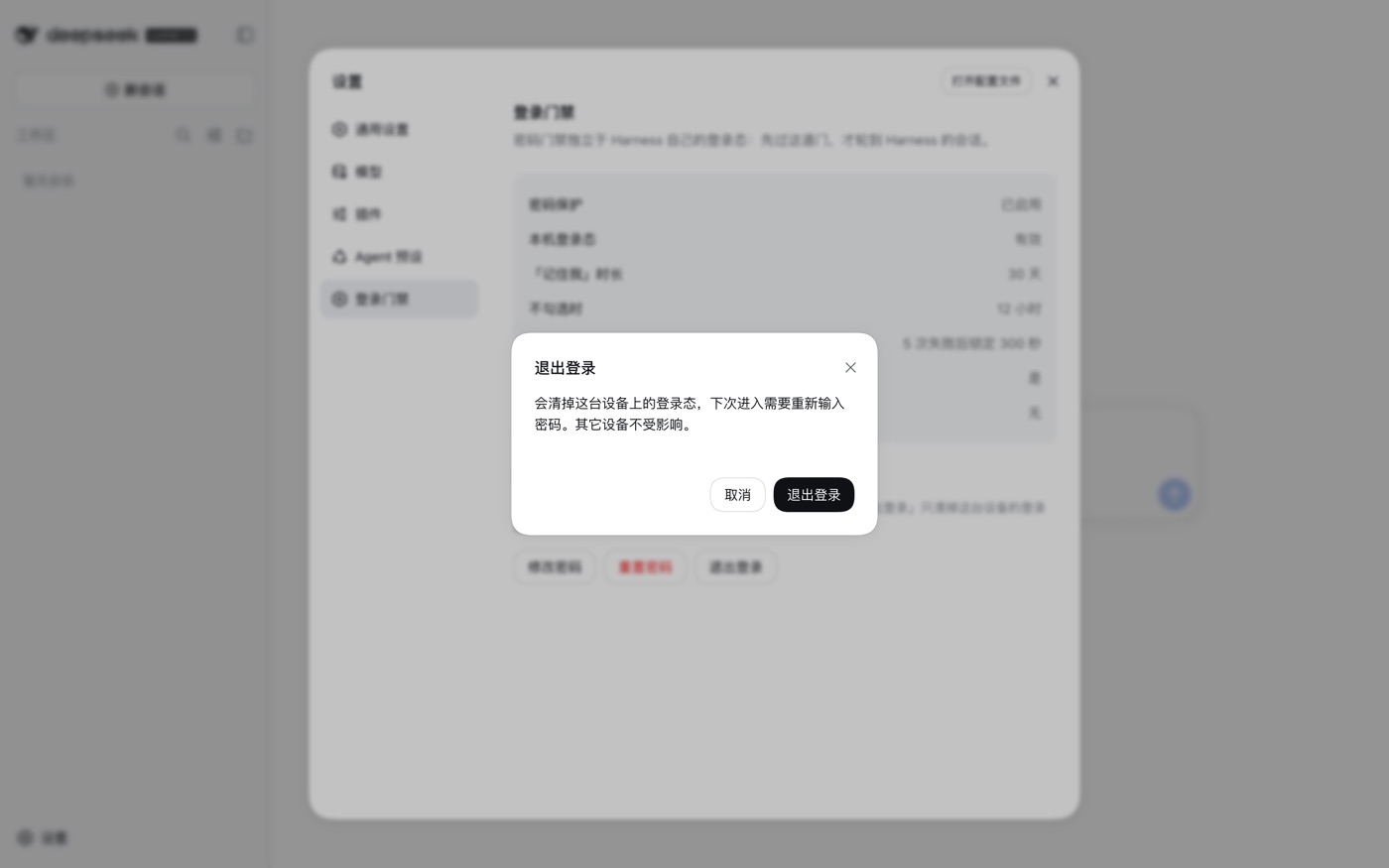
| Action | Effect |
|---|---|
| Change password | Verifies the current password, then sets a new one; rotates the signing key, invalidating sessions on other devices |
| Reset password | Deletes the stored password; every device must run first-run setup again |
| Sign out | Clears this device's session only |
The panel follows Harness's theme setting.
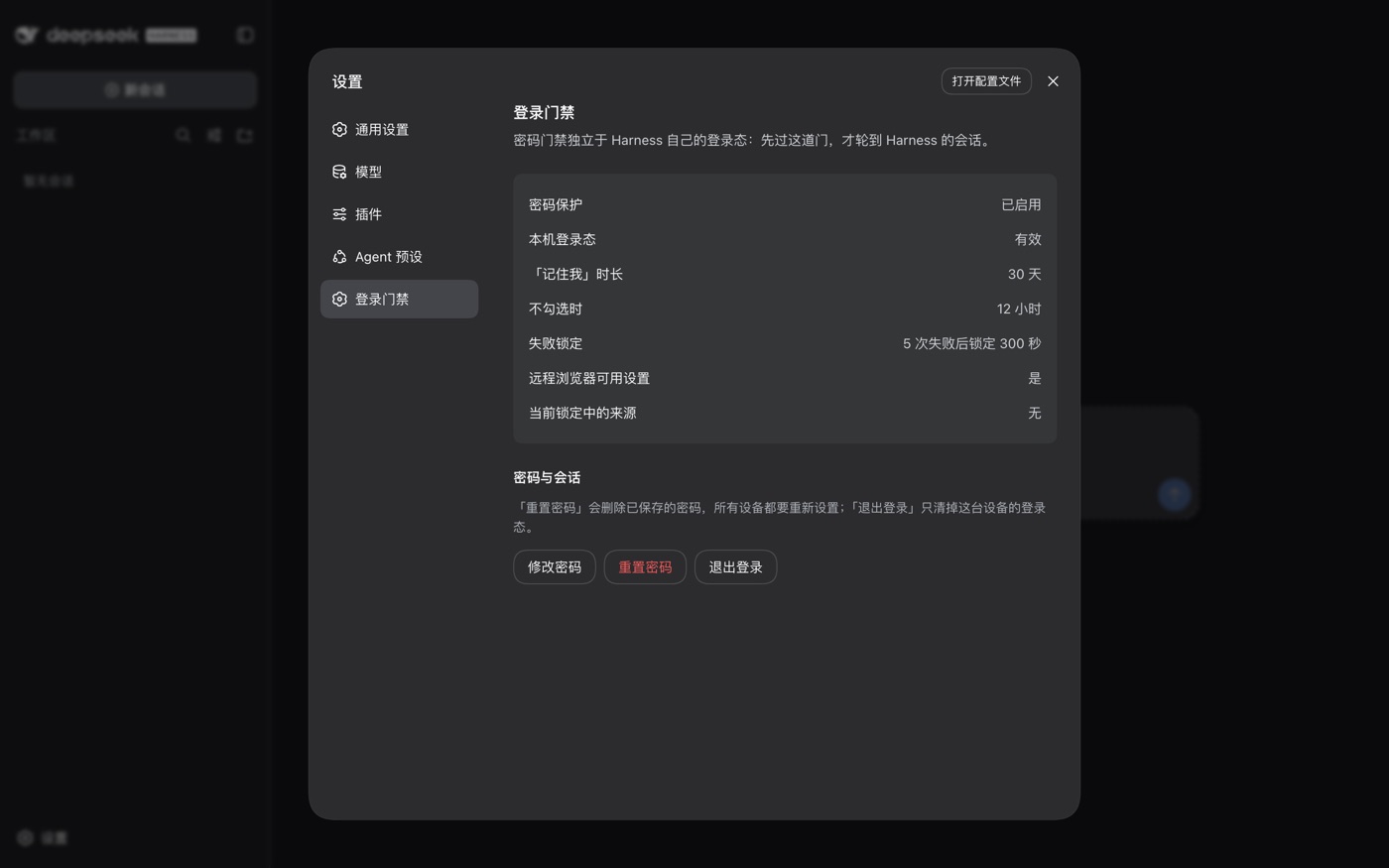
Configuration
Configuration is written to the profile's cordis.patch.yml:
- id: web-login
  config:
    title: My Harness
    rememberDays: 7
config is replaced as a whole; unlisted keys keep their defaults.
| Key | Default | Description |
|---|---|---|
enabled | true | Set to false to take over no routes at all |
title | "DeepSeek Harness" | Page title and login page heading |
passwordMinLength | 8 | Minimum password length |
rememberDays | 30 | Session lifetime when "Remember me" is checked |
sessionHours | 12 | Session lifetime otherwise |
maxFailures | 5 | Consecutive failures before a lockout |
lockoutSeconds | 300 | Lockout duration in seconds |
clientIpHeader | "x-real-ip" | Header used to obtain the real client IP; determines what the rate limit counts |
allowLoopbackSetup | false | Allow loopback addresses to set a password without the setup token |
indexHtml | "" | Explicit path to the frontend index.html |
unlockRemoteSettings | true | Allow remote browsers to change settings; see "Settings are read-only" |
pageTheme | "auto" | Login page colour scheme: auto / light / dark |