sakthiveltofficial/dsh-gmail-plugins ↗★ 1
@google-workspace/dsh-gmail
Gmail plugin for the DeepSeek Harness: 63 model-facing tools and 2 polling triggers over the Gmail and People REST APIs, with OAuth2 token management.
AI Analysis
核心用途是让 AI 助手能够直接发送、搜索和管理 Gmail 邮件及联系人。适合需要通过 AI 自动化处理日常邮件和日程管理的用户,需配置谷歌云 API。
Install
This plugin has no verified bundle, or compatibility checks failed. Read the repository notes first. Read the full README ↗
README
Read the full README ↗dsh-gmail · Gmail Plugin for DeepSeek Harness
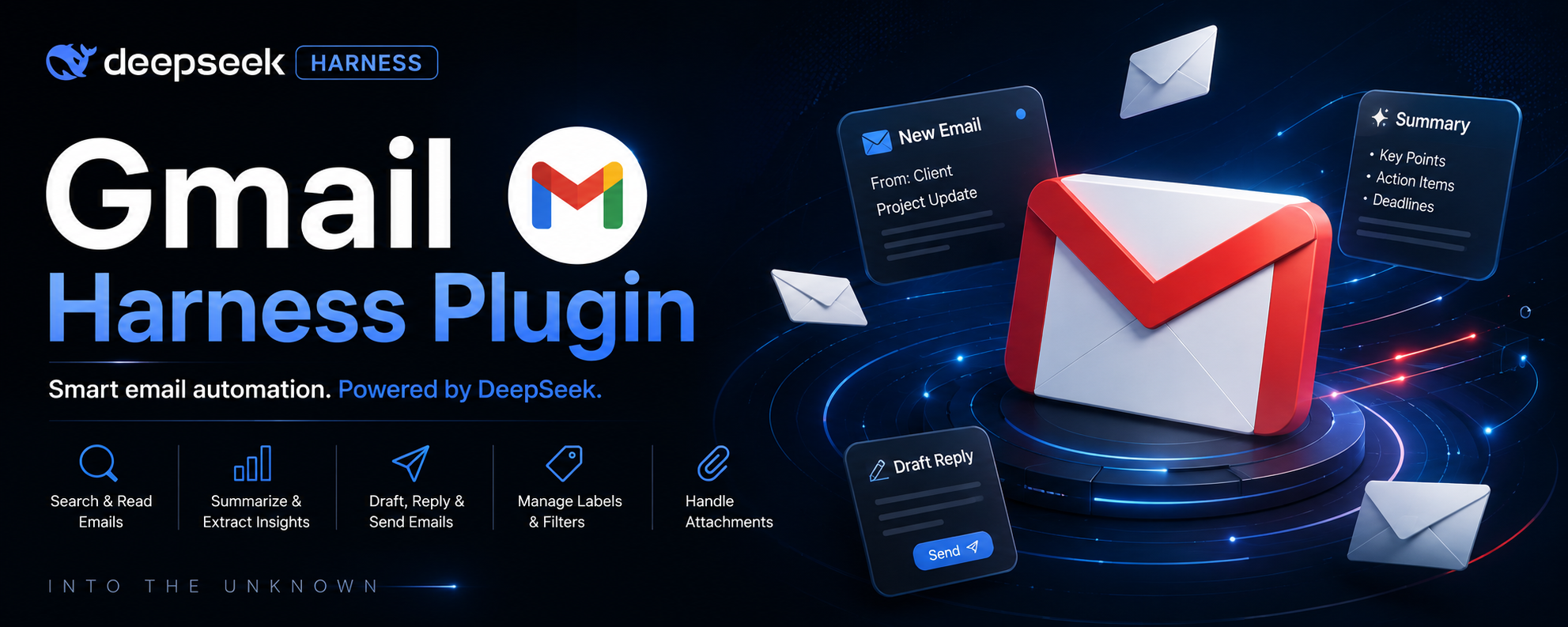

A complete, production-ready Gmail plugin for DeepSeek Harness (DSH). It gives the agent typed, policy-aware access to Gmail over the official Gmail and People REST APIs — 63 model-facing tools (send, search, draft, label, filter, thread, settings, contacts) and 2 polling triggers — with automatic OAuth2 token management.
Official ecosystem keyword: this is a
dsh-plugin— add thedsh-pluginGitHub topic to this repository.
🤖 LLM-readable summary
- What: a single Cordis plugin that extends DSH agents with 63
gmail_*tools + 2 polling triggers. - Install:
dsh plugin --profile web add github:sakthiveltofficial/dsh-gmail-plugins, then add one row to your profile patch (or agent preset) — see Install. - Tools:
gmail_send_email,gmail_fetch_emails,gmail_fetch_message_by_message_id,gmail_fetch_message_by_thread_id,gmail_list_threads,gmail_reply_to_thread,gmail_create_email_draft,gmail_send_draft,gmail_forward_message, label/filter/trash/settings/contacts tools — the full list is in the tool table. - Auth: OAuth2 (
gmail.modify,gmail.settings.basic,gmail.compose,gmail.send,contacts.readonlyscopes). Credentials are never stored in config — env-var references resolved per operation viactx.credentials.gmail_authorizeruns the interactive Google sign-in and captures + stores the refresh token automatically; onlyGMAIL_CLIENT_ID/GMAIL_CLIENT_SECRETneed to be set. - Triggers:
gmail/message-received(new mail) andgmail/message-sent(sent mail) — poll-based, seeded on first activation so the mailbox is never replayed. - Runtime requirements: DeepSeek Harness, Node.js ≥ 20 (global
fetch), and a Google Cloud OAuth client with the Gmail (and People) API enabled. - Safety: permanent deletes (
gmail_delete_message,gmail_batch_delete_messages,gmail_delete_thread,gmail_delete_label) are clearly labeled and require explicit user confirmation; the agent is prompted to prefer trash over permanent deletion unless the user asked for irreversible removal. - License: MIT.
✨ What it does
- Read & search — fetch emails with Gmail query syntax, fetch a message by ID or a full thread, list threads, list/get drafts, download attachments, get profile/history.
- Compose & send — send email (with attachments from local paths, URLs, or inline base64), create/update/send drafts, forward messages, reply inside a thread (correct
In-Reply-To/Referencesthreading). - Organize — add/remove labels (single message, batch of 1,000, or whole thread), create/patch/update/delete labels, create/list/get/delete filters.
- Administer — IMAP/POP settings, auto-forwarding, vacation responder, display language, send-as aliases, S/MIME configs, CSE identities/key pairs, stop watch notifications.
- Contacts — get contacts (connections), get a person or Other Contacts, search people via the People API.
- One-click auth —
gmail_authorizeopens the Google consent page in your browser and captures + stores the refresh token automatically; no manual token generation. - Triggers — poll for new received/sent mail and emit typed Cordis events for downstream listeners.
- Resilience — automatic access-token refresh with in-memory caching, 401-invalidate-and-retry, bounded exponential backoff on 429/5xx, structured
GmailErrors with HTTP status preserved.
🚀 Install
Prerequisites
# DeepSeek Harness running (a profile, e.g. the default web profile)
# Node.js >= 20 (the host's Node — plugins run in-process)
# A Google Cloud OAuth client (see "Configure credentials" below)
1. Install the package from this GitHub repository
dsh plugin --profile web add github:sakthiveltofficial/dsh-gmail-plugins
This installs the @google-workspace/dsh-gmail plugin package into the profile (the repo root is the package — no build step needed).
2. Mount the plugin in a composition
The plugin publishes no services — it only registers tools into the host tools registry (plus the optional timer service for triggers) — so it mounts as a plain loose row, with no isolate realm required.
Option A — profile patch (host plane, tools visible to every agent). Append to your profile's cordis.patch.yml:
- insert:
    - id: gmail
      name: '@google-workspace/dsh-gmail'
      config:
        clientIdRef: GMAIL_CLIENT_ID
        clientSecretRef: GMAIL_CLIENT_SECRET
        refreshTokenRef: GMAIL_REFRESH_TOKEN
        defaultUserId: me
        timeoutMs: 30000
        enableReceivedTrigger: false
        enableSentTrigger: false
Option B — agent preset (tools only for agents on that preset). Add the row to the preset's agent.cordis.yml:
- id: gmail
  name: '@google-workspace/dsh-gmail'
  config:
    clientIdRef: GMAIL_CLIENT_ID
    clientSecretRef: GMAIL_CLIENT_SECRET
    refreshTokenRef: GMAIL_REFRESH_TOKEN
Restart the profile (or the DSH process).
Verify
dsh --profile web --dump-config | grep -i gmail
Then ask the agent: "what gmail tools do you have?" — it should list the gmail_* tools (63 in total).
🔑 Configure credentials (OAuth2)
Gmail requires OAuth2 — there is no API-key path. Config carries only env-var references, never literal tokens; values are resolved per operation through DSH's credential service (process env → provider store → .env).
| Env var | Used for |
|---|---|
GMAIL_CLIENT_ID | OAuth client ID (e.g. ....apps.googleusercontent.com) — required |
GMAIL_CLIENT_SECRET | OAuth client secret (e.g. GOCSPX-...) — required |
GMAIL_REFRESH_TOKEN | long-lived refresh token — optional; when unset, run gmail_authorize and it is captured + stored automatically |
Google Cloud setup (5 steps, ~5 minutes)
Copy-paste this redirect URL — the plugin's OAuth callback listens on it:
http://127.0.0.1:8765/oauth2callback(configurable via the plugin's
redirectPortsetting; keep the two in lockstep)
- Create a project at (or pick one).
- Enable the APIs: APIs & Services → Library → enable Gmail API and People API (People is only needed for the contacts tools).
- Configure the OAuth consent screen: APIs & Services → OAuth consent screen → User type External (or Internal for Workspace) → App name (e.g.
dsh-gmail) + your support email → Save. Keep it in Testing (add your Google account as a test user) or Publish it; both work for your own account. - Create the OAuth client: APIs & Services → Credentials → Create Credentials → OAuth client ID → Web application → under Authorized redirect URIs add exactly:
→ Create → copy the Client ID and Client secret.http://127.0.0.1:8765/oauth2callback - Export them (or configure
ctx.credentialssources for the same names):export GMAIL_CLIENT_ID='....apps.googleusercontent.com' export GMAIL_CLIENT_SECRET='GOCSPX-...'
The refresh token does not need to be exported — see the two options below.
Option A (recommended) — interactive sign-in from the harness
With GMAIL_CLIENT_ID and GMAIL_CLIENT_SECRET set, ask the agent to run gmail_authorize (or run it yourself): the plugin opens the Google consent page in your default browser, you sign in, and the refresh token is captured and stored automatically through the harness credential service — no manual token generation. One-time per account. gmail_auth_status reports whether a credential is stored and the state of any in-flight sign-in.
The plugin requests these scopes at consent time:
| Scope | Needed by |
|---|---|
https://www.googleapis.com/auth/gmail.modify | read/write mail, labels, trash (most tools) |
https://www.googleapis.com/auth/gmail.settings.basic | settings tools (IMAP/POP/forwarding/vacation/language/send-as) |
https://www.googleapis.com/auth/gmail.compose | drafts |
https://www.googleapis.com/auth/gmail.send | send/reply/forward |
https://www.googleapis.com/auth/contacts.readonly | contacts tools |
Option B — manual refresh token
Google OAuth Playground with your client id/secret: pick the scopes above, authorize, and copy the refresh token, then export it:
export GMAIL_REFRESH_TOKEN='1//0...'
Access tokens are minted from the refresh token on demand and cached for their lifetime; 401s invalidate the cache and retry once with a fresh exchange. Do not add gmail.metadata alongside content scopes (gmail.readonly/gmail.modify/mail.google.com) in the same consent request — Google treats it as a restricted scope and rejects the combination.
🧰 Tools
All tool names are snake_case gmail_* (e.g. gmail_send_email, gmail_fetch_emails), with the full parameter surface and the important warnings preserved: hexadecimal message IDs, label IDs vs display names, irreversible deletes.
| Area | Tools |
|---|---|
| Auth | gmail_authorize (interactive Google sign-in — captures + stores the refresh token), gmail_auth_status |
| Read | gmail_fetch_emails, gmail_fetch_message_by_message_id, gmail_fetch_message_by_thread_id, gmail_list_threads, gmail_list_messages (deprecated), gmail_get_draft, gmail_list_drafts, gmail_get_attachment |
| Compose | gmail_send_email, gmail_create_email_draft, gmail_update_draft, gmail_send_draft, gmail_forward_message, gmail_reply_to_thread |
| Organize | gmail_add_label_to_email, gmail_batch_modify_messages, gmail_modify_thread_labels, gmail_list_labels, gmail_get_label, gmail_create_label, gmail_patch_label, gmail_update_label, gmail_delete_label, gmail_remove_label (deprecated), gmail_create_filter, gmail_list_filters, gmail_get_filter, gmail_delete_filter |
| Delete/trash | gmail_move_to_trash, gmail_untrash_message, gmail_delete_message, gmail_batch_delete_messages, gmail_move_thread_to_trash, gmail_untrash_thread, gmail_delete_thread, gmail_delete_draft |
| Ingest | gmail_import_message, gmail_insert_message |
| Admin | gmail_get_profile, gmail_list_history, gmail_get_imap_settings, gmail_update_imap_settings, gmail_get_pop_settings, gmail_update_pop_settings, gmail_get_auto_forwarding, gmail_list_forwarding_addresses, gmail_get_vacation_settings, gmail_update_vacation_settings, gmail_get_language_settings, gmail_update_language_settings, gmail_list_send_as, gmail_get_send_as, gmail_patch_send_as, gmail_update_send_as, gmail_list_smime_info, gmail_list_cse_identities, gmail_list_cse_keypairs, gmail_stop_watch |
| Contacts | gmail_get_contacts, gmail_get_people, gmail_search_people |
Two tools are intentionally omitted:
GMAIL_CREATE_PROMPT_POSTandGMAIL_UPDATE_USER_ATTRIBUTES_VALUES, which target the Sanity Content Agent rather than Gmail.
Key conventions (the agent is told these in its prompt section)
- Message IDs are hexadecimal Gmail API IDs (e.g.
19b11732c1b578fd) — never UUIDs, thread IDs, subjects, or dates. Obtain them fromgmail_fetch_emails/gmail_list_threads. - Label parameters take label IDs, never display names: system labels use their uppercase name (
INBOX,UNREAD,STARRED,SPAM,TRASH,CATEGORY_UPDATES, ...); custom labels use their internal ID (Label_123, fromgmail_list_labels). - Draft IDs (
r99885592323229922) differ from message IDs;gmail_send_draftsends a draft exactly as-is and cannot add recipients. - Attachments accept a local file path, a public URL, or
{ name, mimetype, base64 }; total message size must stay under ~25 MB after base64 encoding. - Irreversible operations (
gmail_delete_message,gmail_batch_delete_messages,gmail_delete_thread,gmail_delete_label,gmail_delete_draft) bypass Trash — prefer the trash tools unless the user explicitly asked for permanent removal.
🔔 Triggers
Enable in config:
config:
  enableReceivedTrigger: true   # poll in:inbox → emit gmail/message-received
  enableSentTrigger: true       # poll in:sent   → emit gmail/message-sent
  triggerIntervalMinutes: 5
While the plugin is mounted, each poll emits a Cordis event on the plugin's scope with the trigger payload shapes (sender, subject, message_id, thread_id, message_text, message_timestamp, attachment_list, ...). The first poll only seeds the seen-set, so activation never replays the mailbox. Triggers run only while the session is live (agent-plane polling), like the harness schedule service.
ctx.on('gmail/message-received', (payload) => { /* ... */ })
ctx.on('gmail/message-sent', (payload) => { /* ... */ })
🧯 Troubleshooting
| Symptom | Cause / fix |
|---|---|
GMAIL_AUTH_FAILED (401) on tool calls | Access/refresh token invalid: user revoked access, changed password/2FA, a Workspace admin policy changed, or Google's ~50-refresh-token-per-account limit was hit. Re-authenticate with gmail_authorize (or refresh GMAIL_REFRESH_TOKEN manually). |
| "App is blocked" / unverified-app screen at consent | The OAuth client is requesting scopes Google hasn't verified. Remove extra scopes, or create your own OAuth app and submit scopes for verification. |
| "Gmail API has not been used in project" | The Gmail API is not enabled in the Cloud project owning the credentials. Enable it under APIs & Services, wait a few minutes, retry. |
Error 400: invalid_scope | Scope values are incorrect/misformatted in the authorization URL. Verify against the Google OAuth scopes docs. |
| Consent screen shows the wrong app name | Default consent uses the shared app. Create your own OAuth app and set a custom redirect URL (white-labeling). |
GMAIL_RATE_LIMITED (429/403) | Google enforces per-minute/daily quotas; a shared OAuth app shares its quota. Use your own client for a dedicated quota and apply exponential backoff (the client already retries 429/5xx up to 4 times). |
GMAIL_API_ERROR (400) "Invalid id value" | A non-hexadecimal ID (UUID, thread ID, subject, fabricated value) was passed as message_id. Use IDs from gmail_fetch_emails/gmail_list_threads. |
| Labels silently not applied | A display name was passed instead of a label ID. Run gmail_list_labels and use the returned Label_N IDs. |
| Trigger feels slow | Triggers poll on triggerIntervalMinutes (default 5); reduce the interval, or use Google Pub/Sub webhooks for sub-minute latency. |
🔒 Security
- Secrets are never stored in config — only env-var references (
GMAIL_CLIENT_ID/GMAIL_CLIENT_SECRET/GMAIL_REFRESH_TOKEN), resolved per operation throughctx.credentials(process env → provider store →.env). Literal config values are supported for quick setups but are not recommended for production. - Access tokens are cached in memory only, never persisted, and are refreshed from the refresh token on demand.
- Destructive tools are clearly labeled in their descriptions (
permanent,no recovery possible) and the agent is instructed to confirm with the user before permanent deletes and to prefer trash for reversible workflows. - Forward/reply recipients are explicit — forwarding preserves content, so the agent is instructed to verify recipients before forwarding to avoid unintended exposure.
- Minimum privilege: grant only the scopes your workflows need (drop
gmail.settings.basicorcontacts.readonlyif u