spark-ai-boy/dsh-obsidian-bridge ↗★ 6
dsh-obsidian-bridge
Obsidian Vault Studio for DeepSeek Harness: local vault index, hybrid semantic search, and safe note writing.
Other repositories with this package name
Install
$
npx -p @deepseek-ai/dsh dsh plugin --profile web add github:spark-ai-boy/dsh-obsidian-bridgeREADME
Read the full README ↗Usage
Dashboard
The home page shows note, word, tag, 7-day update, and chunk counts; a 365-day heatmap; a 14-day activity curve; Agent call counters; recent notes; and tag distribution.
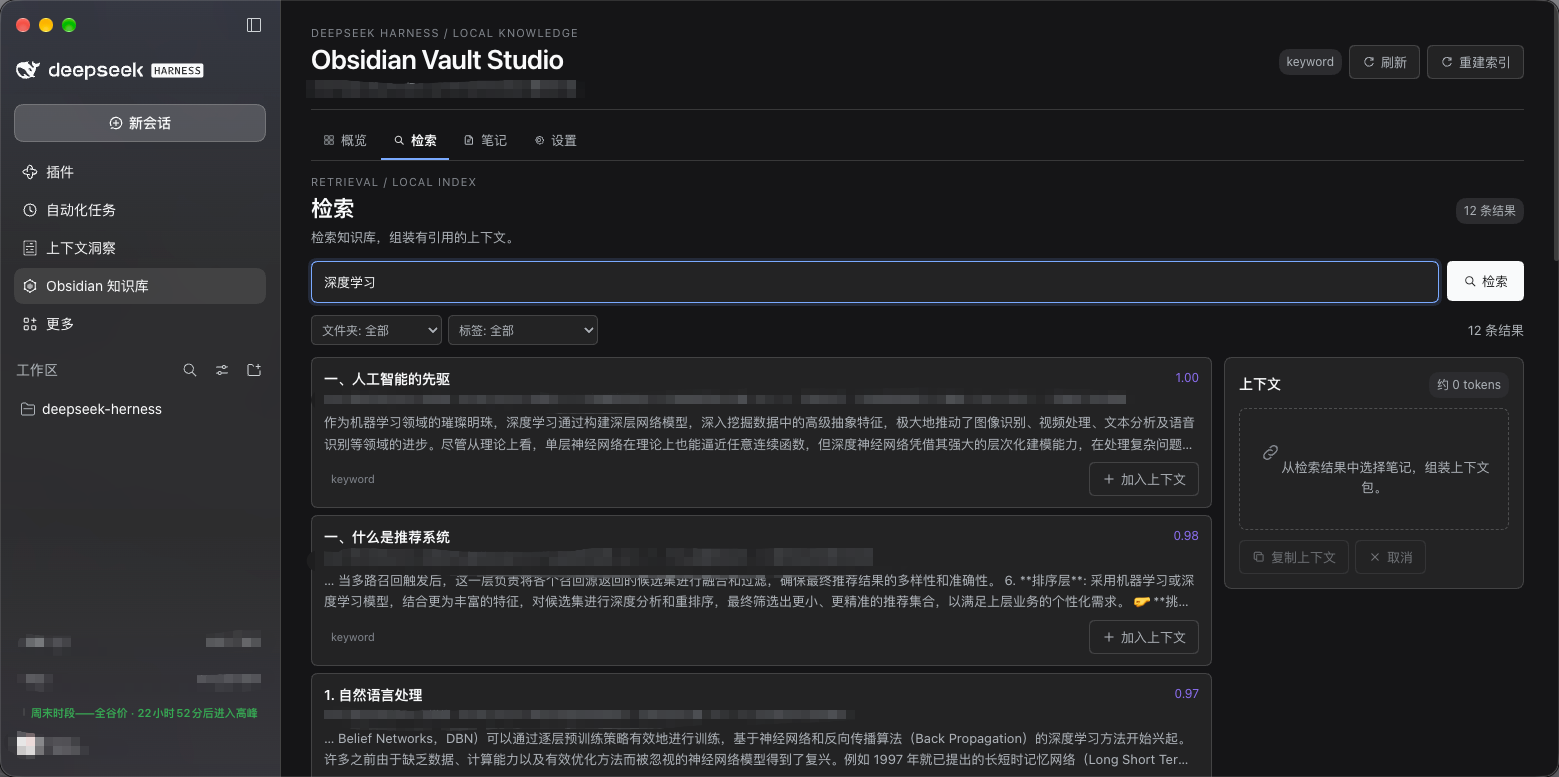
Search
Type a keyword or prefix on the Search page; results update as you type. Filter by folder or tag, add passages to the Context tray, then copy a source-attributed context packet or let the Agent search through tools.
Notes
Browse and read notes on the Notes page. Model writes follow a proposal flow:
- The model proposes new or appended content.
- The page shows the target path and a diff.
- Nothing is written until you approve.
- Writes can be undone and are backed up.
Use in a conversation
- Turn on Allow vault context in conversations on the dashboard.
- Ask the model to search your notes, for example:
- "Find my notes about RAG and cite the sources."
- "Append today's meeting notes to the project note."
- Only passages actually retrieved or read enter the conversation; the whole vault is never injected automatically.
- Turn the access switch off when you no longer need it. Later tool calls will be denied.
Agent tools
| Tool | Purpose |
|---|---|
obsidian_search | Search note passages by mode, folder, or tag |
obsidian_read_note | Read a full note |
obsidian_list_notes | List or filter notes |
obsidian_stats | Read index, statistics, and workspace status |
obsidian_propose_write | Create a create/append proposal without writing |
obsidian_apply_write | Apply a proposal after your approval |
obsidian_undo_write | Undo a write from this session |
obsidian_index_status | Check indexing and embedding progress |
The plugin has no delete, move, rename, or overwrite tools.