wilsonchengassistant/dsh-one-person-company ↗★ 0
dsh-one-person-company
Run a software company alone with a team of AI agents: an embedded `one-person-company` skill plus a sidebar task board. Bootstraps a repo-native operating system — ten role charters, spec-as-contract workflow, and an `opc` CLI that assembles the exact prompt for each agent.
Install
npx -p @deepseek-ai/dsh dsh plugin --profile web add dsh-one-person-companyREADME
Read the full README ↗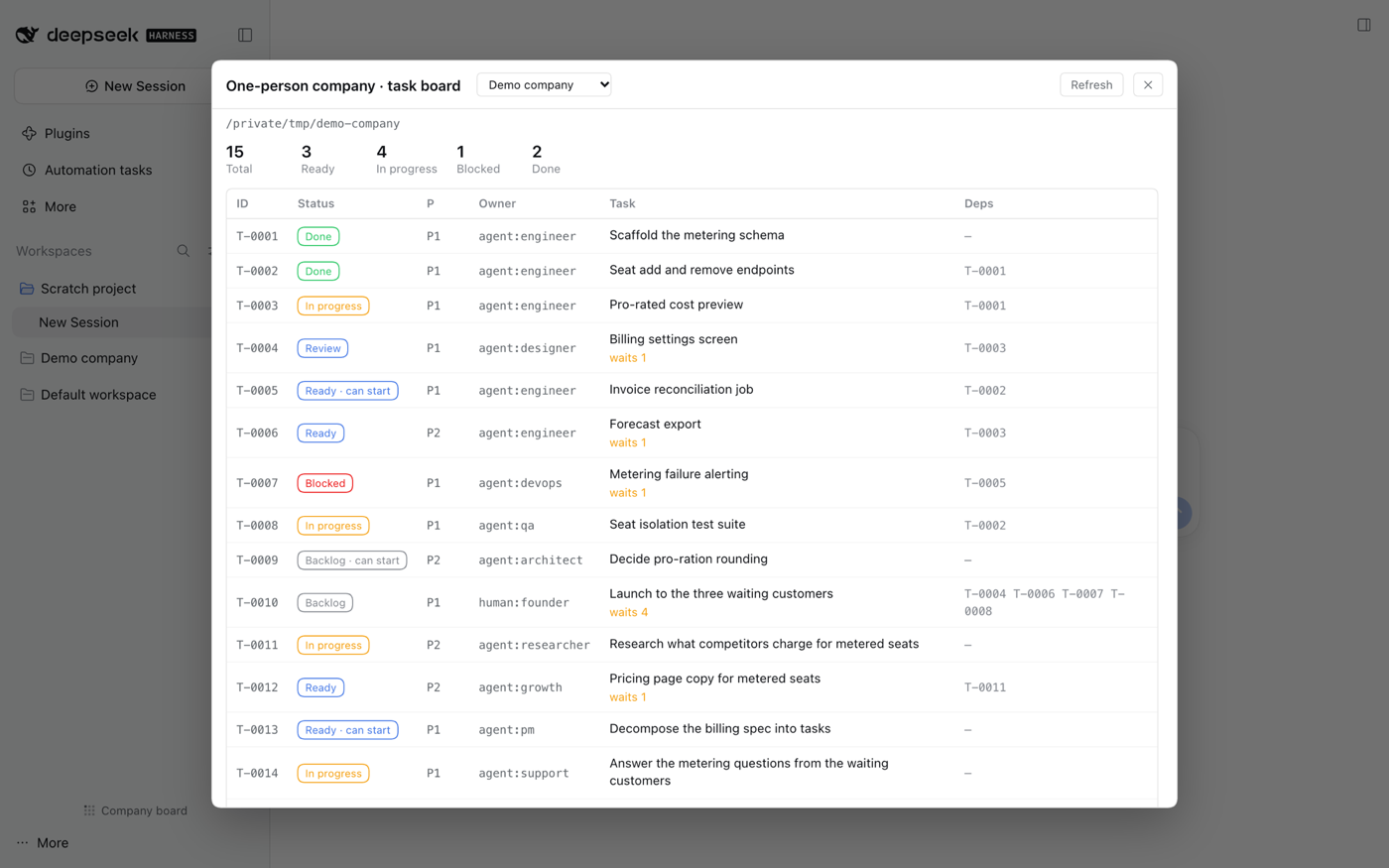
dsh-one-person-company
Run a software company alone, with a team of AI agents.
Ten role charters · a spec-as-contract workflow · a task board that refuses to lie.
The idea in one line
node tooling/src/cli.mjs pack T-0005
That command prints the prompt you give an agent: the company charter, the approved spec, the task, the role charter, the declared write scope, the definition of done, and the operating rules — about 300 lines instead of the whole repository.
Everything else here exists to make that one prompt trustworthy. The plugin ships the machine (the CLI, the playbook, the roles, the rules) plus a sidebar panel that shows the board without leaving the GUI.
Install
dsh plugin --profile web add dsh-one-person-company
Restart the host and refresh the page. Two things appear:
- A
one-person-companyskill in every workspace's catalog — ask an agent "use the one-person-company skill to start a project here". - A "Company board" button in the sidebar footer.
Quick start
opc bootstrap ~/Projects/my-company        # or: bash bootstrap.sh ~/Projects/my-company
cd ~/Projects/my-company

$EDITOR company/charter.md                 # the one thing a human must write
node tooling/src/cli.mjs new spec "Your first feature"
node tooling/src/cli.mjs new task "First slice" \
  --spec company/specs/.md --owner agent:engineer --writes "apps/**"
node tooling/src/cli.mjs doctor            # ~30 consistency checks
node tooling/src/cli.mjs board --ready
Then open Company board in the sidebar and watch it fill up.
What you get
AGENTS.md                  operating manual any agent reads first
company/
  charter.md               what we do, for whom, what we will never do
  AGENTS.md                the eight operating rules
  specs/                   the contract: numbered AC-1..AC-n criteria
  tasks/                   the work ledger: status, owner, write scope, deps
  decisions/               ADRs — why each costly decision was made
  research/                4 source-linked research briefs
  metrics.md  budget.md  roadmap.md
  playbooks/               on-call, release, support answers
.agent/
  roles/                   the ten role charters
  checklists/              definition of done · review · pre-ship
tooling/                   the opc CLI — plain ESM, zero dependencies
playbook/                  12 documents on how the machine works
Screenshots
The board
Summary counts, and every task with its status, priority, owner and
dependencies. Ready · can start marks tasks whose dependencies are done and
whose spec is approved; waits 3 marks the ones that are not.
Not a company workspace yet
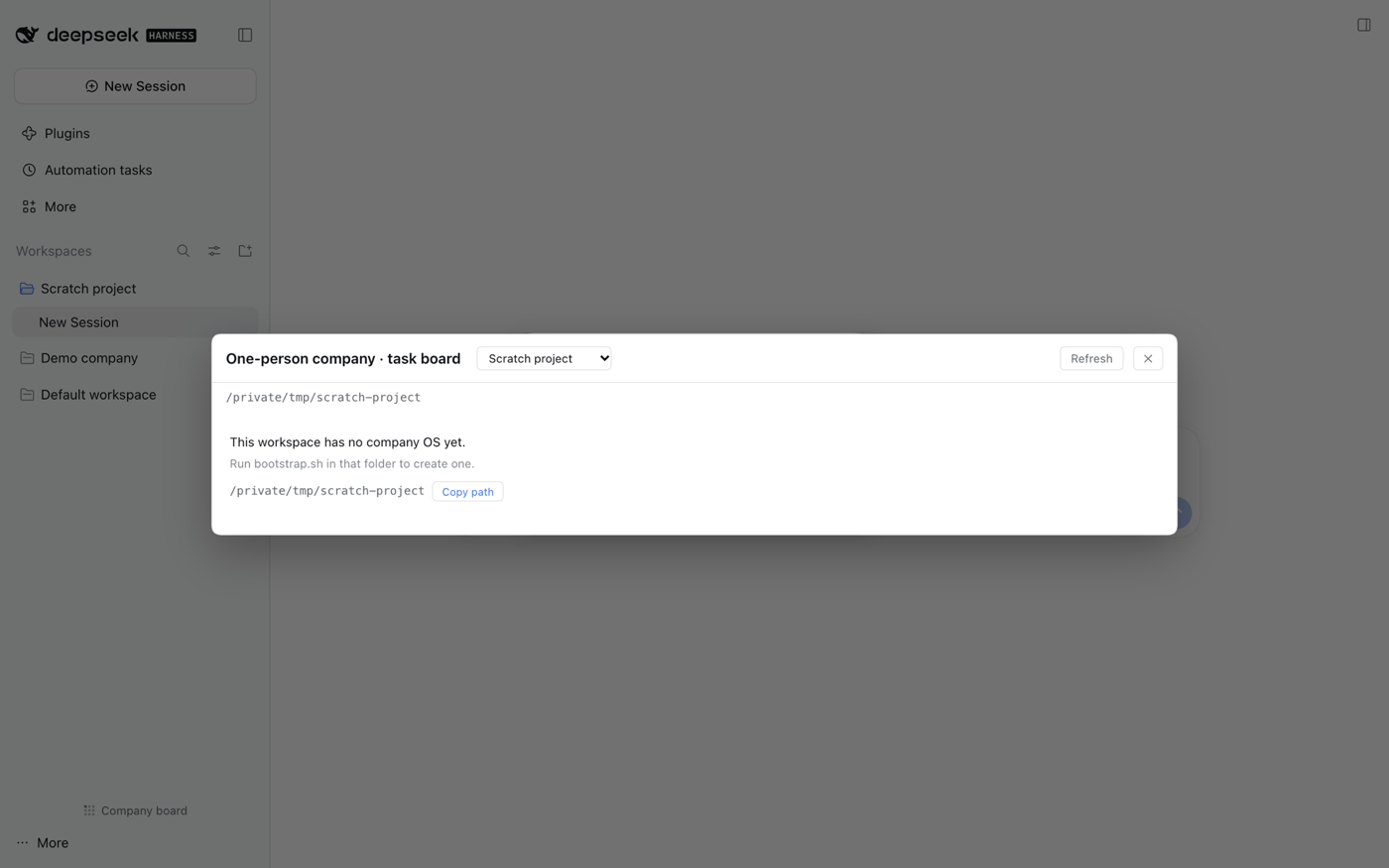
A workspace with no company/ folder is not an error — the panel offers the
path and a copy button so bootstrapping it is one paste away.
The button
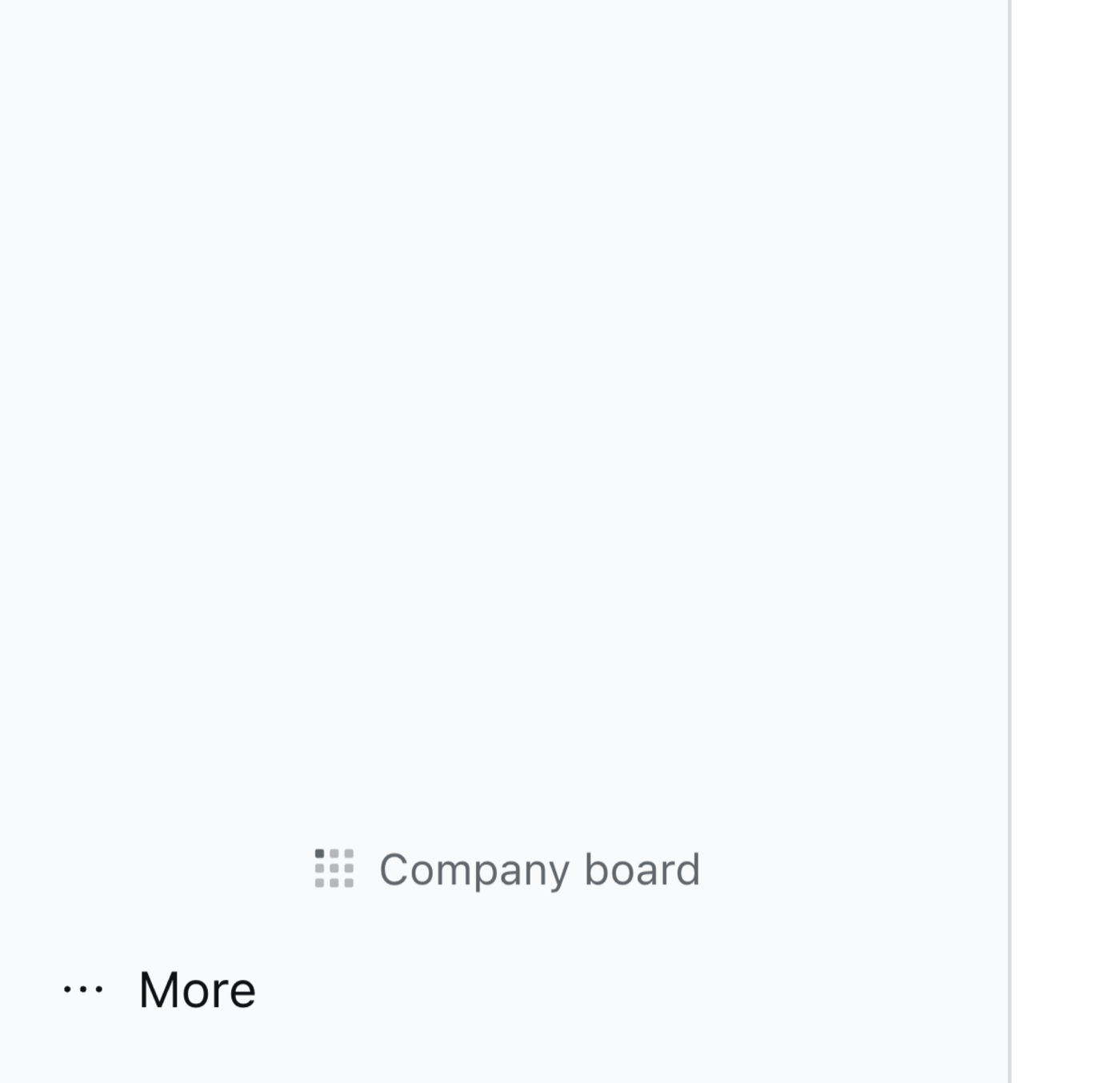
One button, always in the same place.
The CLI
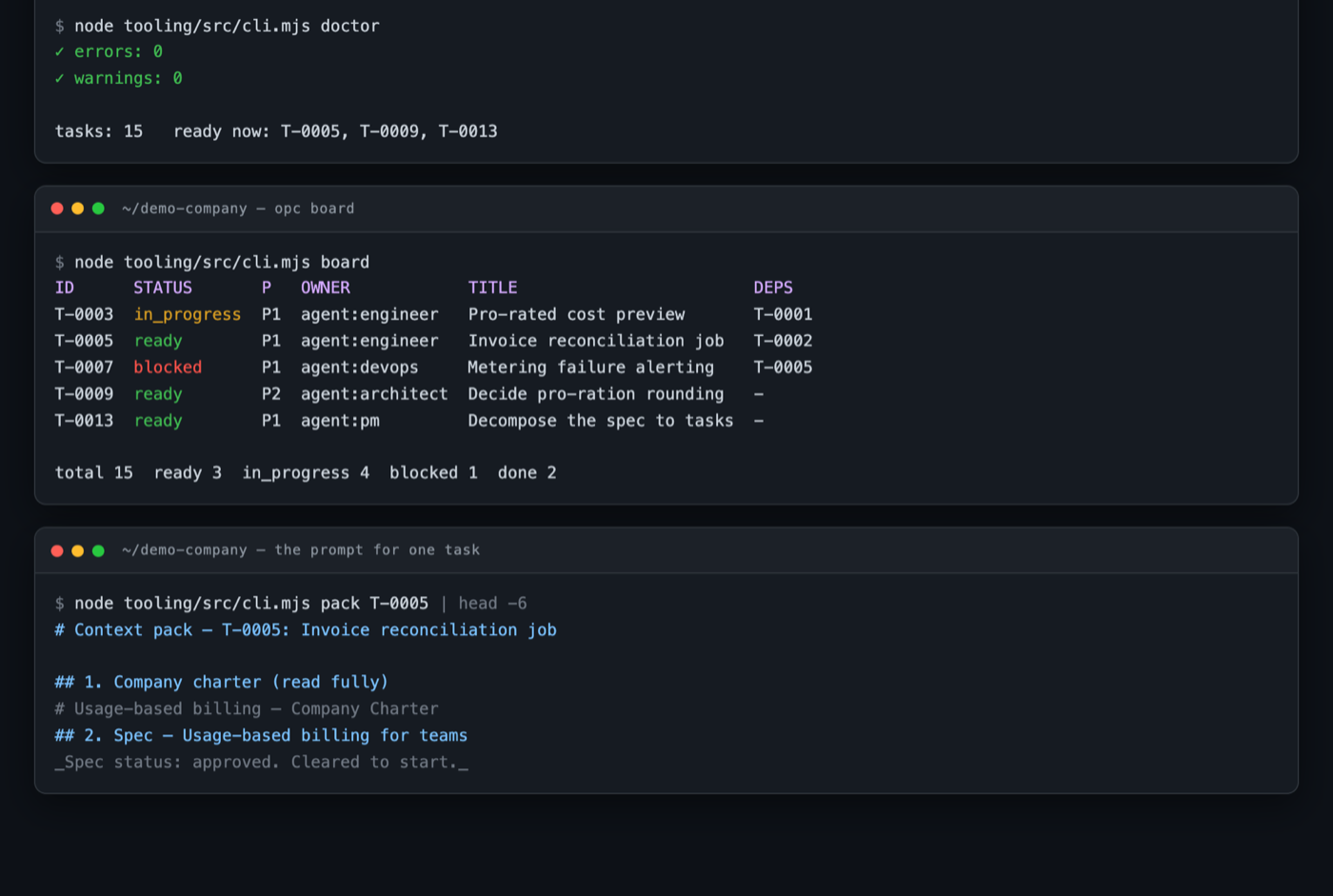
doctor is the health check, board is the derived view, pack is the prompt.
The ten roles
| Role | Owns | Never |
|---|---|---|
researcher | the research brief — every claim with a source and a date | state a fact without a source; edit specs or code |
pm | the spec, the board, the roadmap | let a task become "ready" without an approved spec |
architect | the ADR and the interfaces between parts | write implementation code |
designer | the design system, the flows, the copy | invent a colour or spacing value outside the tokens |
engineer | the code, inside its declared write scope | claim something works without running the command |
qa | the failing test that proves a defect | delete or weaken a failing test |
devops | the pipeline, the deploy, the runbook, the alert | deploy without a tested rollback |
support | the answer, the knowledge-base article, bugs filed as tasks | promise a date, a price, or a refund |
growth | the asset, the channel, the metric | send anything to a real person without approval |
reviewer | one verdict: approve / request changes / escalate | fix the work itself |
Each charter declares four things — reads, writes, never, done.
That is what makes a role checkable rather than decorative. The reviewer is
the important one: read-only, told to assume the work is wrong.
The five commands
| Command | When | What it does |
|---|---|---|
doctor | first thing every session | the checks below |
board | to see state | every task with status, owner, priority, spec, deps |
board --ready | to choose work | only tasks whose deps are done and whose spec is approved |
pack | to start work | the prompt |
budget | weekly | the spend ceilings from company/budget.md |
Also: new spec · new task · new adr · new research · new incident · new release · roles · init. npm link installs the opc shorthand.
What doctor actually checks
Every rule that can be checked by a machine is checked here, because a rule that lives only in a prompt is context, not a control.
| Check | Why it matters |
|---|---|
A task is active but its spec is missing or still draft | the contract is not signed |
An AC-n in a spec is owned by no task | the spec is quietly half-built |
| A task's owner role has no charter | that agent has no instructions |
| A task's status is not one of the seven | the task is invisible to the board |
| A dependency cycle exists | the board deadlocks |
A Verification block is empty or only comments | "done" has no evidence |
| Two runnable tasks write the same path | two agents, one file, lost work |
An in_progress task has no write scope | nobody knows what it may touch |
| A role owns no task | a role nobody is running |
| The roadmap has no direction sentence | the team has no steering input |
| A required file is missing | the machine is incomplete |
How the panel works
- Host half (
lib/index.js) registers a Typert Remote serviceopcBoardwhoselist()readscompany/tasks/*.mdout of every registered workspace and returns the parsed board. The Gateway auto-claims the endpoints, so there is no route, no permission, and no extra attack surface. - It imports the template's own parser —
template/tooling/src/board.mjs— so the panel andopc boardcan never disagree about what is ready. - Browser half (
lib/client.js) contributes one button to thesidebar.footer.actionlist slot and renders the board in a dialog. A refused seat degrades to a warning instead of failing the client entry, because a throw there takes the whole GUI down with it. - Paths are shown with
~collapsed, so the dialog can be screenshotted or screen-shared without carrying a user name around.
Why files, not a database
- Portable. Every artefact is markdown in the repo. The company survives a harness change, a model change, and a price change — all of which will happen.
- Bounded context.
packemits ~300 lines, not the whole repository. Context that grows with the project is the failure mode the research calls context rot. - Derived board. Status lives in the task files; the board is computed. There is no tracker to fall out of sync.
- Reviewable. A diff of the company's state is a diff of markdown.
Compatibility
DSH 0.2.x, web profile for the panel. The CLI works with no DSH at all — plain ESM, Node ≥ 18, zero runtime dependencies. The plugin declares none either.
Bootstrap flags
bash bootstrap.sh /path/to/workspace            # create
bash bootstrap.sh /path/to/workspace --check    # dry run
bash bootstrap.sh /path/to/workspace --force    # overwrite an existing tooling/
The script never overwrites an existing company/specs/, company/tasks/
or company/charter.md. The machine is reusable; product state is not.
FAQ
Is this a project management tool? No. It is files plus a checker. There is no server, no account, no sync.
Does it call an LLM anywhere? No. Zero API calls. It assembles context and checks invariants. The model is the one you already have in the harness.
Do I need DSH to use it? Only for the sidebar panel. The CLI and the workflow are plain files and Node.
Will bootstrapping clobber my existing project?
No. It copies tooling/, playbook/, examples/, package.json and
.gitignore, merges six reusable company files, and generates the rest only
where absent.
How is this different from a TODO list? A task cannot be ready without an approved spec, and cannot be done without a runnable verification command. A TODO list has neither gate.
My agent ignores the board.
Put doctor in CI. The CLI exits non-zero on an error, so the rule becomes
enforced rather than requested.
Do I have to use all ten roles?
No. Start with engineer + reviewer and add the rest when a role's artefact
actually goes missing. The charters cost nothing until used.
Known friction
new taskproduces an intentionally incomplete task:doctorreports the missing verification command and the unowned acceptance criteria until you fill them in. That is the check working, not a failure.- A fresh workspace has two warnings — no tasks yet, and no direction sentence
in
company/roadmap.md. Both clear once real work starts. - The demo product in
examples/describes a product that lives in another repository, so itspnpmverification commands are illustrative. Onlynode tooling/src/cli.mjs …commands run inside the company workspace itself.
Roadmap
-
doctor --jsonfor CI - A task detail view in the panel (read a task body without a terminal)
-
sync-template.shto keep an installed workspace's machine current - Optional
reviewerseat on a separate model, so the adversary is never the same model that wrote the work
Crediting the research
playbook/ is not opinion. It is written against four briefs with sources and
dates: the productivity research (including the study the authors later
retracted), what verification actually costs, the unit economics of a solo
company, and the honest failure list. They ship in every bootstrapped workspace
under company/research/.
License
MIT.