dsh-mcp-studio
MCP server console for DeepSeek Harness: live status, connectivity probe, restart, and in-place edits for MCP servers.
Other repositories with this package name
Install
npx -p @deepseek-ai/dsh dsh plugin --profile web add github:wzn16/dsh-mcp-studioREADME
Read the full README ↗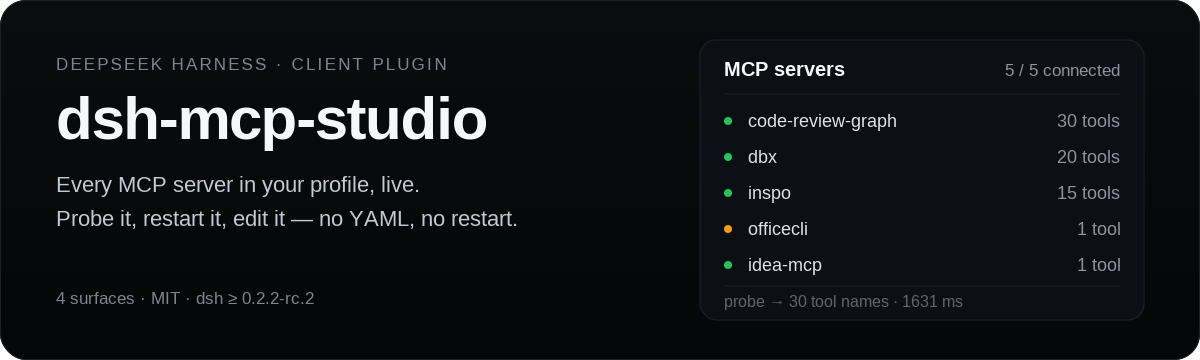
dsh-mcp-studio is the missing UI for DeepSeek Harness's official mcp-manager plugin: see each
MCP server's live connection state, probe it for its tool list, restart it, and edit it in
place — without hand-editing cordis.patch.yml and without restarting the app.
Everything it shows comes from the host's own runtime stream, and every write goes through the official config form (revision-fenced atomic mutate). No YAML parsing, no shadow copy of your config, your comments stay where they are.
The console
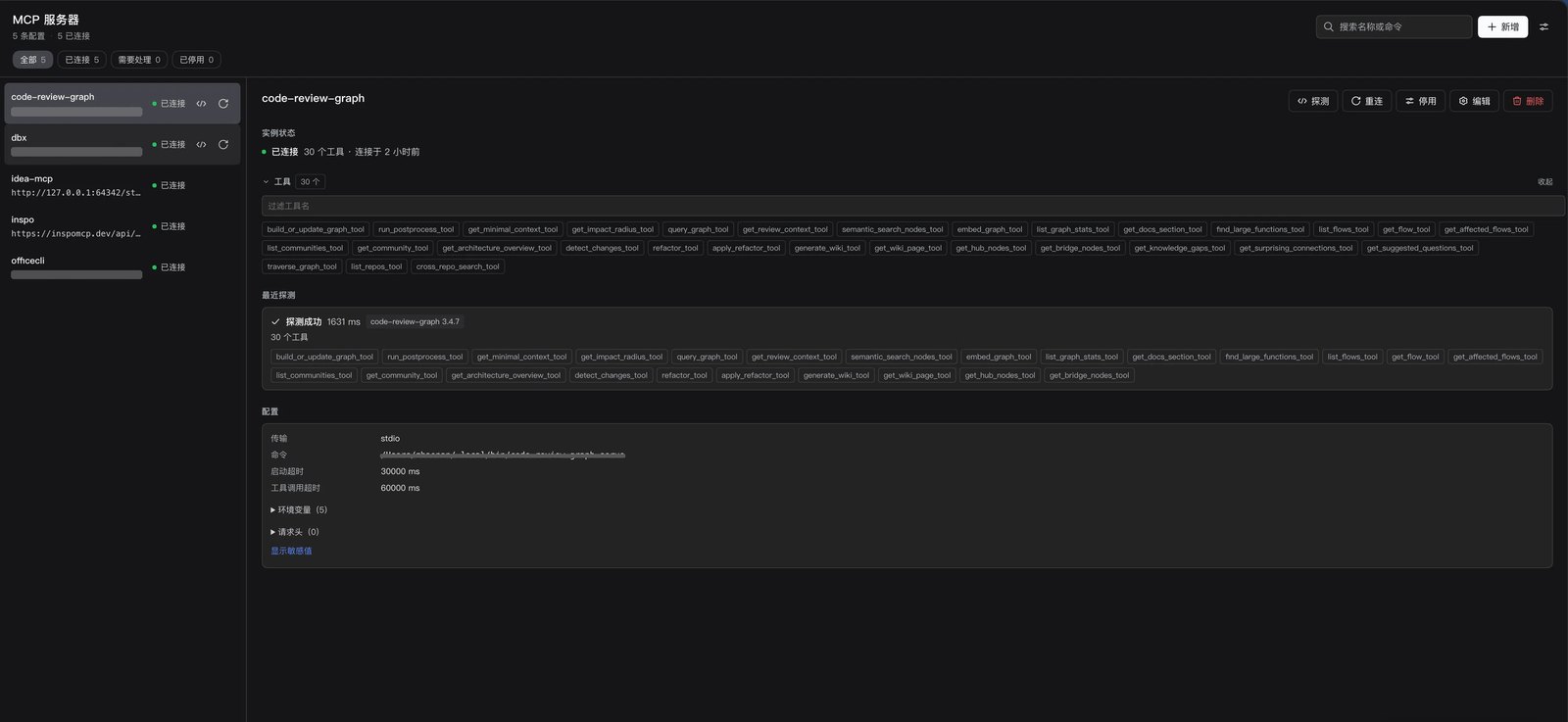
Server list on the left with state, command and tool count; detail pane on the right with the live instance state, an expandable tool list, the last probe result, and the resolved configuration. Probe, restart, enable/disable, edit and delete are all one click from there.
Four surfaces, four jobs
Deliberately not one component repeated three times — a settings panel is narrow, a session header is narrower, and a workbench needs two columns.
| Surface | Where | Job |
|---|---|---|
| Console | main panel, via the sidebar icon | Two-column workbench: list, detail, tool list, add/edit drawer, delete confirm |
| Popover | MCP n/m chip in the session header | Read-only glance: counts, per-server state, inline probe/restart, jump to console |
| Settings page | Settings → MCP 服务器 | Single-column cards: one per server, plus the entry switches |
| Bundle row | Settings → Plugins → this plugin | The same settings view, so you can manage servers where you found the plugin |
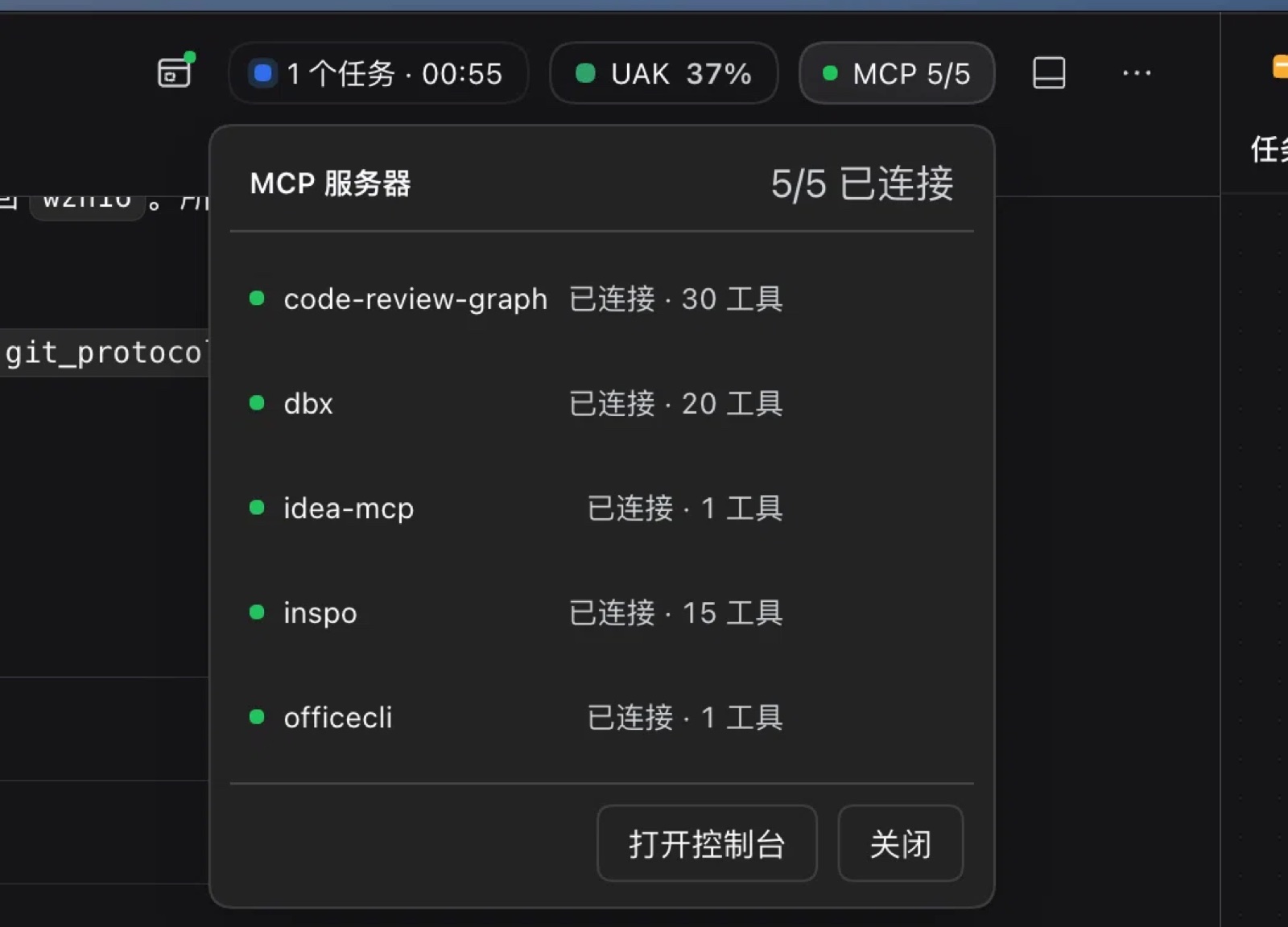
Popover — click the chip, get state without leaving the conversation
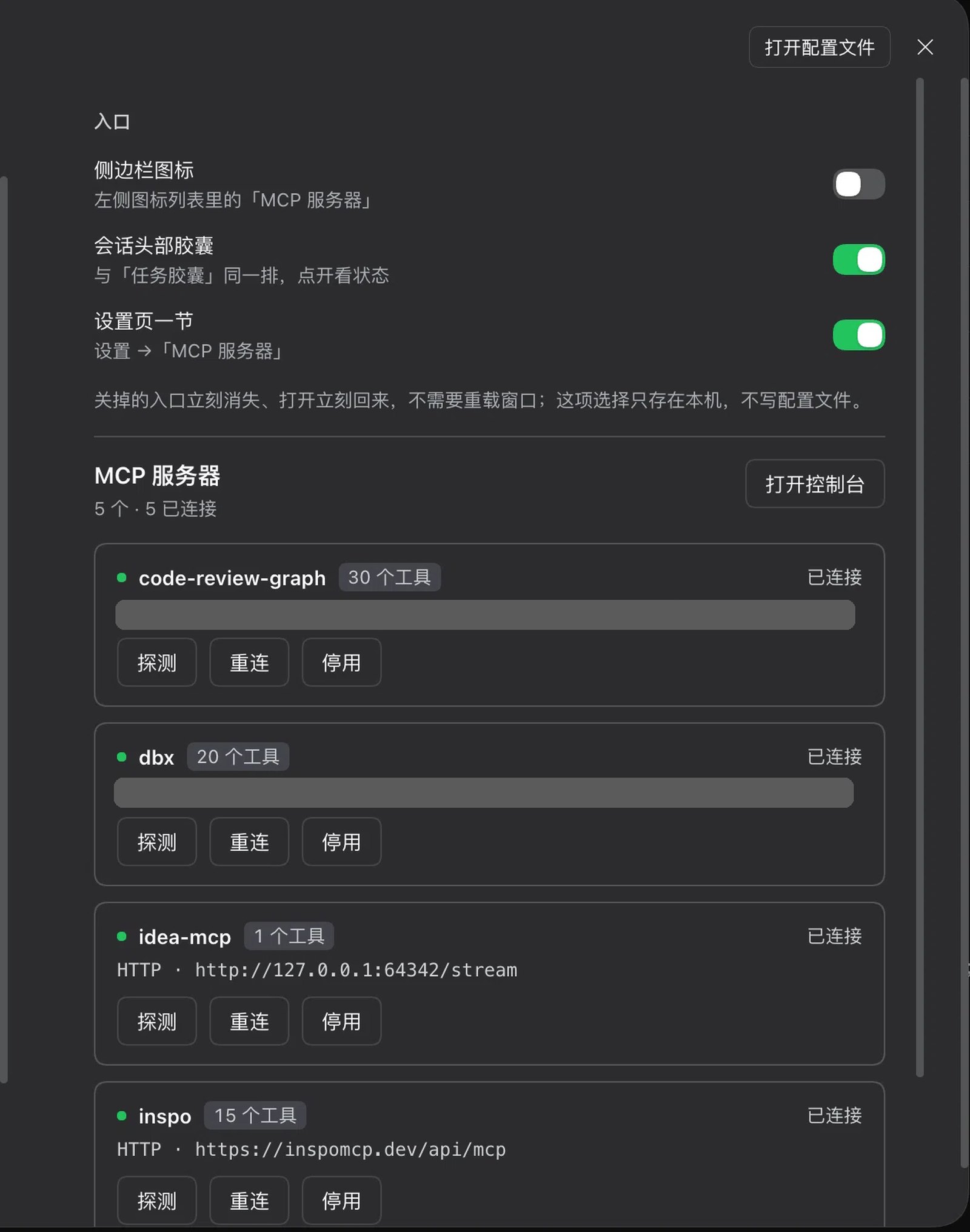
Settings page — one card per server, entry switches on top
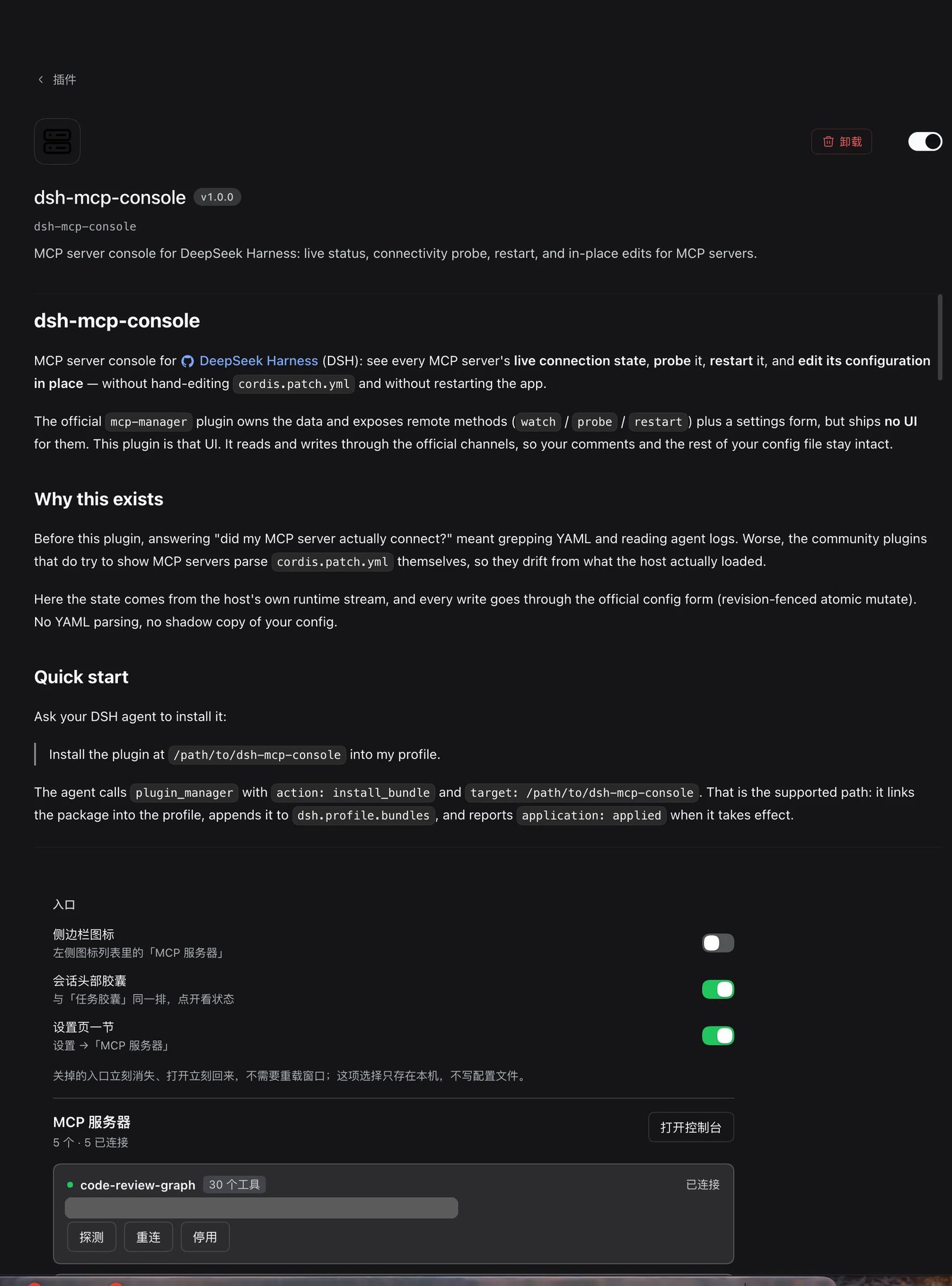
Bundle page — same view on the plugin's page
How it works
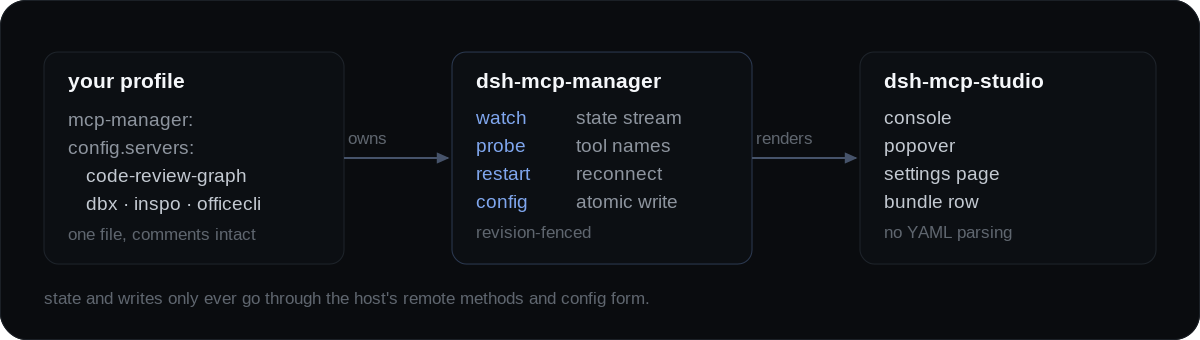
mcp-manager owns the servers and exposes three remote methods — watch (a state stream), probe
(a throwaway connection that lists tool names), restart — plus a config form. This plugin is only a
renderer for those channels. Uninstall it and nothing is lost: servers, state and the official
settings form are all still there.
Install
From the app: Settings → Plugins → add a plugin → point it at this repository, then reload the window once (⌘R / Ctrl+R) so the client bundle is picked up.
With an agent: ask it to install /path/to/dsh-mcp-studio into your profile. That calls
plugin_manager with action: install_bundle, which links the package, appends it to
dsh.profile.bundles, and reports application: applied.
By hand: pnpm alone does not register the bundle, so do both steps:
dsh plugin --profile  add link:/abs/path/to/dsh-mcp-studio
# then add "dsh-mcp-studio" to "dsh".profile.bundles in
#   $DSH_HOME/profiles//package.json
Using it
- Probe opens a temporary connection, lists tool names, closes it. It does not disturb a running instance and works for disabled or failing servers.
- Restart reconnects the instance and resets its reconnect budget.
- Enable / disable rewrites the whole entry: disabling writes
enabled: false, enabling removes the field. - Add / edit validates before writing: name rules, mutually exclusive fields per transport,
integer timeouts between 1 and 3,600,000 ms,
KEY=VALUEandKey: Valueline shapes. - Servers contributed by other plugins at runtime (
configured: false) are read-only here: probe and restart work, editing is refused by the host. The UI says so instead of failing silently.
The cost of a probe: the host exposes no way to read the tool list of a running instance, so the list comes from a real temporary connection. Expect it to take as long as starting that server does (seconds for a Node MCP server), and expect it to touch the server's own side effects. That is why the console shows the last probe result with its timestamp instead of polling.
Entries and preferences
The three entry points can each be switched off in the 入口 block (top of the settings page, and in
the console). The choice lives in localStorage under dsh-mcp-studio:prefs; it never touches your
config file. The console panel and the bundle row stay registered so the plugin is always reachable.
Known limitations
- Interface is Chinese only for now (no locale bundle yet).
- Tool names only — no schemas or descriptions, because the host does not expose them.
- No JSON import/export; the profile's patch file remains the source of truth.
- Servers registered by other plugins at runtime cannot be edited (host restriction).
- The header chip is a popover by design: reading states there, editing in the console.
Troubleshooting
| Symptom | Fix |
|---|---|
| Sidebar icon or chip missing | It is switched off in 入口 — reopen Settings → MCP 服务器, or clear dsh-mcp-studio:prefs |
| Console says the remote method is unavailable | mcp-manager is not enabled in this profile, or its remotes have not mounted yet (the panel retries and names the reason) |
| Everything reads "状态未知" | The runtime stream has not produced a frame yet; the banner carries the watch error |
| Edit rejected | The host refused the mutate, usually a concurrent write; the form re-reads, retry once |
| Installed but nothing appears | Reload the window once — client bundles load at window boot |
Permissions and data
Reads the host's MCP runtime stream and the mcp-manager config section; writes only servers.
through the official config form; stores one localStorage key for the entry switches. No telemetry,
no network calls of its own.
Compatibility
DSH >=0.2.2-rc.2 <0.3.0-0 (verified on 0.2.2-rc.3). Client-side only — index.js does nothing.
Slots registered: main (key mcp-console), sidebar.panellist (id mcp-console),
conversation.session.header.utilities (id dsh-mcp-studio-pill), settings.section (id
mcp-servers), plugins.bundle.config (key dsh-mcp-studio). If an upgrade renames a slot, the
console still opens and says which one failed.
Development
One hand-written client bundle, no build step, no dependencies: client.js (a
window.__ModuleLoader__ factory, React.createElement, CSS as a string array), index.js (host
module, intentionally empty), cordis.patch.yml (bundle insert patch).
# syntax — DSH ships Electron, so use its Node
ELECTRON_RUN_AS_NODE=1 "/Applications/DeepSeek Harness.app/Contents/MacOS/DeepSeek Harness" --check client.js

# smoke test: 43 assertions, no browser, no dependencies
ELECTRON_RUN_AS_NODE=1 "/Applications/DeepSeek Harness.app/Contents/MacOS/DeepSeek Harness" test/smoke.mjs
The smoke test (vm + fake React + fake ctx) covers slot registration, watch frames, probe/mutate call
shapes, all four surfaces and the entry switches.
Roadmap
Locale bundle (English UI) · JSON import/export once the host has a stable shape · per-server log tail
if mcp-manager ever exposes one.
License
MIT — see LICENSE. 中文说明见 README.zh.md.