BeiSheng2333/dsh-office-live ↗★ 0
dsh-office-live
Live Office tools for DeepSeek Harness: read the document the user has open in Word / Excel / PowerPoint, screenshot the application window, and edit it in place through COM. 直接连接运行中的Word/Excel/PPT进行免保存读写,适合重度Office用户。
インストール
npx -p @deepseek-ai/dsh dsh plugin --profile web add github:BeiSheng2333/dsh-office-liveドキュメント
README 全文を読む ↗dsh-office-live
Live Office tools for DeepSeek Harness: read, screenshot and edit the document the user currently has open in Word / Excel / PowerPoint — no file round-trips, no "close and reopen", the change appears in the window the user is looking at.
Unlike dsh-office-tools (which reads and writes .docx/.xlsx/.pptx files), this plugin
attaches to the running Office application through COM and works on the live document —
including whatever the user has typed since the file was saved.
Demo
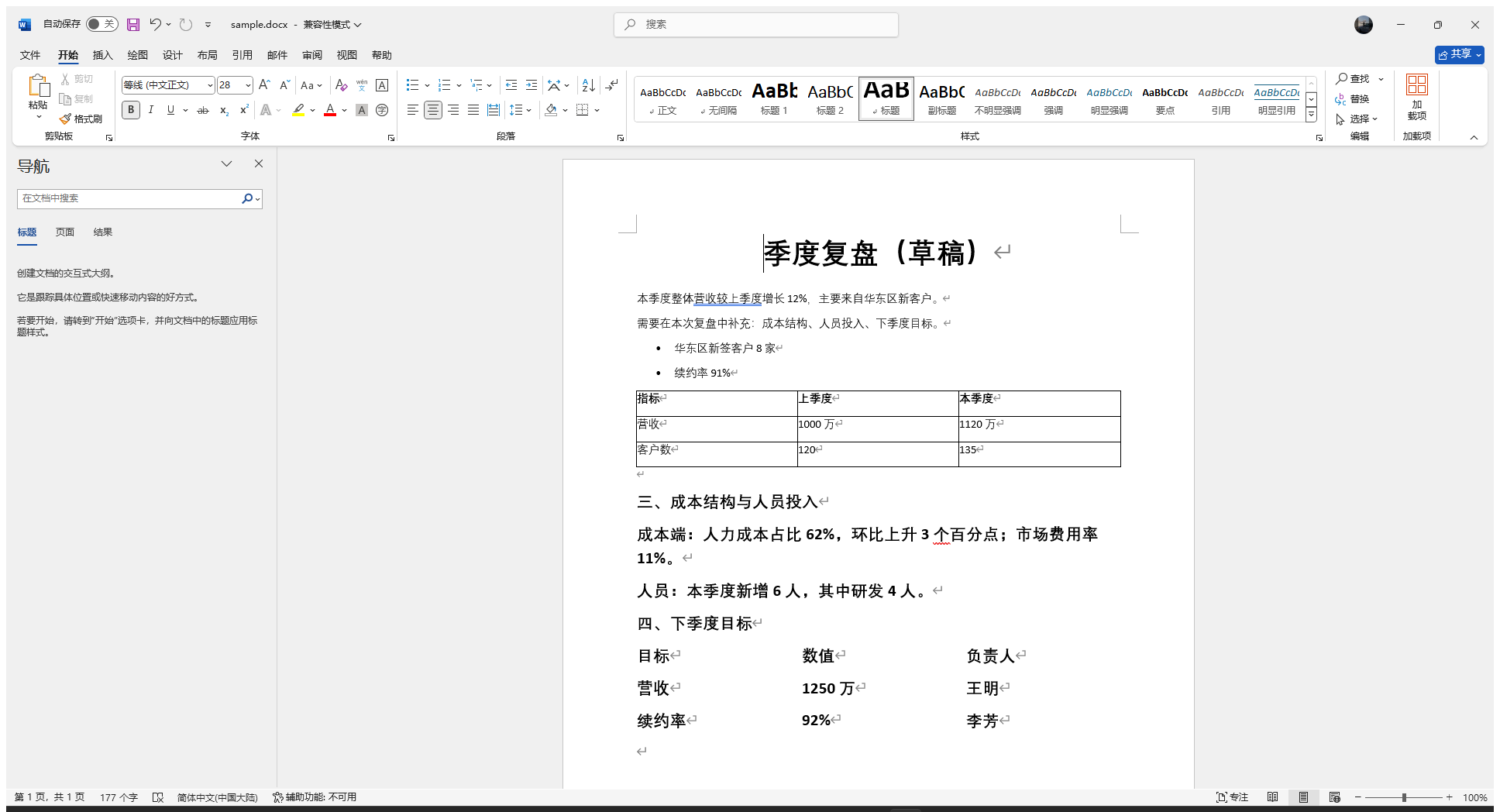
A live Word window after office_live_edit appended two sections and a table — the change is
already on screen, nothing was saved:
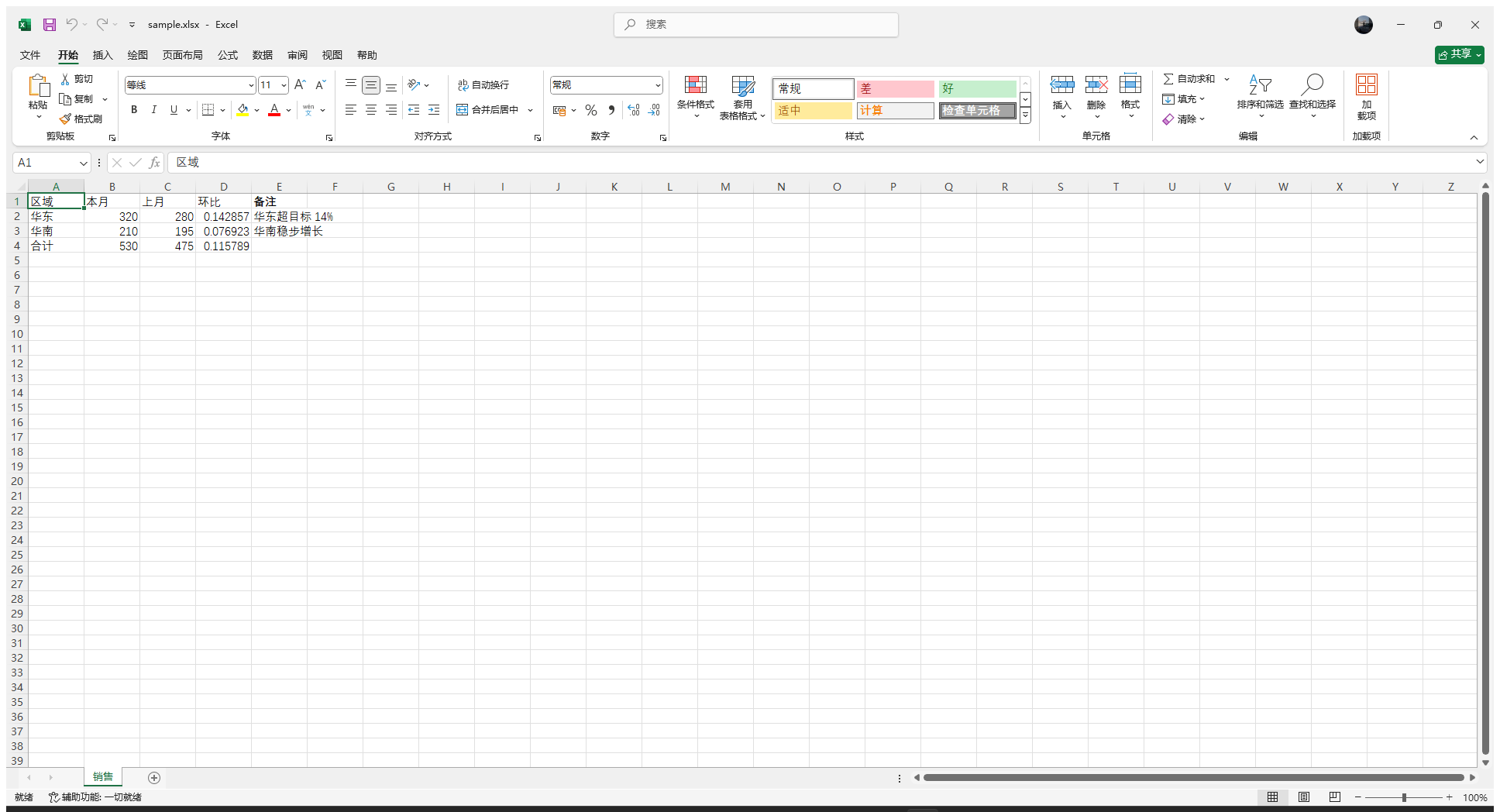
Excel: office_live_read returned the evaluated formula values, then excel.set_cell wrote a
new "备注" column into the open workbook:
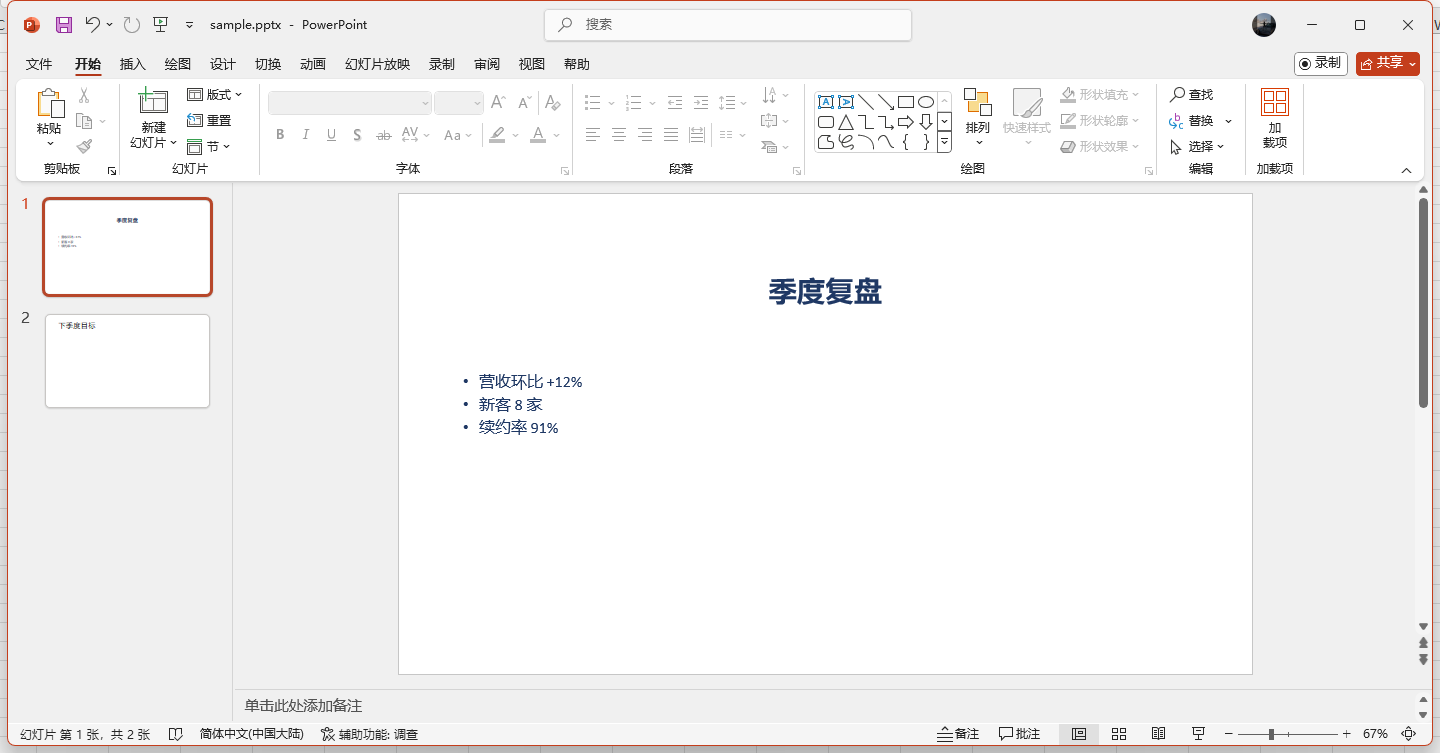
PowerPoint: ppt.set_text rewrote the bullet list and ppt.add_slide added the second slide:
How it is built (three layers, the JSON bridge, why results go through a UTF-8 side file, why edits are not saved by default): docs/HOW-IT-WORKS.md (in Chinese).
Tools
| Tool | What it does |
|---|---|
office_live_status | Which of Word / Excel / PowerPoint is running and which documents are open |
office_live_read | Read live contents as JSON (Word paragraphs + styles, Excel cells with evaluated formulas, PowerPoint shapes) |
office_live_shot | PNG screenshot of the application window (ribbon and page) |
office_live_snapshot | read + shot in one call — best starting point before editing |
office_live_edit | Batch live edits (paragraphs, find/replace, tables, cells, slides) |
office_live_open | Open a file in the real application so edits are visible on screen |
office_live_close | Close the window (optionally saving) |
office_live_edit operations:
- Word —
word.append_paragraph,word.insert_paragraph_before,word.set_paragraph,word.replace,word.insert_table,word.insert_page_break - Excel —
excel.set_cell,excel.set_range,excel.add_sheet - PowerPoint —
ppt.set_text,ppt.add_slide
Requirements
- Windows with a desktop Microsoft Office installation (COM ProgIDs
Word.Application,Excel.Application,PowerPoint.Application). Tested with Office LTSC 2024. - Windows PowerShell 5.1+ (
powershell.exe); override with theOFFICE_LIVE_POWERSHELLenvironment variable (for examplepwsh.exe). - Maybe counter-intuitive but real Office only. Microsoft Store "Office" stubs and web versions expose no COM automation; WPS Office uses different ProgIDs.
Safety
- Attaches to an already running instance; it never creates a hidden copy of a document.
- Edits are not saved unless
save: trueis passed, so the user can review the change in the window, undo it with Ctrl+Z, or ask for more changes first. - Word reads are capped at the first 400 paragraphs; Excel reads the active sheet's used range up to 200 rows × 40 columns.
- Taking a screenshot brings the window to the foreground (it steals focus for a moment).
Install
# from the plugin market UI: add  dsh-office-live
# or from a checkout / tarball:
dsh plugin --profile desktop add ./dsh-office-live-0.1.0.tgz
Then restart DSH. The tools appear in every new session.
How it is wired
lib/index.js registers the seven tools with @deepseek-ai/dsh-tools and shells out to
assets/office-live.ps1, passing -ResultFile (a UTF-8 side file, so Chinese text is not
mangled by the Windows console code page). The script does the COM and screenshot work and
prints one JSON object per call.
License
MIT