dsh-lan-access
Expose the DeepSeek Harness Web GUI on localhost or the LAN (password or explicit passwordless mode, expiry presets), and serve a separate chat-only port for other agents with selectable workspace and its own expiry.
同名パッケージの別リポジトリ
インストール
npx -p @deepseek-ai/dsh dsh plugin --profile web add github:CY-W-2000/dsh-lan-accessドキュメント
README 全文を読む ↗dsh-lan-access
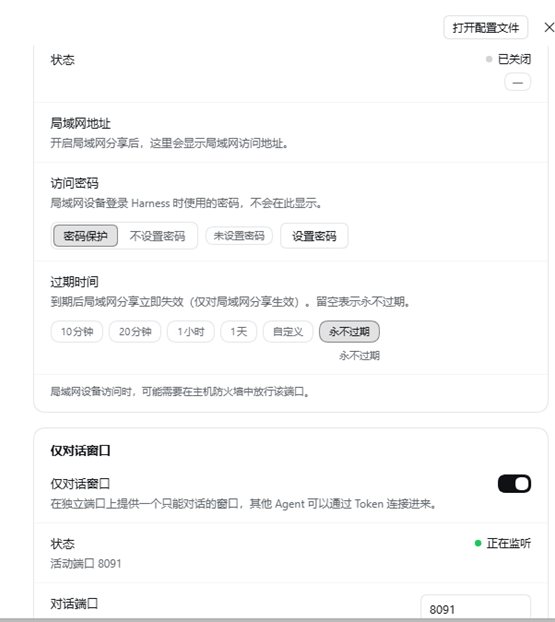
A DSH bundle that opens two extra network surfaces for DeepSeek Harness, with every switch applied immediately from Settings → LAN access (no save button):
- Network port (localhost) — serve the same Web GUI on
127.0.0.1:for local browser tabs, scripts, and preview tools. - LAN share — bind that port to
0.0.0.0so other devices on the network can use the full DSH UI. Choose password protection (scrypt-hashed password, rotatable) or explicitly no password behind a blocking security warning; either way an expiry can be set with quick presets (10 min / 20 min / 1 h / 1 day / custom / never). - Chat-only window (separate port) — a lightweight, standalone chat page for other AI agents: copy a ready-made connection instruction and paste it into another agent so it can create conversations over HTTP, send messages, and read replies. This port can require an access Token or explicitly run without a token (with a security warning), can be expired on the same quick presets, and lets you pick which workspace new conversations are created in.
Everything is local-first: the gateway speaks plain HTTP on your machine/LAN, stores its state under $DSH_HOME/lan-access/state.json (Windows: C:\Users\\.dsh\lan-access\state.json, user-only permissions), and never sends anything off-machine.
Install
The repository is a DSH bundle (declares dsh.bundle and ships cordis.patch.yml):
dsh plugin add https://github.com/CY-W-2000/dsh-lan-access
Then restart/remount the plugin if your DSH build asks for it, open Settings → LAN access, and flip the switches you need.
Network port & LAN share
- Network port on: listens on
127.0.0.1:, no password. Use the copy button in Settings to open it. - LAN share on: the same port is rebound to
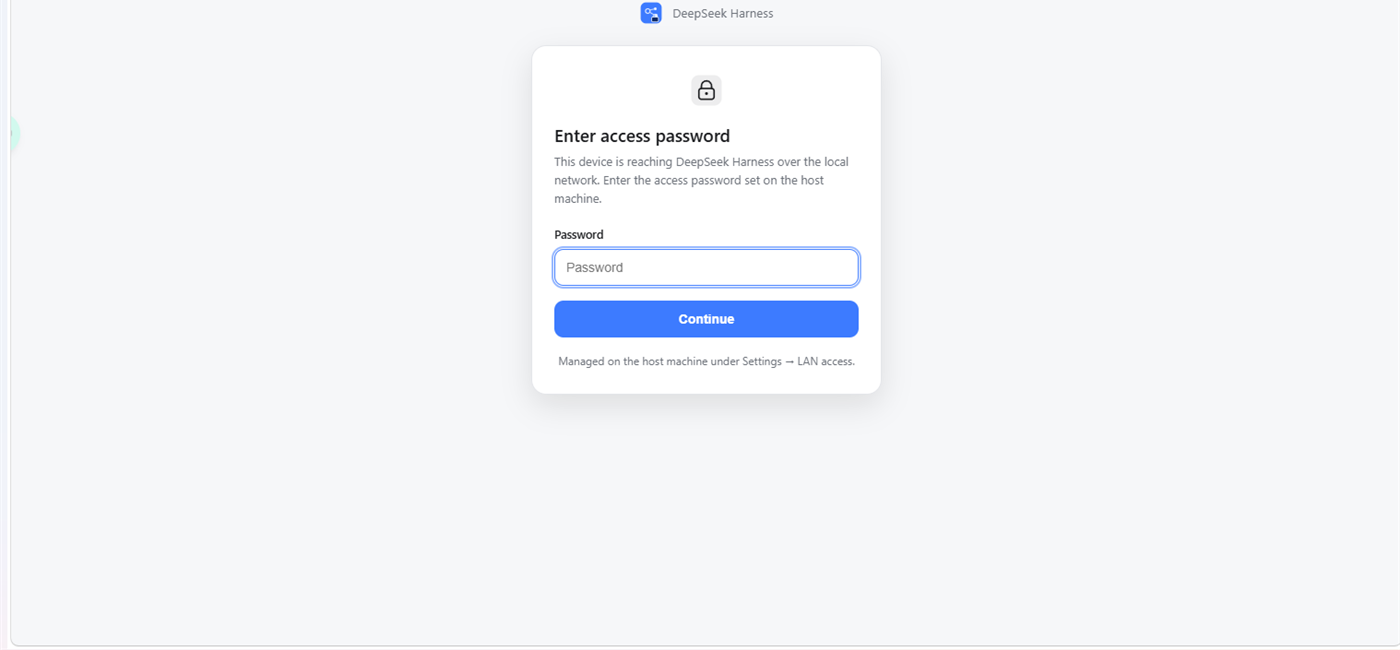
0.0.0.0, and the settings page lists the LAN URLs to share. - Password protection (default) — set a password; LAN visitors see a login page and receive a signed, HTTP-only session cookie. Changing the password invalidates every existing LAN session.
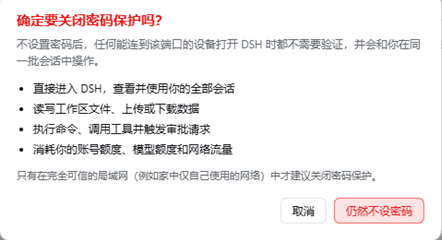
- No password — allowed only after confirming a blocking warning dialog; anyone who can reach the port can open DSH directly. You can switch back to password protection at any time, and setting a password automatically exits passwordless mode.
- Expiry — quick presets or a custom date; expired LAN requests are refused with an "expired" page. The localhost port is unaffected.
- Visitors from the LAN always get a read-only settings page; only the host machine can change configuration.
Chat-only window (for other agents)
- Runs on its own port (default
8091) and serves a dependency-free chat page (chat.html). - Token (default) —
Authorization: Bearer; the token can be rotated in Settings, invalidating old links. - No token — explicit toggle behind a blocking warning; the connection instruction then omits the
Authorizationheader. - Expiry — the chat page and
/api/*answer 403 once expired, while/api/healthstill reportsexpired: true. - Workspace — choose the default workspace or any workspace in the current DSH install. New conversations are created there (each conversation records its own workspace); existing sessions are never taken over, and a deleted workspace falls back to the default one.
HTTP API (agent-facing)
| Endpoint | Purpose |
|---|---|
GET /api/health | liveness + expired flag (no auth) |
GET /api/info | service info, token mode, effective workspace, workspaces, expiry |
POST /api/conversations | create a new conversation in the effective workspace |
POST /api/conversations/:id/messages | send one message and wait for the turn's reply |
GET /api/conversations/:id | read the transcript |
GET /api/conversations | list conversations created through this API |
POST /api/conversations/:id/cancel | cancel the running turn |
The chat page and the API share the same auth mode; the copyable "connection instruction" in Settings includes the real LAN base URL, auth mode, workspace, and endpoint list. Replies are returned as { reply: { text, reason }, reason, pendingInput, running, conversation }. If the host agent asks for tool approval, the call returns reason: "input-required"; handle it on the host and read the result with GET.
Security notes
- The gateway is plain HTTP; use it on trusted networks, or put TLS/VPN in front for anything else.
- No password and no token are deliberate, explicitly confirmed reductions of security: anyone who can reach the port gets the full DSH UI (files, commands, tools, approvals, quota) or can create conversations that consume model quota. Only enable them on networks you fully trust.
- LAN sessions are scoped by a signed cookie; the plugin mints them through DSH's own
connection.authenticatedUrl()mechanism and proxies HTTP/WebSocket with the host/loopback authority rewritten, so DSH's authentication model is unchanged for localhost. - The state file contains the password hash (scrypt + salt), the gateway signing secret, the chat token, and the conversation index; it is written with user-only permissions (
0600). - The plugin does not execute inbound network input; conversation API payloads are validated and bounded.
Requirements & limitations
- DSH build that supports
dsh.bundlebundles (Cordis plugin profile). - IPv4 only; no TLS termination inside the plugin.
- The chat-only port can create new conversations only — it never lists or takes over sessions that already exist in the host.
- Expiry applies to the LAN listener and the chat listener independently; the localhost port is not affected by LAN expiry.
- Windows Firewall may need an inbound rule for the LAN port (the settings page and README explain how).
Development
The plugin is plain ESM with no build step:
index.js— host entry: persisted config, Settings API (/dsh-lan/api/state,/dsh-lan/api/update), HTTP/WebSocket reverse proxy, listener lifecycle.chat-host.js— chat-only listener: auth/expiry,chat.htmlhosting, conversation API through DSH'ssessionController.client.js— the Settings page (Cordis client module).chat.html— self-contained chat window.
License
MIT — see LICENSE.