Nwflower/dsh-chat-import ↗★ 205
dsh-chat-import
Import conversation history from 25+ AI coding agents into DeepSeek Harness as resumable sessions — tool calls, reasoning and results kept intact, with reverse export. | 把 25+ AI 编程 Agent 的聊天记录导入 DeepSeek Harness 继续对话,保留工具调用、推理与结果,支持反向导出。 适合需要在 DSH 中继续其他 AI 编程工具历史对话的开发者。
インストール
$
npx -p @deepseek-ai/dsh dsh plugin --profile web add github:Nwflower/dsh-chat-importドキュメント
README 全文を読む ↗Usage
- Import conversations via GUI Open the import window from the "Import sessions" button at the bottom of the left sidebar (with the DSH Claude Style theme, that button sits in the account menu at the bottom left), select the conversations you want to import, and import with one click.
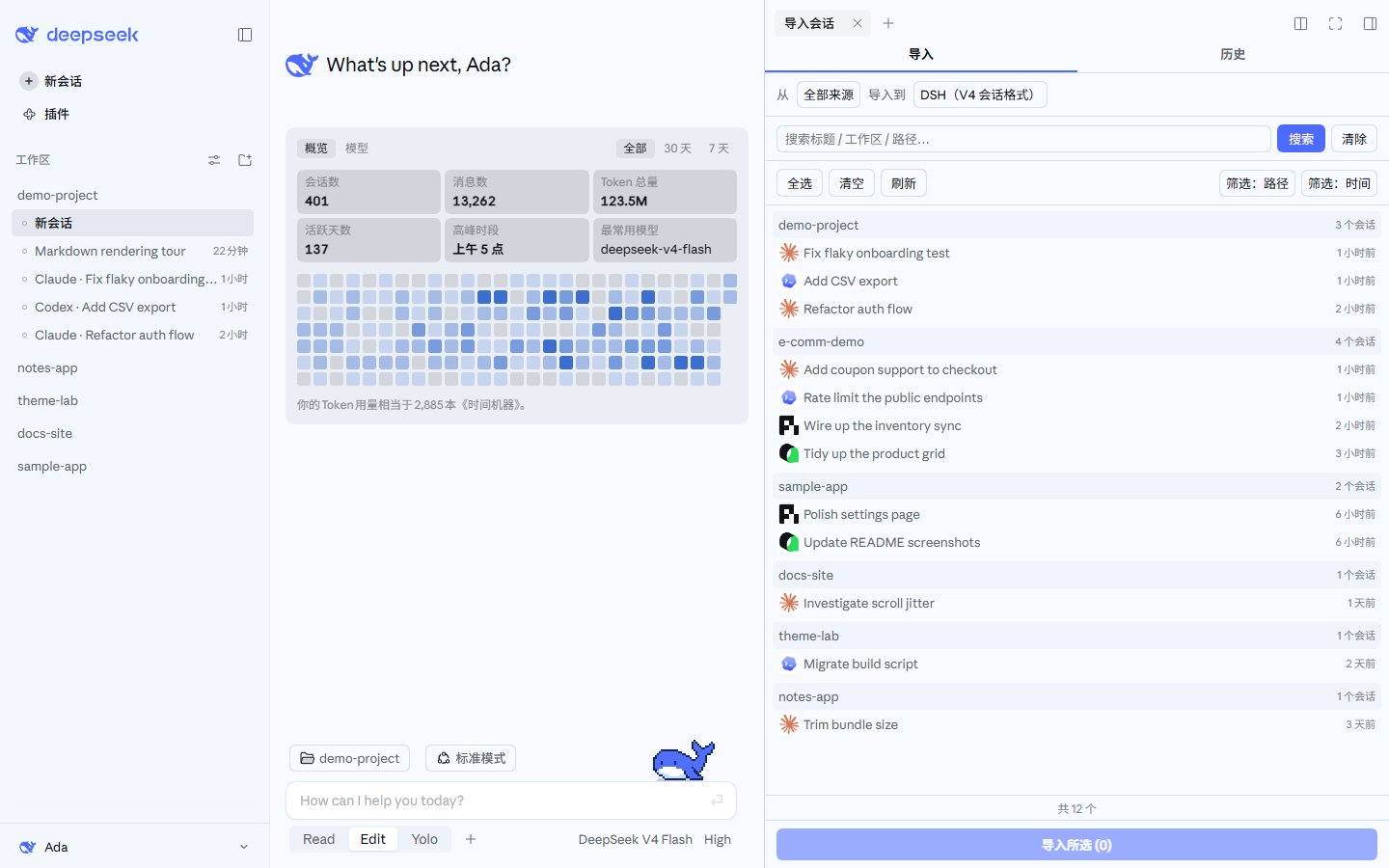
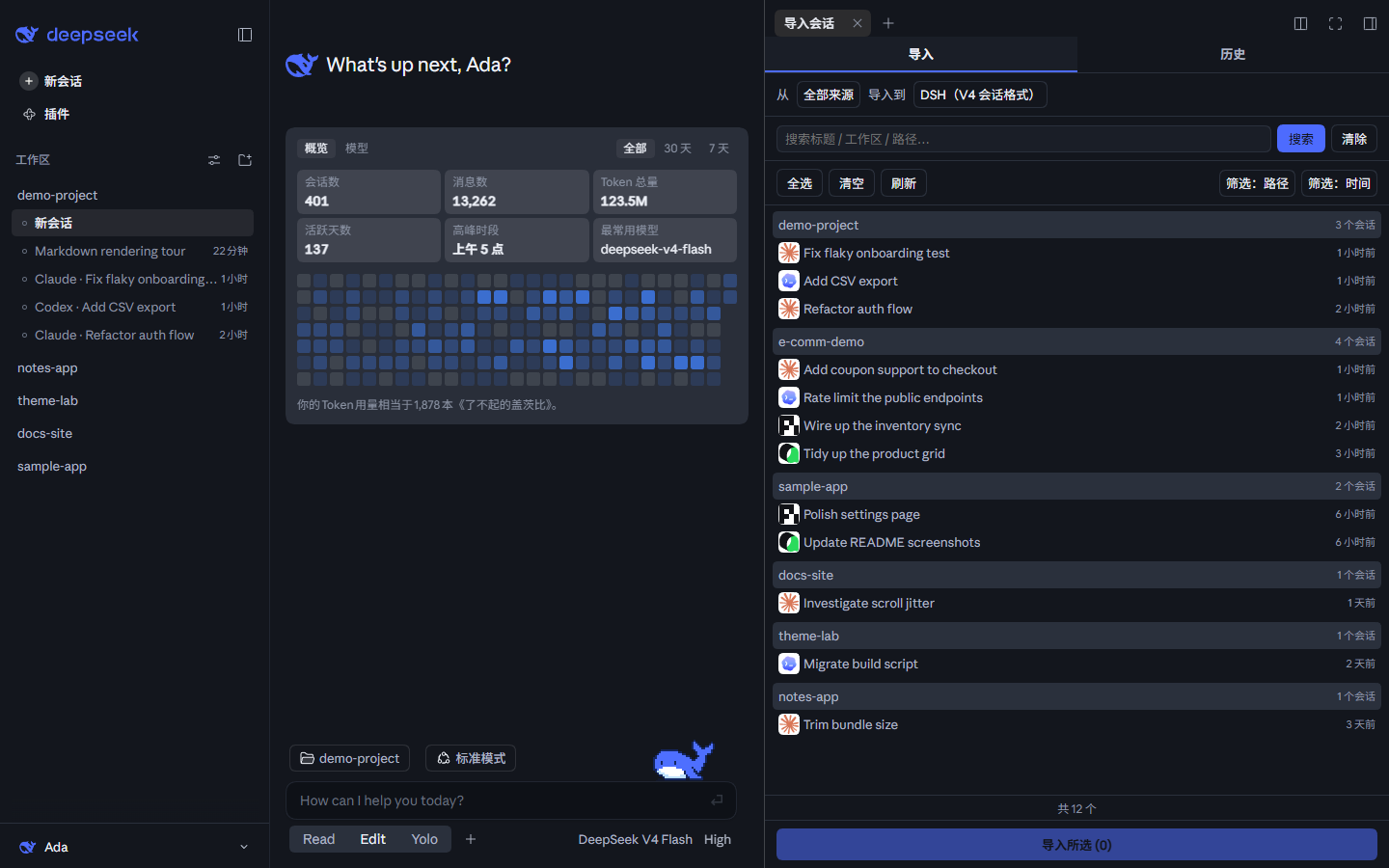
These screenshots also use the DeepSeek palette of the author's other theme plugin, DSH Claude Style: it recreates the look and feel of Claude Code Desktop inside DSH, in a Claude palette and a DeepSeek one. If the default theme is not quite your taste, give it a try. The workspaces and sessions in the screenshots are sample data.
- Import via Agent tool calls
## Configuration

For TUI compatibility, plugin-provided tools are injected into context by default. You can configure the import tools in Settings to **not inject into context** or inject partially, which saves a significant amount of tokens.

For full tool / command usage, see **[docs/USAGE.md](https://github.com/Nwflower/dsh-chat-import/blob/0e0eecc3fe282ea690b604b7d14804ba7696f600/docs/USAGE.md)**.