dsh-codex-oauth
Sign in to OpenAI Codex from DeepSeek Harness with a ChatGPT Plus/Pro subscription, by driving the authorization flow llm-pi-ai already registers. 适合拥有Plus/Pro订阅并想使用Codex服务的用户。
同名パッケージの別リポジトリ
インストール
npx -p @deepseek-ai/dsh dsh plugin --profile web add github:callqh/dsh-codex-oauthドキュメント
README 全文を読む ↗dsh-codex-oauth
Sign in to OpenAI Codex from DeepSeek Harness with your ChatGPT Plus/Pro subscription.


English | 中文
Harness already ships the Codex OAuth flow, the token refresh, the credential
store and the transport to chatgpt.com/backend-api. What it does not ship is
anything that starts the sign-in — the openai-codex flow is registered, and
nothing calls it.
This plugin is that call, and nothing else. It implements no OAuth, stores no token, and owns no refresh loop.
Set it up with an AI agent
Paste this into your Harness agent:
Install the DeepSeek Harness plugin at https://github.com/callqh/dsh-codex-oauth
for the profile I am running, then verify it. INSTALL.md in that repository has
the exact steps.

Rules:
- Touch only my profile under ~/.dsh/profiles/, and back up any file before you
  edit it.
- The openai-codex route must stay KEYLESS: providers: { "openai-codex": {} }.
  Never add apiKeyEnv — it swaps the ChatGPT subscription auth for an API key.
- If my profile is `desktop`, the dsh CLI refuses to manage it; use the in-app
  plugin manager.
- Do not restart Harness yourself. Tell me when to.

Then report: the profile and version you found, what you changed, how you
installed, what I should see in Settings -> Codex sign-in, and anything that
failed, quoted verbatim.
Prefer to do it yourself, or want to check its work? INSTALL.md is the same procedure written out.
Install
1. Declare a keyless route. Add to
~/.dsh/profiles/ /cordis.patch.yml:
- id: llm-pi-ai
  name: "@deepseek-ai/dsh-llm-pi-ai"
  config:
    providers:
      openai-codex: {}
The empty value is the point: it keeps the provider's own authentication, which
for openai-codex is pi-ai's ChatGPT OAuth. An apiKeyEnv here would replace
that with an API key and the sign-in would stop working.
2. Install the plugin. On Desktop use the in-app plugin manager — the CLI refuses to manage that profile. Elsewhere:
dsh plugin --profile web add github:callqh/dsh-codex-oauth
3. Restart. A profile's bundle list is composed at process start.
Use
Open Settings → Codex sign-in.
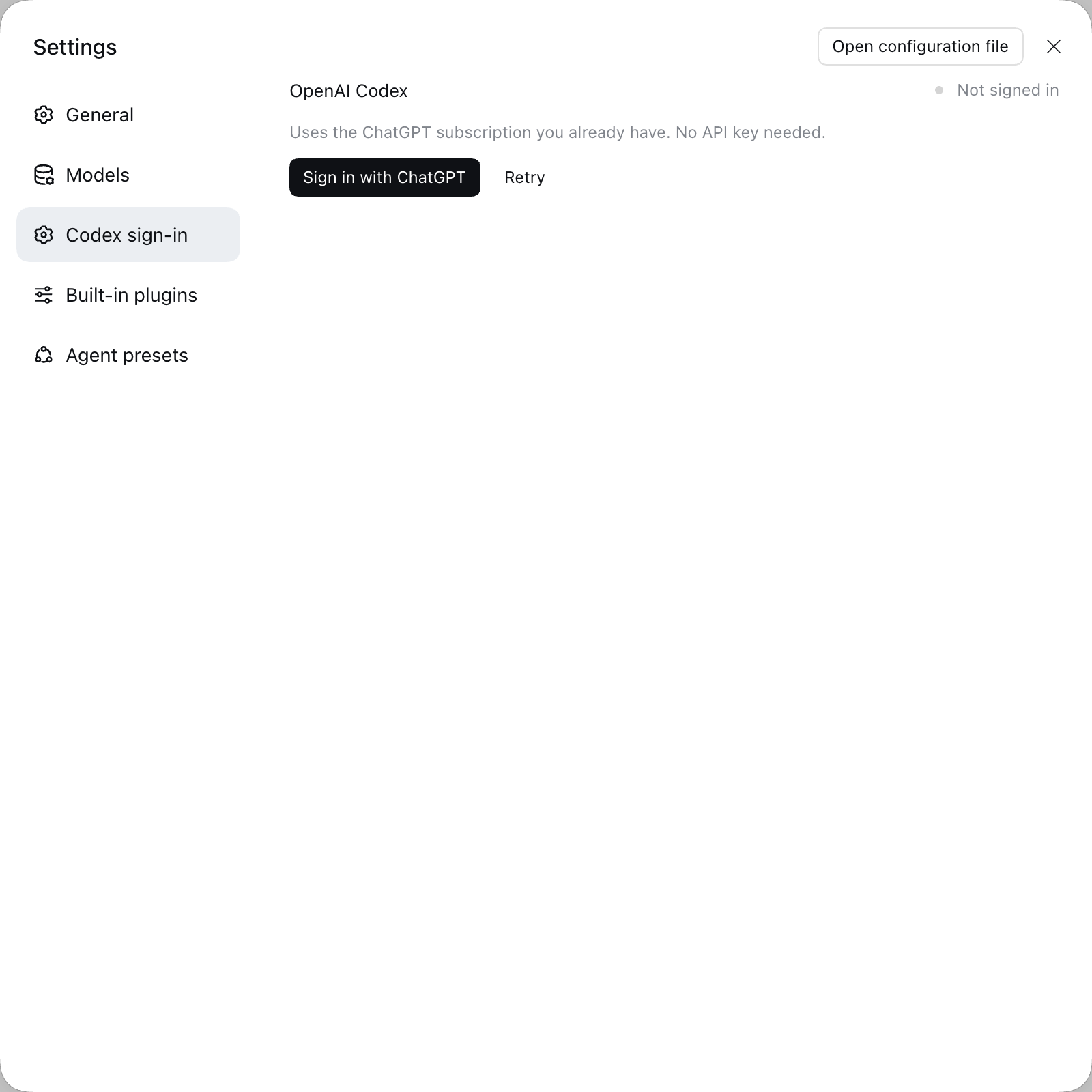
Press the button and pick a login method: Browser login (default — the page
opens in a new tab, the callback lands on 127.0.0.1:1455) or Device code
for when the browser is on another machine.
Signed in, the card shows a masked account, your plan and the token's expiry, and it flips there without a page refresh. Sign out deletes the credential.
Verified
npm test— 44 cases across five lanes.npm run stage-verify -- --browser— 26 checks in a throwaway profile built from a real profile's patch layer, including both sign-in branches driven against the real flow and the card rendered in a real browser.- A real ChatGPT sign-in has been completed on this machine; the credential it leaves is read back by the card.
Not yet exercised: a request to a Codex model. If that is where it breaks for you, please open an issue. Details: VERIFICATION.md.
Not working?
The card never goes blank. What it says, and what to do:
| Card | Meaning |
|---|---|
| "Connecting to Harness…" | The host interface has not been published yet; it gives up after ~2s |
| "Cannot reach the Harness sign-in service" | The bundle loaded but the host refused its Remote contribution |
| "The Codex route is not declared yet" | Step 1 is missing — the card prints the YAML to add |
| "ui-primitives module is missing …" | A host build that renamed a UI primitive |
The browser console carries the reason, under a [dsh-codex-oauth] prefix. The
last line it prints says how far it got.
If Harness will not start after installing, remove "dsh-codex-oauth" from
dsh.profile.bundles in the profile's package.json and restart — that is the
only place this plugin can break a boot, and INSTALL.md has the
rest.
Development
pnpm install
npm run check     # typecheck (host + client) → build → preflight assertions
npm test
src/ is TypeScript; lib/ and client/client.js are build outputs and both
are committed, because a bundle that fails to import in a profile's
dsh.profile.bundles fails the whole application boot. Run npm run check
after changing anything under src/.
One thing worth knowing if you are writing a client bundle of your own: official
@deepseek-ai/* peers need an explicit prerelease branch
(>=0.2.0-rc.2 =0.3.0-0), because node-semver only lets a
prerelease satisfy a range when some comparator shares its exact
major.minor.patch tuple. A broad-looking range silently excludes every -rc.
Security
Tokens stay on the host. The credential lives in one place — the harness
credential store, under llm-pi-ai/openai-codex, written by pi-ai in pi-ai's
format — and the browser receives only a masked account, a plan tier and an
expiry. SECURITY.md has the full boundary.