coldgust/dsh-translation-assistant ↗★ 0
dsh-translation-assistant
Translate text, files, screenshots, and whole folders; proofread side by side as AI retranslates, scores, and rewrites from your notes. AI at every step. 适合需要进行文本、截图或整文件夹批量翻译,并进行双栏对比审校的用户。
インストール
npx -p @deepseek-ai/dsh dsh plugin --profile web add github:coldgust/dsh-translation-assistantドキュメント
README 全文を読む ↗Translation Assistant
A DeepSeek Harness plugin that turns translators into reviewers: 99% of the work is AI translation — text, files, and screenshots are translated directly, and a whole folder can be batch-translated and written back to disk; the remaining 1% is human review — proofread in the side-by-side view, revise individual word choices, and AI applies every score and comment you leave. Everything stays on this device, and the model can be switched per request.
Highlights
- 99% AI translation — text, files, and screenshots are translated directly; the workspace batch-translates a whole folder and writes the results back to disk.
- 1% human review — proofread the side-by-side view and revise only the segments that need it; AI retranslation, scoring, and rewrites all follow your instructions.
- A two-model review loop — one model produces the draft, another scores it, and every score becomes a rewrite instruction; each pass leaves a revision you can roll back to.
- Not just a page, an Agent tool — the same engine answers
translation_assistantcalls (translate | retranslate | score | score_document) inside chat. - Local first — history and edits never leave the browser; bring your own models.
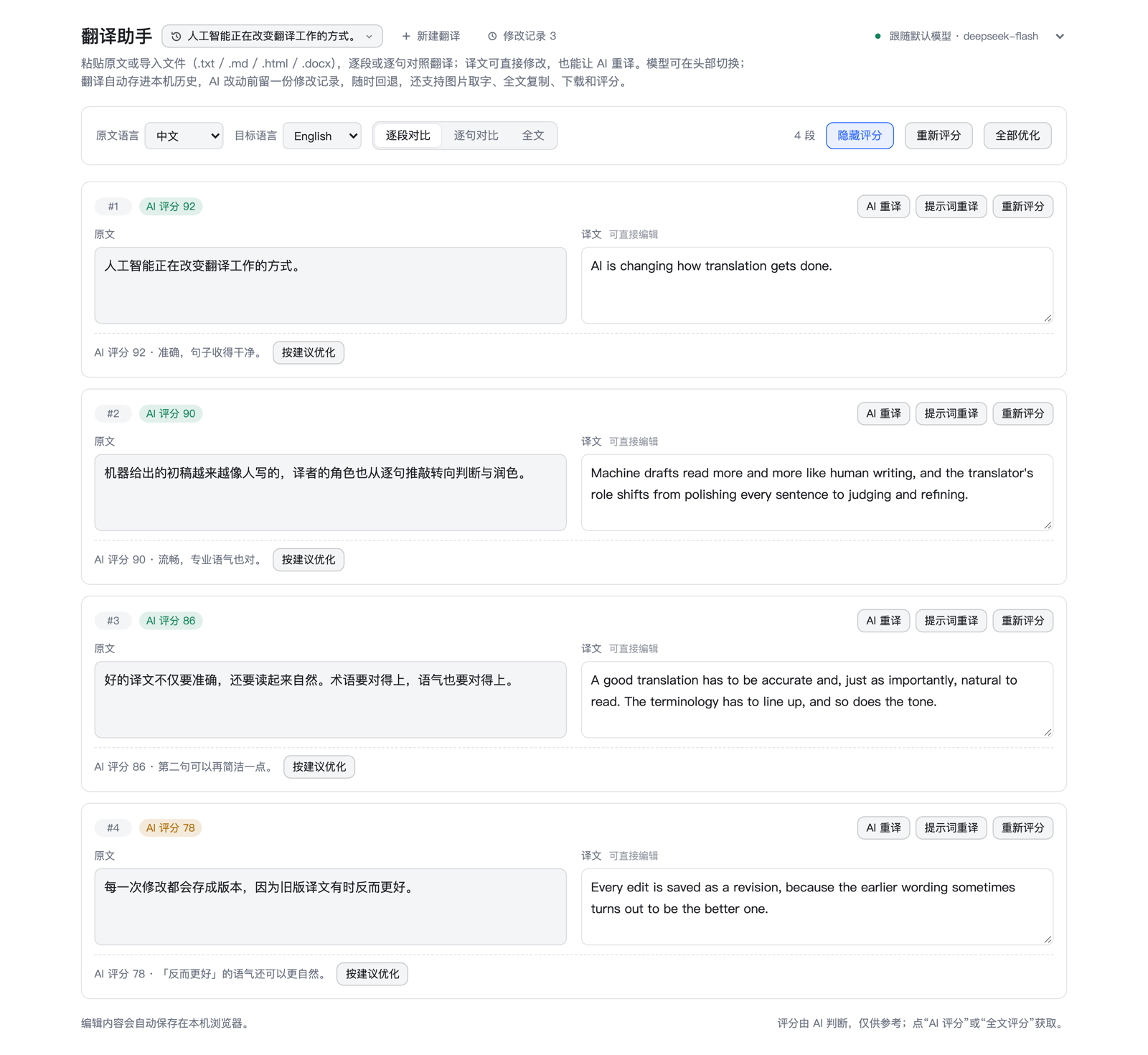
Install
One line from a terminal:
dsh plugin --profile web add dsh-translation-assistant
Or from the GUI: Plugins → Add plugin, enter dsh-translation-assistant, press Install, then Enable now.
Local checkout, Git address, manual registry, and upgrading or uninstalling: docs/install.md.
What you get
Translate
-
By paragraphorBy sentence, both returned in one pass; speed-first mode runs chunks concurrently and shows aTranslating n/mcounter. -
Three translation modes, picked on the new-translation form and in the full-text card. When a response does not match the chosen protocol, the pass falls back to batching without raising an error.
Mode Trait Best for Coherence first One request for the full text, the fullest context Essays, reports — the default Alignment first JSON-array protocol, the strongest paragraph alignment Glossaries, subtitles, strict side-by-side layouts Speed first Chunked three-way concurrency, fastest on long texts Time-boxed bulk jobs -
Files — drop or pick
.txt,.md,.log,.html,.htm,.docx(Word files are unpacked in the browser; the original never leaves the machine). -
Images — paste or pick a screenshot; it is downscaled, transcribed, and translated.
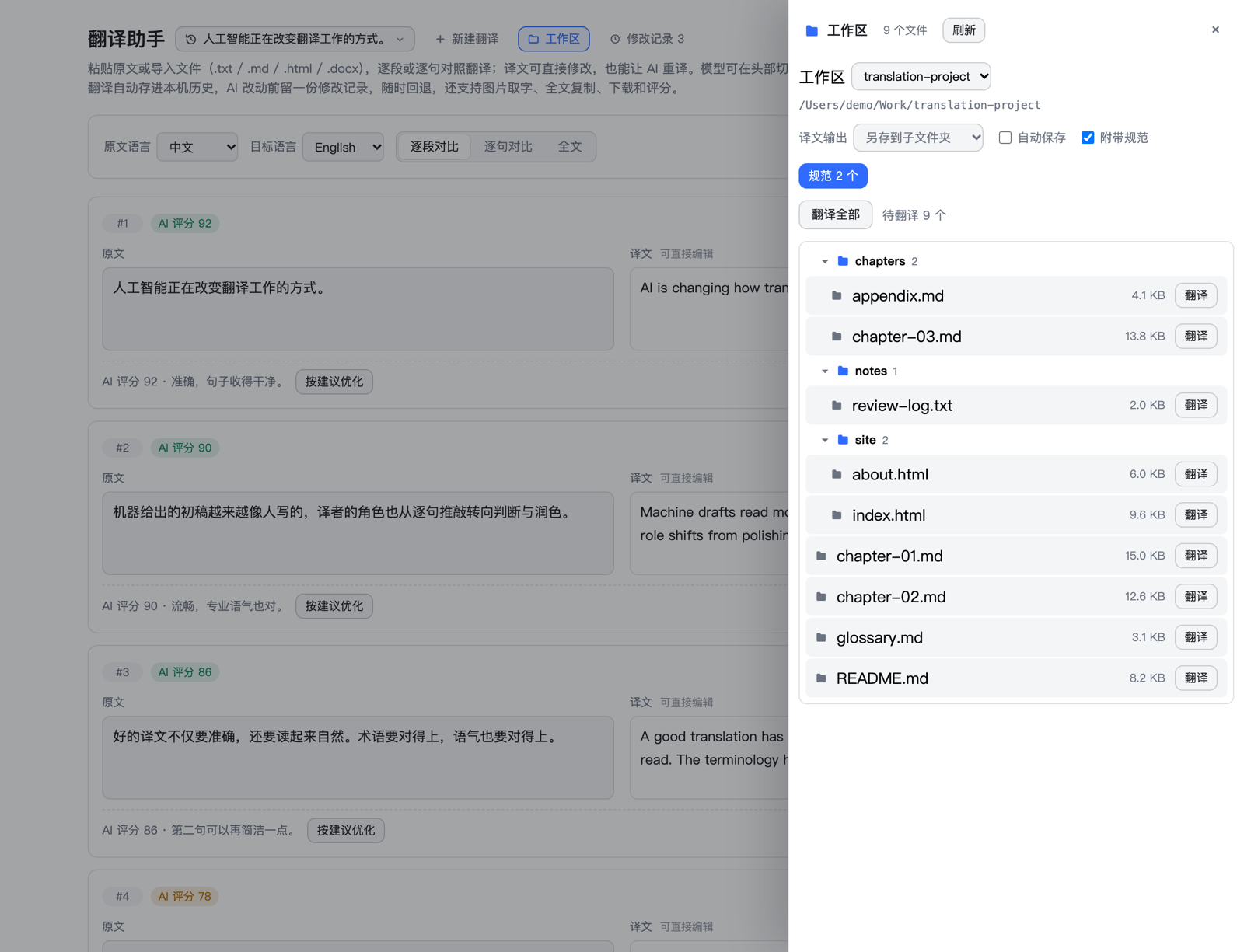
Workspace
- The header
Workspacebutton opens a side drawer: load a folder by path or with the native folder dialog. The Host lists every translatable file inside and confines all reads and writes to that root; the drawer never covers what you are proofreading. - The tree folds by folder; clicking a file name opens it — untranslated files start translating immediately, translated ones reopen for proofreading.
- Output goes to a
translated/subfolder (default), a suffixed sibling copy, or over the original;.docxtranslations always save as.md. Proofread edits can auto-save or wait for the save button. Translate allwalks the pending files in order and saves each result; a stop ends the run after the file in flight.
Review and refine
- Source and translation sit side by side; every segment is editable, and edits re-join sentences and paragraphs correctly.
AI retranslateredoes one segment;Retranslate with promptadds an instruction such as "more colloquial". Both follow the translation mode and leave one revision per pass.- Scores are on demand only: score a segment, the current view, or the whole document, then reveal them from the toolbar.
Apply suggestionsends a score and its comment back as the instruction for a fresh pass;Apply allrewrites every scored segment three at a time. - A
Stopbutton sits beside every running pass; in-flight requests are cancelled, and rewrites that already landed are kept.
Keep track
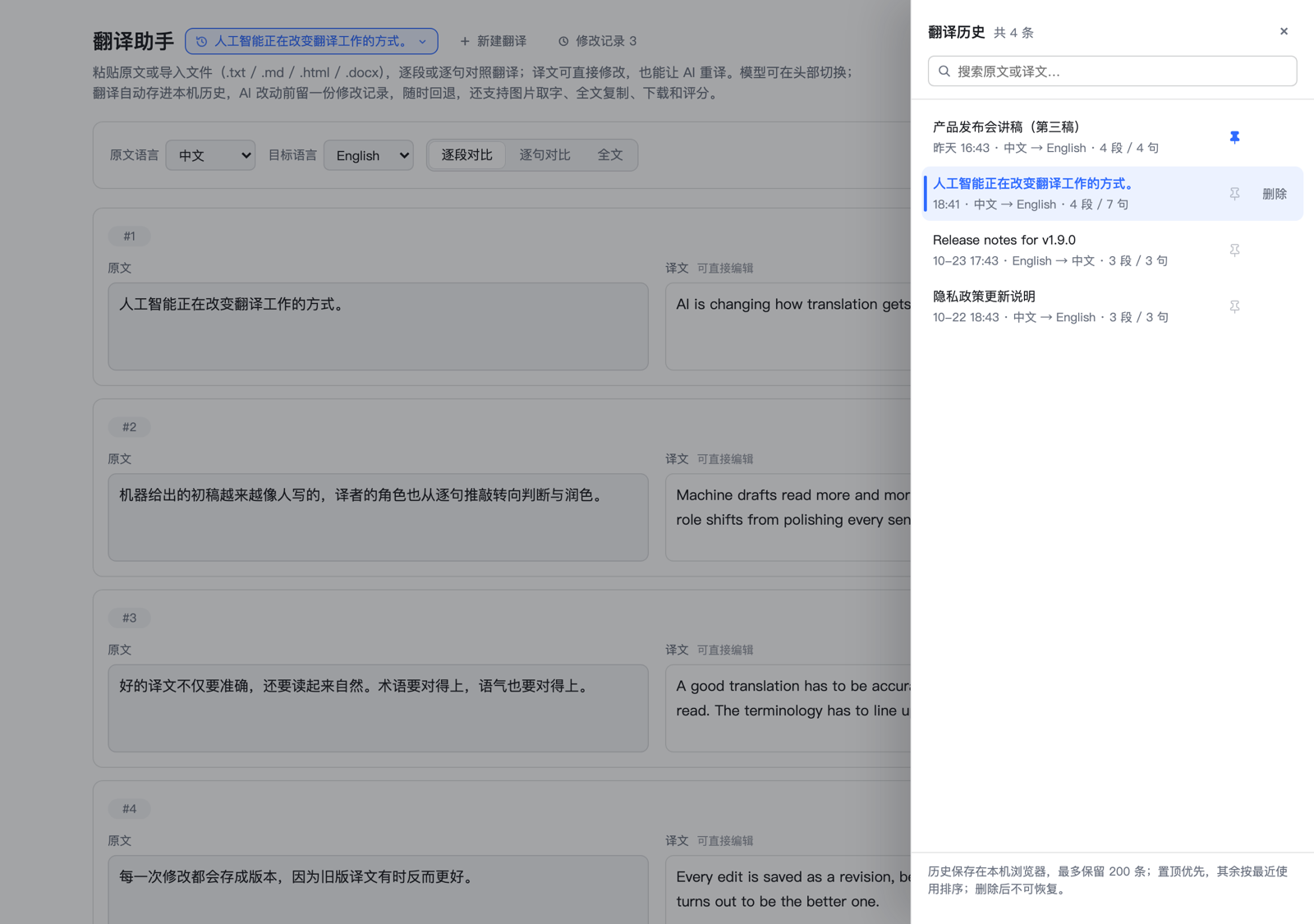
- On-device history — up to 200 documents with search, pinning, and two-click deletion.
- Revisions — up to 100 snapshots per document; the drawer shows how far each one differs from the current text, and restoring is undoable.
Integrate
- The header picker groups models by provider;
Follow defaulttracks the profile, any other entry pins the route for translation, retranslation, scoring, and OCR. Outside providers register through Harness settings — a worked example in docs/bilibili-index-translate.md. - The same engine is exposed as a
translation_assistantAgent tool (translate | retranslate | score | score_document), so the assistant can translate or review text in chat.
Use cases
One model drafts, another reviews. Translate with a fast model, then switch to your strongest model and run Score all, then Apply all. Each rewrite carries the score and its comment as the instruction, so the strong model fixes exactly what it criticised — and every pass leaves a revision, so comparing and rolling back is one click.
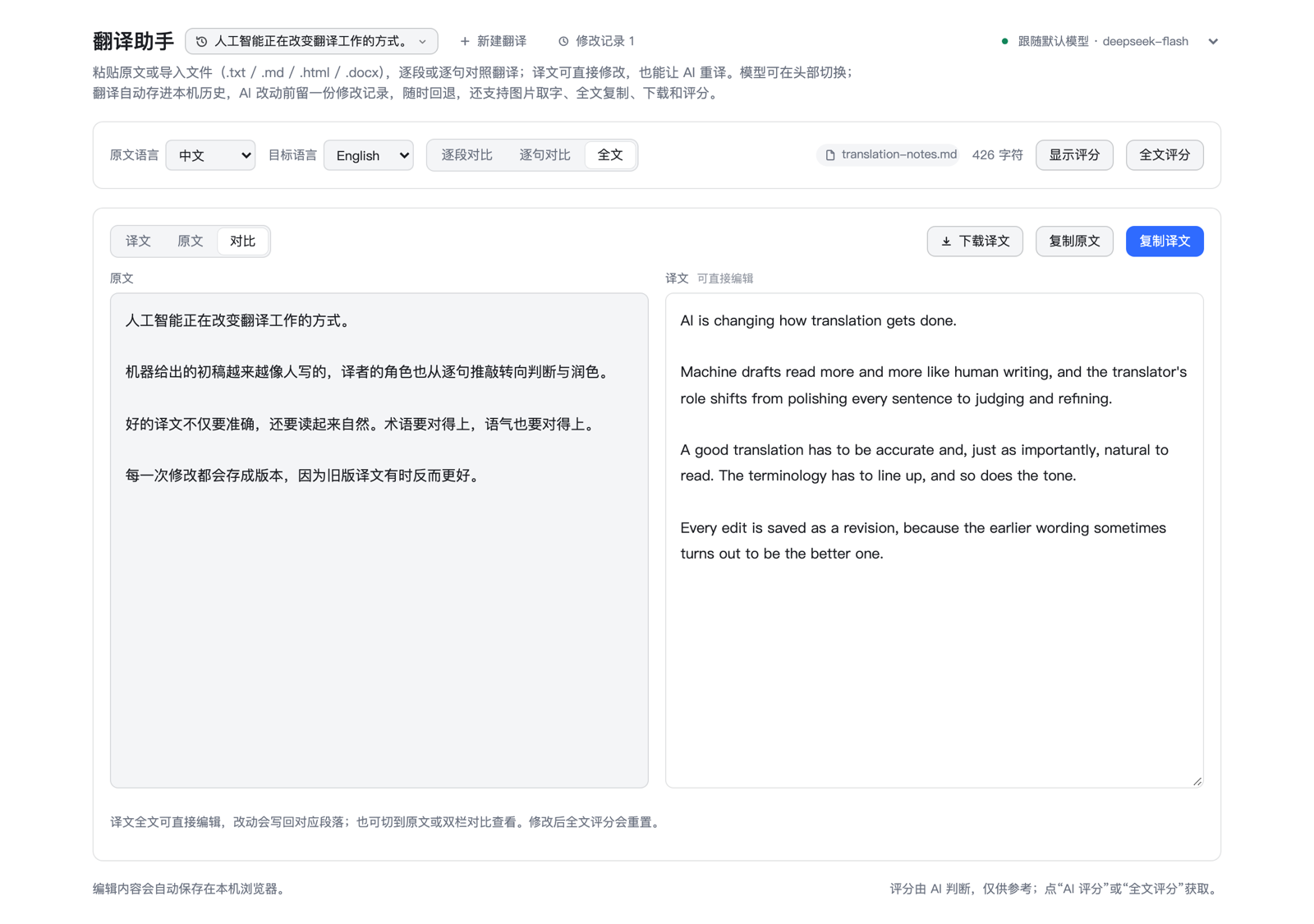
A whole document, end to end. Drop a .docx, .md, or .html file: it is translated in one request, and Download translation writes the result back in the same shape with the paragraph structure intact.
How it works
host/index.js registers a same-origin /dsh-translation/api route and the Agent tool, host/engine.js does the model work (no Harness imports), and client.js is the page. POSTs are origin-checked and capped at 24 MiB, and every request can pin a route: { provider, model }.
Endpoints, configuration fields, on-device storage, the full limits, and maintainer notes: docs/reference.md.
Privacy
History, edits, and preferences never leave the browser; only the text being translated, retranslated, scored, or read from an image is sent to the model route. Clearing site data for the Harness origin erases the history — there is no server-side copy.
Development and verification
node --test 'test/*.test.mjs'
The repository doubles as the installed bundle: client.js hot-swaps into the open page, Host changes need a Harness restart. The screenshots in docs/screenshots/ are real renders against mocked data — retake them after layout changes.