gordan-code/dsh-jev-advisor ↗★ 3
dsh-jev-advisor
Jev (TypeSafe System One) gives the human a second opinion, not the agent. When DSH's model asks you a multiple-choice question, dsh-jev-advisor builds a structured Jev request and floats the recommendation, probability spread and confidence beside the options - one click to adopt. API key lives in Settings. No prompt changes. 适合需要辅助决策的用户,通过Jev提供多选推荐与置信度。
インストール
npx -p @deepseek-ai/dsh dsh plugin --profile web add github:gordan-code/dsh-jev-advisorドキュメント
README 全文を読む ↗dsh-jev-advisor
English | 中文
Jev gives you a second opinion — not the model.
Every other Jev plugin for DeepSeek Harness hands
Jev to the agent. This one hands it to the human. When the model asks you a multiple-choice
question, dsh-jev-advisor turns it into a structured TypeSafe request
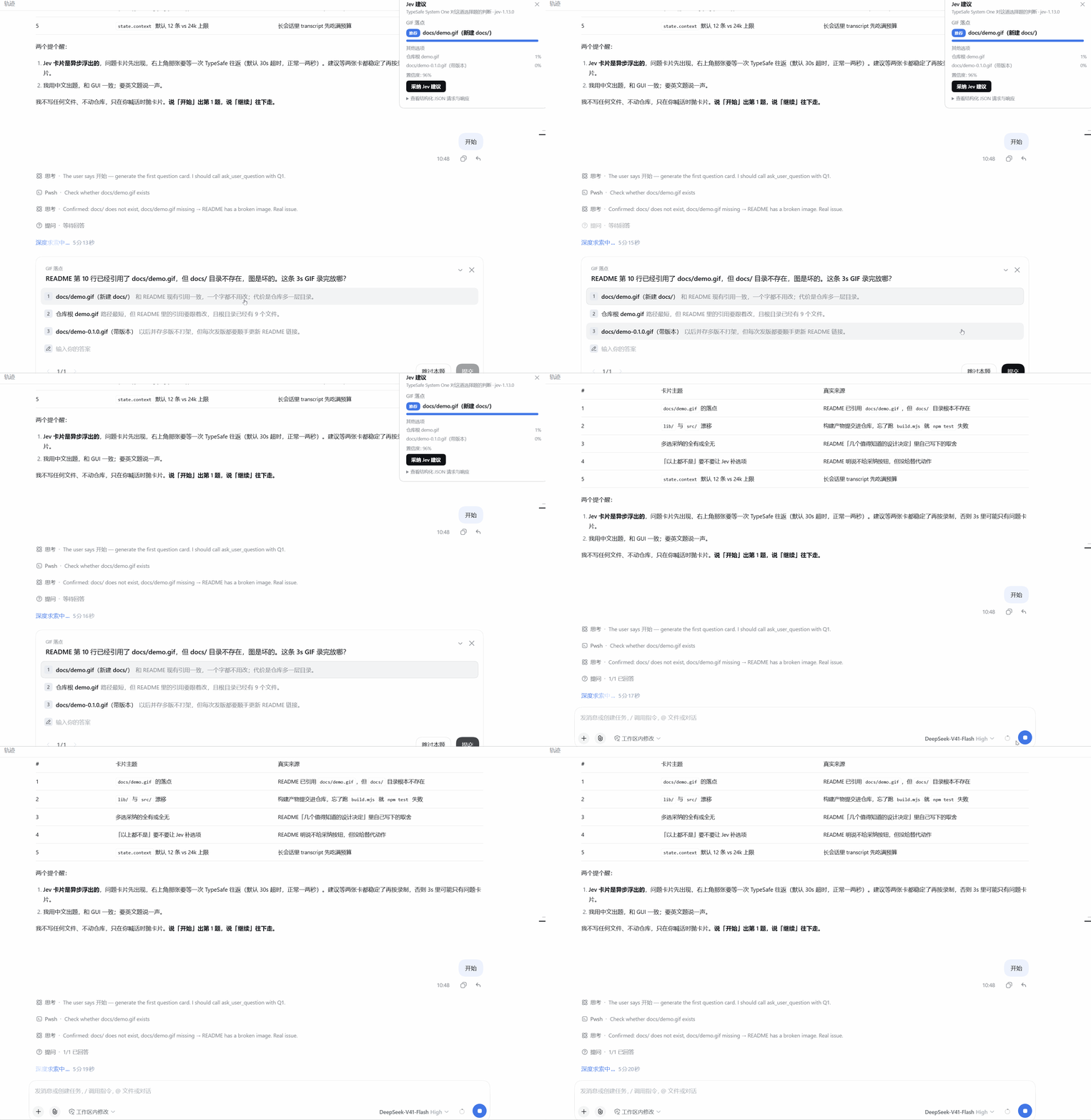
and floats the recommendation beside the options — the full probability spread, Jev's confidence,
the exact JSON that crossed the wire, and one click to adopt it.
| Install | `dsh plugin --profile |
| add github:gordan-code/dsh-jev-advisor` | |
| Setup | paste an API key in Settings → Jev. That is the entire configuration. |
| Surfaces | shell.overlay + settings.section — it never replaces the question card |
| Model changes | none: no prompt edits, no tool the model has to remember to call |
| Tests | request building · client wiring · live round trip against a mock endpoint |
| License | MIT |
What this is — and is not
Is: a decision aid for the human, at the one moment a coding agent actually asks for input.
Is not: an agent-loop gate. If you want Jev to restrict which tools are visible, assess a call before it runs, or route between models, use @buberlo/dsh-jev — it does that thoroughly, with shadow/enforce modes and benchmarks, and this plugin deliberately does not compete with it. Different table, different side of it.
The trade is deliberate. An agent-loop gate has to be configured — providers, thresholds, tool categories, failure rules — and it only pays off once you have tuned it. This plugin has one moving part you have to supply (an API key) and it does something useful on the first question you are asked. That is the whole product.
What you actually see
You ask the agent to do something. It stops and asks you to choose. Instead of guessing, you get:
- the recommended option, badged, with the probability Jev assigned to it;
- the rest of the distribution, so you can see whether it was 80/20 or 51/49;
- Jev's confidence in its own answer;
- the exact request and response behind the scenes, in a collapsible JSON block — nothing about the recommendation is hidden from you;
- one button that submits Jev's pick as if you had clicked it.
Nothing is auto-applied. If you disagree, ignore the card and answer normally — the shipped question card is untouched and still works exactly as before.
Install
Publishing to npm is not required — dsh plugin forwards to pnpm, so any spec pnpm can install
works. Pick one; do not mix them, because two installs of the same package mount the loader entry
and the API routes twice and fail the whole plugin tree.
Straight from the repository
dsh plugin --profile  add github:gordan-code/dsh-jev-advisor
# or the full form:
dsh plugin --profile  add git+https://github.com/gordan-code/dsh-jev-advisor.git
This needs no build step on your machine because the repository commits lib/. pnpm only runs a
prepare script for a git dependency, and blocks it until you allowlist the package in the profile's
pnpm-workspace.yaml; shipping the built files avoids that entirely. npm test runs
scripts/build.mjs --check, which fails when lib/ drifts from src/.
From a local checkout
dsh plugin --profile add /absolute/path/to/dsh-jev-advisor
link: installs skip the build too — run node scripts/build.mjs after editing src/.
From npm
Available on npm. Omitting a version installs the registry's current release, not necessarily
the version in this checkout. Use dsh-jev-advisor@ to request an exact release;
0.1.6 must be published before that exact version can be installed from npm.
dsh plugin --profile add dsh-jev-advisor
Then open Settings → Jev to paste your API key. Restart the host and refresh the page if DSH requests a restart or the plugin does not appear.
Update / uninstall
dsh plugin --profile  remove dsh-jev-advisor
dsh plugin --profile  add github:gordan-code/dsh-jev-advisor
A git install tracks the ref you asked for, so updating means re-running add (or pnpm update
inside the profile directory). There is no semver range unless you write
github:gordan-code/dsh-jev-advisor#semver:^0.1.0.
On DSH 0.2.1-rc.2, replaceable plugin changes can take effect with hot reload enabled. Otherwise follow DSH's restart prompt. If the card reports an out-of-date host bridge, restart the host and refresh the browser; a page refresh alone does not replace host code. Check the installed version shown by DSH, especially when its release-age policy selects an older npm release.
Configure
Settings → Jev
| Field | Default | Meaning |
|---|---|---|
| API key | (empty) | TypeSafe key from . role('secret') removes it from settings reads; it is never echoed back to the browser. The profile's Cordis patch stores it in plain text, not encrypted. |
| Endpoint | https://api.typesafe.ai/v1/systemone | Evaluation endpoint. |
| Model | jev-latest | Jev model or alias (jev-1.13.0, jev-preview, …). |
| Enable Jev advice | on | Master switch. |
| Send the recent conversation as the state | on | Whether the transcript tail is attached as state.context. |
| Require confirmation before sending | off | Optional local preview; automatic advice remains the default. |
| Mask common credentials before sending | on | Best-effort masking in outbound question/context text, not a complete privacy filter. |
| Context messages | 12 | How many trailing transcript messages to include. |
| Timeout (ms) | 30000 | Total evaluation timeout, including response reading and retry backoff. |
Test connection sends one trivial noul question and reports the model that answered, so you can
verify a freshly pasted key without waiting for a real question.
The same values can be seeded from the cordis row's config (see cordis.patch.yml); user settings
resolve above those defaults. Composition config supplies deployment defaults, not enforced policy.
How it works
| Half | File | Responsibility |
|---|---|---|
| Host | lib/index.js | The Config schema (the settings source of truth), session transcript read, outbound TypeSafe call, four loopback-only JSON routes. |
| Browser | lib/client.js | The floating advice card and the Settings → Jev section. |
The two halves talk over same-origin fetch to the host's own webserver:
| Route | Purpose |
|---|---|
POST /dsh-jev-advisor/api/status | { enabled, hasKey, endpoint, model, … } — connection facts without the key. |
POST /dsh-jev-advisor/api/test | One trivial evaluation, for the Test connection button. |
POST /dsh-jev-advisor/api/prepare | Prepare an exact local request snapshot and a short-lived confirmation token; no Jev call. |
POST /dsh-jev-advisor/api/advise | Build the structured request for a pending question batch, call Jev, map the answer back onto option labels. |
All four require both a real loopback TCP peer and a loopback authority, and defer to ctx.connection.requestRejection when the
Connection service is mounted. A supplied browser Origin must match the actual protocol, hostname
and port; cross-site and same-site-but-not-same-origin Fetch Metadata are rejected. Local diagnostic
clients without an Origin remain supported. Every POST requires Content-Type: application/json;
only /status also accepts GET. GET cannot trigger a paid evaluation.
Why a floating card and not a modified question card?
conversation.composer is a chain slot: it elects exactly one entry, and the shipped question
composer always wins for a pending question. Replacing it would mean reimplementing the whole
question UI and breaking every question shape this plugin does not model. shell.overlay is the
documented additive seat for a frame-wide surface, so the advice card renders beside the shipped
composer and reads pending interactions from useSessionStatus. Since this slot is root-scoped,
it subscribes separately to the public uiSession.adapter.current binding to follow the main Session.
Decisions worth knowing
Multi-select questions fan out into one noul question per option ("should this option be
selected?"), because Jev has no multi-label primitive. Options at or above 0.5 are the recommended
selection.
A "none of the above" option is always offered to Jev for single-choice questions. If it picks that, the card says so and disables adoption — you write the answer yourself, because Jev has told you the option list is wrong, not which option is right.
Adoption is all-or-nothing. Submitting an answer batch answers every question in it. If Jev has no decisive answer for one of them — or a question has no options at all — the button stays disabled and the card says so, rather than silently submitting an empty answer for the rest.
Correctness safeguards (0.1.5)
- Evaluation keys are generated per decision (
decision_0,decision_1_opt_0, …), independently of the original question IDs. Multiple multi-select questions cannot overwrite each other; answers still use the exact original IDs and option labels. - Missing or wrong-type answers, unknown choices, incomplete probability distributions, and
probabilities or supplied confidence outside
[0, 1]block adoption. Missing multi-select answers are not interpreted as a negative vote. If every option is below0.5, no fallback option is invented and the question stays manual. - Choice probability mass must be within
0.01of 1 (rounding tolerance); a zero-probability selection is never adoptable. Nested advice records are validated before rendering. - Advice is bound to the session, interaction key and full question contents. Replaced interactions hide old advice immediately, ignore late responses and reject stale submit handlers. Double clicks cannot submit the same interaction twice; a failed submission can be retried.
- Each browser evaluation carries a fresh request ID. The host echoes it together with the session, interaction key and question contents; the browser rejects mismatched or replayed response payloads.
- Duplicate question IDs and ambiguous option labels are rejected. Malformed request bodies return
400, oversized bodies413, unsupported content types415, and disallowed methods405.
Host integration and settings (0.1.5)
- The main Session's pending interaction takes priority over Map insertion order. If the main Session has no pending interaction, the card falls back to the first option-bearing question; a current approval stays with its own UI instead of displaying background advice over it.
- Saving settings validates the complete draft, then calls
ConfigFormController.mutateonce with the observed revision. A rejected write retains the draft and shows an error instead of "Saved". Loading, unavailable and read-only forms cannot save or clear credentials. Values typed during a pending save are retained; an empty key input does not clear a stored key. - Saving, clearing the key, and testing the connection are synchronously mutually exclusive. Key clearing uses a revision-bound atomic mutation and preserves a newer key draft typed while waiting. Unmounting aborts status/probe requests and suppresses late UI updates and follow-up requests; it cannot undo a configuration write already submitted to the host. A draft containing only a blank key shows clear-key guidance instead of a false "Saved" message.
- Binding mismatch diagnostics contain only comparison flags, not question text or a global conversation trace. The request ID, Session and interaction checks remain strict.
Privacy, layout and cost control (0.1.5)
- Automatic advice remains the default. Enable Require confirmation before sending to inspect the exact outbound JSON before pressing Confirm and send. Preparation stays on the local host. Confirmation uses that snapshot, not a newer transcript. Previews expire after two minutes; changing settings or request identity invalidates them. At most 32 previews are retained in memory.
- Common credential masking is on by default and applies to question/option/context text before
transmission. It recognizes common password/token assignments, Bearer tokens,
sk-…keys, private key blocks and URL credentials. It cannot identify every secret or personal datum. Disable transcript inclusion or use confirmation mode for sensitive conversations. Original option labels remain unchanged when submitting an answer to DSH. - The complete evaluation JSON has a local 64 KiB UTF-8 budget. Context is reduced first;
oversized questions/options return
413without a Jev call, rather than being silently cut. This budget is not a token estimate or a guarantee of the upstream service's acceptance. - Identical concurrent evaluations in the same host instance share one call, while each response keeps its own request ID. Completed host results are not cached, so an explicit retry stays fresh. Closing or switching an active request cancels its subscription; the upstream is aborted when no subscribers remain. Cancellation cannot undo work already processed or guarantee a billing refund.
- The card displays actual token usage when supplied by Jev, not a guessed currency price. The default position is left; switch sides to avoid a sidebar, collapse it, or dismiss and reopen it. Reopening a completed card does not request another evaluation; reopening a cancelled load does.
Decision helpers (0.1.5)
- Close-call warnings: a single-choice recommendation within 10 percentage points of its
strongest alternative (including “none of the above”) gets a probability-gap notice. Multi-select
options near the
0.5cutoff are marked as borderline. These are observations of Jev's reported scores, not calibrated correctness guarantees; they do not automatically submit or prohibit answers. A recommendation scored below another option gets a separate warning rather than a “clear winner” label. - Copy without adopting: copy a complete, valid suggested answer batch as readable text, keeping original question and option wording. Copying does not submit answers or request another evaluation. Incomplete, invalid and “none of the above” batches cannot be copied as if they were full answers.
- Remember layout (updated in 0.1.6): docking and collapse state are saved as
cardDockandcardCollapsedin this plugin's current DSH profile. They survive browser-port changes and are shared by browsers connected to that profile, but not by unrelated profiles. Only these layout fields are written; temporary preferences, question text and responses are not saved as layout. A legacy same-origin browser preference is migrated when no profile layout has been saved; it cannot be recovered from an old port the browser can no longer access. Rejected or read-only writes keep the current mounted card's layout and show a notice; adjusting it retries the save. Confirmed layout writes from this card do not request another Jev evaluation or invalidate an existing preview. Unrecognized revisions from another window are conservatively treated as configuration changes, since a hidden API key may have changed in the same atomic write. - Temporary decision preference: enter a short preference such as “prioritize stability”, “finish quickly” or “minimize code changes”, then click Apply and reevaluate. T