dsh-skill-panel
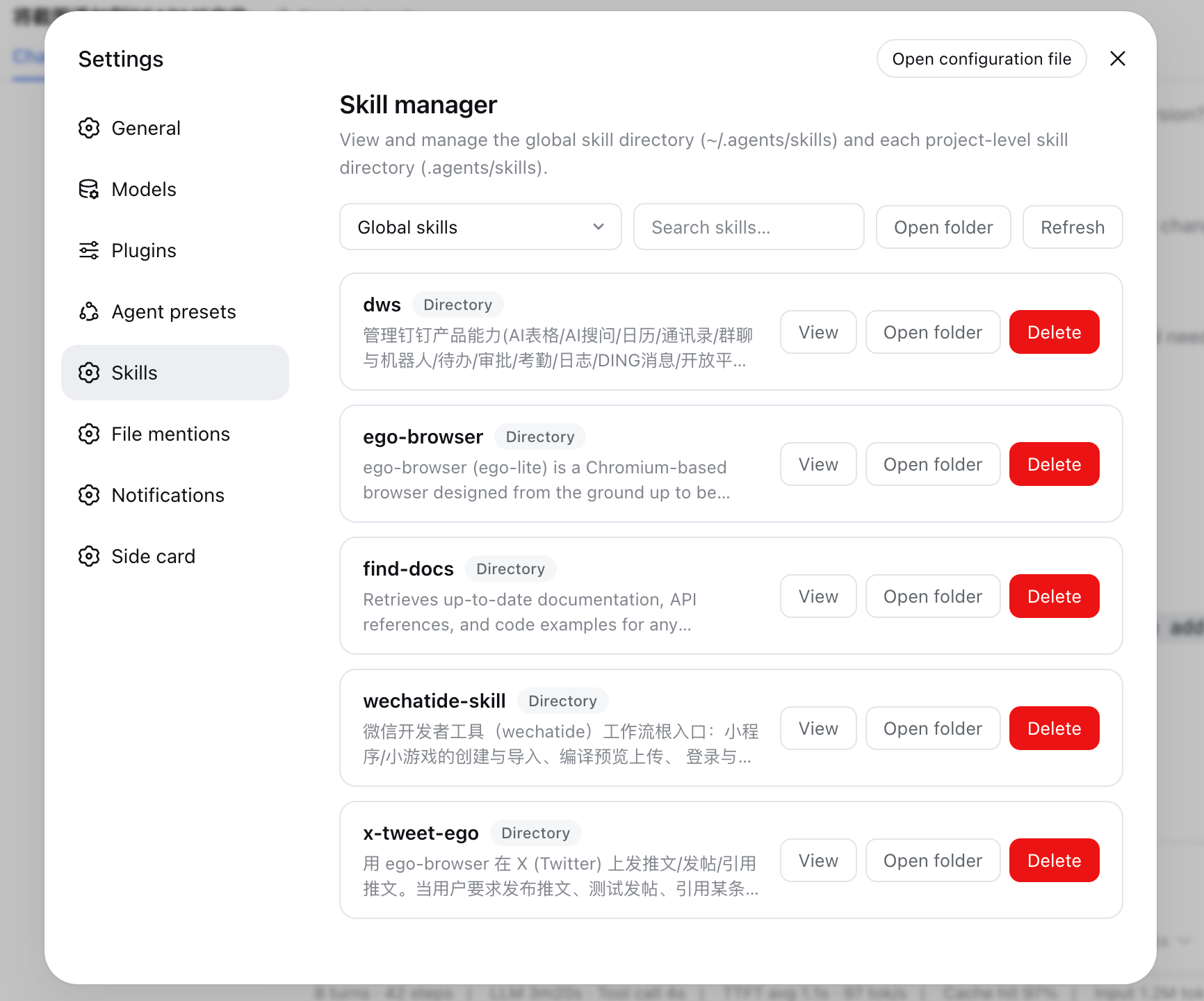
DSH settings panel for viewing and managing ~/.agents/skills and per-project .agents/skills skill directories 核心用途是提供可视化的本地 Agent 技能管理界面,适合需要频繁查看、搜索、删除或定位本地/项目级技能文件的开发者与重度用户。
同名パッケージの別リポジトリ
インストール
$
npx -p @deepseek-ai/dsh dsh plugin --profile web add github:hexbee/dsh-skill-panelドキュメント
README 全文を読む ↗dsh-skill-panel
A DeepSeek Harness plugin that adds a Skills panel to the settings page for managing and viewing the local skill directories:
- Global:
~/.agents/skills(respectsDSH_AGENTS_HOME) - Project-level:
/.agents/skillsfor every workspace registered in the harness
The panel lists each skill, shows its description, body and directory contents, supports searching across the current scope, removing skills, and opening the directory in the system file manager. Chinese and English copy included.
Layout
src/— TypeScript source.src/index.tsis the host plugin (one loopback-pinned Connection RPC channel/skill-panel);src/catalog.tsis the pure filesystem catalog (scan/read/remove/open);src/client/is the browser half (settings section, locales, styles);src/contract.tsis the shared wire contract.lib/— committed build artifacts (lib/index.js,lib/invariant.js,lib/client.js); the profile resolvesmain,./client, and./invariantfrom here.tests/—node --testsuites over the catalog.
Build
pnpm install
pnpm run build   # esbuild bundles + tsc declarations
node --test tests/catalog.test.mjs
Integration
Install into a profile with the bundle route, from a local path:
dsh plugin --profile web add file:/path/to/dsh-skill-panel
or directly from GitHub:
dsh plugin --profile web add git+https://github.com/hexbee/dsh-skill-panel.git
Security
- The RPC channel is pinned to loopback (
authority: 'loopback'), like every settings surface. - Project scopes are addressed only by Host-registered workspace ids — the browser never submits a raw filesystem path.
- Every mutation is confined to
~/.agents/skillsor/.agents/skills. - Removing a symlinked skill unlinks the link only; the linked target is untouched.