oioioioioioioioioioio/oi-dsh-desktop ↗★ 0
oi-dsh-desktop
Installer and Windows packager for the DeepSeek Harness Electron source extension
AI 分析
核心用途是将 DSH 源码打包为独立的 Windows 桌面应用。适合不希望依赖浏览器和本地端口、追求原生桌面软件体验的 Windows 用户。
インストール
検証済み bundle がないか、互換性チェックに失敗しています。先にリポジトリの説明を読んでください。 README 全文を読む ↗
ドキュメント
README 全文を読む ↗oi-dsh-desktop
Windows Electron client installer for a DeepSeek Harness source checkout.
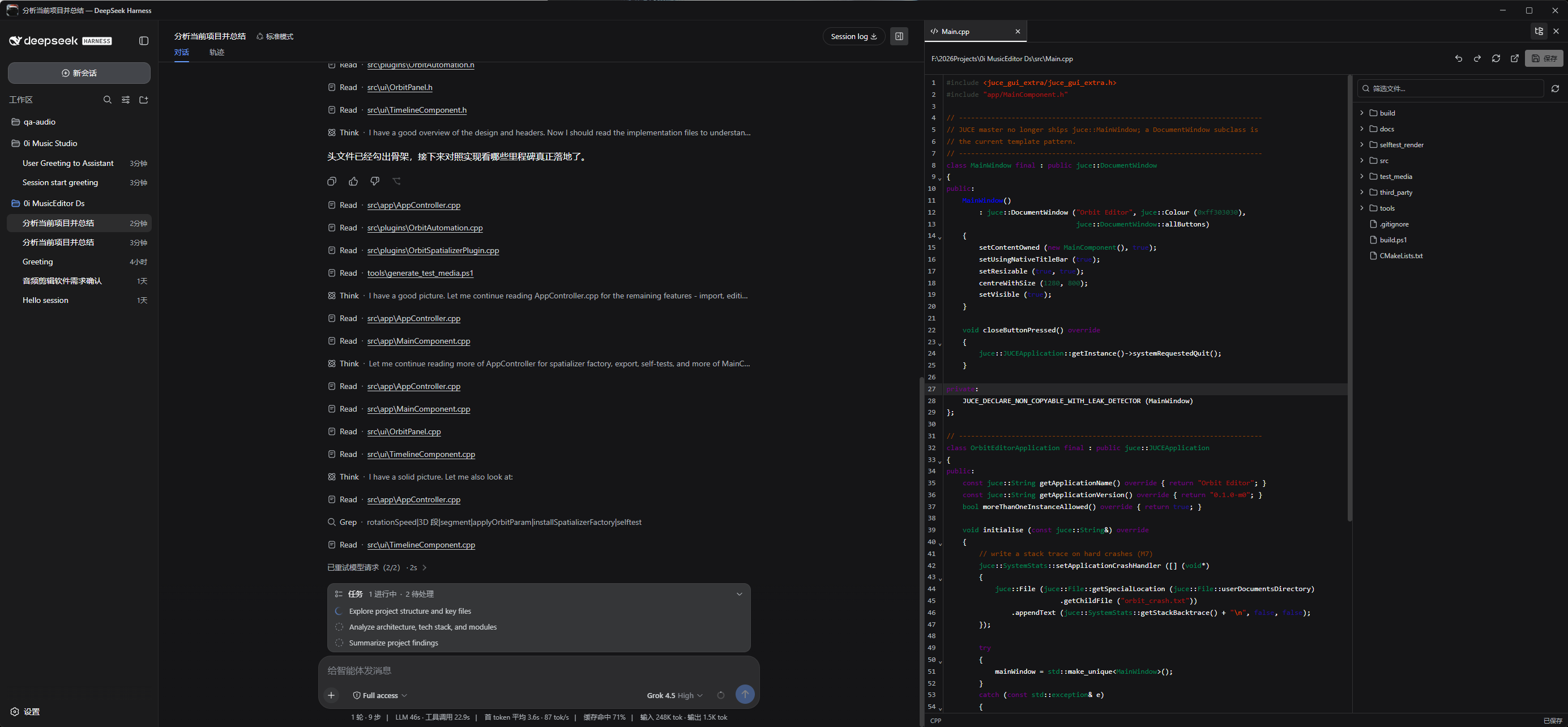
The installer extends the Harness source composition and builds a packaged desktop application. The Harness Host runs inside Electron's main process and the renderer connects over process-local IPC. It does not run dsh web, open port 3080, or wrap a browser URL.
Preview
Requirements
- Windows 10 or Windows 11 x64
- Node.js 22.19.0 or newer, with npm
- Git
The installer carries its own pinned pnpm version. A global pnpm install is not required. It checks whether the desktop extension applies cleanly to the current Harness source and stops without modifying files when the source is incompatible.
Install
Clone this repository directly inside the Harness source root:
git clone https://github.com/deepseek-ai/deepseek-harness.git
cd deepseek-harness
git clone https://github.com/oioioioioioioioioioio/oi-dsh-desktop.git
cd oi-dsh-desktop
.\install.cmd
The generated application is:
deepseek-harness\dist\oi-dsh-desktop-win32-x64\oi-dsh-desktop.exe
Launch that executable directly after installation. Do not run npx @deepseek-ai/dsh web; that command starts the official browser deployment.
Upgrade
Close the client, then run inside the existing oi-dsh-desktop directory:
git pull
.\install.cmd
The installer recognizes supported older extensions, migrates the Harness source in place, and rebuilds the EXE. Recloning Harness is not required.
What setup does
- Installs
oi-dsh-desktopandoi-dsh-desktop-bundle. - Applies the Electron IPC, file workbench, and three-column source extension to Harness.
- Installs Harness dependencies with the pinned pnpm release.
- Builds the isolated production Electron runtime.
- Packages a directly launchable Windows application.
Features
- Process-local Electron IPC with no Harness HTTP or WebSocket listener.
- Custom native-style title bar and complete native window behavior.
- Multiple workspaces and sessions.
- Toggleable, unrestricted-width project explorer and file workbench.
- Multi-tab CodeMirror editor with syntax highlighting, undo, redo, reload, and save.
- Markdown source, preview, and split modes.
- Workspace-confined, version-guarded file operations.
- Native folder picker and session export.
Commands
npm run install:harness
npm run build:exe
npm run setup
npm start
License
Apache-2.0. The extended DeepSeek Harness source remains under its MIT license.