@local/dsh-achievements
Accurate session statistics and capability-based achievements for DeepSeek Harness 适合想要量化分析会话Token消耗、统计数据及追踪进度的用户。
インストール
npx -p @deepseek-ai/dsh dsh plugin --profile web add github:oiuv/dsh-achievementsドキュメント
README 全文を読む ↗Usage statistics
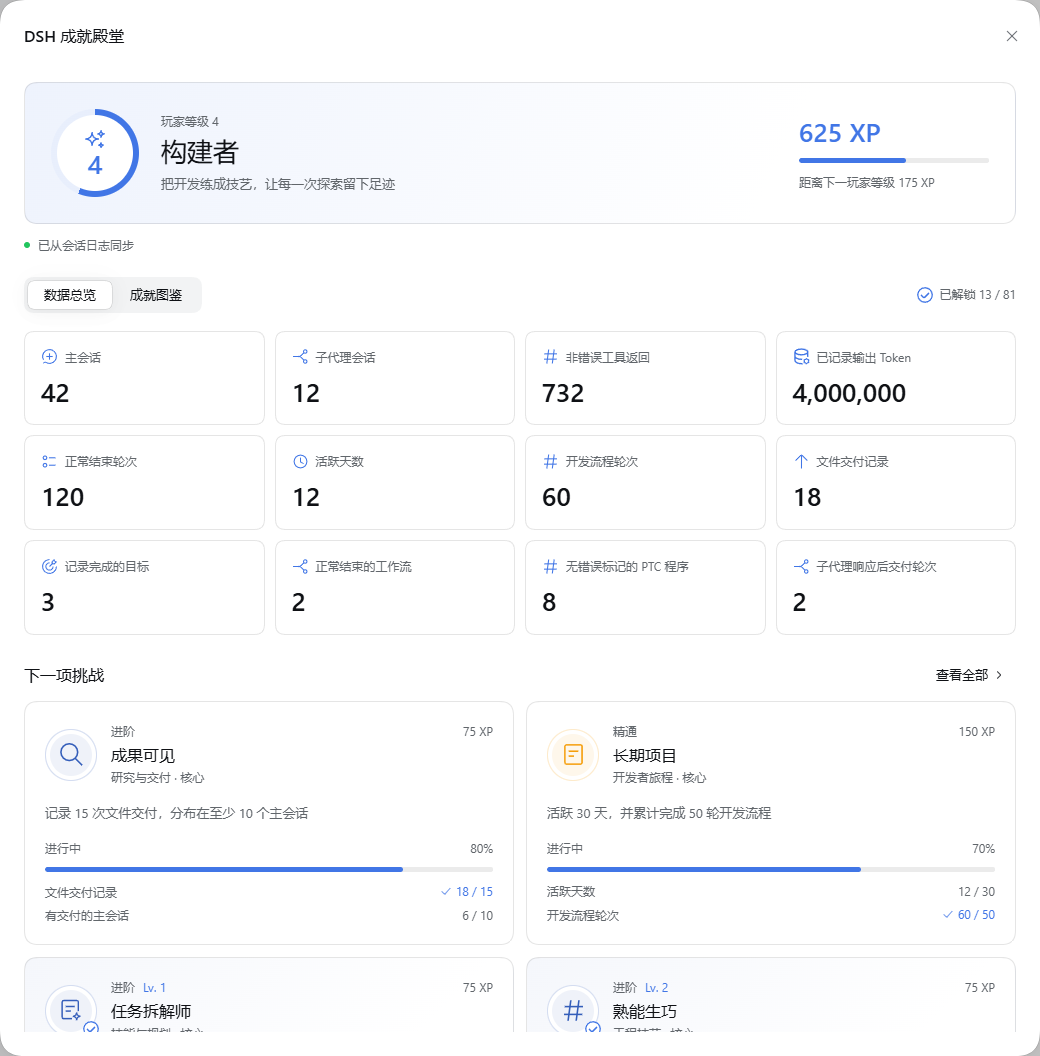
View main and subagent sessions, recorded deliveries, PTC programs and output tokens alongside player progress.
Configuration and data
The bundle stores statistics at $DSH_HOME/achievements/stats.sqlite, using the system timezone. Override the complete plugin configuration in the profile's cordis.patch.yml:
- id: dsh-achievements
  config:
    database: !!js dshHomePath('achievements', 'stats.sqlite')
    timeZone: Asia/Shanghai
    pollMs: 3000
    pageSize: 512
    busyTimeoutMs: 5000
The database path must be absolute. Polling accepts at least 1000 ms; pages contain 1–4096 events; SQLite busy timeout accepts 1–30000 ms. The timezone is an IANA name validated at load. Use the same database for profiles sharing one session history.
SQLite stores counters, checkpoints, dates, turn timestamps, tool/Skill identifiers, hashed checklist and terminal identities, goal/workflow IDs and parent/child relationships. It does not copy prompts, responses, file paths, command text or tool result bodies. The authenticated DSH connection owns the endpoint. On unload, pending reads close before SQLite closes.
The current statistics format is v2. Opening a development v1 database clears its counters, checkpoints and unlocks, then imports the session logs still available; deleted source logs cannot be reconstructed. Stop all Hosts using the database before upgrading. To rebuild manually, stop those Hosts, remove only the plugin statistics file and restart. DSH session logs are never modified.