dsh-call-session
DSH Native Cross-Session Collaboration, In-Process Session Call, and Public Blackboard Plugin 适合需要在多个会话间共享数据、进行协同工作的重度用户。
インストール
npx -p @deepseek-ai/dsh dsh plugin --profile web add github:popu2do/dsh-call-sessionドキュメント
README 全文を読む ↗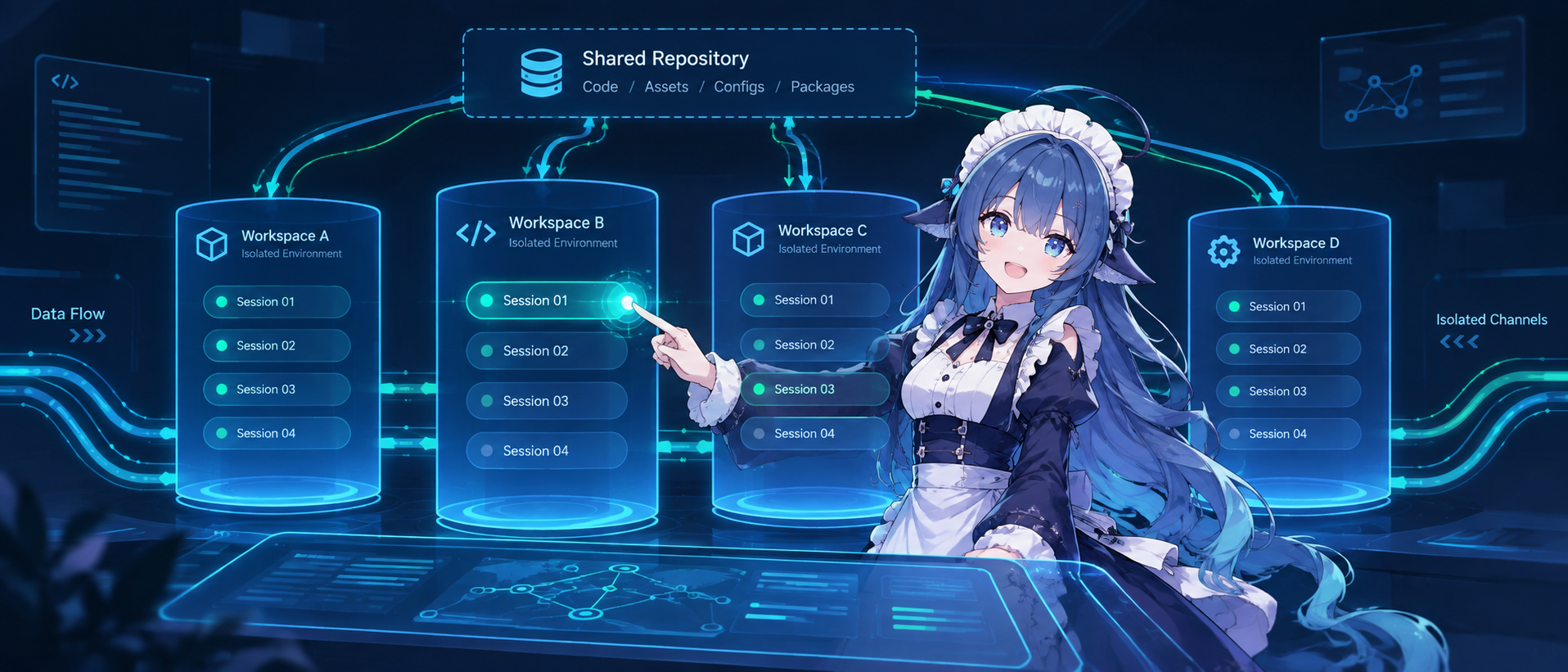
dsh-call-session
In-process cross-session communication and workspace shared blackboard for DeepSeek Harness (DSH)





English | 简体中文
Overview
DeepSeek Harness sessions are isolated by default, and child tasks exit upon completion.
dsh-call-session adds in-process cross-session communication, peer session creation, and shared blackboard capabilities:
- Inter-session unicast: send directives or hand off tasks between independent long-running sessions.
- Shared blackboard: publish bulky artifacts to a shared board for on-demand retrieval, avoiding context bloat.
- Visual canvas: observe session states, blackboard items, and call trajectories in the DSH Web UI.
Install
# Add to target profile web
dsh plugin --profile web add dsh-call-session

# List installed plugins
dsh plugin --profile web list

# Remove plugin
dsh plugin --profile web remove dsh-call-session
Note: The
--profileoption must follow thepluginsubcommand, e.g.dsh plugin --profile web ....
Scenarios
Instruct the agent using plain natural language in the chat; the agent invokes the tools automatically:
Task Handoff
User prompt:
Hand off this task summary to the "audit-session" session.
The agent calls session_call to dispatch a unicast message. If the target session is running, it steers execution; if idle, it wakes a new turn.
Post Results
User prompt:
Publish the review conclusions to the board and notify relevant sessions to pick up tasks.
The agent calls board_post to store the detailed report on the blackboard and obtain a postId. Other sessions retrieve the content on demand via board_list, preventing context window explosion.
Create Session
User prompt:
Create a new session and hand off tasks.
The agent calls session_create to spawn a long-running peer session in the current workspace, automatically inheriting model specifications and presets.
Canvas
The DSH Web session view exposes a Canvas tab to observe multi-agent collaboration across workspaces:
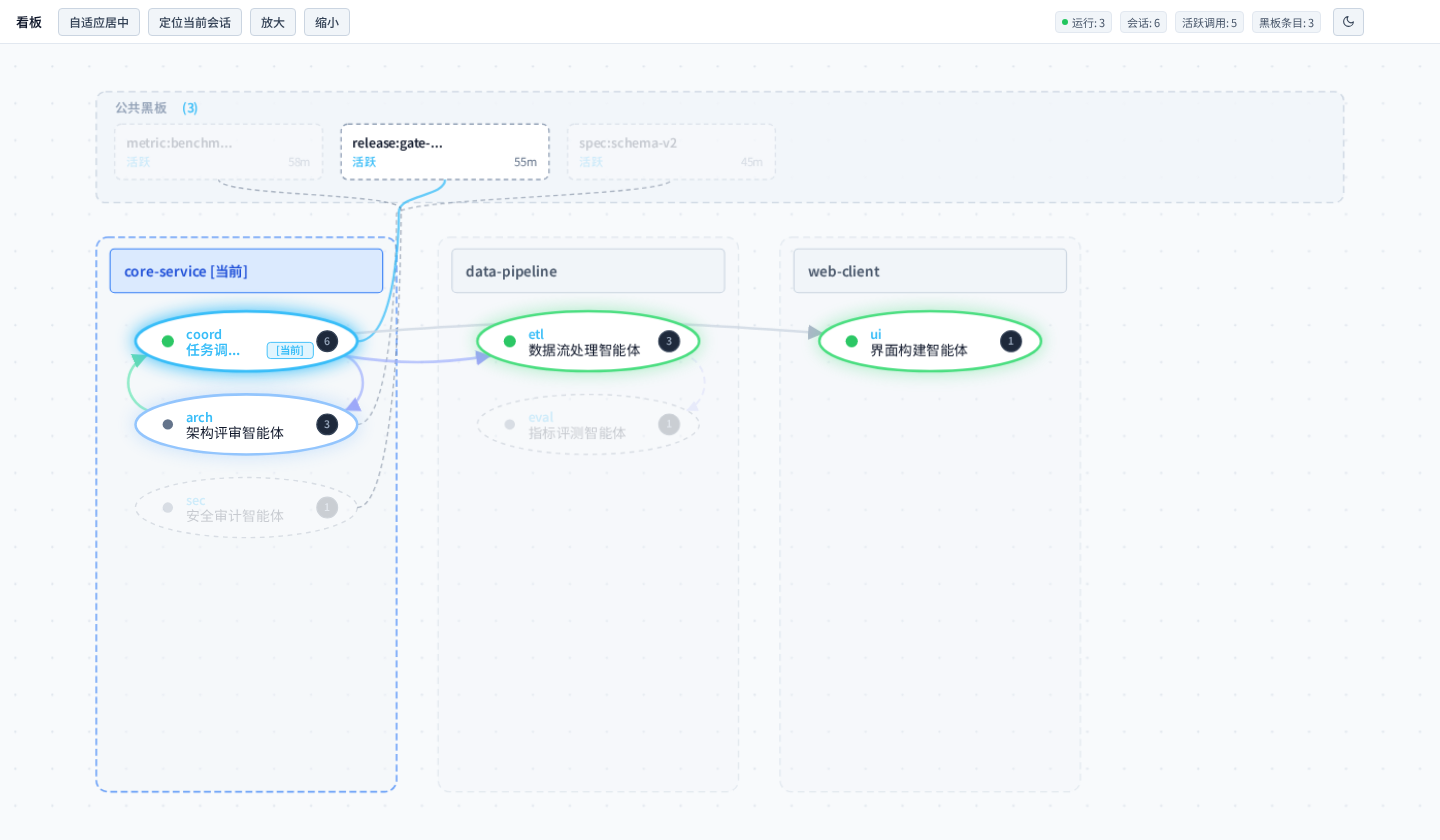
- Topology: workspace columns, running/idle session nodes, blackboard items with TTL countdowns, and directional call traces.
- Interaction: hovering highlights the 1-hop connected subgraph; double-clicking opens a read-only inspector drawer.
- Read-only boundary: the canvas offers no control inputs; all state changes originate from the agents themselves.
Tools
| Tool | Type | Mode | Common Use Case |
|---|---|---|---|
session_call | Tool | Push | 1:1 unicast call for task dispatch, progress reporting, and handoffs |
session_create | Tool | Native | Create long-running peer sessions for parallel multi-role collaboration |
session_query | Tool | Read-only | List sessions and check active/idle statuses in or across workspaces |
board_post | Tool | Pull | Publish blackboard entries for large artifacts and shared milestones |
board_list | Tool | Pull | Query blackboard records by ID, topic, or digest mode |
board_clear | Tool | Manage | Dismiss or purge completed and expired blackboard entries |
Comparison
| Mechanism | Type | Model | When to Use |
|---|---|---|---|
subagent | Built-in | Hierarchical delegation, ephemeral child task, exits on completion | Scoped exploration, code search, one-off script execution. |
dsh-call-session | Plugin | Peer-to-peer collaboration, in-process unicast messaging and shared board | Directives and status sync between independent top-level sessions, or sharing large outputs. |
Selection guidelines:
- Prefer built-in: for isolated, scoped tasks, use DSH built-in
subagentdirectly. - Use on demand: when multiple independent top-level sessions need to coordinate or share large context via a blackboard, use
dsh-call-session.
Config
The plugin runs with built-in defaults out of the box.
To customize, add property overrides to ~/.dsh/profiles/web/cordis.patch.yml:
- id: dsh-call-session
  config:
    debounceMs: 500
    maxCapacity: 500
Options:
enabled: boolean, defaulttrue. Enable or disable plugin tools.debounceMs: number, default300. Atomic disk write debounce delay in milliseconds.maxCapacity: number, default200. Maximum board entries.telemetryCapacity: number, default200. Maximum call traces retained in canvas data buffer.locale: string, default'auto'. Interaction language preference ('auto','zh','en').
Architecture
Technical decisions are recorded as Architecture Decision Records (ADRs):
- Decision catalog: see docs/adrs/README.md.
- Architecture topology: see docs/architecture/.
Compatibility
| Environment | Supported | Verified |
|---|---|---|
| DeepSeek Harness | >=0.1.1-rc.1 | 0.1.2-rc.1, 0.1.5-rc.1, 0.1.5-rc.2 |
| Cordis | ^4.0.2 | 4.0.2+ |
| Node.js | >=20.0.0 | 20.x, 22.x |
License
This project is licensed under the MIT License.