AlfredChaos/dsh-usage-panel ↗★ 6
dsh-usage-panel
DeepSeek Harness 消耗统计插件:设置页「消耗统计」展示 Token 用量 KPI、半年活跃贡献热力图、按模型堆叠柱状图与模型环形图(Host 投影聚合 + 只读重算会话日志,永不写回) 适合需要直观监控和分析 DeepSeek Harness 消耗额度的用户。
같은 패키지 이름의 다른 저장소
설치
$
npx -p @deepseek-ai/dsh dsh plugin --profile web add github:AlfredChaos/dsh-usage-paneldsh-usage-panel
Token usage statistics for DeepSeek Harness, shown as a page under Settings → Usage in the web GUI. The plugin aggregates persisted session logs (incrementally, via the session-projection mechanism) and never writes anything back.
简体中文 · 




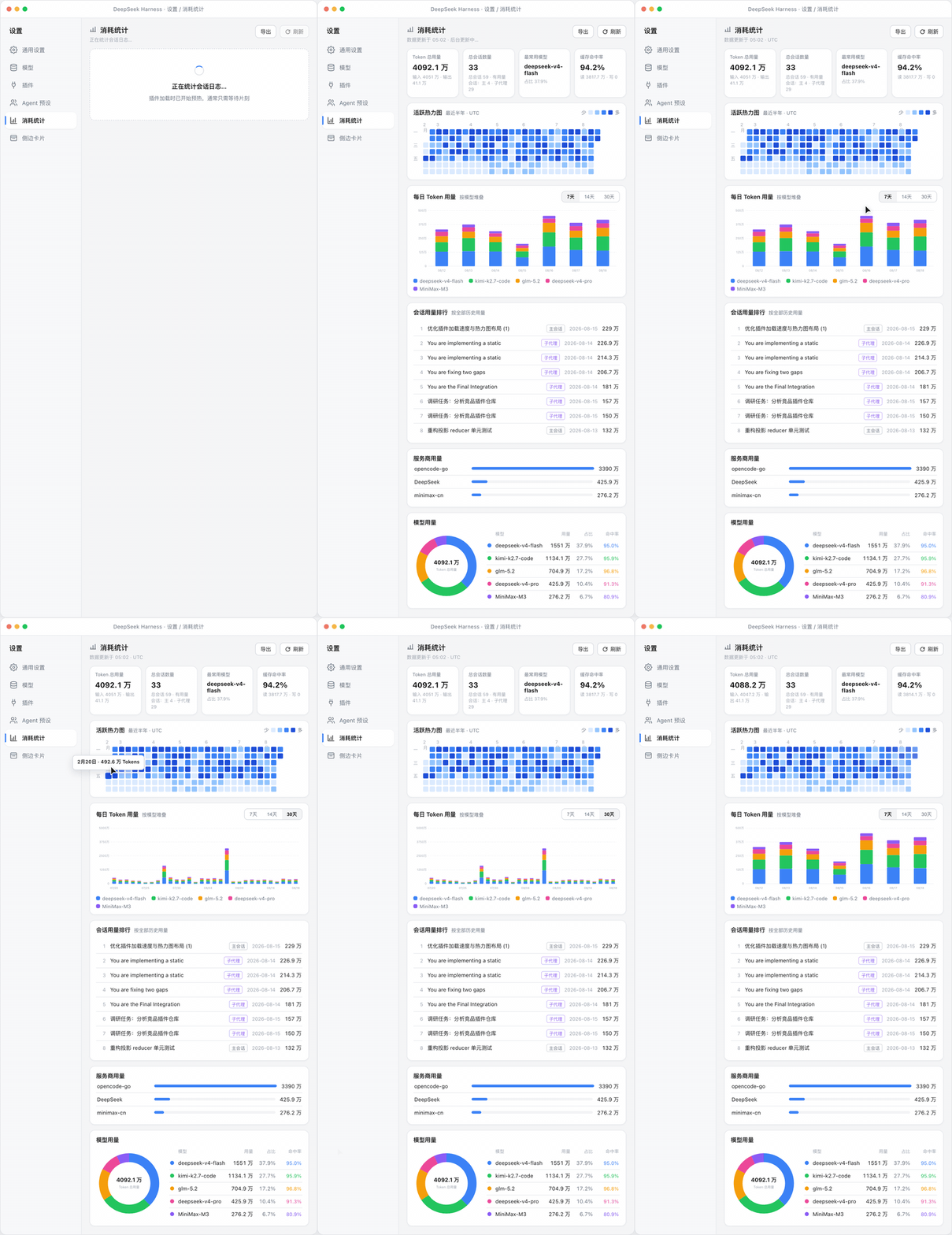
What it shows
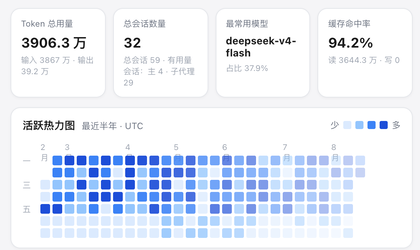
- Cumulative totals (all time) — billed input / output tokens, main-session count (
delegationDepth === 0, matching the visible session list exactly: zero-usage sessions count, archived ones do not; with the grand total of session records and the main/subagent usage split beneath it), and the most-used model with its share. - Cache hit rate —
cache read ÷ (uncached input + cache read + cache write), with the read/write magnitudes. - Activity heatmap — the last six months in a GitHub-contribution layout (weeks as columns, weekdays as rows). Days are colored by quartile over non-zero usage.
- Daily stacked bars — per-model token usage, switchable between the last 7, 14, or 30 days.
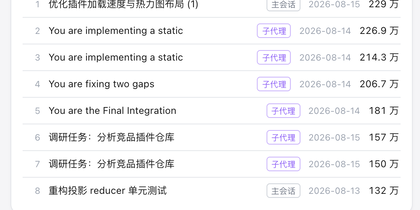
- Top sessions — the 10 most token-hungry sessions with their folded titles, each tagged main or subagent by delegation depth.
- Providers — per-provider token totals as horizontal bars (shown when more than one provider route is in use).
- Model donut — all-time share per model, with the top 5 listed beside it; each row carries a per-model cache hit rate column, color-coded to its segment.
- Export — full JSON, daily CSV and per-model CSV (formula-injection guarded, RFC 4180, UTF-8 BOM).
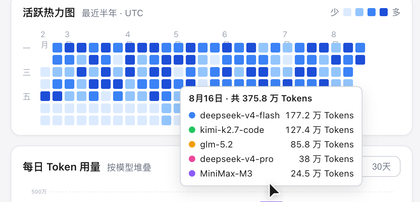
Hovering a bar, heatmap cell, or donut segment shows the exact breakdown:
| Bar tooltip | Overview (KPI + heatmap) | Sessions & providers |
|---|---|---|
|
|
|
Install
The plugin ships as a bundle: dsh plugin add appends it to the profile's bundle list, and the patch row activates the host half.