dsh-monitor
DeepSeek Harness 会话计费 + 通用提供方用量查询插件:会话费用角标、按模型提供方配置的用量面板(DeepSeek 官方余额 / OpenCode 5小时·周·月套餐额度 / 自定义 HTTP 用量查询)。Session billing and per-provider usage quota plugin for DeepSeek Harness. 适合使用多种模型源,需要实时查看会话费用和套餐额度的用户。
같은 패키지 이름의 다른 저장소
설치
npx -p @deepseek-ai/dsh dsh plugin --profile web add github:Coco-king/dsh-monitorUsage
-
Configure providers: Settings → Usage → Provider usage config → Add provider. The provider ID is a dropdown — candidates are the providers configured in Settings → Models plus the providers you already configured here (including custom ones). Pick a preset and fill the fields, then save. DeepSeek official is built-in and needs no configuration — only add a provider for OpenCode, Custom, or to override the DeepSeek refresh interval.
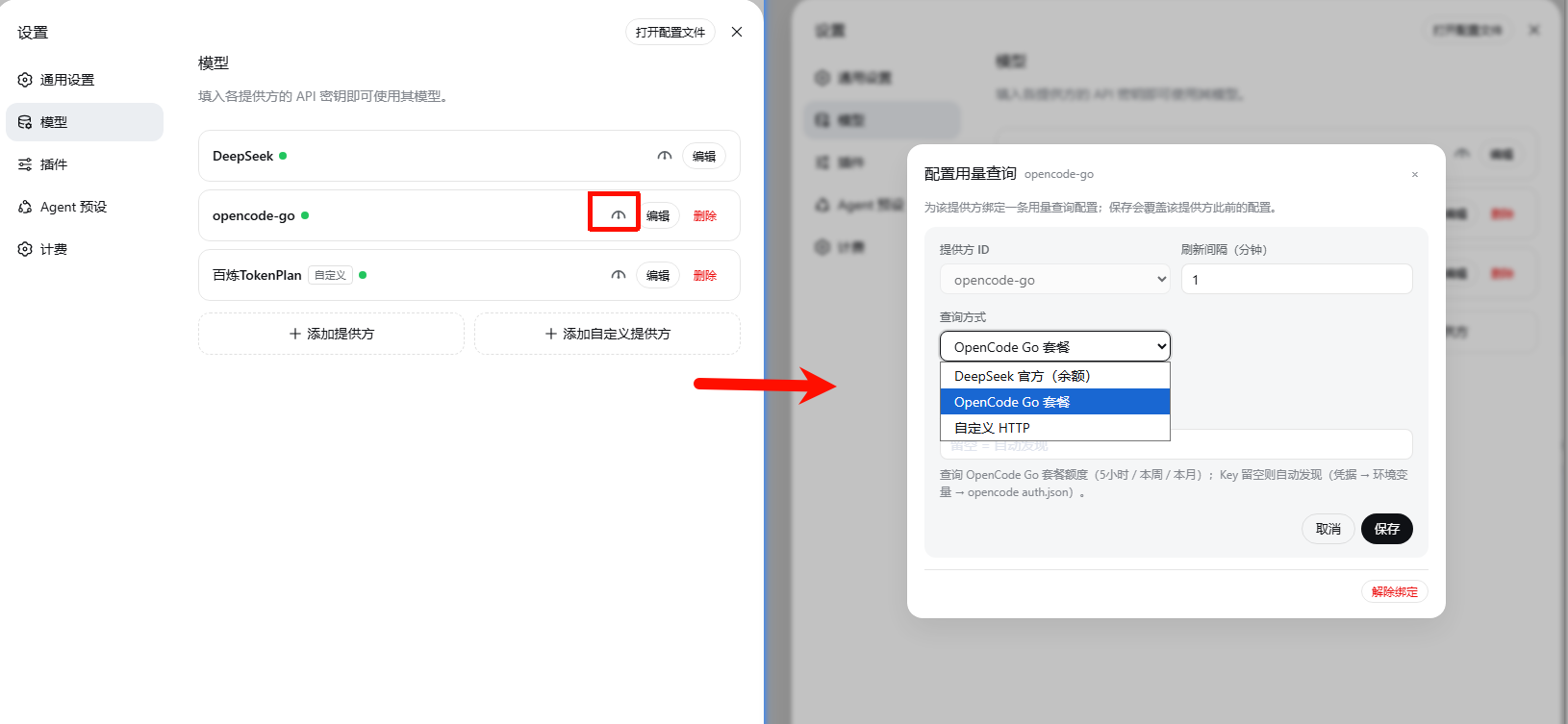
Chinese-UI screenshot — no English capture yet.
-
View usage: click the gauge icon left of the model switcher in the composer. The panel shows the current session provider's quota: provider name + preset badge in the header, refresh icon on the top right.
-
DeepSeek official balance (built-in, queries
api.deepseek.comdirectly):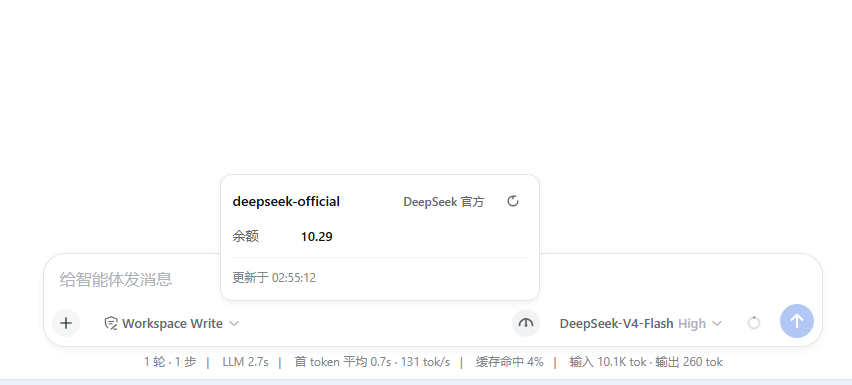
Chinese-UI screenshot — no English capture yet.
-
OpenCode Go plan (5-hour / weekly / monthly progress):
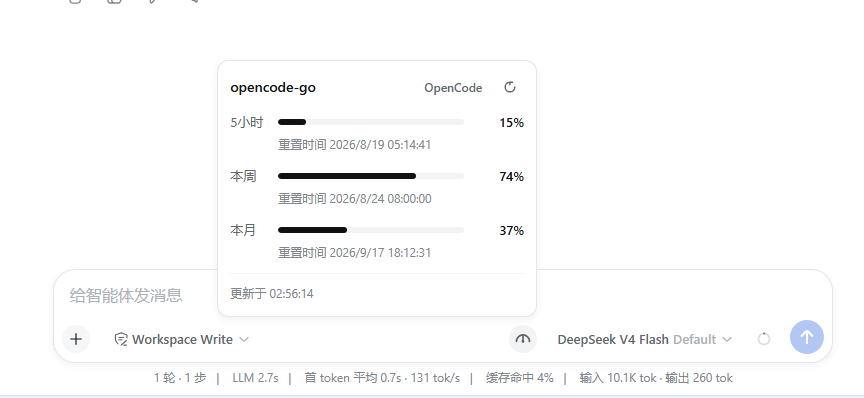
Chinese-UI screenshot — no English capture yet.
-
-
Session cost: the session header shows the session cost chip; hover for input/cache/output token details.

Chinese-UI screenshot — no English capture yet.
-
Prices: Settings → Usage → Billing prices — edit prices, add models via a provider-grouped dropdown of the models configured in Settings → Models, or sync from the official docs.
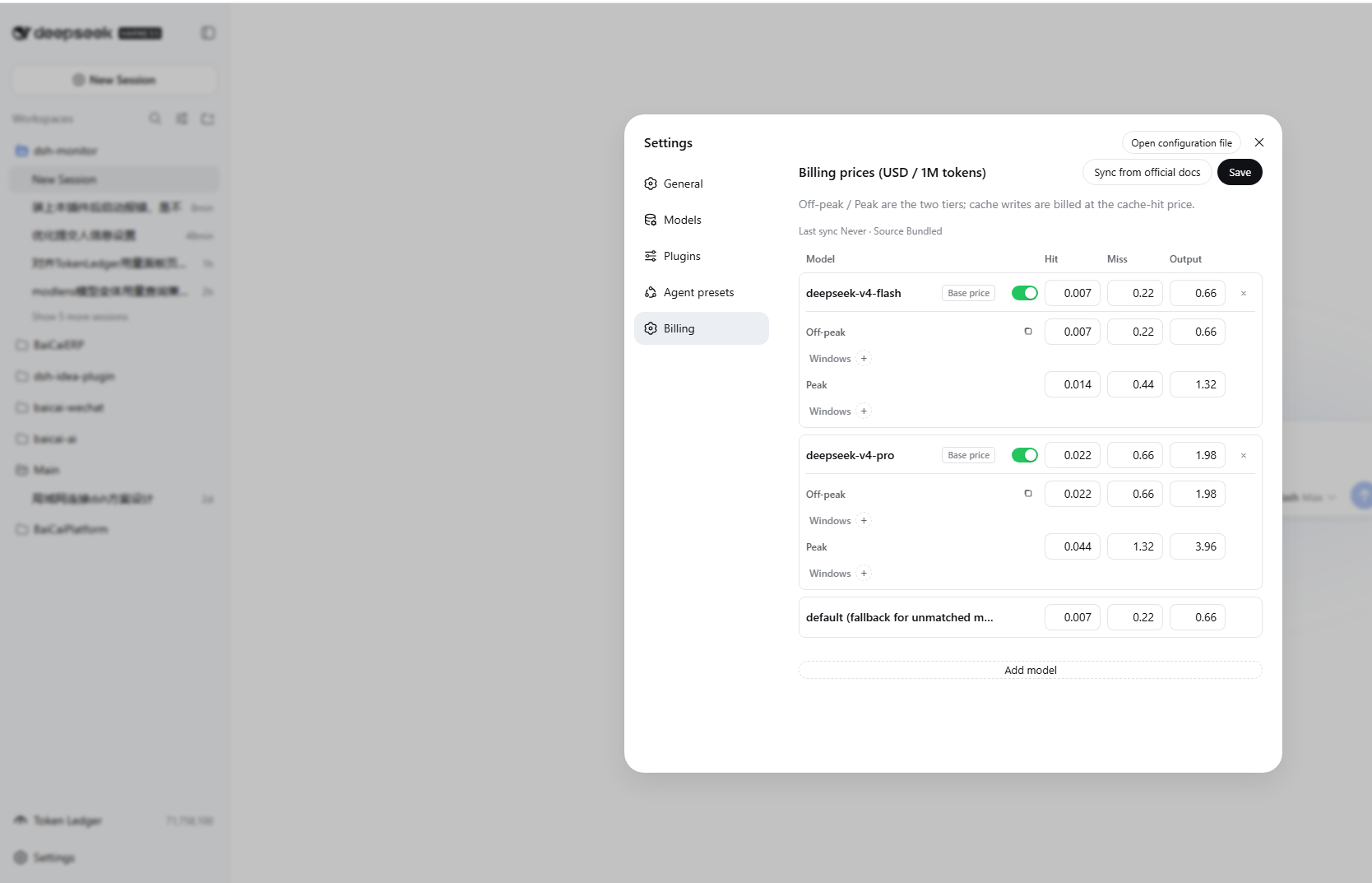
-
Token ledger: left-side entry
Token Ledger— shows today / week / month / cumulative token counts, provider distribution, project distribution, activity heatmap, and per-model breakdown.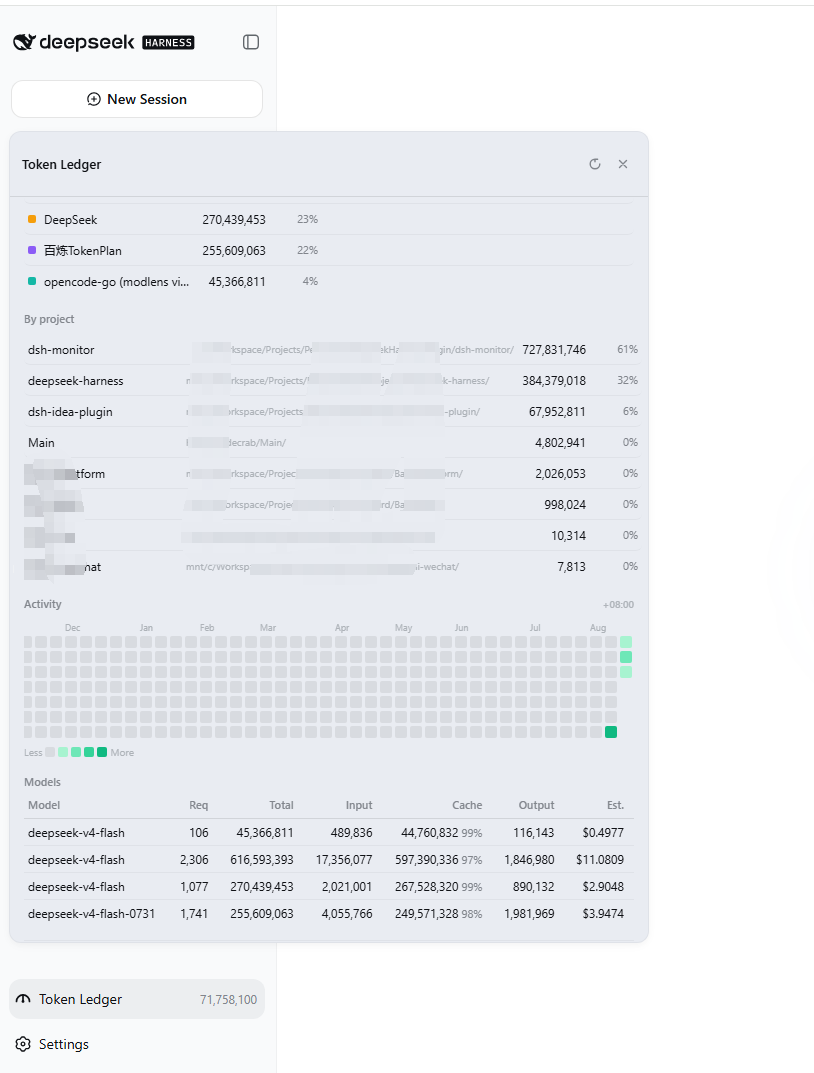
Configuration flow
End-to-end path from install to first run:
Install
  └─ dsh plugin --profile web add      ← joins the web profile's bundle layer
        │
        ▼
Settings → Models
  ├─ "DeepSeek" provider already exists
  │     └─ Reuses its API key, no extra setup (balance queries api.deepseek.com directly)
  ├─ "opencode-go" provider already exists
  │     └─ Click the usage icon left of its edit button → choose OpenCode preset → Save
  └─ Any third-party provider
        └─ Click the usage icon → choose "Custom HTTP" → fill URL / Headers / JSON paths → Save
        │
        ▼
Settings → Billing
  ├─ deepseek-v4-flash / deepseek-v4-pro / deepseek-v4-flash-vision-exp are bundled by default (both USD and CNY)
  └─ Edit manually / sync from official docs / add new models from Settings → Models
        │
        ▼
New session → pick a model
  ├─ Session header shows a live cost chip
  ├─ Usage icon (left of model switcher) shows the session's provider quota
  └─ Left-side "Token Ledger" → full breakdown
Notes:
- DeepSeek official is built-in — works without any binding. Bindings are mainly for OpenCode, Custom, or overriding the DeepSeek refresh interval.
- Two independent price tables are persisted (USD / CNY); the active currency is determined by the UI language (zh → CNY, otherwise → USD). Official sync updates both.
- Each model can declare its own peak/off-peak windows in UTC, optionally restricted to days of week (
days, Mon=1…Sun=7; omitted = every day). Models with their own windows use them; models with none fall back to the global official windows (since 2026-08-30: Beijing time Mon–Fri 9:00-12:00 & 14:00-18:00; weekends are off-peak all day). - Where the config lives:
$DSH_HOME/storages/dsh-monitor/ledger.json, under theconfigkey (see the next section).