dsh-ths-holdings
DSH 持仓盈亏悬浮卡片(同花顺投资账本)— 自动同步真实持仓数据,显示今日盈亏、上证指数和当日走势图,无需手动添加股票。Real portfolio holdings overlay for the DSH web GUI — automatically syncs your positions from the Tonghuashun investment-ledger API. 适合需要实时监控同花顺投资账本持仓和今日盈亏的DSH Web端用户。
설치
npx -p @deepseek-ai/dsh dsh plugin --profile web add github:PM25000/dsh-ths-holdingsUsage
Recommended — auto-acquire:
- Open the DSH web GUI — click ⚙ on the card.
- Click 🖥 自动获取 Cookie(推荐) — a system browser window opens (Edge / Chrome — the first installed one wins).
- Sign in to the Tonghuashun investment ledger in that window (QR code / account).
- When the sign-in succeeds the window closes itself, the Cookie is saved automatically, and the card refreshes with your portfolio.
- The plugin auto-discovers your portfolio — if you have several, pick one from the dropdown. Done.
Auto-acquire uses a temporary browser profile and reads cookies through browser-level commands. It does not attach a page debugger, inject scripts, or emulate viewport dimensions. Only cookies for
10jqka.com.cnand its subdomains are saved; the temporary profile is deleted after the browser exits. You do not need to open developer tools during sign-in.
If closing the window times out, profile cleanup continues when the browser actually exits. Cleanup failures remain visible in settings with a retry button. Cookie saves wait up to 30 seconds; a timeout or cancellation closes the login window, but an already submitted storage operation may still complete. The card shows that the result is unconfirmed and blocks additional saves until that operation settles, preventing an older request from overwriting a newer Cookie.
Manual saves are unavailable while automatic login is starting or running; cancel automatic login and wait for it to end before saving manually. Pending writes continue to block new writes to the same credential reference after the plugin reloads within the same DSH process, until the old operation settles.
Manual (backup):
- Open https://tzzb.10jqka.com.cn and log in.
- Click the browser's top-right menu → More tools → Developer tools (
…in Edge,⋮in Chrome). F12 may have no effect on this page; open the tools through the browser menu. - Keep developer tools open, select Network, then refresh the ledger page to record requests.
- Select a page or ledger API request to
tzzb.10jqka.com.cn. Under Headers → Request Headers, copy the complete Cookie value. Copy only thename=value; name2=value2portion, without theCookie:prefix; do not copy a response'sSet-Cookieheader. - Return to the DSH web GUI — click ⚙, paste the cookie into STOCK_PNL_COOKIE → save.
- The card validates the saved cookie immediately — it shows ✓ valid or ✗ invalid (with the reason/hint).
If the page reports that developer tools are unsupported, first check whether Network has already recorded a ledger request with a Cookie header. If no usable Cookie is available, use auto-acquire above. Keep developer tools open while inspecting cookies manually.
The session cookie expires eventually — when it does, the card shows a Token 已过期 banner; re-open ⚙ and click auto-acquire (or repeat manual steps 1–5) with a fresh cookie.
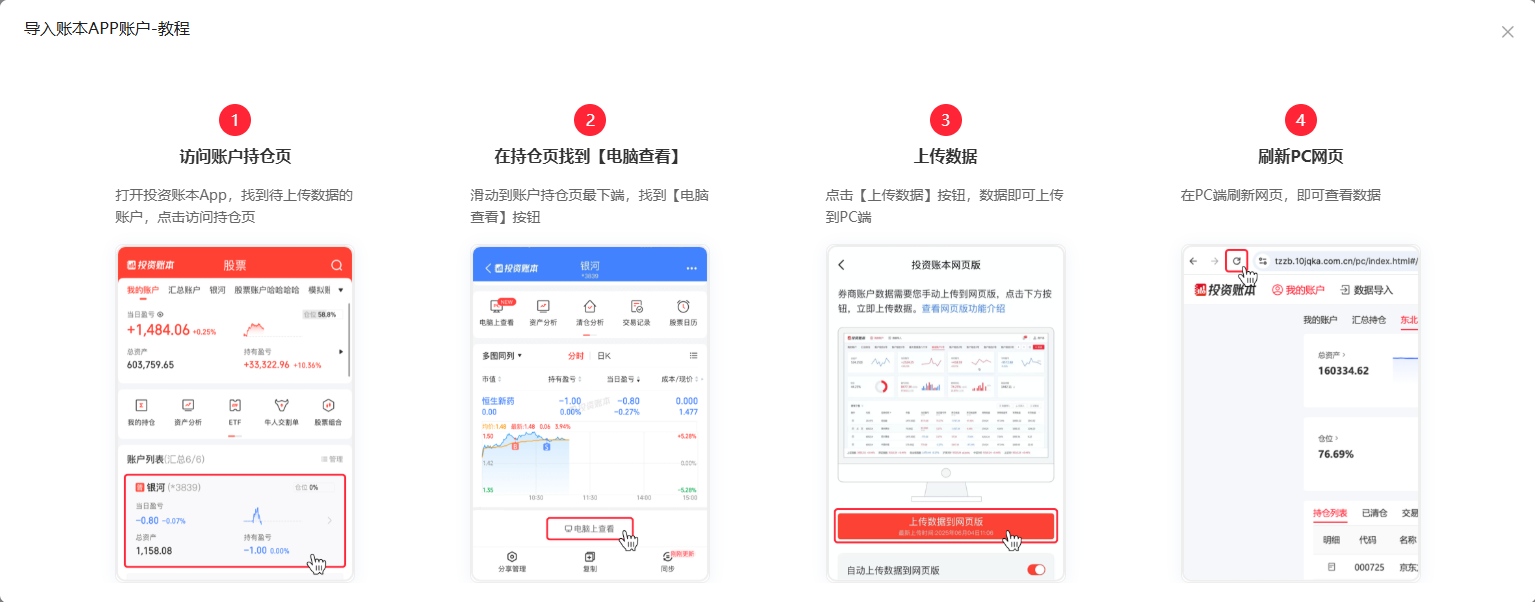
💡 After completing a new trade, re-upload your data from the investment-ledger app to the web version so your holdings stay consistent between the two.