StarvastPact/inventor-mcp ↗★ 2
dsh-inventor-mcp
Connect Autodesk Inventor to DSH agents through inventor-mcp-server: 66 MCP tools for parametric part modeling, sketch constraints, drawings and STEP export.
설치
npx -p @deepseek-ai/dsh dsh plugin --profile web add github:StarvastPact/inventor-mcpinventor-mcp for DSH
把 Autodesk Inventor 接进 DeepSeek Harness(DSH)的 MCP bundle。装上之后,DSH 里的 agent 可以直接打开 Inventor、画草图、拉伸/旋转/开孔、装配、出工程图 PDF、导 STEP,并且能自己截图看结果。
An MCP bundle that connects Autodesk Inventor to DSH agents — 66 tools, stdio transport, works on a running Inventor instance.
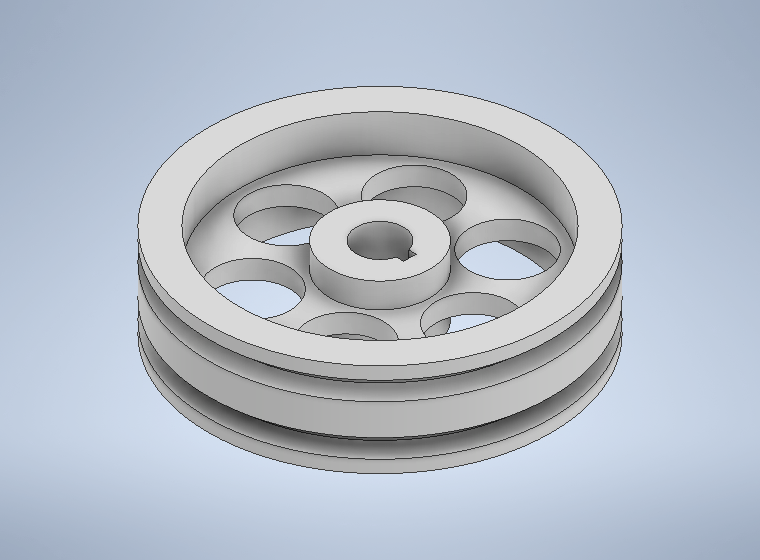
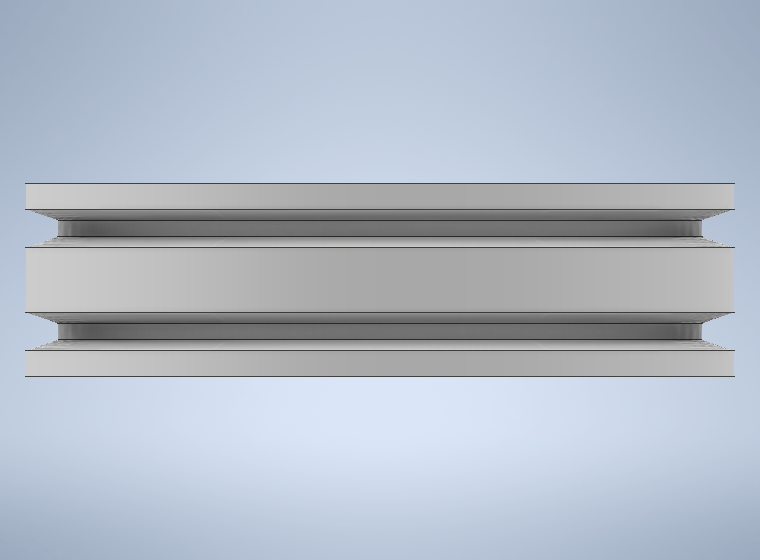
上图是一个 agent 用本 bundle 建的参数化 V 带轮:16 个用户参数、3 个全约束草图(状态码 51713), 改
groove_angle或rim_od后体积在 110716.6 / 111850.9 / 163565.0 mm³ 之间精确复现。
它做什么
| 能力 | 说明 |
|---|---|
| 参数化建模 | 建用户参数(rim_od = 110 mm),草图尺寸全用表达式驱动 |
| 零件/钣金/装配 | 回转体、拉伸切除、圆角倒角、钣金展开、约束装配 |
| 自己验收 | capture_view 把模型渲染成图片回给模型;inspect_model 报体积/包围盒/面数 |
| 出图交付 | create_drawing 直接出 PDF 工程图;export_step / export_flat_pattern 出 DXF |
| 标准件 | 浏览 Content Center、按规格生成螺栓/型钢 |
工具清单见 docs/DETAIL.md 和 docs/TOOLS.md。
前置条件
- Windows(Inventor 只有 Windows 版)
- Autodesk Inventor 2019 或更高(开发与实测于 Inventor 2025,中文版、GB 标准、毫米单位)
- Python 3.12+(
inventor-mcp-server要求) - DSH(本 bundle 通过
@deepseek-ai/dsh-mcp-client接入) - Inventor 至少要启动过一次(首次启动完成许可证激活)
安装
# 1. 装依赖
pip install --upgrade inventor-mcp-server pywin32

# 2. 在本仓库目录下运行安装脚本(必须:它把 python 写成绝对路径,并把启动器路径写进 args)
.\install.ps1

# 3. 注册到 DSH(在 DSH 会话里让 agent 执行,或手动运行)
#    plugin_manager install_bundle
装好后在 DSH 会话里:
connect() # 连上正在运行的 Inventor(没有就启动一个)
list_instances 可以看当前连了几个 Inventor、各自开着什么文档。
快速开始
connect()
create_document(kind="part", name="法兰", material="Steel, Mild")
create_sketch("XY")
draw_closed_profile([[0,0],[60,0],[60,10],[40,10],[40,40],[0,40]])
revolve(axis="Y", angle=360, operation="join")
inspect_model()                 # 体积、包围盒、特征树
capture_view(views="iso")       # 渲染成图片,模型自己看
save_document(path="D:/parts/flange.ipt")
与上游的关系
本仓库不包含建模引擎的源码,它是一个 DSH 侧的接入层:
- 建模工具本体:
inventor-mcp-server(MIT,作者 inventor-mcp contributors,上游 cenitu/inventor-mcp-server) - 本仓库负责:
cordis.patch.yml(DSH 侧 MCP client 配置)、package.json(bundle 声明)、run_inventor_mcp.py(启动器:自动选择 pip 包或离线运行时)、install.ps1、文档
启动器如何选择后端
install.ps1 会把 cordis.patch.yml 的 args 指向 run_inventor_mcp.py。这个启动器启动时按顺序尝试:
- pip 包:
import inventor_mcp_server成功 → 直接运行(推荐路径) - 离线运行时:失败则扫
runtime/ext/*/inventor_mcp_server/server.py→ 用runpy运行 - 两者都没有 → 打印清晰错误并退出
所以 pip install inventor-mcp-server 是唯一必须的依赖步骤;runtime/ 只是给没有外网或 pip 受限的机器准备的备选(本仓库不提交,见 .gitignore)。
验证
python tests\smoke.py
不需要 Inventor 在跑。会检查 Python 版本、模块能否导入、MCP stdio 握手是否返回 66 个工具、 配置文件结构、以及仓库里是否残留个人绝对路径。CI 在 Python 3.12/3.13/3.14 上跑同一套。
已知限制
- 会话隔离:MCP server 必须由 DSH 主进程启动,才能跨进程 COM 连上桌面会话里的 Inventor。如果你在沙盒化的 shell 里直接
Dispatch("Inventor.Application"),会得到0x80080005。 - 首次连接:若 Inventor 是手工打开的,可能要先
connect()一次;多个实例用list_instances+instance=区分。 - 只支持 Windows + 已授权的 Inventor。
- 单位:MCP 层全部是 mm;底层 COM 是 cm,转换在包内完成。
License
MIT,见 LICENSE。
上游 inventor-mcp-server 同为 MIT,版权归其作者;本项目仅提供 DSH 集成层。