@allmodels/dsh-speech
Speech-to-text and spoken answer summaries for DeepSeek Harness using AllModels.io.
AI 분석
核心用途是为 DSH 引入语音交互能力。适合习惯语音输入、希望在 AI 完成工作后听取口头简要汇报的用户。由 AllModels.io 提供技术支持,需在设置中连接账号。
설치
npx -p @deepseek-ai/dsh dsh plugin --profile web add github:allmodels-io/dsh-speech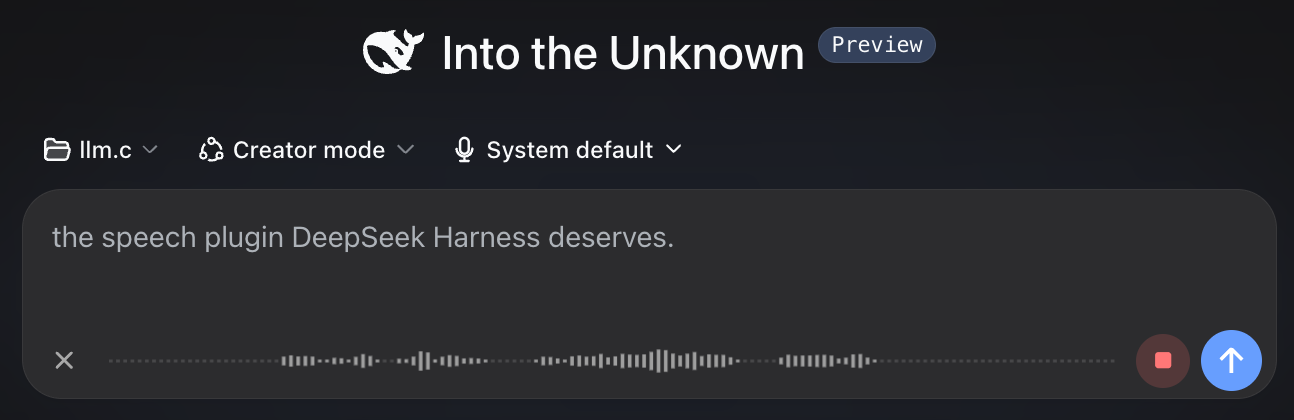
@allmodels/dsh-speech
The speech plugin DeepSeek Harness deserves.
Talk to your coding agent, see your words appear in real time, and hear a concise spoken summary when the work is done. Powered by AllModels.io.
Demo
https://github.com/user-attachments/assets/a727afab-777d-487d-a145-175f5e570eca
Install
dsh plugin --profile web add @allmodels/dsh-speech
Restart DeepSeek Harness, then open Settings → Speech.
Connect AllModels
Enter your email address and AllModels will send you a sign-in code. New accounts get $1 free credit, which should last for plenty of hours of transcription and spoken summaries.
Already have an AllModels API key? You can use that instead.
Talk to your agent
Click the microphone next to Send and start talking. Your transcript appears as you speak, ready to edit or send.

Hear the summary
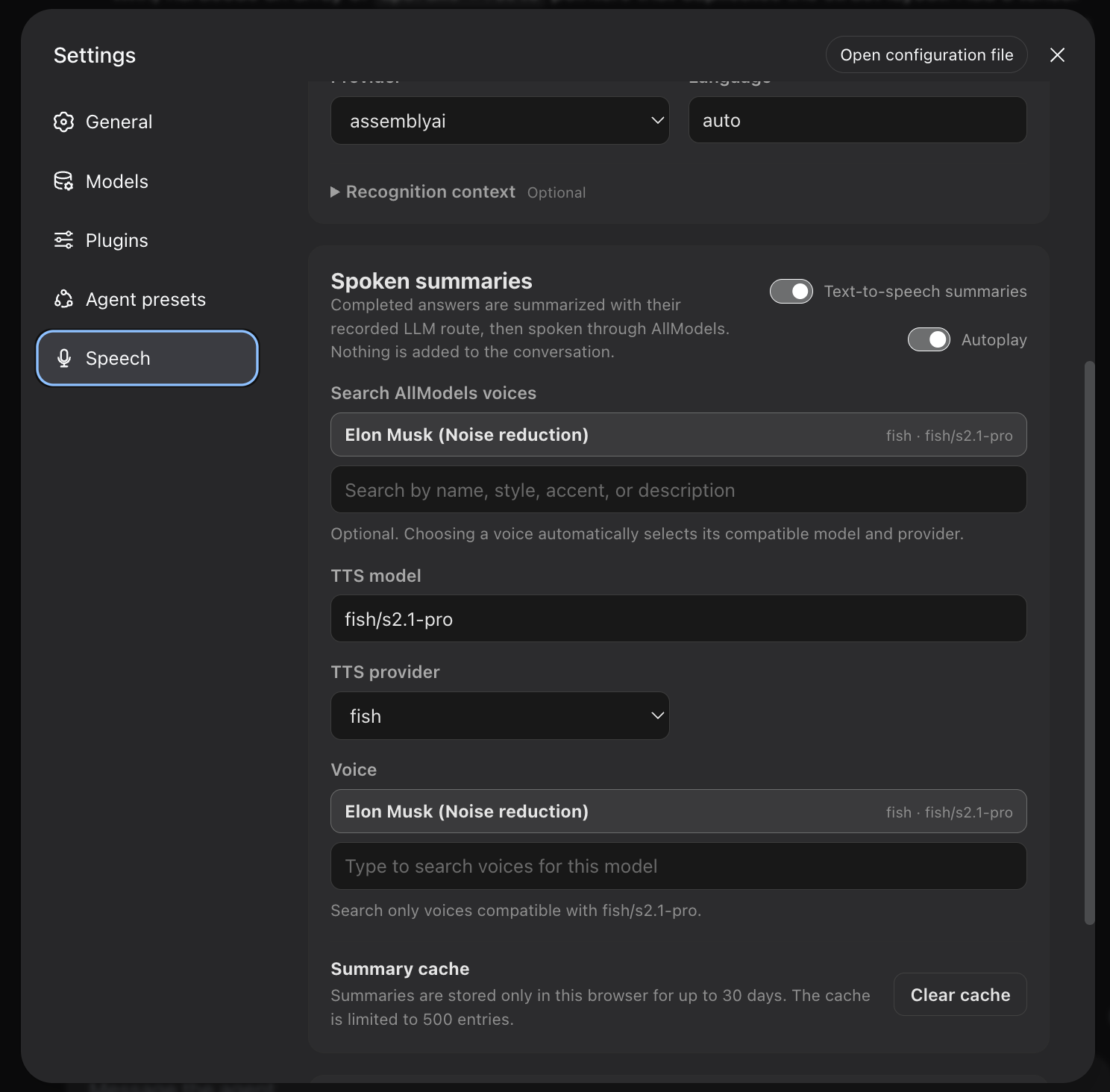
When the agent finishes, the plugin turns its final message into a short spoken summary. Enable autoplay to hear it immediately, or play it whenever you want.
Settings
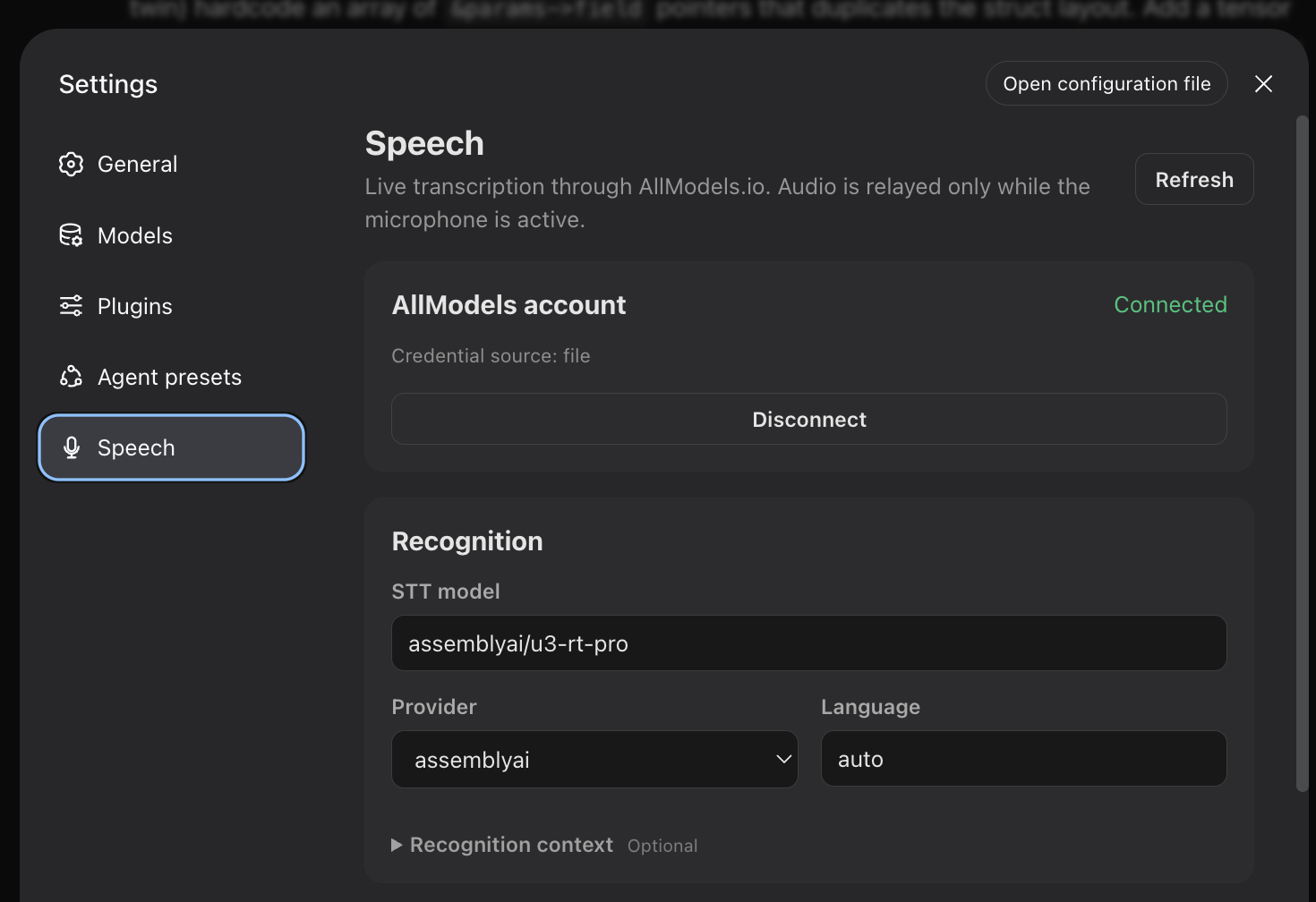
Recognition
Spoken summaries
Compatibility
- DeepSeek Harness web profile
0.1.1-rc.2 - Node.js
^22.19.0 || >=24.0.0 - Local DeepSeek Harness web client
Contributing
Development, testing, release, and compatibility-monitoring notes are in CONTRIBUTING.md.
License
MIT