cheshireez/dsh-skill-hub ↗★ 29
dsh-skill-hub
In-GUI skill hub for DeepSeek Harness (dsh): browse the full local skill catalog from the official ctx.skills registry (every root + third-party providers), toggle skills on/off, inspect bodies, surface frontmatter diagnostics, and scaffold new skills — plus a codex-style skill market (built-in catalog, upstream update checks, one-click update-all) with tracked source sync. The full manager beyond the read-only dsh-skill-manager browser. 适合需要直观管理、调试和新建Agent技能的开发者,提供可视化技能市场。
같은 패키지 이름의 다른 저장소
설치
npx -p @deepseek-ai/dsh dsh plugin --profile web add github:cheshireez/dsh-skill-hubdsh-skill-hub




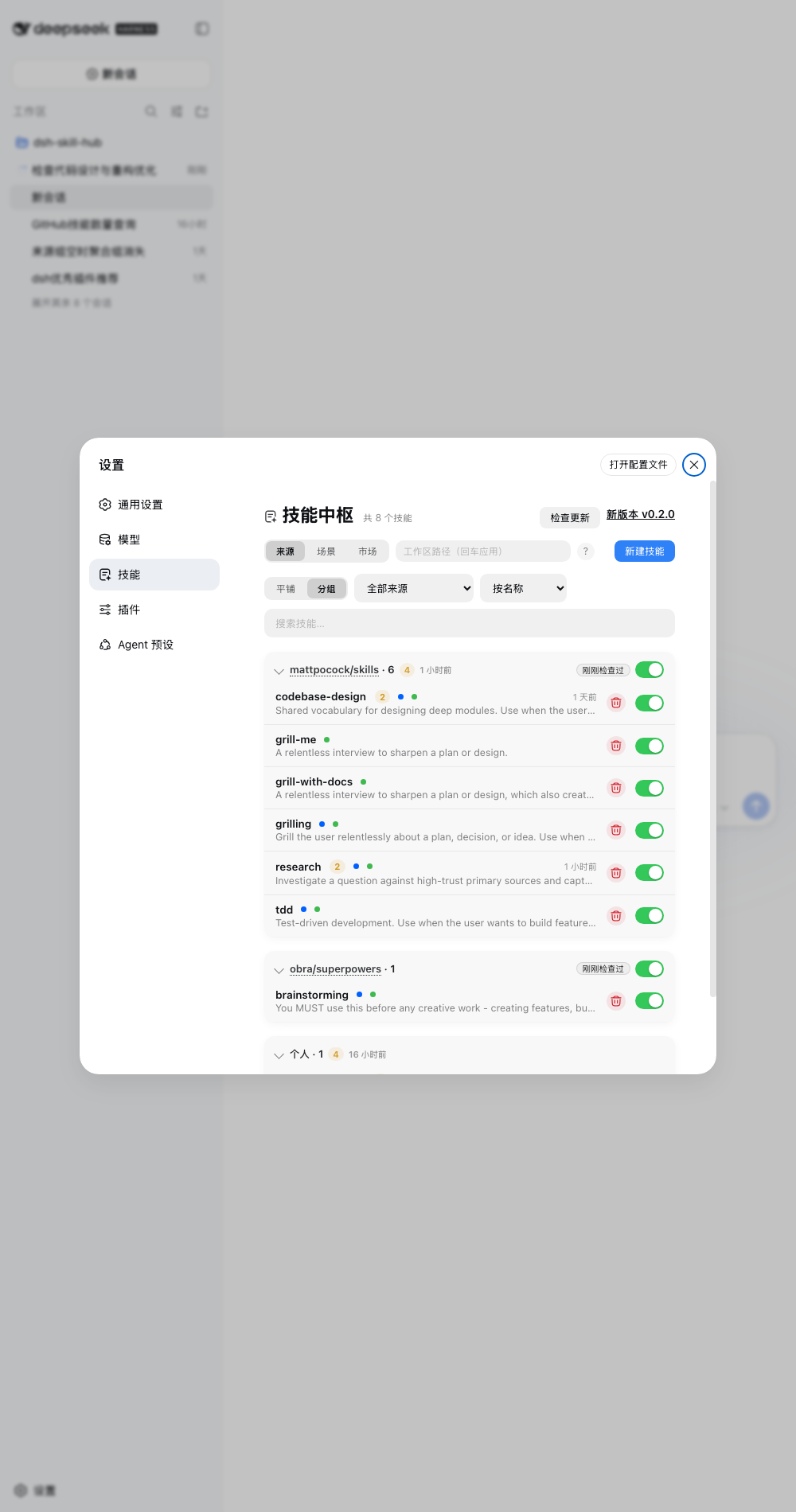
In-GUI skill hub for DeepSeek Harness — browse the full ctx.skills catalog, toggle skills, inspect bodies, fix discovery issues, install from the market, and scaffold new ones.
Host runs in the dsh process via official SDKs only; browser renders through official slots. No dsh source changes.
Quick start
dsh plugin --profile web add dsh-skill-hub
# restart dsh web → Settings → 技能 → Market → scan → import
Requires Node ^22.19 || >=24 + dsh web >=0.1.7-alpha.1 Don't run two dsh webon the same$DSH_HOME + cwd — no session-log lock (seq gapcorruption). Use separateDSH_HOME`.
Troubleshooting
duplicate loader entry id: skill-hub— remove the duplicate install (keep onedsh plugin addmethod).- Skill missing — check the diagnostics section (frontmatter / name mismatch / short description / two discovery forms claiming the same name: a
/SKILL.mdbundle and a.mdfile can coexist on disk, and the registry keeps only one of them). - Empty source group — its skills were deleted, or their disabled records were lost (sidecar restored/hand-edited). Startup reconciles
.disabledfiles on disk and prunes records whose file is gone (a record left behind by a hand-deleted directory used to be un-actionable: enable, create and delete all failed). Source groups with no visible member are no longer rendered. - A skill cannot be created / stays "disabled" — the disabled record pointed at a file that no longer exists. At startup (and on the next enable attempt) the record is repointed at the surviving
.disabledfile, or dropped so the name is free again. - Dots missing in
/menu — dsh internals changed; catalog still works. - Settings card missing — open the plugin in the Plugins manager (sidebar → 插件 → dsh-skill-hub) and expand the 「技能中枢」 card at the top of the page (collapsed by default). On dsh older than
0.1.7-alpha.1this plugin does not load at all (the settings API it targets does not exist there).
Community
Issues · Discussions · Showcase · Market PR · Discord
License
MIT — LICENSE.