feiyang-dev/DeepSeek-Harness-Desktop ↗★ 6
dsh-desktop
DeepSeek Harness 桌面版 —— 一键安装/启动/停止/重启 dsh web 服务,插件管理与自定义安装,在线更新,系统托盘常驻 适合Windows用户,提供图形化界面以一键安装、启停服务及管理插件,免去命令行操作。
같은 패키지 이름의 다른 저장소
설치
검증된 bundle이 없거나 호환성 검사에 실패했습니다. 먼저 저장소 설명을 읽어 주세요. 전체 README 읽기 ↗
DeepSeek Harness Desktop
English · 简体中文
A Windows desktop client for the official DeepSeek Harness Web UI — automatically detects your environment, installs dependencies, and starts the service. Works out of the box.



Screenshots
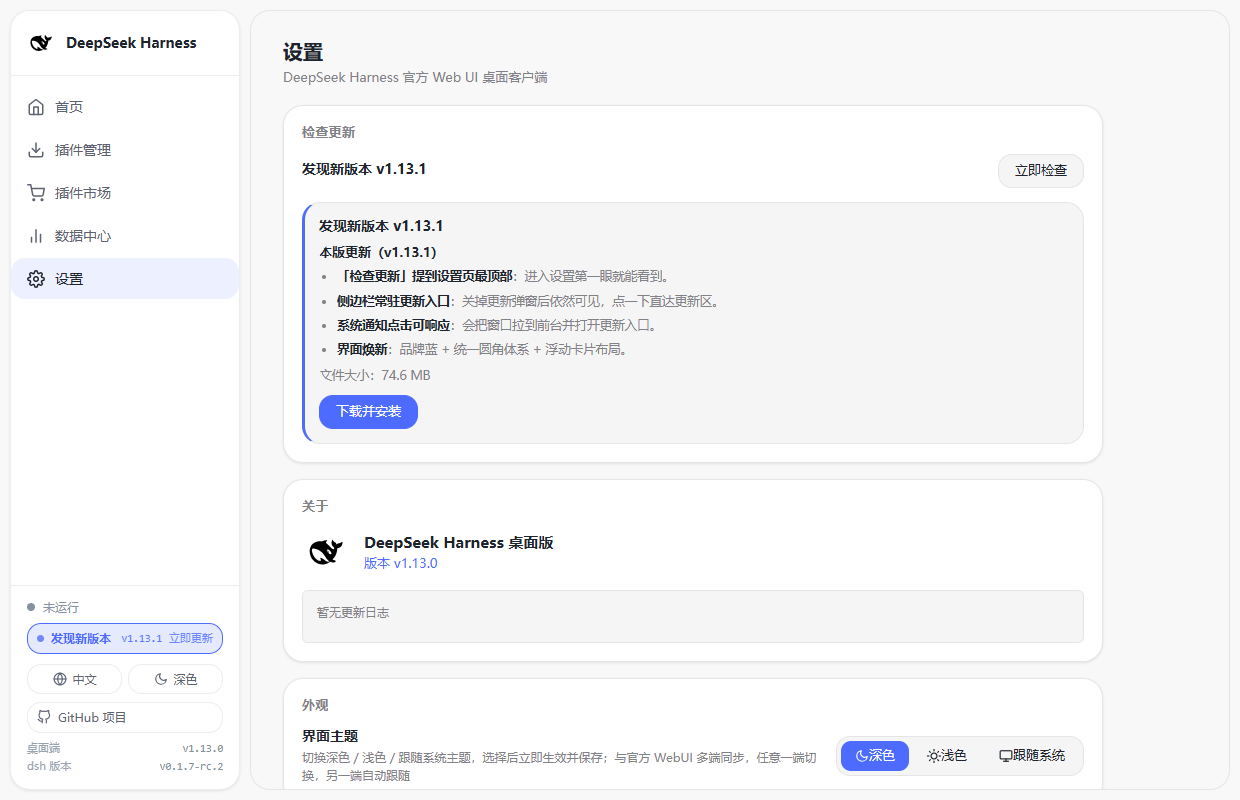
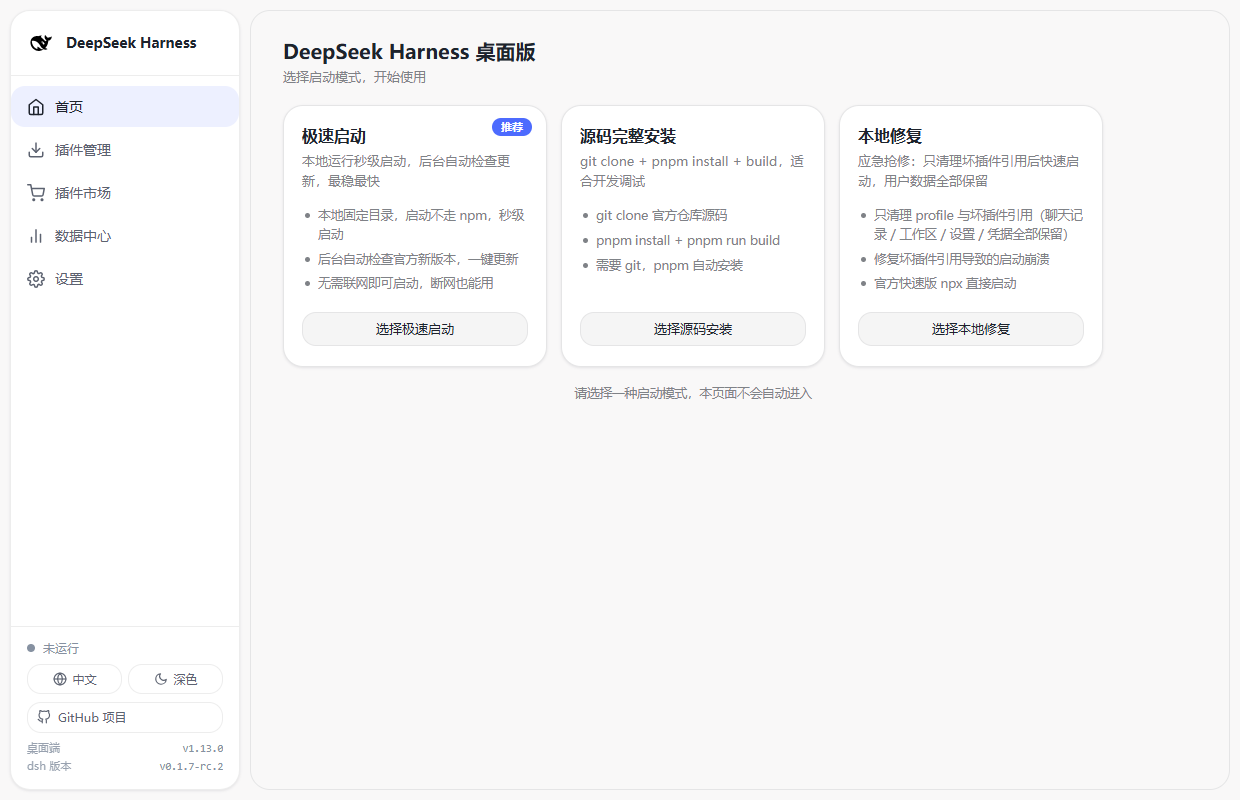
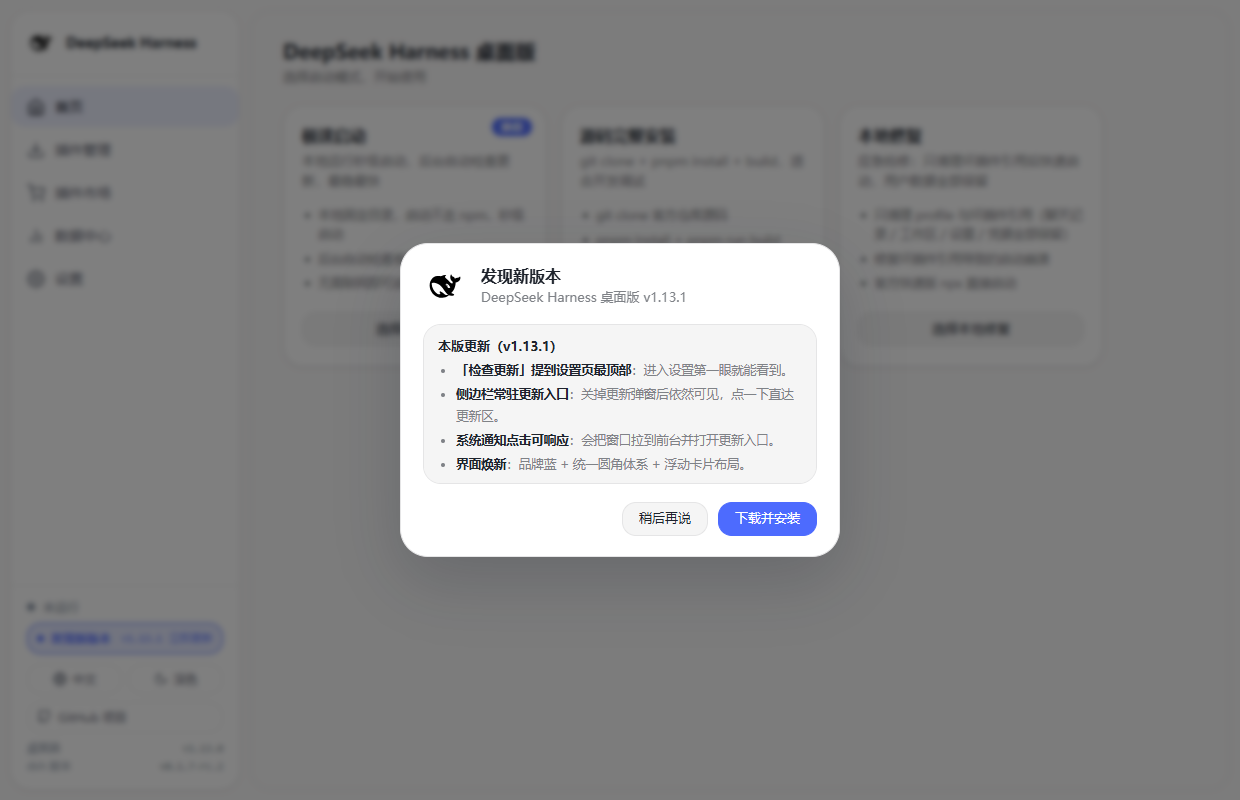
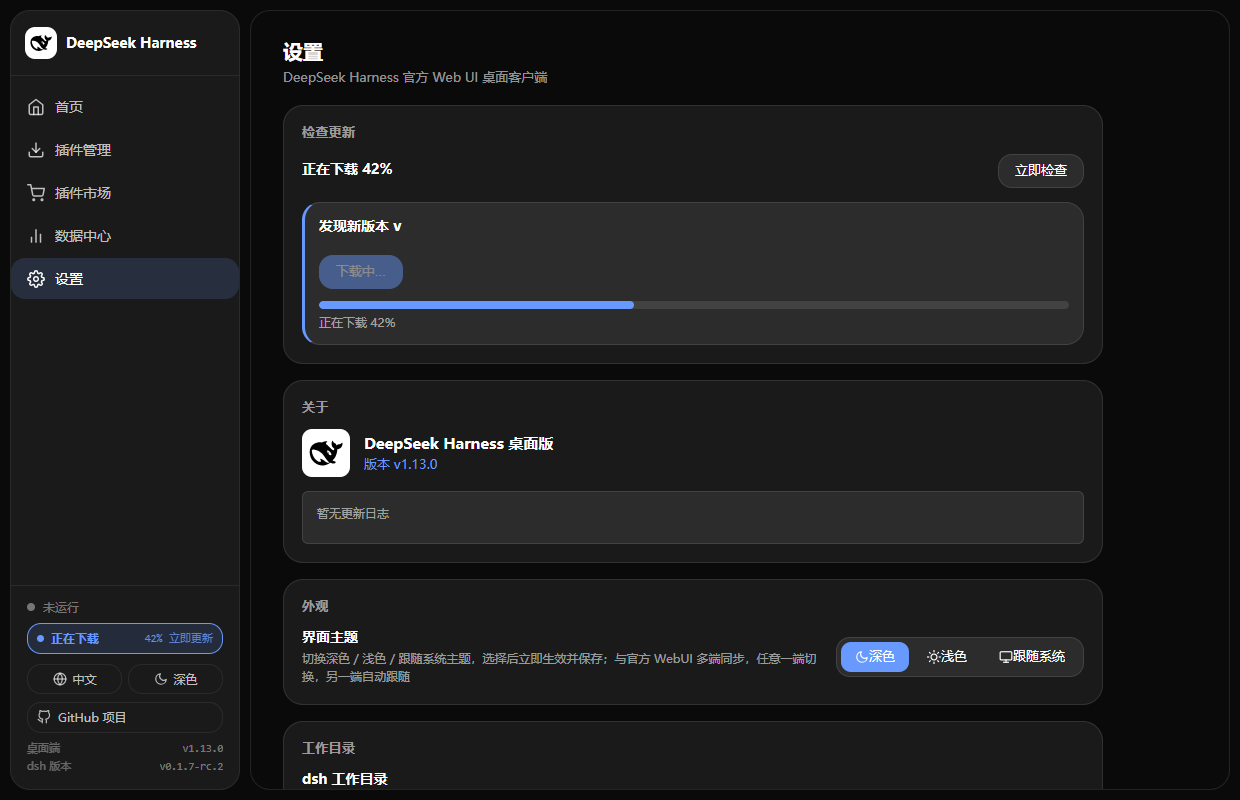
Taken from v1.13.1. The control panel follows the official DeepSeek design language (brand blue, unified corner radius, floating-card layout) and ships with refreshed dark and light themes.
| Settings · "Check for updates" on top | Home · startup & mode picker |
|---|---|
 |  |
| New version · update dialog | Dark theme · downloading (progress in the sidebar) |
|---|---|
 |  |
Overview
An Electron desktop shell that embeds the official DeepSeek Harness Web UI. On startup it lets you pick an installation mode, then automatically handles environment detection, installation, and service startup — with a percentage progress bar for every stage. When the service is ready, the main UI opens automatically.
No command-line memorization, no manual service startup — just double-click and go.
New-dsh auth fully auto-adapted (v1.11.0): dsh
0.1.2-rc.1+enforces browser-session auth on the Web UI. The desktop app automatically captures the access token dsh prints at startup and uses it to open the main window (exchanges a 30-day cookie, then returns to the clean bare URL) — no manual?token=handling. Mobile remote access also supports bare-URL direct entry with plugin@feiyang666/dsh-mobile-remote >= 1.8.0. See RELEASE_NOTES.md and CHANGELOG.md.DeepSeek V4.1 Flash supported (v1.12.0): update the runtime to the latest official dsh (Instant Start "Update Now" / Settings → "Runtime (dsh)") and the official Web UI offers the new model
deepseek-flash(DeepSeek-V4.1-Flash) alongsidedeepseek-v4-pro; also upgrade the Usage & Cost plugin to ≥ 1.17.0 so costs are billed with the new peak/off-peak prices effective 2026-09-10 12:00 Beijing time. The desktop app itself needs no model configuration changes.dsh v0.1.7 adapted (v1.13.0): official dsh v0.1.7-rc.1 moved user settings into the current Profile's plugin configuration (
~/.dsh/profiles/ /cordis.patch.yml, entry- id: ui-theme; the legacy~/.dsh/settings.yamlis imported only once and then renamed tosettings.yaml.imported), added plugin ↔ dsh version compatibility checks (with profile-local exact-version exemptions incompatibility.json) and made empty/comment-only profile patches fail startup. The desktop app now reads/writes/watches the new settings storage, performs the same peer-range compatibility check (with a one-click "Allow this version" exemption), recognizes official startup diagnostics, and preserves settings/agent presets across "Local Repair". None of the other v0.1.7 breaking changes (ptc-runtime,workflow-ptc, E2B removal, Ralph off by default, Node PTC env, Messages API,maxInlineBytes→maxInlineTokens,agent/created,readBytes,spawn_teammate) are referenced by the desktop app.
Features
Installation Modes
Choose an install method when the app launches:
| Mode | Description | Best For |
|---|---|---|
| Instant Start | Local fixed-directory runtime, second-level launch, auto-checks official updates with one-click update (replaces Quick Start) | Most users, recommended |
| Full Source Build | git clone + pnpm install + pnpm run build | Developers who want to modify/debug the source |
| Local Repair | Uninstall global @deepseek-ai/dsh, clean residue, reinstall | Fix broken installs, version issues, or koffi load failures |
Friendly Startup Guide
- Large percentage progress bar + stage hints, fully replacing log spam
- Expandable command-line log panel: one click to view real output (install/build process), auto-expands on errors
- Stage text adapts intelligently: detecting environment → downloading → extracting → installing → building → starting
Plugin Management (Dedicated Page + Custom Install)
The home screen has a "Plugin Management" entry (left navigation) that opens a dedicated plugin page:
- Recommended plugins — one-click install/uninstall of community-built plugins (install progress shows in the "Custom Install" card's command log; click "Restart Service Now" after finishing):
- Usage & Cost Tracker (dsh-usage-plugin): per-call token/cache-hit stats, peak/off-peak billing (≥ 1.17.0 supports V4.1 Flash
deepseek-flashand the new peak/off-peak prices effective 2026-09-10 12:00), a usage calendar heatmap, balance query, and CSV/JSON/PNG export. - Data Vault (dsh-vault): auto-backups
~/.dshdata to~/.dsh-backups, detects data wipe, and restores chat history and workspace data with one click. - Mobile Remote Control (dsh-mobile-remote): control DeepSeek Harness on your PC from your phone over LAN / the internet via QR code — remote-access password gate, external tunnel status monitoring, and real-time device / runtime status.
- Usage & Cost Tracker (dsh-usage-plugin): per-call token/cache-hit stats, peak/off-peak billing (≥ 1.17.0 supports V4.1 Flash
- Custom install — enter any npm package name or install command (e.g.
@scope/plugin-nameornpm install @scope/plugin-name); the client installs it and registers it in the runtime profile. Command-line output is shown live in the custom-install card. - Installed list — shows all installed plugins (version / registration status) with per-plugin uninstall.
- The install logic is equivalent to the official
dsh plugin add(npm into profile + registerdsh.profile.bundles); restart the service to take effect.
Prefer the command line? The equivalent commands work too:
dsh plugin --profile web add @feiyang666/dsh-usage-plugin
dsh plugin --profile web add @feiyang666/dsh-vault
dsh plugin --profile web add @feiyang666/dsh-mobile-remote
Data Center (One-Stop Plugin Data)
A dedicated "Data Center" section in the left navigation (on par with Home / Plugin Management / Settings) shows real-time data from installed plugins while the service is running:
- Usage stats (dsh-usage-plugin): today / week / month / all-time summaries, cache-hit rate, last-30-days daily breakdown, per-model / per-provider distribution, recent call records
- Balances & credentials (dsh-usage-plugin): credential status and balance details for each provider (DeepSeek / SiliconFlow / DigitalOcean / AMD)
- Backup management (dsh-vault): backup count / time / root directory / full history, one-click "Back Up Now"
- Remote devices (dsh-mobile-remote): online devices / total heartbeats / LAN & external tunnel status / password gate / runtime info
All data comes from the plugins' own HTTP APIs — the desktop app only "bridges and consumes" it; cards/blocks auto-hide or show "Not installed" when a plugin is missing, not running, or unreachable. Data changes are pushed in real time over each plugin's SSE event stream, no manual refresh needed; the section hides automatically when the service stops.
Plugin Market (Scan GitHub Community Plugins)
A "Plugin Market" entry in the left navigation scans GitHub public repos tagged with dsh-plugin (the officially recommended way to discover community plugins):
- List view: each plugin shows name, author, description, star count, primary language, and license; official recommended plugins are pinned and marked "Official".
- Search / pagination: keyword search across plugin name / description / author, with paginated results.
- One-click install: once the repo's npm package name is detected from its
package.json, you can install it with one click (reuses the custom-install flow with automatic mirror switching); repos without a detectable npm package are marked "Not an npm package" for reference. - Installed status: already-installed plugins are marked "Installed" with their version directly in the market.
- The scan uses the public GitHub API and is subject to GitHub rate limits without login (~60 requests/hour); the market page shows failure hints and a retry entry.
Settings & Online Updates
The "Settings" entry (left navigation) opens the settings page:
- About: app version, changelog
- Appearance: interface theme with three options — Dark / Light / Follow System (persisted, takes effect immediately, synced across the desktop client and the official Web UI — change it on either side and the other follows). Since dsh 0.1.7 the official settings live in the current Profile's plugin configuration (
~/.dsh/profiles/ /cordis.patch.yml, entry- id: ui-theme); the legacy~/.dsh/settings.yamlis imported once and renamed tosettings.yaml.imported. The desktop app resolves the effective value with the official precedence (home patch → profile patch → settings.yaml →.imported) and writes to both the profile patch and the still-presentsettings.yaml, so the two-way sync works on both dsh generations - Notifications: toggle for new-version system notifications (persisted); clicking the system notification brings the app window to the front and opens the update entry (other notifications focus the control panel)
- Visual refresh (v1.13.1): the control panel follows the official DeepSeek design language — brand blue accent (
#4d6bfelight /#6799fedark), a unified radius scale (panels 20px · modals 28px · cards & list rows 18px · buttons & inputs 14px · pill badges), and a floating-card layout for the sidebar and the content area. The official Web UI is left untouched - Developer options: toggle "Developer options mode" (persisted, applies on next launch)
- Check for updates (first panel on the settings page): auto-checks when entering settings; supports manual check, one-click download & install, live progress display, and SHA256 verification on completion. After dismissing the startup update dialog with "Later", a persistent "New version · Update now" entry stays at the bottom of the sidebar (showing download progress, then "Install"), and clicking it jumps straight to the update panel at the top of the settings page
Developer Options Mode (for frontend development)
After enabling "Developer options mode", choosing "Quick Start" no longer runs a single-process npx; instead it splits startup into two processes for easier iteration on the DSH browser side:
| Process | Description |
|---|---|
| Service backend | Starts dsh web from the source repo (%APPDATA%/dsh-desktop/deepseek-harness), serves the API and hosts the frontend at the same address |
| Browser-side hot-reload watcher | pnpm run dev:web, watches all dsh.client plugin sources; rebuilds the bundle automatically on changes, hot-reloads in the browser without refresh |
- Requires a completed "Full Source Build" first (a hint is shown if not ready)
- The WebUI window still opens
http://127.0.0.1:3080; the home console shows a "Developer Mode" badge, and stop/restart manages both processes - Choosing "Full Source Build" while the mode is on also starts the hot-reload watcher after the build
- Turning the switch off returns to the original single-process npx Quick Start
Other Features
- No terminal windows: all subprocesses run directly via
node, no console popups - Automatic environment detection: guides you when Node.js/git/pnpm are missing (download button for Node, download hint for git, auto-install for pnpm)
- Automatic service startup: reuses an existing service on port 3080 when available; otherwise starts
dsh web. If the port is held by something this app did not start (dsh 0.1.7 supports multiple coexisting DSH instances), the occupant (process name + PID) is reported before it is ended, instead of being killed silently - Plugin ↔ dsh version compatibility: the same peer-range check the official installer/launcher performs on
@deepseek-ai/dsh/@deepseek-ai/dsh-*(pre-install registry pre-check, post-install re-check for tarball/directory installs); incompatible plugins are flagged in both the recommended cards and the installed list, and can be allowed through a one-click exact-version exemption written to the profile'scompatibility.json(equivalent todsh plugin allow-version; applies to that exact version only) - Official startup diagnostics recognized: official 0.1.7 failure/degradation signals (plugin or bundle skipped as incompatible, a required plugin entry failing, sections of the legacy
settings.yamlnot migrated, a patch entry that does not exist) get an actionable Chinese/English hint in the log panel; a startup timeout also reports the recognized diagnostic - Repair keeps your preferences: since 0.1.7 user settings and agent presets live inside the profile, "Local Repair" now stashes
ui-theme/preset-*entries and version exemptions before deletingprofiles/, and merges them back once the service starts successfully again - System tray: closing the window minimizes to tray while the service keeps running; exit from tray menu
- Clean exit: automatically
taskkills the dsh process tree on quit - Packaging:
electron-buildergenerates a Windows installer
System Requirements
| Dependency | Notes |
|---|---|
| Windows 10 / 11 (x64) | Runtime platform |
| Node.js ≥ 18 | Required for Instant Start mode; the client guides installation if missing |
| git | Only needed for source mode (pnpm auto-installs if missing) |
| Network | First install downloads dependencies (~hundreds of MB) |
The client guides you through installing anything missing — no manual setup required.
Getting Started
Development
start.bat
Or manually:
npm install
npm start
Custom port: npm start -- --port 8090 (default 3080; reuses an existing dsh web service on that port if present).
Project Structure
dsh-desktop/
├── main.js              # Main process (mode selection/progress state machine/install/start/window/tray/cleanup/update service/plugin market IPC)
├── preload.js           # Secure bridge (mode/progress/log/status/settings/update/plugin market IPC)
├── plugin-manager.js    # Plugin manager (install/uninstall/status, pure Node logic)
├── plugin-compat.js     # Plugin ↔ dsh version compatibility (peer ranges + compatibility.json exemptions, pure Node logic)
├── plugin-market.js     # Plugin market (scans GitHub topic:dsh-plugin, pure Node logic)
├── plugin-bridge.js     # Plugin data bridge (consumes plugin HTTP APIs / SSE, pure Node logic)
├── boot/                # Bootstrap page (home + left nav + plugin management + plugin market + settings + progress bar + log panel)
│   ├── boot.html
│   ├── boot.css
│   └── boot.js
├── assets/              # Packaging resources (icons, etc.)
├── pack.js              # Interactive packaging script
├── start.bat            # Dev startup script
└── package.json         # Dependencies & build config
Startup Flow (State Machine)
[Home: Mode Selection] --user chooses (no auto-enter)-->
    Quick: detect node → npx downloads deps → start service
    Quick + Developer mode: detect node → check source repo → start service backend + browser hot-reload watcher (two processes)
    Source: detect git/pnpm → clone → pnpm install --ignore-scripts → pnpm run build → start service (with dev mode on, also starts the watcher)
    Repair: stop service → stash user preferences → clear broken plug