lincong1987/dsh-model-switch ↗★ 1
dsh-model-switch
DSH plugin: choose models for subagents and plan execution separately / 为子代理和计划执行选择更合适的模型
AI 분석
核心用途是优化多步骤任务的性价比与效果。适合希望在主对话使用高级模型,而在后台规划或子任务执行时自动切换为轻量/便宜模型的成本敏感型用户。
설치
$
npx -p @deepseek-ai/dsh dsh plugin --profile web add github:lincong1987/dsh-model-switchdsh-model-switch
English | 中文
Use the right model for each stage of work in DeepSeek Harness.
The main conversation, subagents, and plan execution serve different purposes. dsh-model-switch lets each of them use a suitable model without changing the normal DSH workflow.
Why use it
- Match models to tasks — keep your preferred model in the main conversation and use another model for subagents or plan execution.
- Avoid repeated switching — save defaults once instead of changing models before every task.
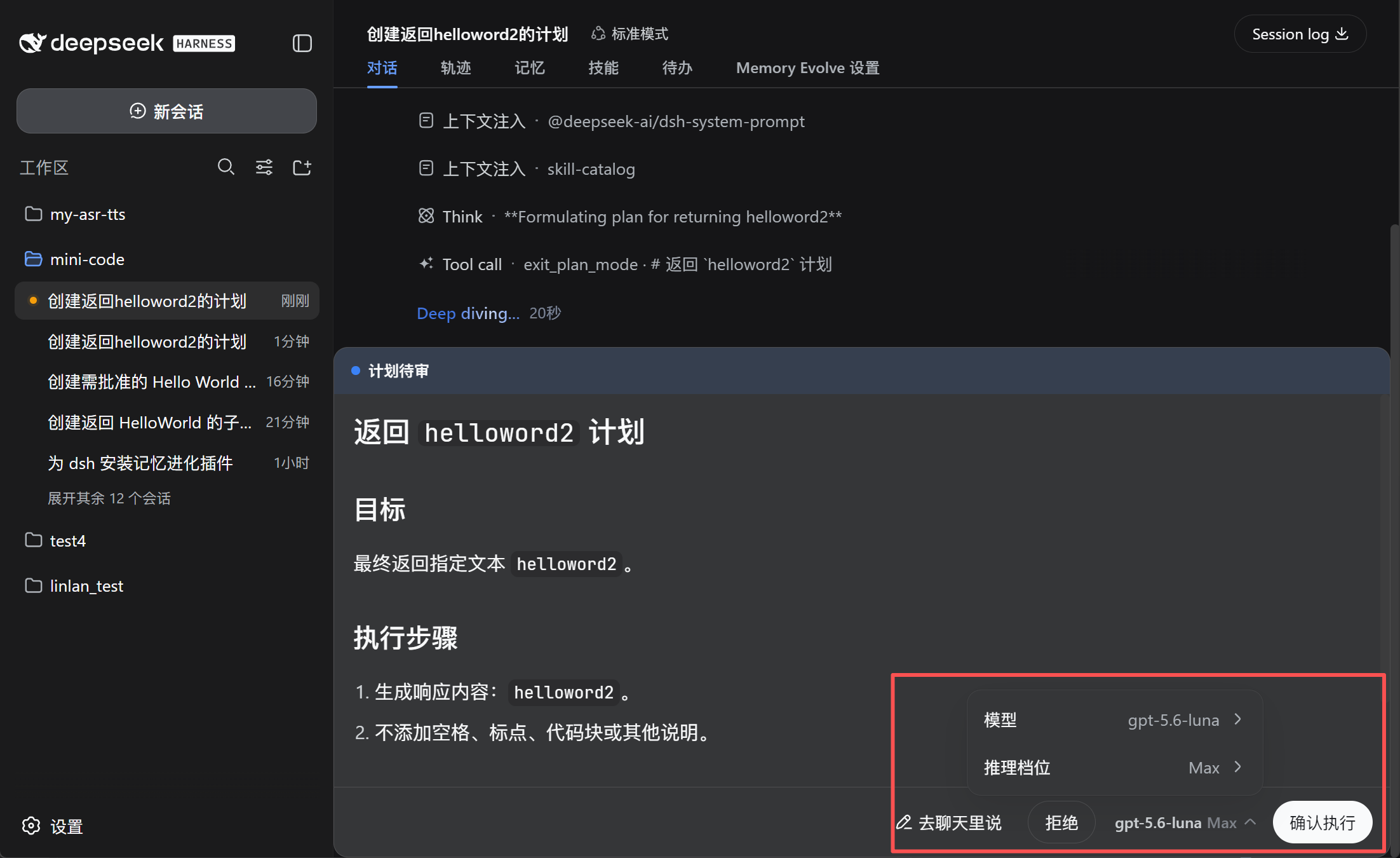
- Confirm before execution — review or change the model directly in the plan approval panel.
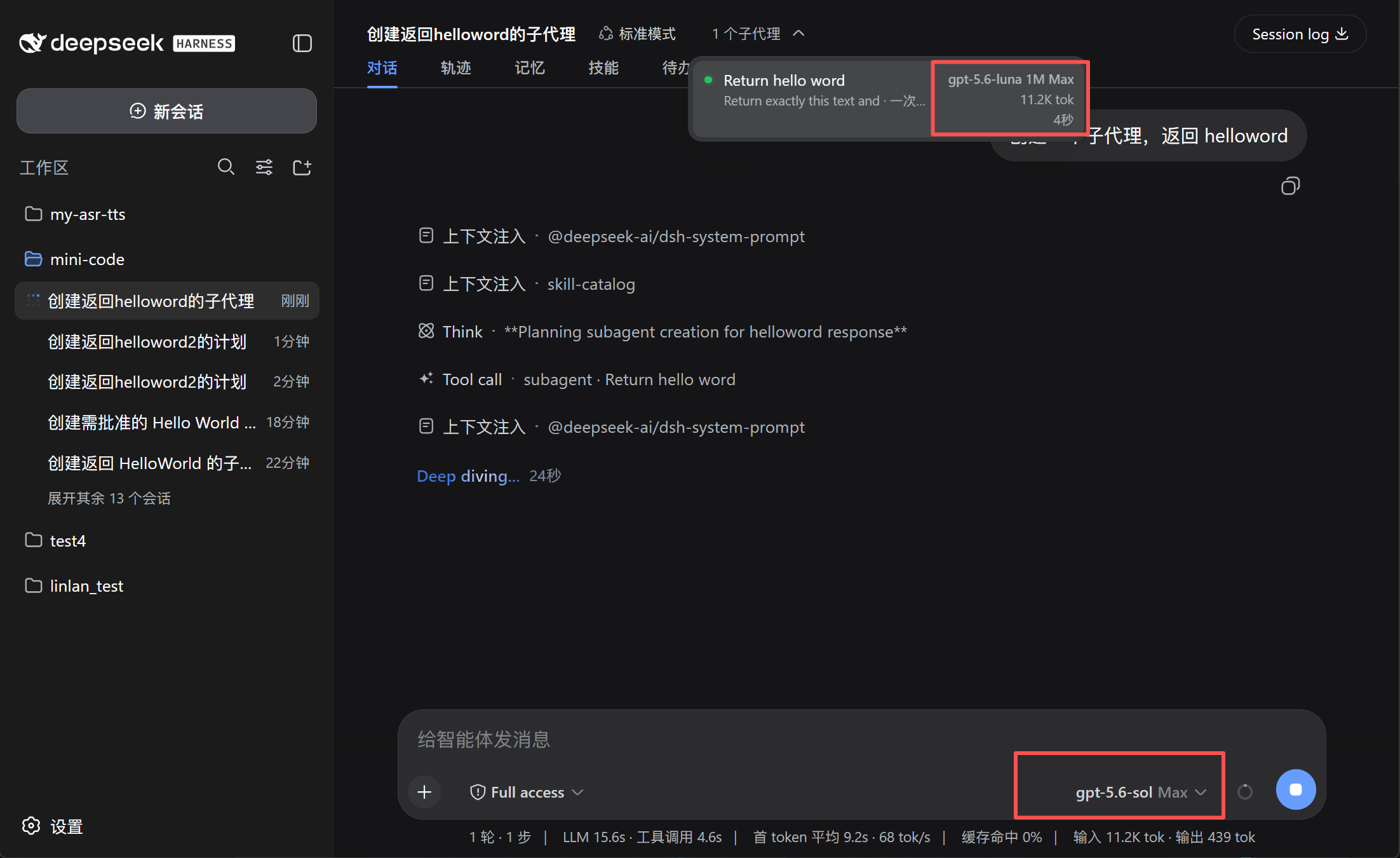
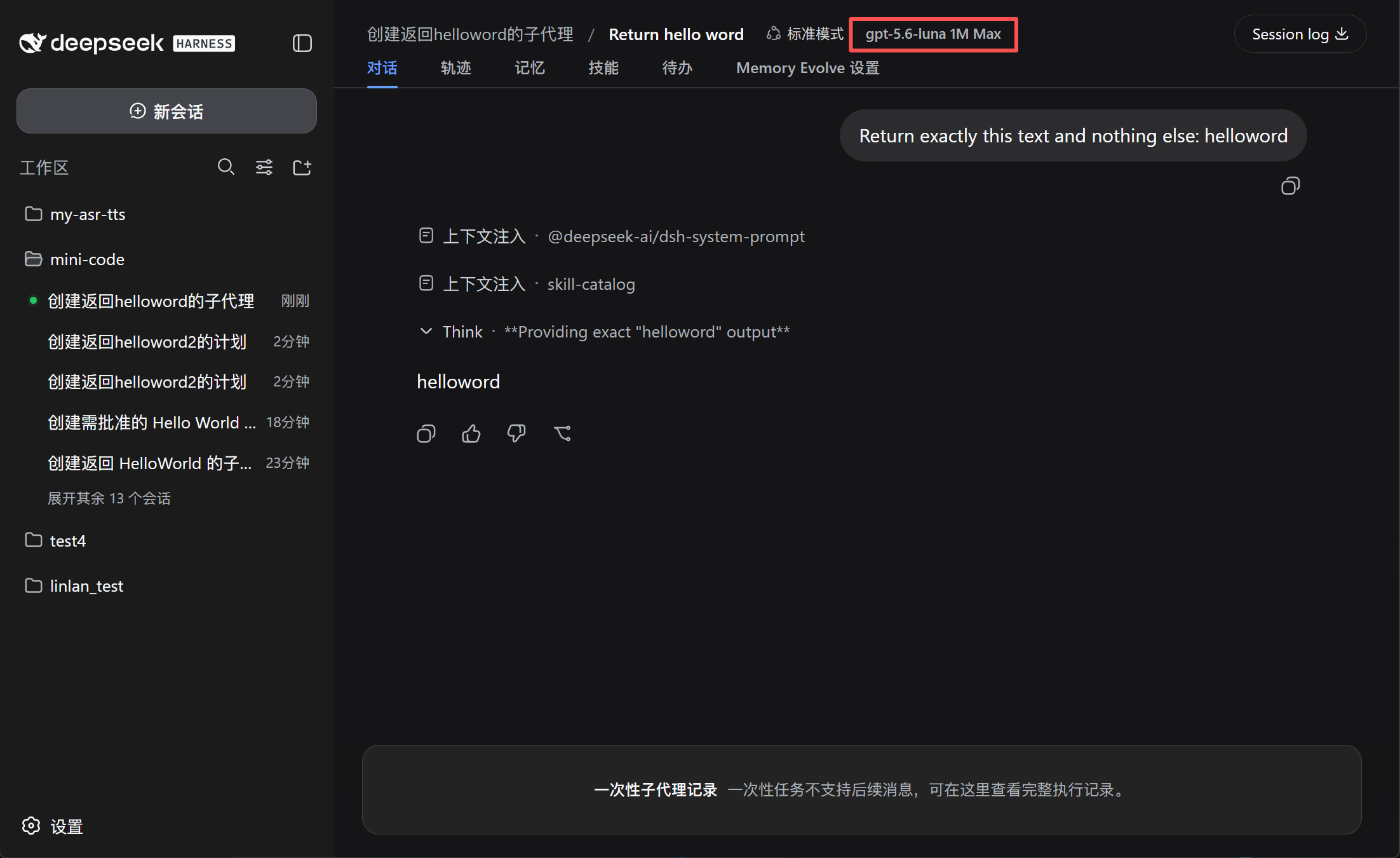
- See what subagents use — display the model, context window, and reasoning effort, such as
GPT-5.6 Sol 1M Max. - Keep the main model unchanged — after plan execution, DSH restores the previous main-session model.
Preview
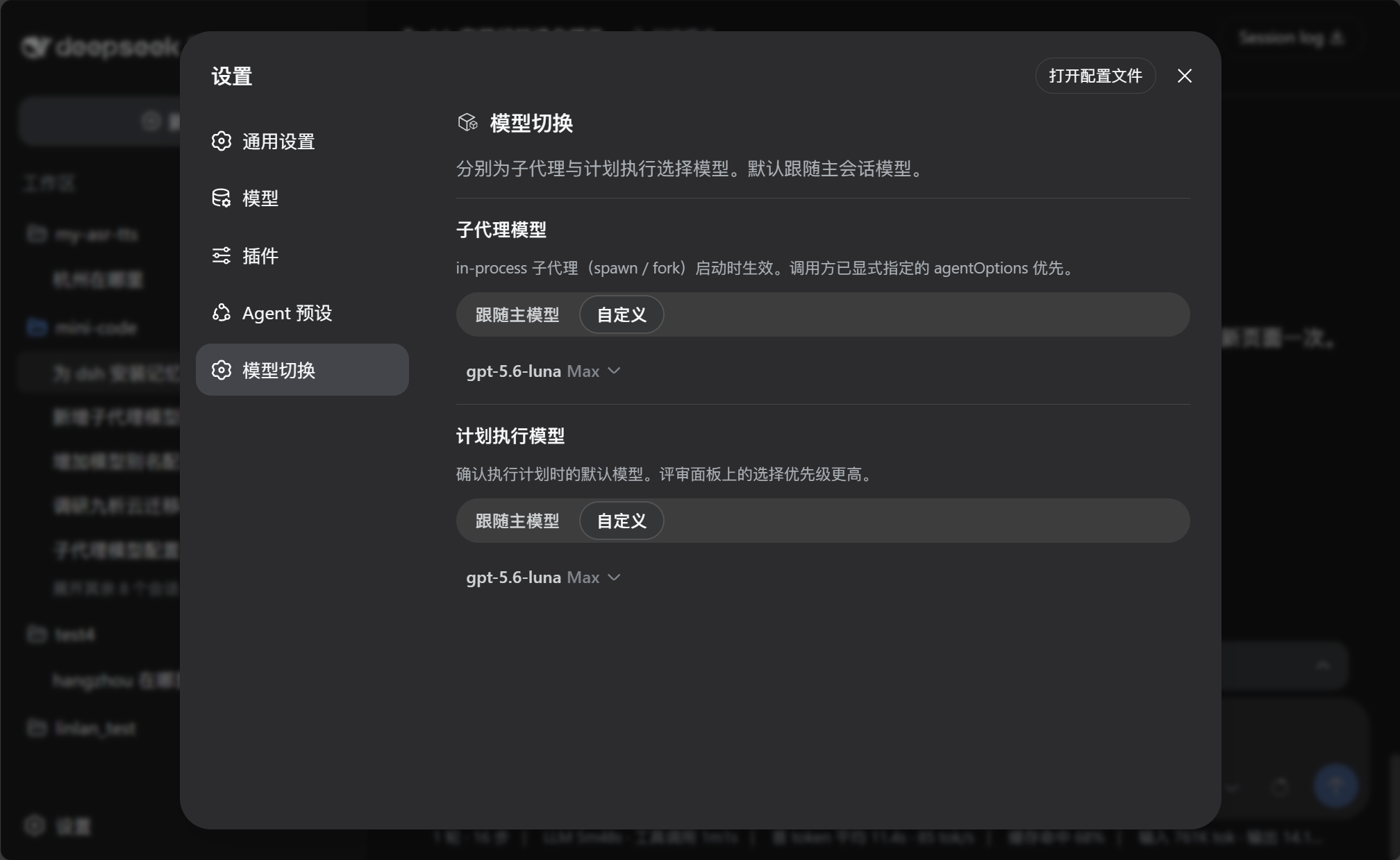
Configure model defaults
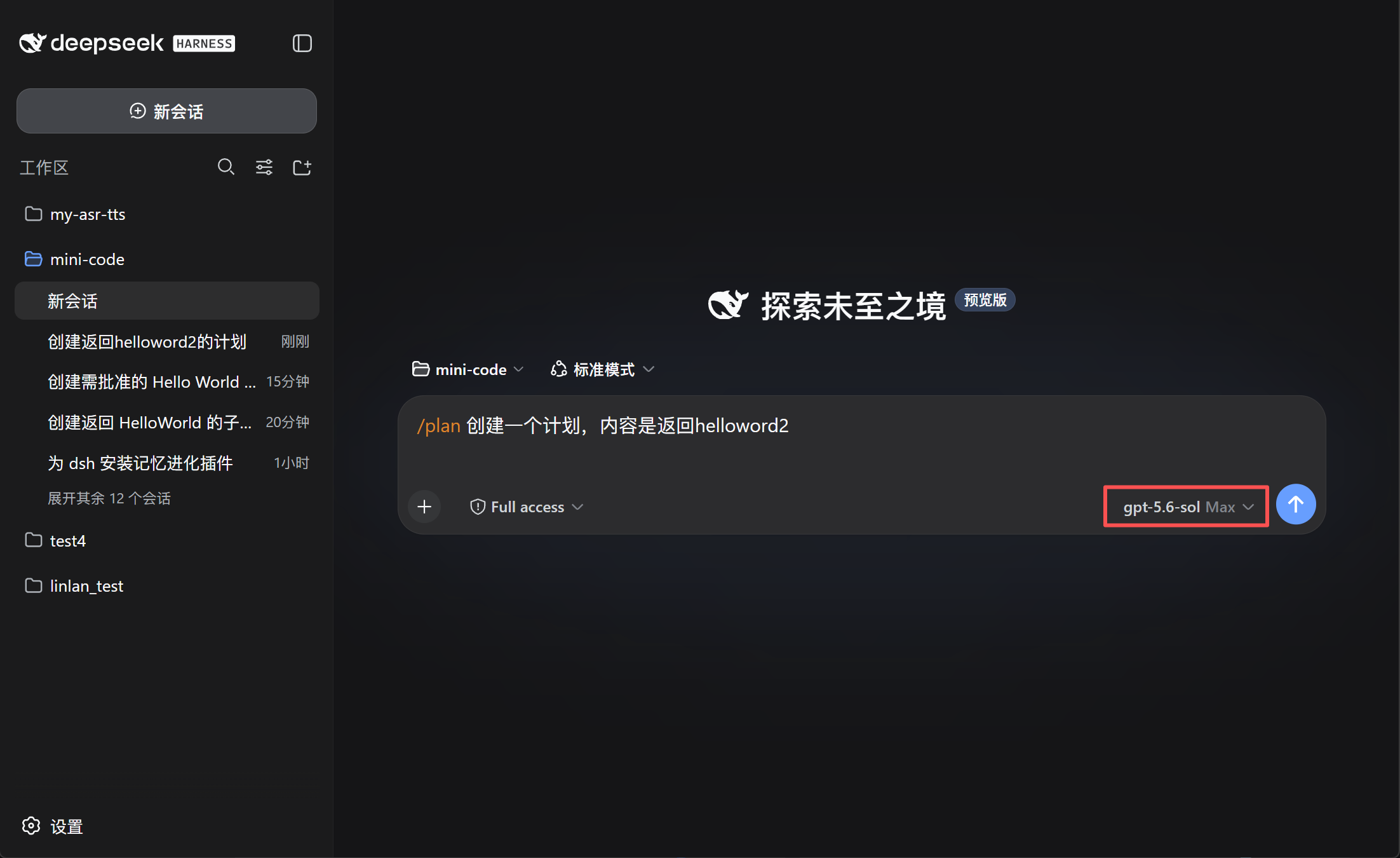
Choose the model for plan execution
See the model used by subagents
Install
dsh plugin --profile web add github:lincong1987/dsh-model-switch
Restart DSH after installation.
Use
- Open Settings → Model switch.
- Configure the Subagent model and Plan execution model:
- Follow main model uses the current conversation model.
- Custom lets you choose a model and reasoning effort.
- When reviewing a plan, confirm or change the execution model before selecting Approve.
The model selected in the plan review panel takes priority over the saved plan-execution setting.
Compatibility
Subagent model switching applies to in-process subagents such as spawn and fork. External-process agents may manage their models independently.
Community

Links
License
MIT