dsh-desktop-ui
Desktop mode for the DeepSeek Harness web GUI: open sessions as movable, resizable windows with a taskbar. 适合需要同时查看、操作多个会话窗口,追求多任务并行体验的用户
설치
npx -p @deepseek-ai/dsh dsh plugin --profile web add github:mrbeandev/dsh-desktop-uidsh-desktop-ui
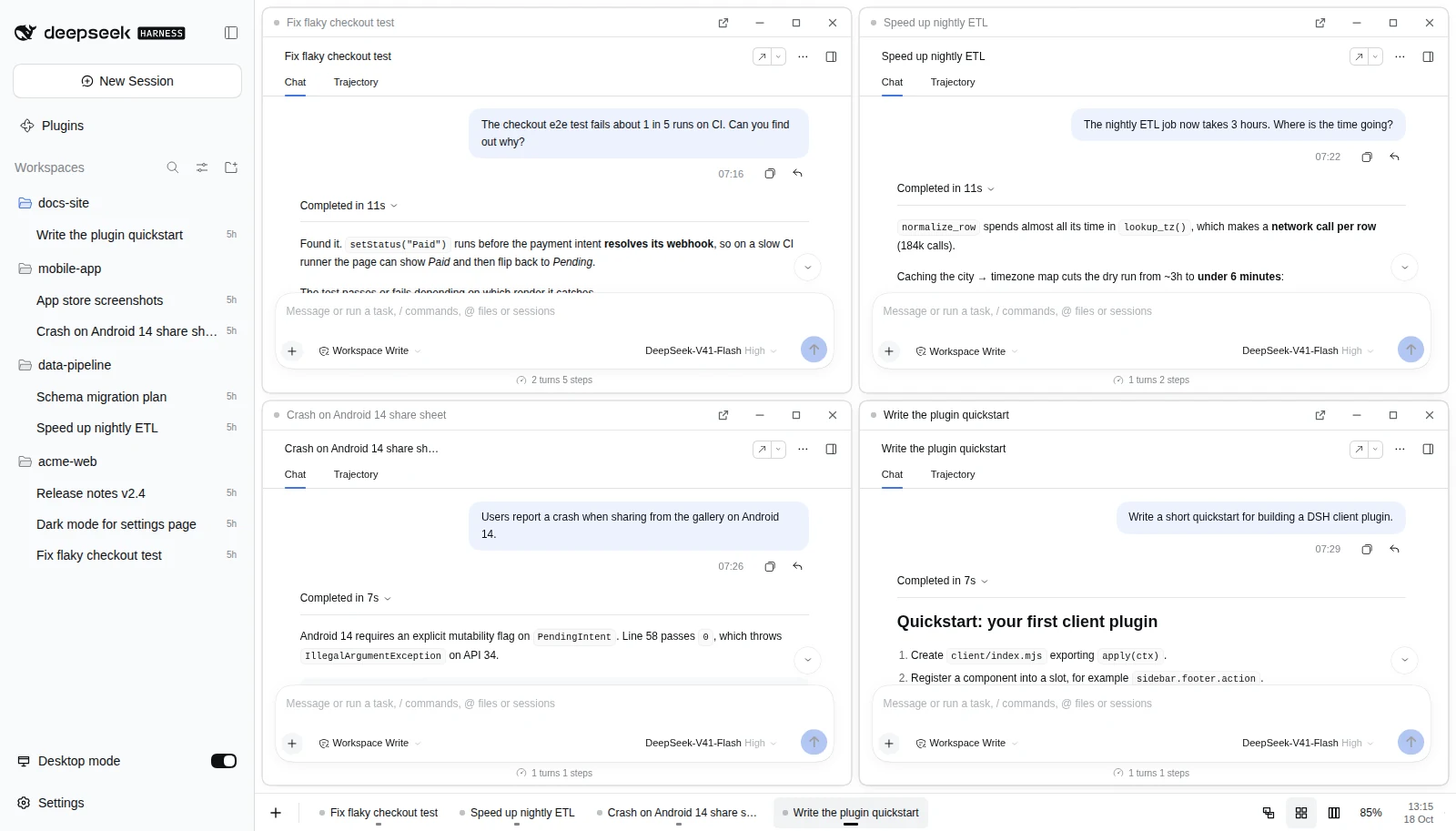
Desktop mode for the DeepSeek Harness web GUI. Keep the sidebar exactly as it is, and turn the conversation area into a desktop where every session is a movable, resizable window — with a taskbar along the bottom.


- Source code: github.com/mrbeandev/dsh-desktop-ui
- npm package: npmjs.com/package/dsh-desktop-ui
Contents: Why · Install · Features · Compatibility · Development · Local setup · Release checklist
Why this plugin exists
DSH shows one conversation at a time. When you juggle several sessions — a long agent run, a quick question, a code review — you keep clicking back and forth in the sidebar. Desktop mode lets you keep them all on screen at once, arrange them side by side, and park the rest in a taskbar.
Install from npm
dsh plugin --profile web add dsh-desktop-ui
Restart dsh web when asked, then refresh the DSH page. A Desktop mode switch
appears in the sidebar, directly above Settings.
To remove:
dsh plugin --profile web remove dsh-desktop-ui
Restart and refresh. The normal conversation view comes back unchanged; only the
browser-local window layout remains in localStorage.
Features
| Feature | What it does |
|---|---|
| Desktop mode switch | Sits directly above Settings. Off by default; the choice persists in this browser. Turning it off returns to the normal conversation on the focused window's session. |
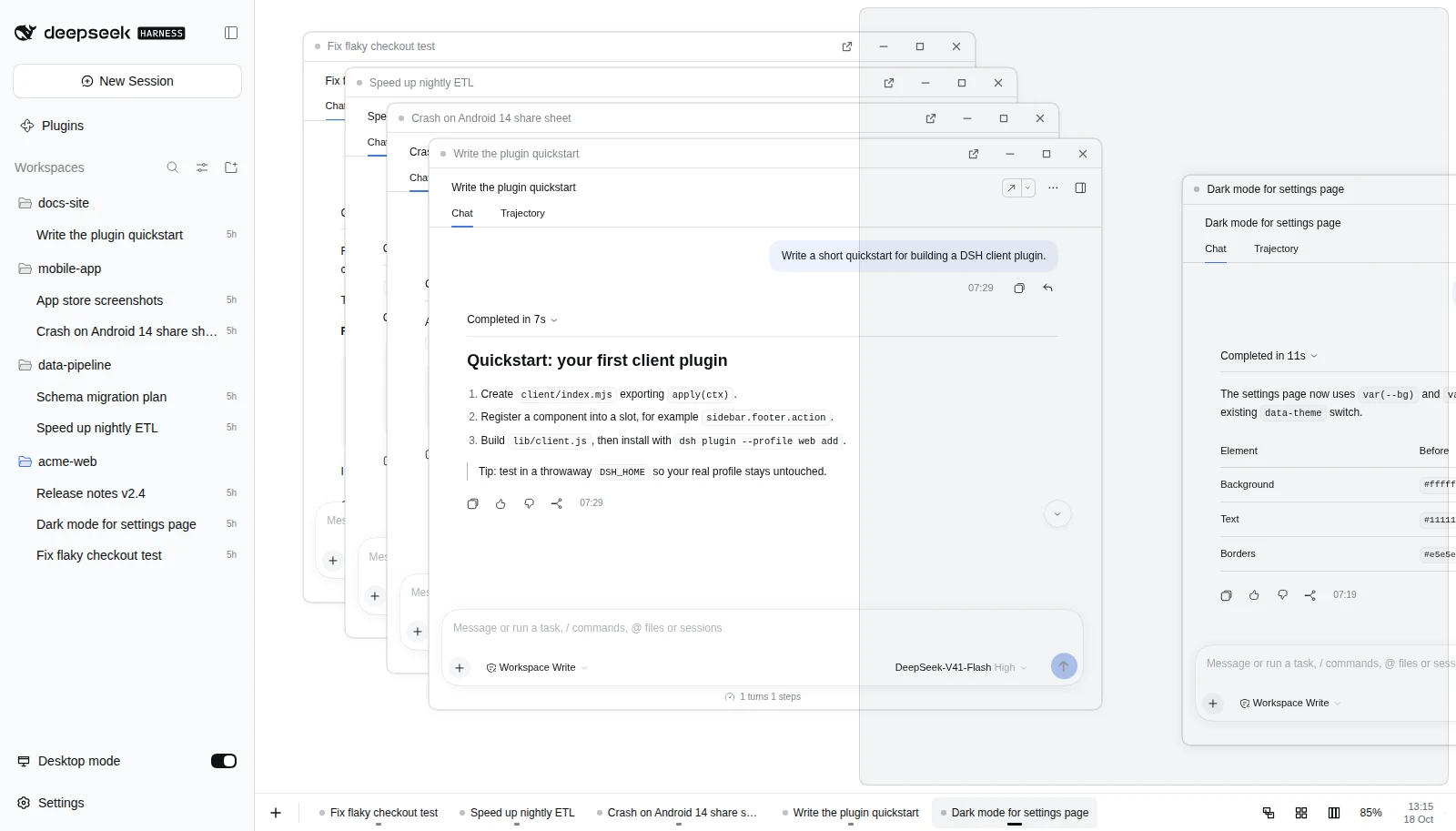
| Sessions as windows | Clicking a session in the sidebar opens it as a window. A session can only have one window — clicking it again restores and focuses the existing one. Every window shows the same conversation UI as the main chat — header, view tabs, transcript, composer, and anything other plugins add (for example dsh-rewind-plugin's rewind button under your messages). |
| Window controls | Drag the title bar to move; drag any edge or corner to resize; double-click the title to maximize/restore; minimize, maximize and close buttons. |
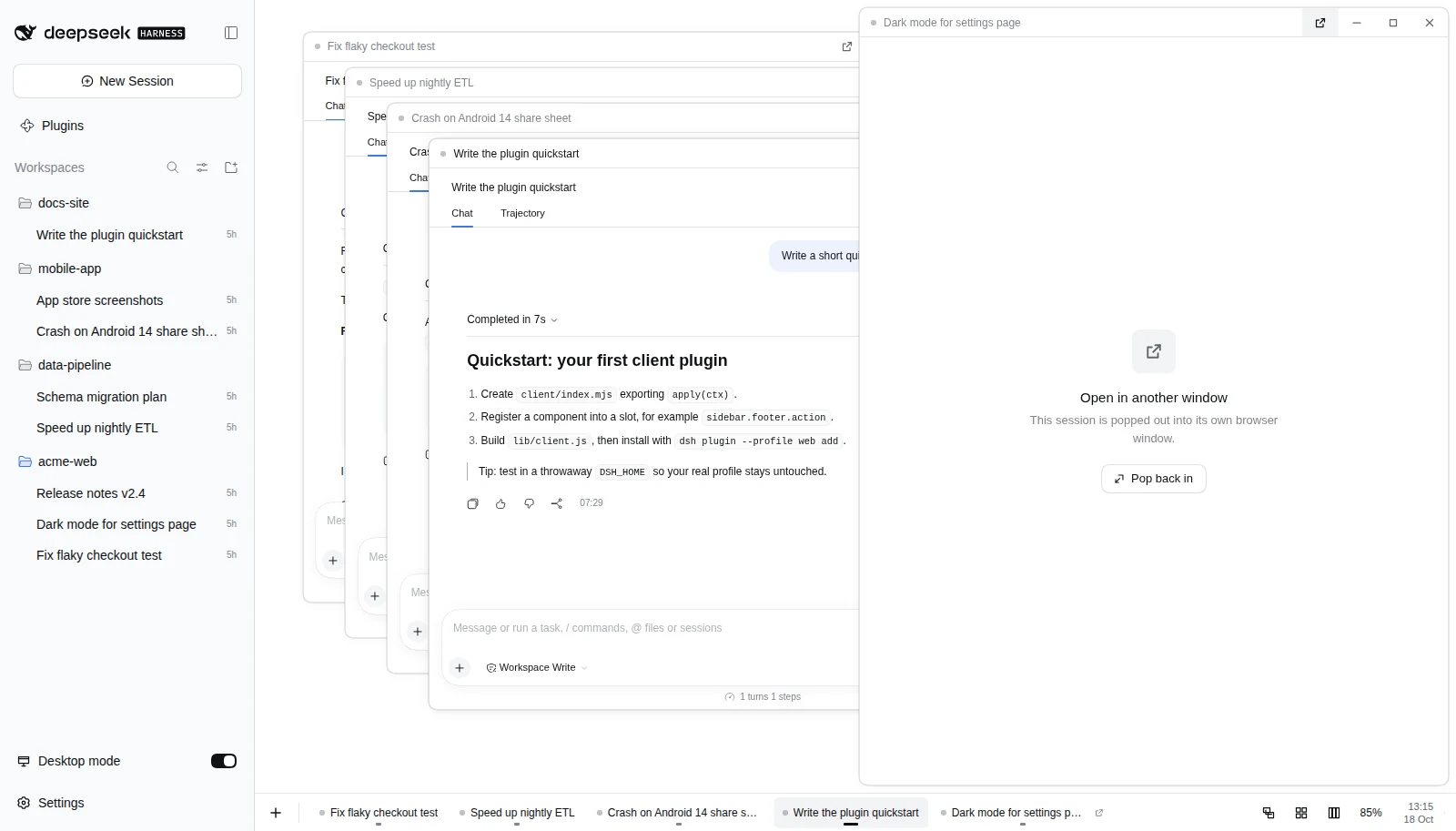
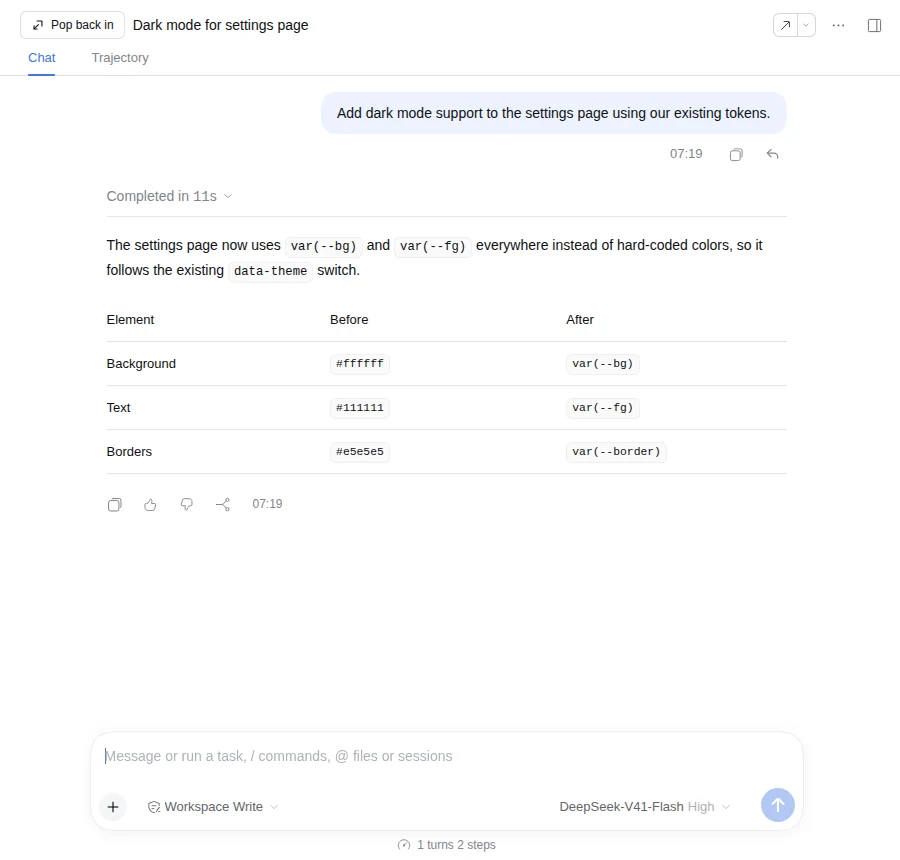
| Pop out (browser only) | The ↗ button left of minimize opens that session in its own browser window, showing just that conversation (no sidebar). The desktop keeps a placeholder with Pop back in; the popout window has a Pop back in button in its header too. Either one closes the popout and returns the session to the canvas. Closing the popout window yourself also brings it back. The button is hidden in the DeepSeek desktop app, which is detected through the data-platform marker its preload sets on `` (the same signal DSH's shortcut layer uses). |
| Snapping | Drag a window to the left or right edge to fill that half, or to the top to maximize. |
| Taskbar | New session button, one button per window (click to focus, click the focused one to minimize, a dot shows running sessions), Cascade / Tile / Side-by-side layouts, a clock, and a Show desktop strip at the far right. |
| Window text size | Window contents are the stock UI scaled down uniformly (default 85%), so every element — including ones added by other plugins — shrinks together. Click the percentage in the taskbar to make it larger, right-click to make it smaller (70–100%). The normal full-width conversation is untouched. |
| Restored after restart | Desktop mode, the open windows, their positions and sizes, minimized/maximized state, stacking order and text size are saved to your DSH profile config and restored after you stop and restart DSH — even in a different browser. Windows you closed stay closed. |
| Plays well with sidebar plugins | The Desktop mode switch is always the top entry above Settings; other footer buttons (for example dsh-all-usage) stack underneath it instead of being pushed sideways. |
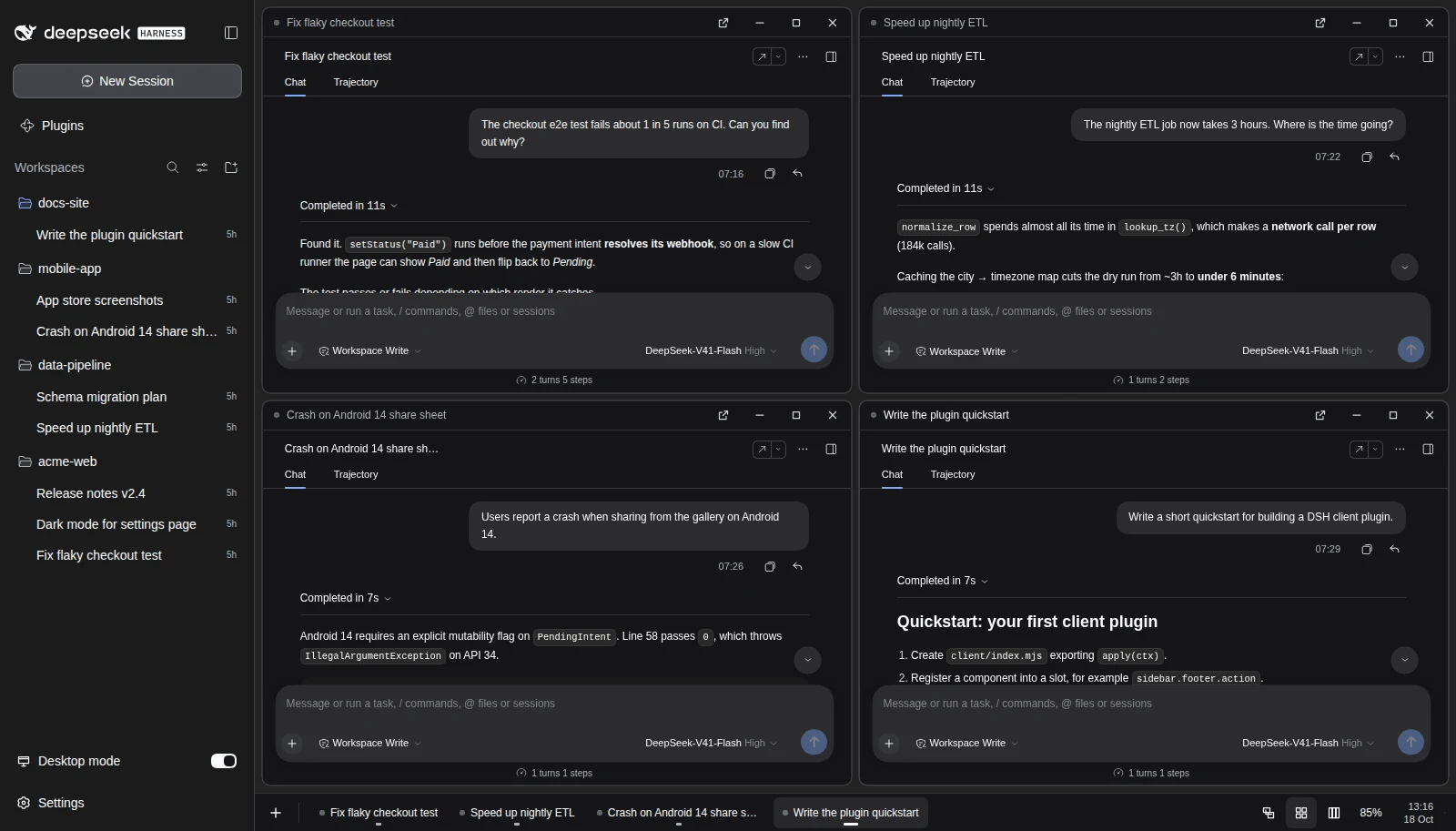
| Light and dark | Uses DSH's own theme tokens only, so it follows the GUI theme automatically. |
| Narrow screens | Below 720px the focused window fills the canvas and you switch through the taskbar. |
Closing a window never deletes or archives a session. The layout is stored as one
small JSON value in this plugin's own config entry (dsh-desktop-ui → layout in
your profile's cordis.patch.yml), written through DSH's settings service, with a
browser localStorage copy (dsh-desktop-ui.state.v1) for instant reloads. It
contains session ids, geometry and flags only — never conversation content,
credentials or prompts. The plugin makes no network requests of its own. To reset
the desktop, remove the layout line or switch Desktop mode off and close the windows.
Compatibility and limitations
**Requires DSH >=0.2.0-rc.2 in the hash (never the launch token); the window authenticates with the existing DSH browser cookie. Popped-out state is not saved — after a full restart sessions come back docked on the canvas.
- Reusing the stock conversation entry wraps it at runtime (the same technique
dsh-workspace-sorteruses for the sidebar). It is restored when the plugin unloads. - The UI strings are English only.
- Not yet tested: two tabs at once, a live model turn streaming inside a window, and coexistence with other sidebar plugins.
Build and test
npm run check     # build lib/client.js, run unit tests, npm pack --dry-run
npm pack
- Editable client source is
client/index.mjs.scripts/build.mjswriteslib/client.js, a lazy module that uses the GUI's own React (React is not bundled). Runnpm run buildand commitlib/client.jsafter editing the source; a unit test fails if it is stale. cordis.patch.ymlregisters the package.index.mjsdeclares the volatilelayoutConfig field using the running harness's own schemastery; it has no other host behaviour.- Client inject list:
dsh-api-session-controller,dsh-client-ui-layout,dsh-client-ui-session,dsh-client-ui-sidebar,dsh-client-ui-conversation,dsh-client-ui-chat,dsh-client-ui-workspace,dsh-client-ui-settings. test/state.test.mjscovers the window manager (open/focus/minimize/maximize/close, one window per session, move never resizes, snapping, layouts, show desktop, pruning, state sanitising, text size), Host persistence (restore, seeding, debounced and serialized writes, malformed values, early local changes), popout detection and URLs, footer ordering, runtime identities, and bundle freshness.scripts/e2e-gui.mjsis a dependency-free headless Chrome/CDP test against a real, isolated DSH instance. See LOCAL-SETUP.md.
Design concepts
The early, standalone "Harness OS" design explorations that led to this plugin
are kept in designs/. They are static HTML demos and are
not part of the npm package.